
1. Introduction
This manual provides essential information for the safe and effective operation of your Silverlit M.I. Archer 3-Channel I/R Remote Control Gyro Helicopter. Please read it thoroughly before first use and retain it for future reference.

Image: The Silverlit M.I. Archer helicopter, showcasing its black and red design with dual rotors and missile launchers.
The Silverlit M.I. Archer is a 3-channel infrared remote control helicopter designed for indoor flight. It features Motion Intelligence technology for stability, a built-in gyroscope for precise control, and light effects. The helicopter can shoot 8 weapons one by one or in burst mode, and comes with 16 missiles and a target.
2. Safety Information
- Recommended Age: This product is suitable for users aged 10 years and up.
- Indoor Use Only: The helicopter is designed for indoor flight. Avoid flying outdoors to prevent loss of control or damage due to wind.
- Clear Area: Ensure a clear, open space free from obstacles, people, and pets before flying.
- Battery Safety: Do not mix old and new batteries. Do not mix alkaline, standard (carbon-zinc), or rechargeable (nickel-cadmium) batteries. Always insert batteries with correct polarity. Remove batteries if the product is not used for an extended period.
- Charging: Only use the provided charging method. Do not overcharge the helicopter battery.
- Missile Safety: Do not aim missiles at people or animals. Ensure a safe distance from targets.
- Rotor Blades: Keep fingers, hair, and loose clothing away from rotating rotor blades.
3. Package Contents
Verify that all items listed below are included in your package:
- Silverlit M.I. Archer Helicopter (with built-in Li-Poly rechargeable battery)
- Remote Control Transmitter (requires 6 AA batteries, not included)
- 16 Missiles
- 1 Target

Image: All components included in the Silverlit M.I. Archer package: the helicopter, the gesture control remote, a sheet of orange missiles, and a yellow and black target.
4. Setup
4.1. Remote Control Battery Installation
- Locate the battery compartment on the back of the remote control.
- Open the battery compartment cover.
- Insert 6 new AA batteries, ensuring correct polarity (+/-).
- Close the battery compartment cover securely.

Image: The black gesture control remote for the Silverlit M.I. Archer helicopter, featuring a joystick-like design.
4.2. Charging the Helicopter
- Ensure the remote control has fresh batteries and is turned off.
- Locate the charging cable on the remote control.
- Connect the charging cable to the charging port on the helicopter.
- The charging indicator light on the remote will illuminate during charging.
- Charging typically takes approximately 1 hour 20 minutes. Disconnect once the indicator light changes or turns off, indicating a full charge.
4.3. Missile Loading
- Carefully insert the missiles into the designated launchers on the sides of the helicopter.
- Ensure missiles are seated correctly but not forced, to avoid damage.

Image: The Silverlit M.I. Archer helicopter with two silver missiles partially loaded into its side launchers.
5. Operating Instructions
5.1. Pairing the Remote Control
- Turn on the helicopter using its power switch.
- Turn on the remote control.
- The remote and helicopter will automatically attempt to pair. Wait for the indicator lights to stabilize, indicating a successful connection.
5.2. Basic Flight Controls (Gesture Control)
The M.I. Archer utilizes gesture control for intuitive flight. The remote control acts as a joystick, responding to your hand movements.
- Hovering Up/Down: Move the remote control up or down to adjust the helicopter's altitude. The Motion Intelligence sensor helps manage flight height for stability.
- Turn Left/Right: Tilt the remote control left or right to steer the helicopter in the corresponding direction.
- Move Forward/Backward: Tilt the remote control forward or backward to move the helicopter in the desired direction.

Image: A diagram showing how tilting the remote control up/down, left/right, and forward/backward corresponds to helicopter movements like hovering, turning, and moving forward/backward.
5.3. Firing Missiles
The helicopter can fire missiles one by one or in a burst mode.
- Locate the firing button on the remote control.
- Press the button once for a single shot.
- Press and hold the button for burst fire.
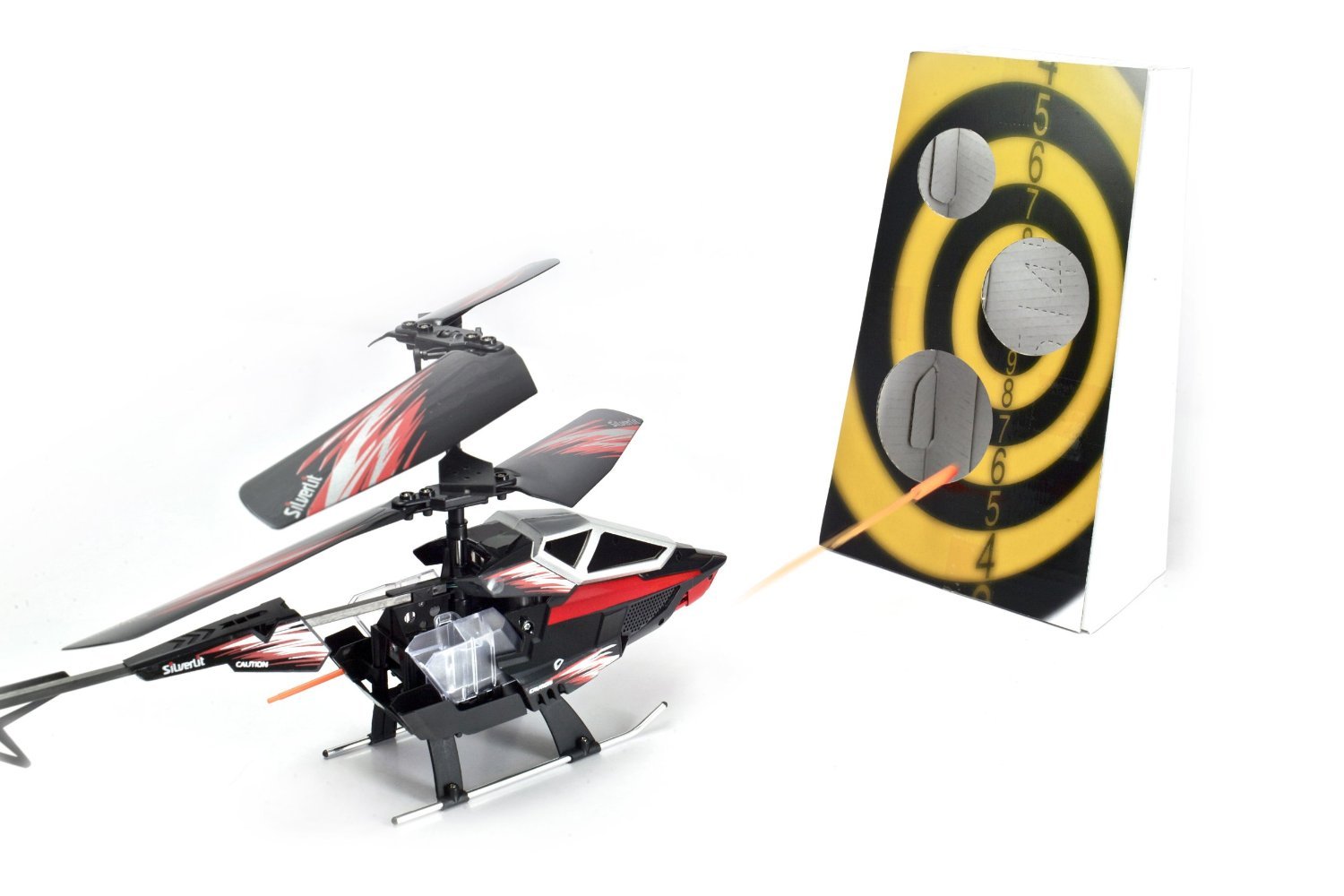
Image: The Silverlit M.I. Archer helicopter in flight, firing an orange missile towards a yellow and black target board.
Flight Performance: The helicopter has a flying range of approximately 8 meters and a flying time of 4-5 minutes per charge.
6. Maintenance
- Cleaning: Wipe the helicopter and remote control with a soft, dry cloth. Do not use harsh chemicals or water.
- Storage: Store the helicopter and remote in a cool, dry place away from direct sunlight when not in use. Remove batteries from the remote if storing for extended periods.
- Rotor Blades: Periodically check rotor blades for damage. Replace any bent or broken blades to ensure optimal flight performance.
- Battery Care: Do not leave the helicopter charging unattended. Allow the helicopter to cool down for 10-15 minutes after flight before recharging.
7. Troubleshooting
| Problem | Possible Cause | Solution |
|---|---|---|
| Helicopter does not respond to remote. | Low batteries in remote or helicopter; Not paired; Out of range. | Replace remote batteries; Charge helicopter; Re-pair remote and helicopter; Ensure within 8m range. |
| Helicopter flies erratically or is unstable. | Damaged rotor blades; Interference; Gyro calibration issue. | Check and replace damaged blades; Fly in an area free from other IR devices; Turn off and on again to re-calibrate gyro. |
| Missiles do not fire. | Missiles not loaded correctly; Firing mechanism jammed. | Ensure missiles are fully and correctly inserted; Check for any obstructions in the firing mechanism. |
| Short flight time. | Helicopter battery not fully charged; Old battery. | Ensure helicopter is fully charged (approx. 1h 20m); Battery may need replacement if it's old. |
8. Specifications
| Feature | Detail |
|---|---|
| Model Number | SE84652 |
| Control Type | 3-Channel Infrared (I/R) with Gesture Control |
| Stabilization | Built-in Gyroscope, Motion Intelligence Technology |
| Helicopter Battery | Built-in Li-Poly Rechargeable |
| Remote Control Batteries | 6 x AA (not included) |
| Flying Range | Approx. 8 meters |
| Flying Time | Approx. 4-5 minutes |
| Charging Time | Approx. 1 hour 20 minutes |
| Missile Capacity | 8 missiles (16 included) |
| Product Dimensions | 23 x 5 x 11.5 cm (L x W x H) |
| Item Weight | 180 g |
| Color | Multicolor (Black/Red) |
| Camera | No |
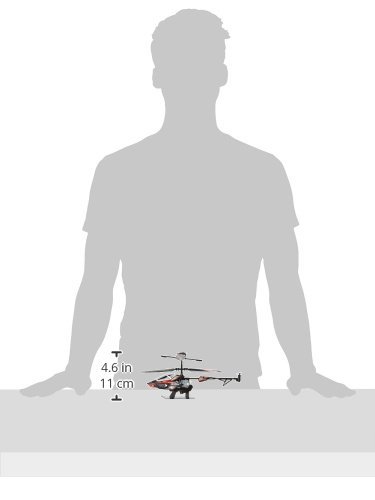
Image: The Silverlit M.I. Archer helicopter shown next to a human silhouette for scale, indicating its compact size of approximately 11 cm (4.6 inches) in height.
9. Warranty and Support
For warranty information or technical support, please refer to the contact details provided on the product packaging or visit the official Silverlit website. Keep your purchase receipt as proof of purchase.