
1. Introduction
This manual provides detailed instructions for the proper use and maintenance of your LogiLink BT0027 Bluetooth Headset. Please read this manual thoroughly before using the device to ensure optimal performance and longevity.
2. Package Contents
Verify that all items are present in your package:
- LogiLink BT0027 Bluetooth Headset
- USB Charging Cable
- User Manual
3. Product Overview
The LogiLink BT0027 is a mono Bluetooth headset designed for clear communication. It features an integrated, adjustable microphone and a comfortable, stretchable headband.

Figure 3.1: LogiLink BT0027 Bluetooth Headset, showing the earcup, headband, and extended microphone arm.
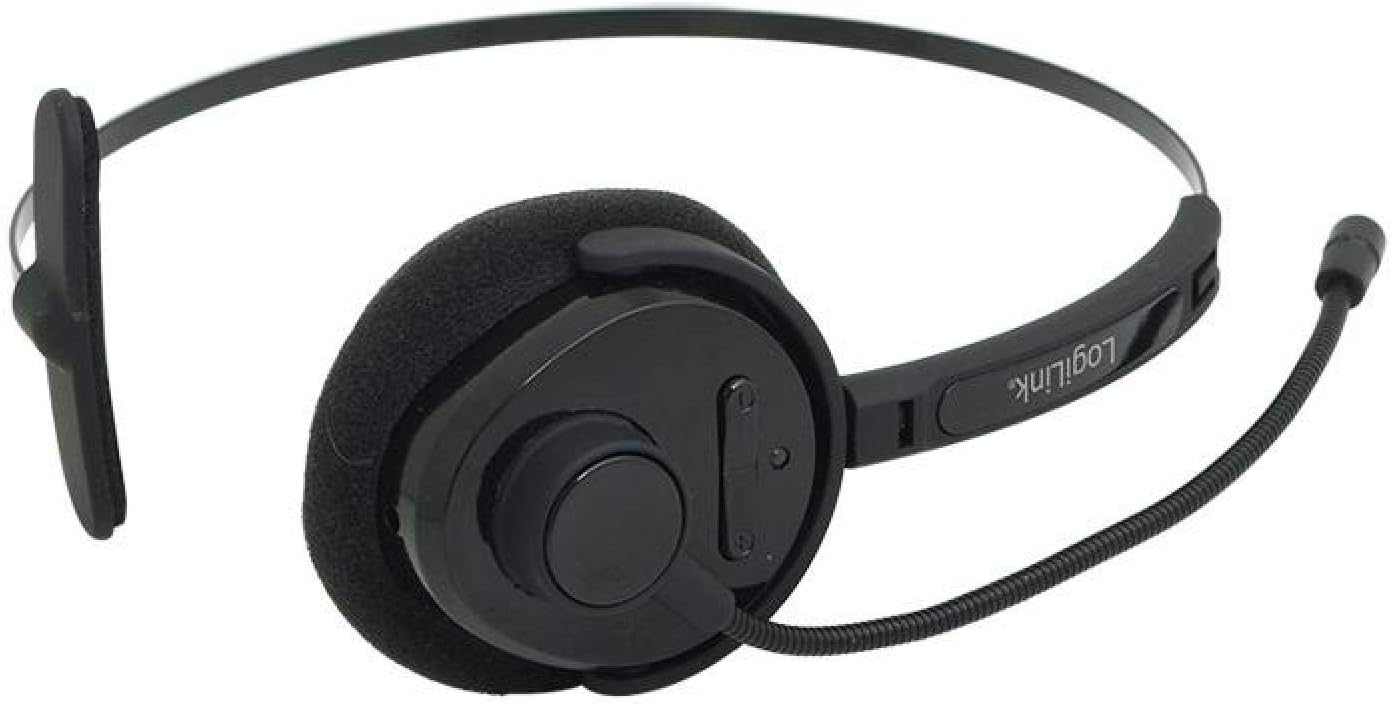
Figure 3.2: Top-down view of the headset, highlighting the earcup and control buttons.
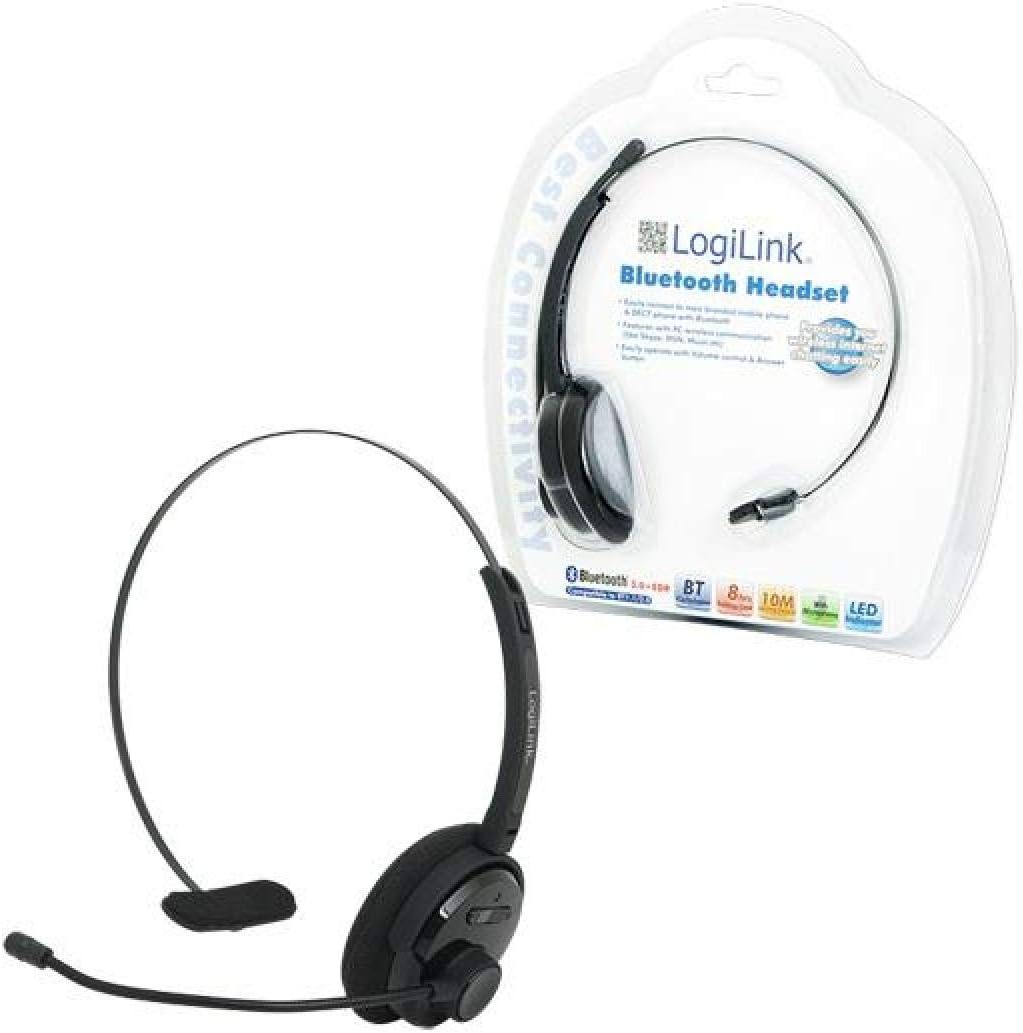
Figure 3.3: The LogiLink BT0027 Bluetooth Headset as packaged for retail.
4. Setup
4.1 Initial Charging
- Connect the provided USB charging cable to the charging port on the headset.
- Plug the other end of the USB cable into a powered USB port (e.g., computer, USB wall adapter).
- The LED indicator will show red during charging.
- Once fully charged, the LED indicator will turn blue or off (refer to LED behavior in section 6.1). A full charge typically takes approximately 2-3 hours.
It is recommended to fully charge the headset before its first use.
5. Operating Instructions
5.1 Power On/Off
- To Power On: Press and hold the Multi-Function Button (MFB) for approximately 3 seconds until the LED indicator flashes blue.
- To Power Off: Press and hold the MFB for approximately 5 seconds until the LED indicator flashes red and then turns off.
5.2 Bluetooth Pairing
To connect your headset to a Bluetooth-enabled device:
- Ensure the headset is powered off.
- Press and hold the MFB for approximately 7 seconds until the LED indicator flashes red and blue alternately. This indicates pairing mode.
- On your device (smartphone, laptop, tablet), enable Bluetooth and search for new devices.
- Select "BT0027" from the list of available devices.
- Once paired, the LED indicator will flash blue periodically.
- If prompted for a password, enter "0000".
5.3 Call Management
- Answer Call: Press the MFB once.
- End Call: Press the MFB once during a call.
- Reject Call: Press and hold the MFB for approximately 2 seconds.
- Redial Last Number: Double-press the MFB.
5.4 Volume Control
- Volume Up: Press the 'VOL+' button.
- Volume Down: Press the 'VOL-' button.
6. LED Indicator Guide
The LED indicator provides visual feedback on the headset's status:
- Red: Charging
- Blue (solid or slow flash): Fully charged / Connected / Powered On
- Red and Blue (alternating flash): Pairing mode
- Red (quick flash): Low battery
7. Maintenance
- Clean the headset with a soft, dry cloth. Do not use abrasive cleaners or solvents.
- Avoid exposing the headset to extreme temperatures, moisture, or direct sunlight.
- Store the headset in a cool, dry place when not in use.
- Do not attempt to disassemble or modify the headset, as this will void the warranty and may cause damage.
8. Troubleshooting
| Problem | Possible Cause | Solution |
|---|---|---|
| Headset does not power on. | Battery is depleted. | Charge the headset fully. |
| Cannot pair with device. | Headset not in pairing mode. Device Bluetooth off or out of range. | Ensure headset is in pairing mode (red/blue flashing LED). Check device Bluetooth settings and proximity. |
| No sound or poor sound quality. | Volume too low. Headset not properly connected. Interference. | Adjust volume on headset and device. Re-pair the headset. Move away from other wireless devices. |
| Microphone not working. | Microphone muted on device. Microphone arm not positioned correctly. | Check device settings. Adjust microphone arm closer to your mouth. |
9. Specifications
| Model Number | BT0027 |
| Brand | LogiLink |
| Connectivity Technology | Wireless (Bluetooth V3.0 with EDR) |
| Bluetooth Profiles | HSP, HFP |
| Frequency Range | 2.402 - 2.480 GHz |
| Wireless Range | Up to 10 meters (33 feet) |
| Talk Time | Up to 8 hours |
| Standby Time | Up to 270 hours |
| Battery Type | 240 mAh Li-Polymer (Integrated) |
| Charging Port | USB |
| Controls | Multi-Function Button (MFB), Volume Up (VOL+), Volume Down (VOL-) |
| LED Indicator | Red/Blue |
| Ear Placement | Supra-aural (On-ear) |
| Microphone | Integrated, Adjustable Arm |
| Compatible Devices | Bluetooth-enabled smartphones, laptops, tablets |
| Color | Black |
| Item Weight | 1 Grams (Note: This value may be an approximation or error in source data) |
10. Safety Information
- Do not use the headset at high volume levels for extended periods to prevent hearing damage.
- Do not use the headset while driving or in situations where awareness of surroundings is critical.
- Keep the headset away from water and other liquids.
- Dispose of the battery and headset according to local regulations. Do not dispose of in fire.
- Keep out of reach of children.
11. Warranty and Support
Specific warranty information for the LogiLink BT0027 Bluetooth Headset is not provided in this manual. For warranty details, technical support, or service inquiries, please refer to the documentation included with your purchase or contact LogiLink customer support directly.


