
Baseus PPQD-A02
Contents
User Manual: Baseus Qpow Power Bank
Model: PPQD-A02
Introduction
Thank you for choosing the Baseus Qpow Power Bank. This portable power bank with an integrated USB-C cable and 10000mAh capacity is designed to provide convenient and efficient charging for your mobile devices on the go. Please read this manual carefully before using the product to ensure proper operation and maintenance.
Safety Information
- Do not expose the power bank to extreme temperatures (hot or cold), direct sunlight, or humid environments.
- Do not disassemble, modify, or repair the device yourself. Refer to qualified service personnel.
- Keep the power bank away from water and other liquids.
- Avoid dropping or subjecting the power bank to strong impacts.
- Use only certified charging cables and adapters.
- Keep out of reach of children.
- Dispose of the power bank according to local regulations for electronic waste.
Package Contents
- Baseus Qpow Power Bank (Model: PPQD-A02)
- User Manual
Product Overview
Familiarize yourself with the components of your Baseus Qpow Power Bank.

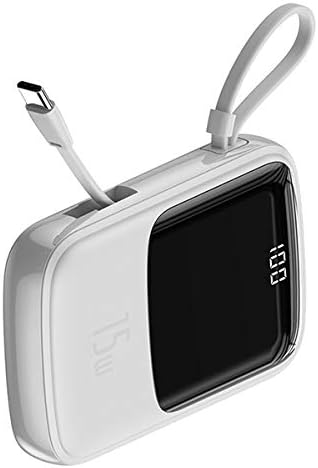
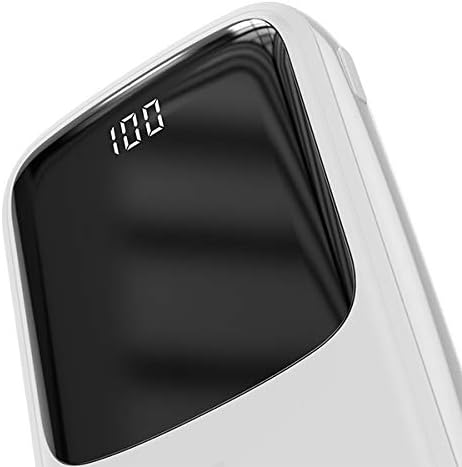

Key features include a digital display for battery percentage, multiple output ports (USB-A, Type-C), and an integrated USB-C cable for convenience.
Setup
Initial Charging
- Before first use, fully charge the power bank.
- Connect the power bank to a USB wall charger (not included) using a compatible USB-C cable or the integrated USB-C cable.
- The digital display will show the charging progress. Once it reaches "100", the power bank is fully charged.
Operating Instructions
Charging Your Devices
- Identify the correct charging port on your device (e.g., USB-C, Lightning).
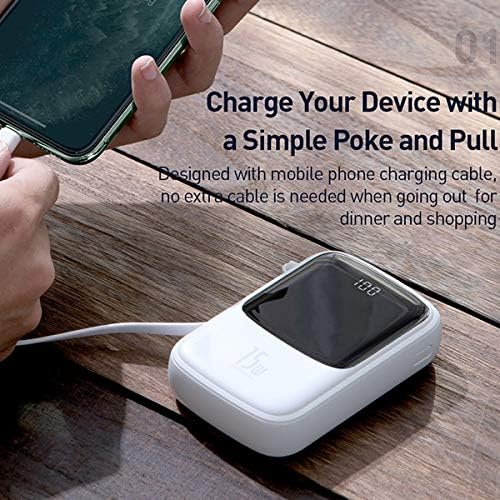
- For USB-C devices, use the integrated USB-C cable from the power bank. For other devices, connect your device's charging cable to one of the USB Output ports on the power bank.
- Connect the other end of the cable to your device.
- The power bank will automatically begin charging your device. The digital display will show the remaining battery percentage.
- Disconnect your device once it is fully charged or when you no longer need to charge.
Recharging the Power Bank
When the digital display shows a low battery percentage, recharge the power bank.
- Connect a USB-C cable to the Type-C Input/Output port on the power bank, or an iP cable to the iP Input port.
- Connect the other end of the cable to a suitable power source, such as a USB wall adapter or a computer's USB port.
- The digital display will indicate charging status.
- Once the display shows "100", the power bank is fully charged and ready for use.
Maintenance
- Cleaning: Wipe the power bank with a soft, dry cloth. Do not use abrasive cleaners or solvents.
- Storage: Store the power bank in a cool, dry place away from direct sunlight and extreme temperatures. If storing for extended periods, charge the power bank to about 50-70% every three months to preserve battery life.
- Battery Care: To maximize battery lifespan, avoid fully discharging the power bank frequently.
Troubleshooting
| Problem | Possible Cause | Solution |
|---|---|---|
| Power bank not charging | Cable or adapter issue; power bank fully charged; faulty port. | Try a different cable and adapter. Ensure the power bank is not already at 100%. Try a different input port if available. |
| Device not charging from power bank | Power bank battery low; incorrect cable; device not compatible; faulty port. | Recharge the power bank. Ensure you are using the correct cable for your device. Try a different output port. Check device compatibility. |
| Digital display not working | Power bank is off; internal issue. | Ensure the power bank is turned on (if it has a power button, though this model seems automatic). If problem persists, contact support. |
Specifications
| Brand | Baseus |
| Model Number | PPQD-A02 |
| Battery Capacity | 10000 Milliamperestunden (mAh) |
| Connector Type | USB Typ-C (integrated cable), USB Typ-A (output), iP (input) |
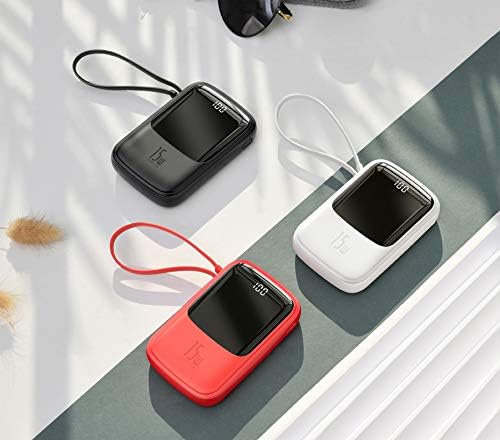
| Color | White |
| Special Feature | Digital Display |
| Product Dimensions | 20 x 3 x 5 cm |
| Weight | 100 Grams |
| Batteries Required | 1 Lithium-Polymer (included) |
Warranty and Support
Baseus products are manufactured to the highest quality standards. For warranty information or technical support, please refer to the warranty card included with your purchase or visit the official Baseus website. Please retain your proof of purchase for any warranty claims.
For further assistance, you may contact Baseus customer service through their official channels.
Ask a question about this manual
Ask about setup, troubleshooting, compatibility, parts, safety, or missing instructions. Manuals+ will review the question and use this page’s manual context to help answer it.