
1. Product Overview
The C2G 03997 Cat6 Snagless Unshielded Ethernet Network Patch Cable is designed for high-speed data transmission in Ethernet and Gigabit computer networks. It supports bandwidth-intensive applications such as voice, data, and video distribution. This cable meets all Cat6 TIA/EIA standards, effectively reducing impedance and structural return loss (SRL). Each pair of wires within the cable is bonded to maintain twist-spacing up to the termination point, minimizing Near-End Crosstalk (NEXT) levels. The cable features a molded, snagless boot to prevent damage during installation and provide strain relief.
Key Features:
- RJ45 Connector: Standard connector for Ethernet networking.
- Snagless Boot: Protects the connector clip during installation and removal.
- Unshielded Twisted Pair (UTP): Suitable for environments with minimal electromagnetic interference.
- Cat6 Standard: Supports data transfer rates up to 1000 Mbps (1 Gigabit) and frequencies up to 250 MHz, compatible with 10GBase-T for shorter distances.
- Durable Construction: Made from high-quality copper cable with a PVC jacket.

Figure 1: C2G Cat6 Ethernet Cable, Green, 30 Feet. This image shows the full length of the green Cat6 cable with RJ45 connectors on both ends.
2. Setup and Installation
This Cat6 patch cable is designed for simple plug-and-play installation. No special tools or software are required.
- Identify Ports: Locate the RJ45 Ethernet ports on the devices you wish to connect (e.g., modem, router, computer, network switch). These ports are typically rectangular with a small clip on one side.
- Connect First Device: Gently insert one end of the C2G Cat6 cable into the Ethernet port of your first device. Ensure the connector's clip clicks into place, indicating a secure connection.
- Connect Second Device: Insert the other end of the C2G Cat6 cable into the Ethernet port of your second device. Again, ensure the clip clicks securely.
- Verify Connection: Most network devices have LED indicators next to the Ethernet port that will light up or blink when a successful connection is established and data is being transmitted.
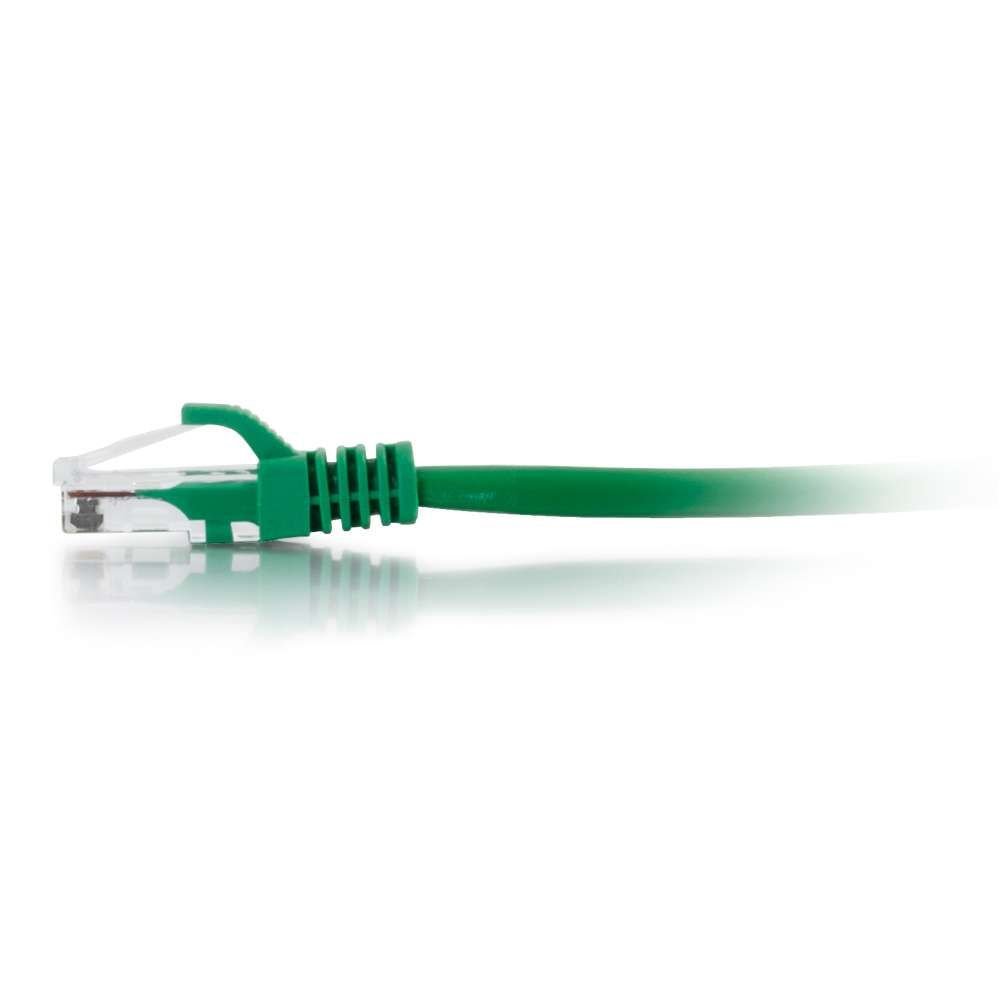
Figure 2: Close-up view of the C2G Cat6 RJ45 connector with its snagless boot. This image highlights the connector design for secure and protected connections.
3. Operating Instructions
Once connected, the C2G Cat6 cable facilitates data communication between the connected devices. It operates passively, meaning it does not require external power or configuration.
- Data Transmission: The cable transmits data signals between network devices. The speed of data transfer will depend on the capabilities of the connected devices and your network infrastructure.
- Network Compatibility: This Cat6 cable is backward compatible with Cat5e and Cat5 standards, allowing it to function in older network setups, though at the speed of the lowest common denominator.
- Application: Ideal for connecting computers, printers, network-attached storage (NAS), gaming consoles, smart TVs, and other network-enabled devices to a router, modem, or network switch.

Figure 3: Angled view of the C2G Cat6 RJ45 connector, showing the internal pins and the clear plastic housing. This perspective emphasizes the build quality of the connector.
4. Maintenance and Care
Proper care of your C2G Cat6 cable will ensure its longevity and optimal performance.
- Avoid Bending: Do not excessively bend or kink the cable, as this can damage the internal wires and impair performance.
- Protect Connectors: Avoid pulling the cable by the wire when disconnecting. Always grasp the connector housing. The snagless boot helps protect the locking tab.
- Cleanliness: Keep the RJ45 connectors free from dust and debris. Use compressed air if necessary.
- Storage: When not in use, coil the cable loosely and store it in a dry, cool place away from direct sunlight or extreme temperatures.
- Environmental Use: This cable is rated for both indoor and outdoor usage, but prolonged exposure to harsh outdoor elements may reduce its lifespan.
5. Troubleshooting
If you experience network connectivity issues, consider the following troubleshooting steps:
- No Network Connection:
- Ensure both ends of the cable are securely plugged into their respective ports. Listen for the "click" sound.
- Check the LED indicators on your network devices. If they are off, try re-seating the cable or using a different port.
- Test the cable with another device or use a different Ethernet cable to rule out a faulty cable.
- Slow Network Speed:
- While Cat6 supports higher speeds, ensure all connected devices (router, switch, computer network card) also support those speeds.
- Verify that the cable is not excessively bent or damaged, as this can degrade signal quality.
- Minimize cable length where possible, as longer cables can sometimes experience signal degradation, especially in noisy environments.
- Intermittent Connection:
- Check for loose connections at both ends.
- Inspect the cable for visible damage (frays, cuts).
- Ensure the cable is not running near sources of strong electromagnetic interference (e.g., power lines, large motors) if it's an unshielded cable.
6. Specifications
| Feature | Detail |
|---|---|
| Brand | C2G |
| Model | 03997 |
| Cable Type | Unshielded (UTP), Snagless, Booted, Ethernet Patch Cable |
| Ethernet Cable Category | Cat 6 |
| Connector Type | RJ45 |
| Connector Gender | Male |
| Data Transfer Rate | 1000 Megabits Per Second |
| Frequency | 10 GHz (Note: Cat6 typically supports up to 250 MHz for full length, 10Gbps for shorter lengths) |
| Number of Pins | 8 |
| Color | Green |
| Length | 30 Feet / 9.14 Meters |
| Outer Material | Polyvinyl Chloride (PVC) |
| Compatible Devices | Modem, PC, Router |
| Indoor/Outdoor Usage | Indoor, Outdoor |
| Item Weight | 0.7 Pounds |
| UPC | 062373690837, 757120039976, 336013481858 |
7. Warranty and Support
For warranty information and technical support regarding your C2G 03997 Cat6 Snagless Unshielded Ethernet Network Patch Cable, please refer to the official C2G website or contact their customer service department.
C2G Official Website: www.c2g.com
C2G is a brand of Legrand. For additional resources, you may visit the Legrand website: www.legrand.us


