
1. Introduction
Thank you for choosing the Perel 7500-3N2 Remote Control Socket Set. This product allows you to wirelessly control up to three electrical appliances using a single remote control. Please read this manual carefully before use to ensure safe and optimal operation.
Safety Information
- Ensure the total power consumption of connected devices does not exceed 2300 Watts (15A at 250V).
- Do not expose the sockets or remote control to water or high humidity.
- Do not open or attempt to repair the devices. Refer all servicing to qualified personnel.
- Keep out of reach of children.
- Only use indoors in dry environments.
- Always unplug devices from the socket before cleaning.
2. Package Contents
Please check the package contents upon unpacking. If any items are missing or damaged, contact your retailer.
- 3 x Perel Remote Control Sockets
- 1 x Remote Control (with battery included)
- 1 x User Manual (this document)
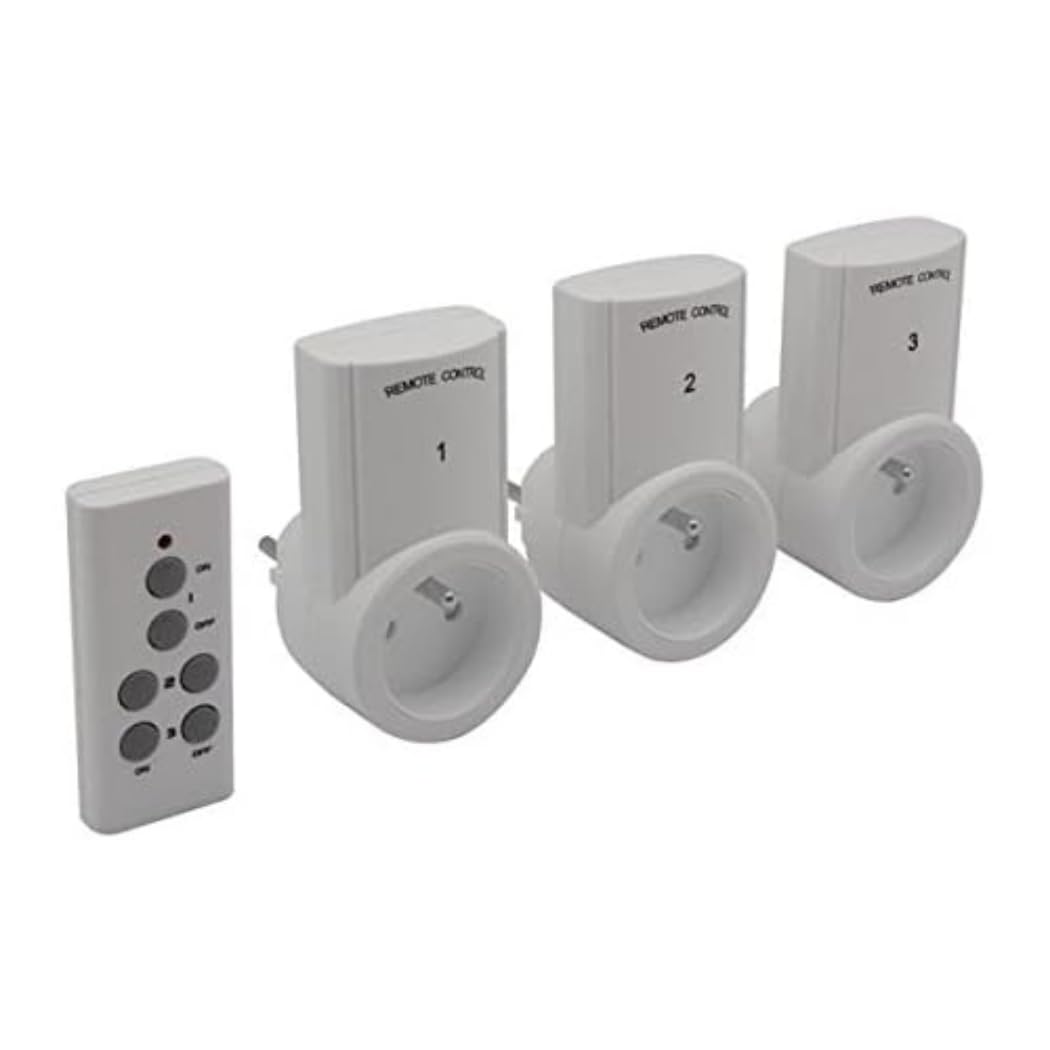
Image 1: The Perel 7500-3N2 Remote Control Socket Set, showing three multi-colored sockets and a remote control.
3. Setup
3.1. Remote Control Battery Installation
- Locate the battery compartment on the back of the remote control.
- Slide open the battery cover.
- Insert the included battery, ensuring the correct polarity (+/-).
- Close the battery cover securely.
3.2. Pairing Sockets with the Remote Control
The sockets are typically pre-paired with the remote control. If re-pairing is necessary or if you wish to change the assigned buttons:
- Plug the socket into a wall outlet. The indicator light on the socket may flash.
- Within 5 seconds of plugging in, press and hold the desired "ON" button (e.g., "A ON") on the remote control until the socket's indicator light stops flashing and remains solid, or turns off. This confirms successful pairing.
- Repeat this process for the other two sockets, assigning them to different buttons (e.g., "B ON", "C ON").
3.3. Connecting Appliances
Once paired, plug your desired electrical appliances into the remote control sockets. Ensure the appliance is switched to the "ON" position if it has its own power switch.
4. Operating Instructions
4.1. Turning Appliances On/Off
- To turn on an appliance connected to a specific socket (e.g., Socket A), press the corresponding "ON" button (e.g., A ON) on the remote control.
- To turn off an appliance connected to a specific socket, press the corresponding "OFF" button (e.g., A OFF) on the remote control.
- To turn all connected appliances on, press the ALL ON button.
- To turn all connected appliances off, press the ALL OFF button.
4.2. Remote Control Range
The remote control operates within a certain range, typically up to 30 meters in open areas. Walls, furniture, and other electronic devices may reduce the effective range. Ensure a clear line of sight between the remote and the sockets for optimal performance.
5. Maintenance
5.1. Cleaning
Wipe the sockets and remote control with a soft, dry cloth. Do not use abrasive cleaners, solvents, or immerse in water.
5.2. Battery Replacement
If the remote control's range decreases or it becomes unresponsive, the battery may need replacement. Follow the steps in Section 3.1 to replace the battery with a new one of the same type.
6. Troubleshooting
| Problem | Possible Cause | Solution |
|---|---|---|
| Socket does not respond to remote. |
|
|
| Indicator light on socket does not turn on. |
|
|
7. Specifications
| Model Number | 7500-3N2 |
| Brand | Perel |
| Dimensions (L x W x H) | 8.5 x 21 x 20.5 cm |
| Weight | 0.43 kg (for the set) |
| Voltage | 250 Volts |
| Amperage | 15 A |
| Power (Max) | 2300 Watts |
| Material | Plastic |
| Total Sockets | 3 |
| Country of Origin | Germany |
8. Warranty and Support
8.1. Manufacturer Warranty
This Perel 7500-3N2 Remote Control Socket Set comes with a 1-year manufacturer warranty from the date of purchase. This warranty covers defects in materials and workmanship under normal use. It does not cover damage caused by misuse, accident, unauthorized modification, or neglect.
8.2. Customer Support
For technical assistance, warranty claims, or further information, please contact your retailer or visit the official Perel website. Please have your model number (7500-3N2) and proof of purchase ready when contacting support.
You can find more information about Perel products at: Perel Brand Store