
Introduction
This manual provides detailed instructions for the safe and effective use of your FUJIFILM FinePix Z2000EXR Digital Camera. Please read this manual thoroughly before using the camera and keep it in a safe place for future reference.
The FinePix Z2000EXR is equipped with the "EXR Processor II" image processing engine, achieving high-speed autofocus as fast as 0.19 seconds. Compared to previous models, startup time is reduced to 0.9 seconds and shooting interval to 0.6 seconds, ensuring you capture every moment.
Featuring a sensor with proprietary EXR technology, the "Premium EXR AUTO" mode automatically selects optimal shooting conditions from 108 patterns, allowing for easy capture of ultra-high-quality images in any scene.
Product Overview
The FUJIFILM FinePix Z2000EXR is a compact digital camera designed for ease of use and high-quality imaging. It features a 16-megapixel CMOS sensor, 5x optical zoom, and advanced image processing capabilities.
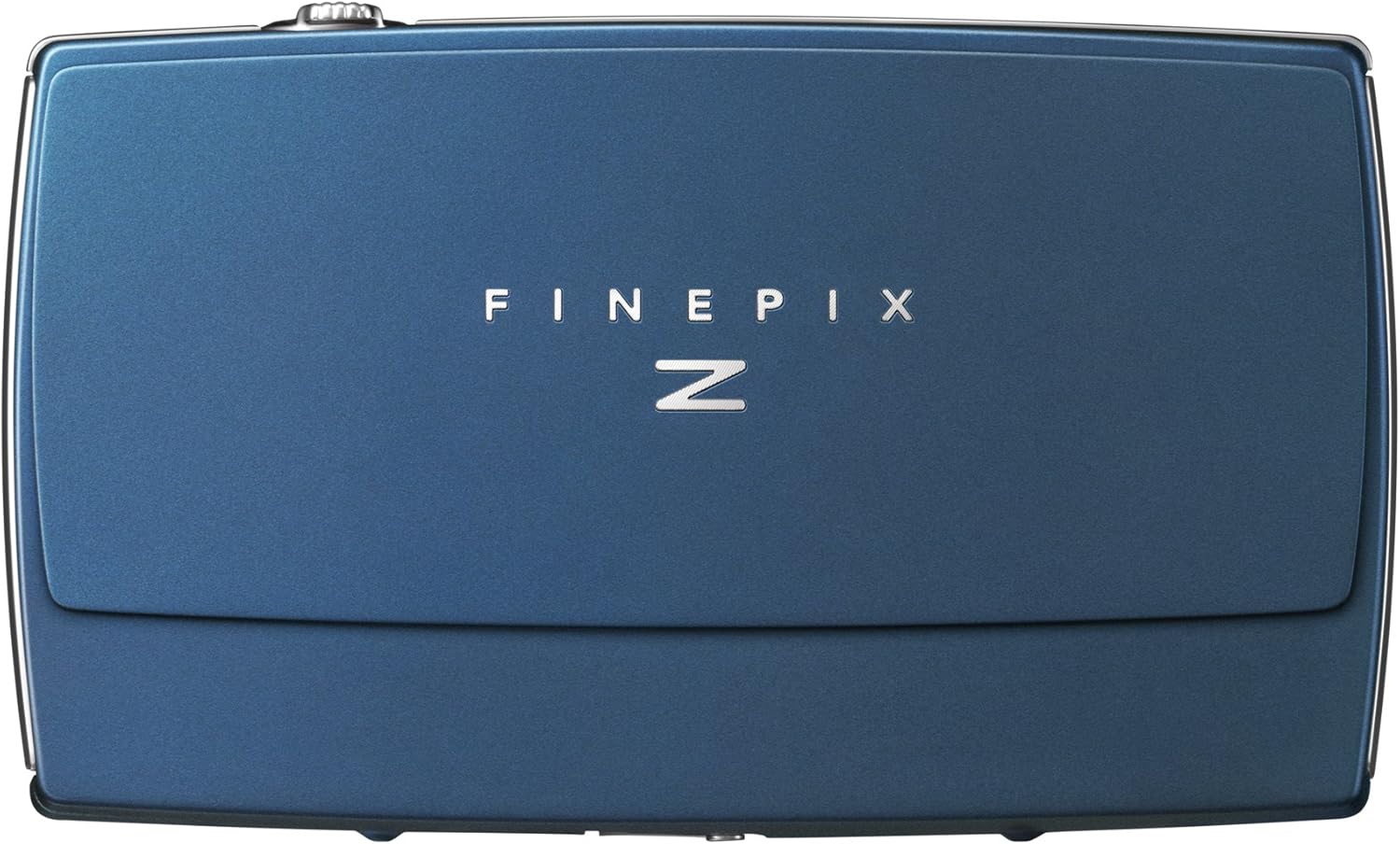
Figure 1: Front view of the FUJIFILM FinePix Z2000EXR Digital Camera, showcasing its sleek blue design and "FINEPIX N" branding.
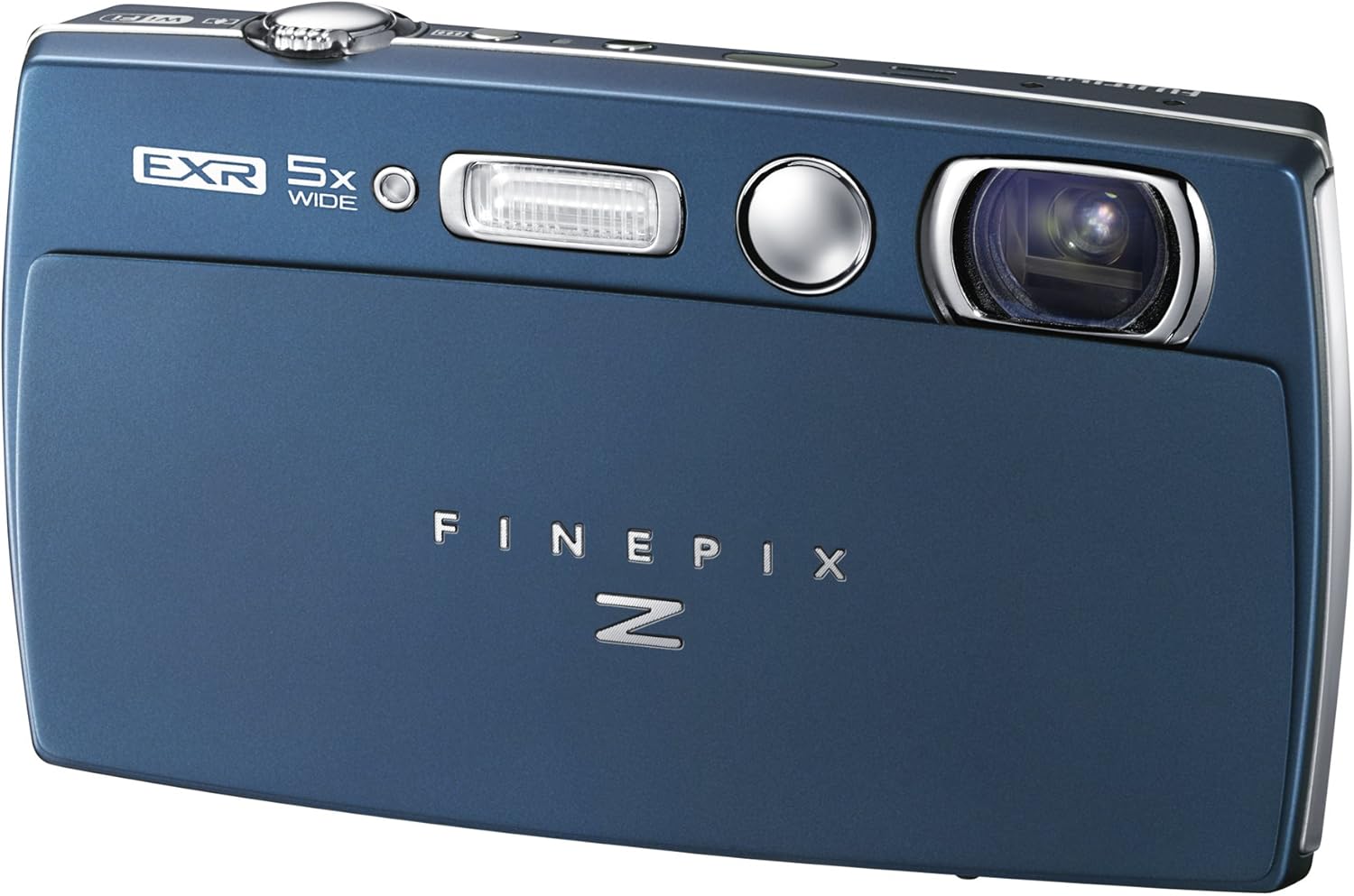
Figure 2: Top-front view of the camera, highlighting the lens, flash, and "EXR 5x WIDE" branding.
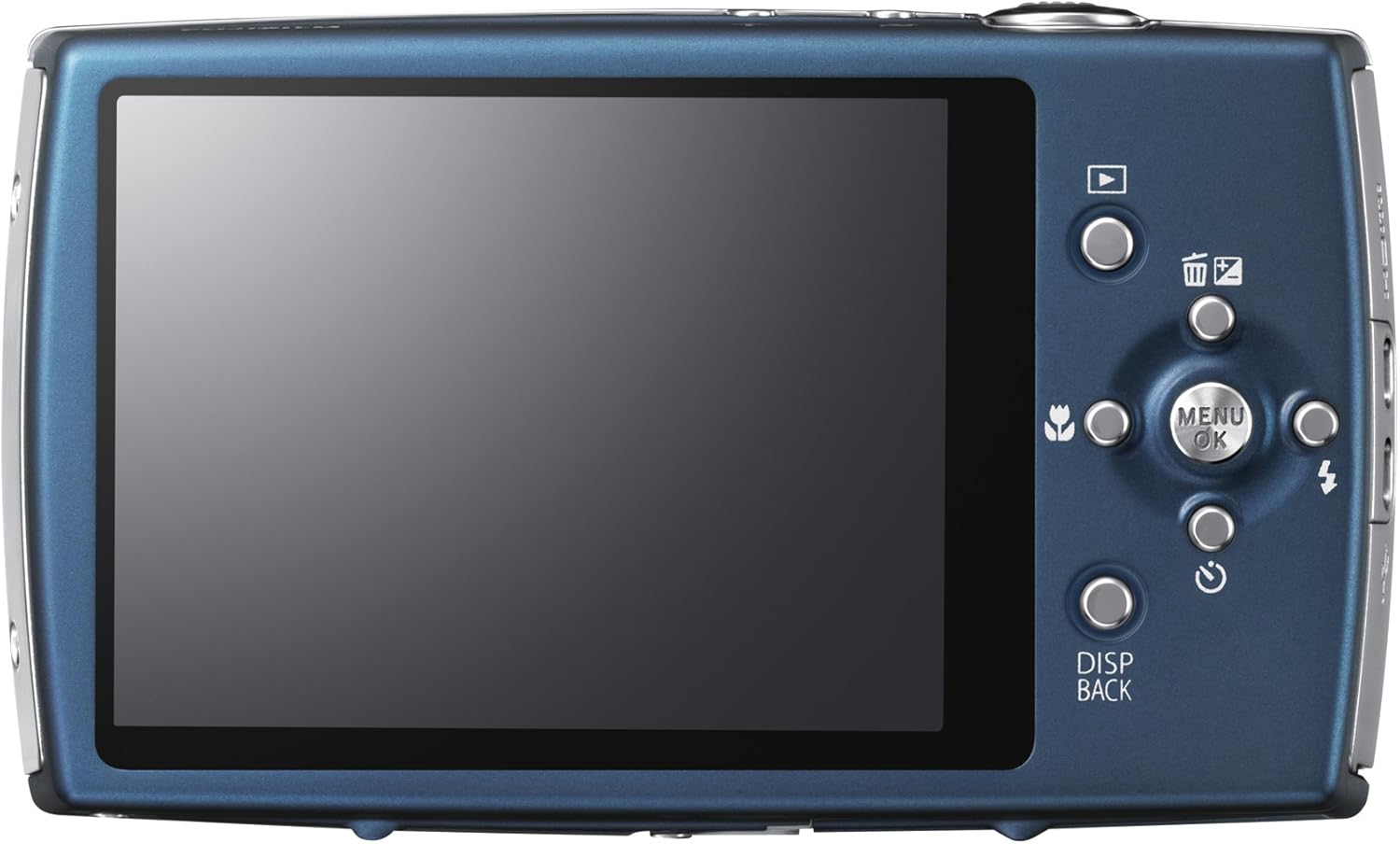
Figure 3: Rear view of the camera, showing the LCD screen and control buttons, including the menu/OK button, playback, delete, flash, and display/back buttons.
Setup
1. Unpacking
Carefully unpack all items from the box. Ensure the following components are present:
- FUJIFILM FinePix Z2000EXR Digital Camera
- Rechargeable Li-ion Battery NP-45A
- Battery Charger BC-45C
- Plug Adapter
- Strap
- Dedicated USB Cable
- CD-ROM (Image Viewer Software, etc.)
- Owner's Manual
- Warranty Card
2. Charging the Battery
- Insert the NP-45A battery into the BC-45C charger.
- Connect the charger to a power outlet using the plug adapter.
- The charging indicator light will illuminate. Charging is complete when the light turns off.
- Remove the battery from the charger.
3. Inserting Battery and Memory Card
- Open the battery/card compartment cover on the bottom of the camera.
- Insert the charged NP-45A battery with the correct orientation until it clicks into place.
- Insert an SD, SDHC, or SDXC (UHS-I compatible) memory card into the card slot until it clicks.
- Close the compartment cover securely.
4. Initial Settings
Upon first power-on, the camera may prompt you to set the date, time, and language. Follow the on-screen instructions to configure these settings. The camera supports 35 languages.
Operating the Camera
1. Power On/Off
Press the power button to turn the camera on or off. The camera features a quick startup time of approximately 0.9 seconds.
2. Basic Shooting
- Shooting Mode: The camera automatically selects optimal settings using "Premium EXR AUTO" from 108 patterns.
- Zoom: Use the zoom lever to adjust the 5x optical zoom.
- Focus: The camera uses a hybrid autofocus system. For macro shots, the camera can focus as close as 9cm (wide) or 20cm (telephoto) from the lens end.
- Shutter Button: Press halfway to focus, then press fully to take a picture.
3. Advanced Features
- Advanced Filters: Explore 8 artistic effects like "Toy Camera" for a retro look or "Soft Focus" for a gentle atmosphere.
- Selfie Mirror: Use the mirror next to the front lens to compose self-portraits or two-shot photos with ease.
- Face Detection: The camera supports face detection for optimized portraits.
- Continuous Shooting: Capture fast-moving subjects with the continuous shooting function.
4. Image Transfer
- Smartphone Transfer: Use the "Smartphone Transfer" function and the free "FUJIFILM Camera Application" to wirelessly send up to 30 images to your smartphone or tablet without complex settings.
- PC Transfer: Data transfer to a PC connected to a Wi-Fi router is also possible via Wi-Fi® communication.
- Infrared Transfer: Images can also be transferred to mobile phones equipped with high-speed infrared communication (IrSimple™/IrSS™).
5. Video Recording
The camera supports video recording at resolutions including 1920x1080 pixels / 1280x720 pixels (60 frames/second) and 640x480 pixels (30 frames/second), with stereo audio. Optical zoom is available during video recording.
Specifications
| Feature | Detail |
|---|---|
| Brand | FUJIFILM |
| Product Model Number | FX-Z2000EXR BL |
| Effective Pixels | 16 Million Pixels |
| Image Sensor | 1/2-inch EXR CMOS |
| Screen Size | 3.0 inches TFT Color LCD Monitor (Approx. 460,000 dots, Approx. 100% field of view) |
| Movable LCD | No |
| Optical Zoom Magnification | 5x |
| Digital Zoom Magnification | Max. approx. 2x (EXR Auto mode, combined with 5x optical zoom for max 10x); Max. approx. 2.6x (Other modes, combined with 5x optical zoom for max 13x) |
| Focal Length (Wide-angle, 35mm equivalent) | 28mm |
| Focal Length (Telephoto, 35mm equivalent) | 140mm equivalent |
| Aperture (Telephoto side) | F4.9 |
| Shutter Speed | 1/4 sec. to 1/2000 sec. (AUTO mode), 4 sec. to 1/2000 sec. (All modes combined) *Shutter speed varies depending on shooting mode. (Uses mechanical shutter) |
| Metering Points | Hybrid |
| Minimum / Maximum Shooting Sensitivity (Extended Sensitivity) | AUTO, ISO 100/200/400/800/1600/3200/6400 (ISO 6400 is set to image size [M] or [S]. ISO sensitivity varies depending on standard output sensitivity and shooting mode.) |
| Viewfinder Included | No |
| Lens Type | 5x optical zoom, focal length F5.0-25.0mm, sensor-shift image stabilizer |
| Lens Configuration | Zoom, Mirror |
| Wi-Fi | Wi-Fi |
| Image Stabilization | Sensor-shift type |
| Included Functions, Features | Not applicable |
| Included Accessories | Rechargeable Battery NP-45A (Li-ion type), Battery Charger BC-45C, Plug Adapter, Strap, Dedicated USB Cable, CD-ROM (Image Viewer Software, etc.), Owner's Manual, Warranty Card |
| Shooting Function | Standard: [Wide] approx. 60cm ~ ∞ [Telephoto] approx. 1.0m ~ ∞ Macro: [Wide] approx. 9cm ~ 80cm [Telephoto] approx. 20cm ~ 80cm (from lens end) |
| Motor Type | Digital Zoom |
| Image Compression Method | 1920x1080 pixels / 1280x720 pixels (60 frames/sec), 640x480 pixels (30 frames/sec), with audio (stereo), optical zoom possible during movie recording |
| Waterproof | No |
| Color | Blue |
| Battery Type | Lithium Ion |
| Batteries Included | No |
| Warranty Card | Included |
| Warranty | Manufacturer's warranty: 1 year |
| Product Size | 1.93 x 10.27 x 6.01 cm; 152 g |
| Release Date | 2013/3/9 |
| Amazon.co.jp First Available Date | 2013/1/31 |
| Compatible Mount | FUJIFILM X |
| Photo Sensor Technology | CMOS |
| Compatible File Format | JPEG |
| Maximum Focal Length | 140 mm |
| Webcam Max Image Resolution | 16 MP |
| Photo Sensor Size | 1/2 inch |
Maintenance
- Cleaning the Camera Body: Use a soft, dry cloth to wipe the camera body. For stubborn dirt, dampen the cloth slightly with water or a mild cleaning solution, then wipe dry.
- Cleaning the Lens: Use a lens brush or a blower to remove dust. For smudges, use a lens cleaning cloth and lens cleaning fluid. Avoid touching the lens surface with your fingers.
- Cleaning the LCD Screen: Gently wipe the screen with a soft, lint-free cloth. Do not apply excessive pressure.
- Storage: When not in use for extended periods, remove the battery and store the camera in a cool, dry place away from direct sunlight and extreme temperatures.
- Battery Care: Store batteries in a cool, dry place. Avoid fully discharging or overcharging batteries frequently to prolong their lifespan.
Troubleshooting
| Problem | Possible Cause / Solution |
|---|---|
| Camera does not turn on. |
|
| Cannot take pictures. |
|
| Images are blurry. |
|
| Flash does not fire. |
|
Warranty and Support
Warranty Information
This product comes with a Manufacturer's Warranty of 1 year from the date of purchase. Please refer to the included warranty card for detailed terms and conditions. Keep your proof of purchase for warranty claims.
Customer Support
For technical assistance, service, or further inquiries, please contact FUJIFILM customer support. Contact details can typically be found on the official FUJIFILM website or on the warranty card provided with your product.


