
GemOro 9880
GemOro Platinum PCT101 Mini Carat Scale User Manual
Model: 9880 | Brand: GemOro
Introduction
The GemOro Platinum PCT101 Mini Carat Scale is a precise digital instrument designed for jewelers and professionals requiring accurate measurements of gemstones and diamonds. This scale offers expert-level readings with a readability of 0.005ct and a capacity of 100ct. Its compact and durable design makes it suitable for various professional settings.
Key features include advanced digital technology for precise measurements, a large digital LCD display for easy reading, and an auto-shut-off function to conserve battery life. It also supports push-button digital calibration for consistent accuracy and offers multiple weighing modes.
Package Contents and Setup
Upon unboxing your GemOro Platinum PCT101 Mini Carat Scale, please ensure all components are present and in good condition.
What's Included:
- GemOro Platinum PCT101 Mini Carat Scale
- Rubberized Protective Travel/Storage Case
- Stainless Steel Calibration Weight
- Stainless Steel Weighing Platform
- Scoop
- AC Adaptor
- Swiss-style Locking Diamond Tweezers

Image: The complete package contents, including the scale, case, calibration weight, scoop, AC adapter, and tweezers.
Powering the Scale:
The GemOro Platinum PCT101 Mini Carat Scale can be powered using either the included AC Adapter or four AAA batteries (not included).
Video: This video demonstrates how to power the GemOro PCT101 Platinum Carat Scale using either the AC adapter or AAA batteries, and also shows the calibration process and weighing methods.
Operating Instructions
Calibration:
For accurate measurements, it is essential to calibrate the scale regularly. Follow these steps:
- Power on the scale.
- Press and hold the CAL button until the screen reads "CAL".
- Press the CAL button again. The display will begin flashing.
- Once the screen flashes "20.000", place the calibration weight in the center of the weighing platform.
- Once the screen flashes "PASS", remove the calibration weight.
The scale is now calibrated and ready for use.
Weighing Items:
To weigh your items, such as gemstones or diamonds:
- Ensure the scale is on a stable, level surface.
- Power on the scale.
- Once the display shows "0.000", you are ready to weigh.
- Carefully place the item(s) on the center of the weighing platform. The weight will be displayed.

Image: The GemOro Platinum PCT101 Mini Carat Scale accurately weighing a collection of diamonds.
Using the Tare Function:
The tare function allows you to subtract the weight of a container or scoop, so you only measure the weight of the contents.
- Place the empty scoop or container on the weighing platform.
- Press the TARE button. The display will reset to "0.000".
- Add the items you wish to weigh into the scoop or container. The display will show only the net weight of the items.
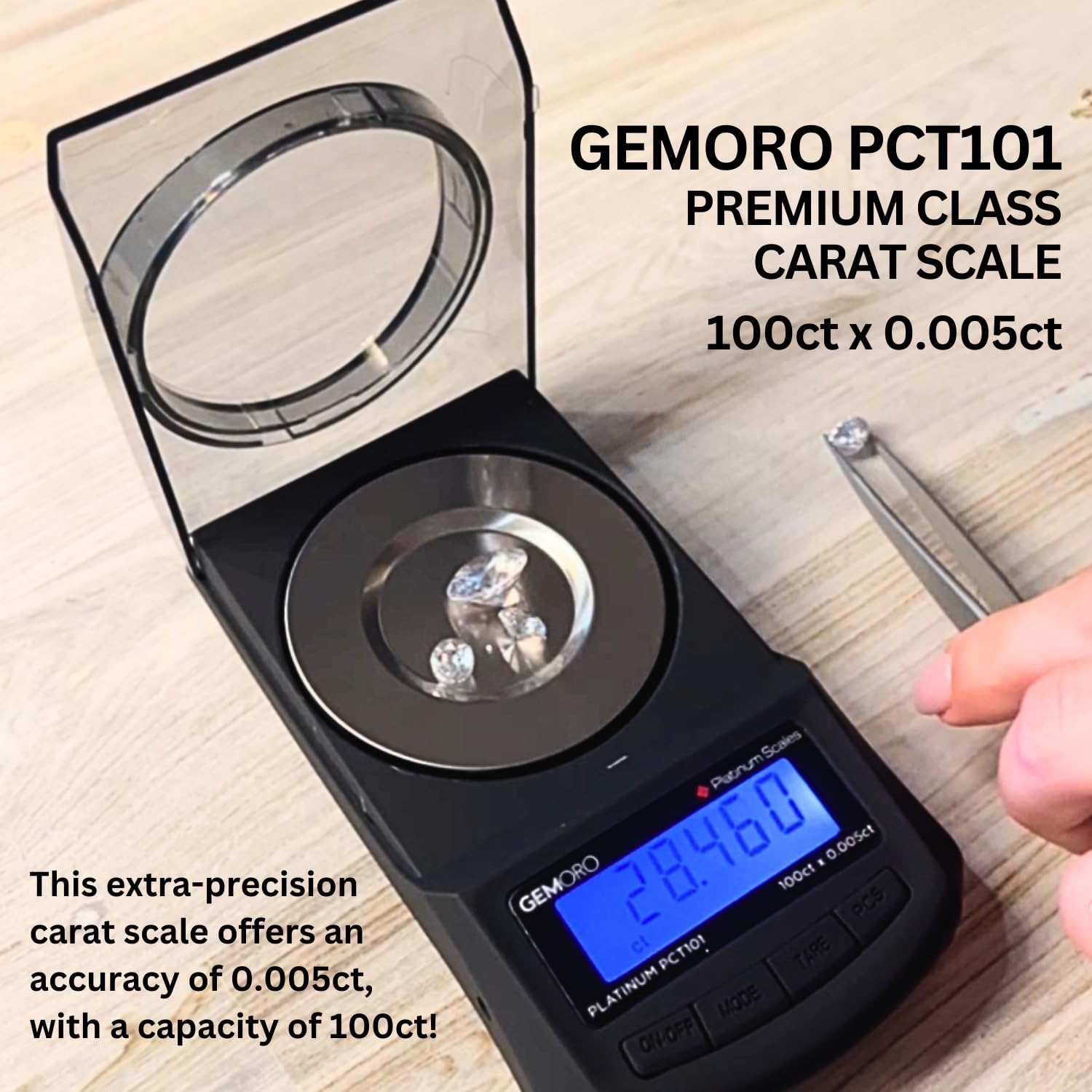
Image: A single diamond being carefully placed onto the scale's platform using tweezers, demonstrating precise weighing.
Features and Specifications
Key Features:
- Digital Precision: Advanced digital technology provides precise and accurate measurements with a readability of 0.005ct.
- Large LCD Display: Bright blue backlit LCD display ensures clear and easy-to-read measurements from any angle.
- Multiple Weighing Modes: Supports 6 weighing modes: carat (ct), gram (g), pennyweight (dwt), ounce (oz), troy ounce (ozt), and grain (gn).
- Durable & Portable Design: Built with high-quality materials for long-lasting durability, featuring a compact and lightweight design for easy transport.
- Auto Shut-Off: Preserves battery life by automatically powering off when idle for a specific period.
- Easy Calibration: Features push-button digital calibration to maintain accuracy over time.
- Expandable Draft Shield: Innovative low-profile tinted draft shield manually expands for weighing larger gemstones and parcels.
- User-Friendly Control: All functions are controlled by a convenient, easy-to-use 4-button control panel.
- Additional Functions: Includes tare, memory, low battery indicator, and battery-saving auto-off functions.

Image: An infographic highlighting key features such as multiple weighing modes, bright LCD display, high accuracy, and the 5-year limited replacement warranty.

Image: A side view of the scale demonstrating its innovative low-profile tinted draft shield, which can be manually expanded for larger items.

Image: A close-up of the scale's 4-button control panel, along with the calibration weight and scoop, illustrating ease of use.
Technical Specifications:
| Specification | Detail |
|---|---|
| Model Number | 9880 |
| Product Dimensions | 5.5 x 3 x 1.5 inches |
| Item Weight | 0.01 ounces |
| Brand | GemOro |
| Color | Black |
| Special Feature | Backlit Display |
| Display Type | LED |
| Weight Limit | 100 Grams |
| Manufacturer | GemOro |

Image: A visual representation of the scale's compact dimensions (5.5" x 3"), highlighting its portability.
Maintenance
Proper maintenance will ensure the longevity and accuracy of your GemOro Platinum PCT101 Mini Carat Scale.
- Cleaning: Use a soft, damp cloth to wipe the scale's surface. Do not use abrasive cleaners or immerse the scale in water.
- Storage: Store the scale in its protective travel case when not in use to prevent dust accumulation and physical damage. Keep it in a dry environment, away from extreme temperatures and humidity.
- Handling: Handle the scale with care. Avoid dropping it or subjecting it to sudden shocks, as this can affect its precision.
- Calibration: Calibrate the scale regularly, especially if you notice inconsistencies in readings or after moving it to a new location.
Troubleshooting
If you encounter issues with your scale, refer to the following common troubleshooting tips:
| Problem | Possible Cause | Solution |
|---|---|---|
| Scale does not turn on. | Low or dead batteries; AC adapter not connected properly. | Replace AAA batteries or ensure AC adapter is securely plugged into both the scale and a power outlet. |
| Inaccurate readings. | Scale not calibrated; unstable surface; foreign objects on platform; extreme temperature changes. | Perform calibration as described in the "Operating Instructions" section. Place the scale on a firm, level surface. Ensure the platform is clean. Allow the scale to acclimate to room temperature. |
| Display shows "OUT2". | Overload error. | Remove excess weight immediately. The scale's maximum capacity is 100 grams. |
| Display shows "UNST". | Unstable reading. | Ensure the scale is on a stable surface and there are no vibrations or air currents affecting the reading. |
Warranty and Support
The GemOro Platinum PCT101 Mini Carat Scale comes with a 5-year limited replacement warranty.
For warranty claims, technical support, or any inquiries regarding your product, please contact GemOro Official customer service. You can find more information and contact details on the official GemOro website or through your retailer.
Visit the official GemOro Store for additional products and support: GemOro Store on Amazon
Ask a question about this manual
Ask about setup, troubleshooting, compatibility, parts, safety, or missing instructions. Manuals+ will review the question and use this page’s manual context to help answer it.