1. Product Overview
The Cable Matters 10Gbps Snagless Cat 6 Ethernet Cable is designed for high-performance network connectivity. This cable supports data transfer speeds of up to 10 Gigabits per second and a bandwidth of 550 MHz, making it suitable for demanding applications such as server connections, cloud computing, video surveillance, and high-definition video streaming. It is also compatible with Power over Ethernet (PoE, PoE+, PoE++) for powering devices like IP cameras, VoIP phones, and wireless access points.

Image 1.1: The Cat 6 Ethernet cable provides versatile connectivity for a range of devices, including computers, gaming consoles, and smart televisions.
2. Setup and Installation
This Cat 6 Ethernet cable provides universal connectivity for various LAN network components. To set up your cable:
- Identify Ports: Locate the RJ45 Ethernet ports on your devices (e.g., PC, server, printer, router, modem, Ethernet switch, gaming console, smart TV, laptop, TV box, NAS).
- Connect Cable: Insert one end of the Cat 6 Ethernet cable into the RJ45 port of your first device. Ensure the connector clicks securely into place.
- Connect Second Device: Insert the other end of the Cat 6 Ethernet cable into the RJ45 port of your second device.
- Verify Connection: Most devices will indicate a successful connection with an LED light on the Ethernet port.

Image 2.1: The RJ45 connector ensures universal compatibility with a wide range of network devices.
3. Operating Instructions
Once connected, the Cat 6 Ethernet cable provides a stable and high-speed wired network connection. It is designed to deliver 10-Gigabit speeds with 550 MHz bandwidth, offering a more secure and reliable connection compared to wireless networks.
- High-Speed Data Transfer: Enjoy fast and consistent data transfer rates for all your network activities.
- PoE Support: For devices that support Power over Ethernet, this cable can transmit both data and power, simplifying installation.
- Backward Compatibility: The cable is backward compatible with existing Cat 5 and Cat 5e networks.

Image 3.1: The Cat 6 cable supports 10-Gigabit data transfer speeds and a 550 MHz bandwidth for high-performance networking.
Video 3.1: An official video from Cable Matters demonstrating the 10Gbps Cat6 Ethernet Cable's versatile connectivity and performance in various environments, including data centers and home offices.
4. Maintenance
The Cable Matters Cat 6 Ethernet cable is designed for durability and long-term performance. Follow these guidelines for maintenance:
- Handle with Care: Avoid excessive bending or kinking of the cable, which can damage the internal conductors.
- Secure Connections: Ensure connectors are fully inserted and secured to prevent accidental disconnections. The snagless design helps protect the RJ45 clip during installation and removal.
- Clean Connectors: If necessary, gently clean the gold-plated contacts of the RJ45 connectors with a dry, lint-free cloth to maintain optimal signal integrity.
- Storage: When not in use, coil the cable loosely to prevent kinks and store it in a dry, cool place.
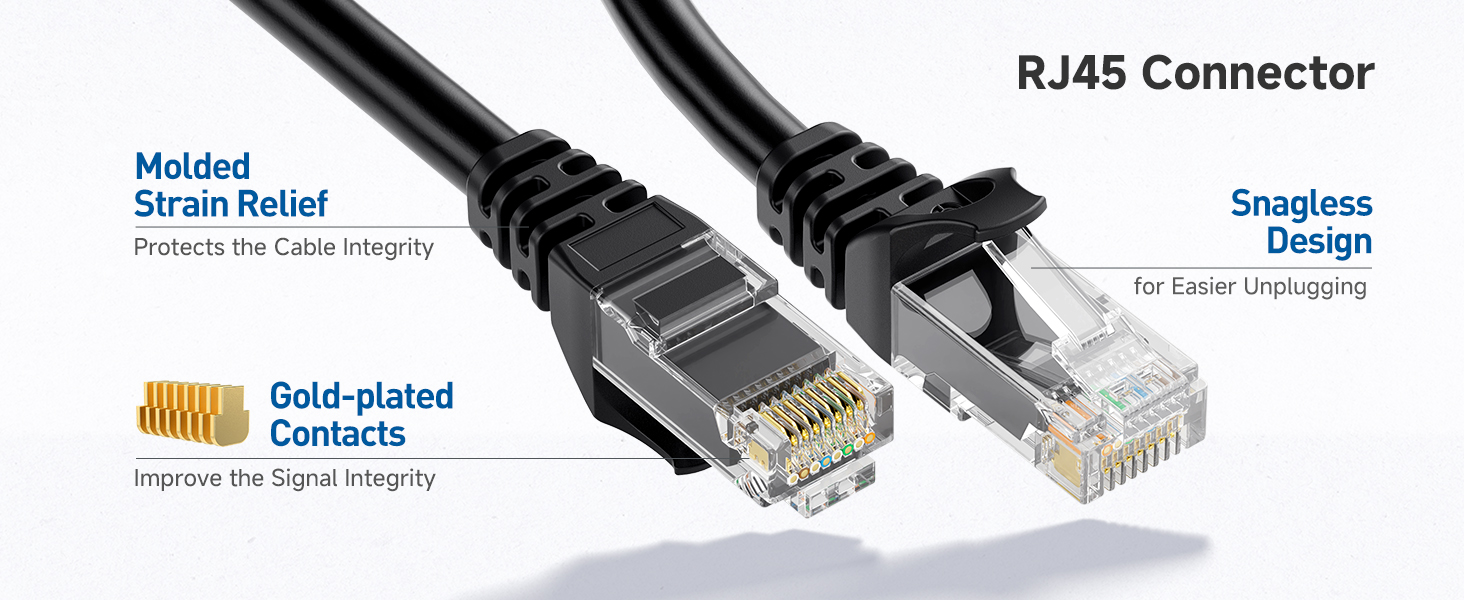
Image 4.1: The RJ45 connectors feature molded strain relief, gold-plated contacts, and a snagless design for enhanced durability and easier handling.
5. Troubleshooting
If you experience issues with your network connection, consider the following troubleshooting steps:
- Check Connections: Ensure both ends of the Ethernet cable are securely plugged into their respective ports.
- Verify Device Status: Confirm that all connected devices (router, modem, computer) are powered on and functioning correctly.
- Test with Another Cable: If possible, test your connection with a different, known-working Ethernet cable to rule out the cable as the source of the problem.
- Restart Network Equipment: Power cycle your router and modem by unplugging them for 30 seconds and then plugging them back in.
- Check Device Settings: Ensure your device's network settings are configured for a wired connection.
Video 5.1: An official video from Cable Matters providing an overview of their network cables, which can be helpful for understanding general connectivity and troubleshooting.
6. Specifications
| Brand | Cable Matters |
| Model Number | 160001 |
| Cable Type | Cat 6 |
| Connector Type | RJ45 |
| Data Transfer Rate | 10 Gigabits Per Second |
| Frequency | 550 MHz |
| Conductor Material | 24 AWG Bare Copper |
| Special Feature | 10Gbps, Snagless Design |
| Compatible Devices | Personal Computer, Printer, Router, Server, VoIP phones |
| Indoor/Outdoor Usage | Indoor, Outdoor |
| Specification Met | EIA, RoHS, TIA, UL |
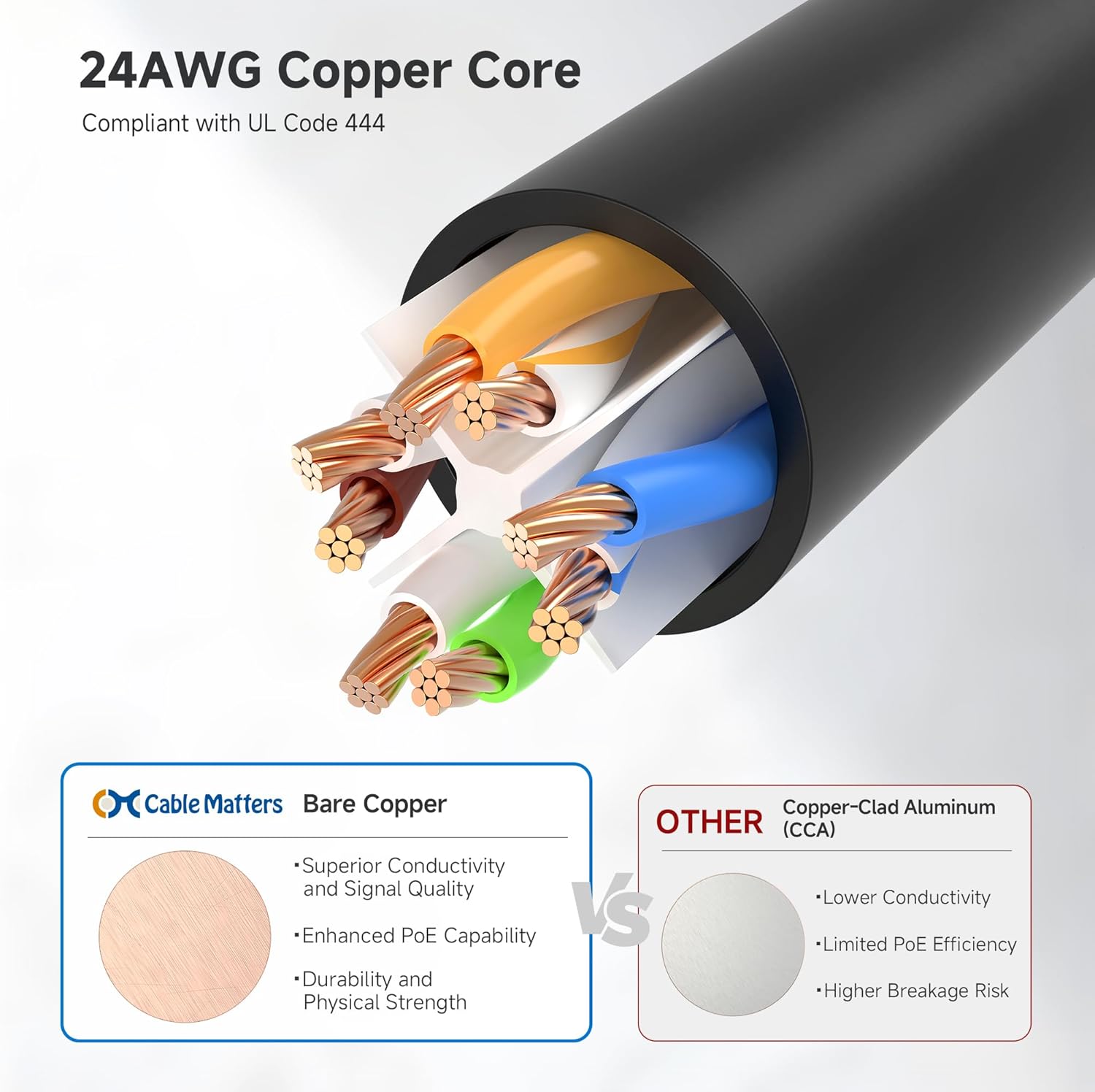
Image 6.1: The cable features a 24 AWG bare copper core, compliant with UL Code 444, ensuring superior conductivity and signal quality.
7. Warranty and Support
For warranty information and customer support, please refer to the official Cable Matters website or contact their customer service directly. Keep your purchase receipt for any warranty claims.


