
Introduction
Thank you for choosing the Acctim 12257S Smartlite Sweeper Quartz Analog Alarm Clock. This manual provides essential information for the proper setup, operation, and maintenance of your new alarm clock. Please read these instructions carefully before use and retain them for future reference.
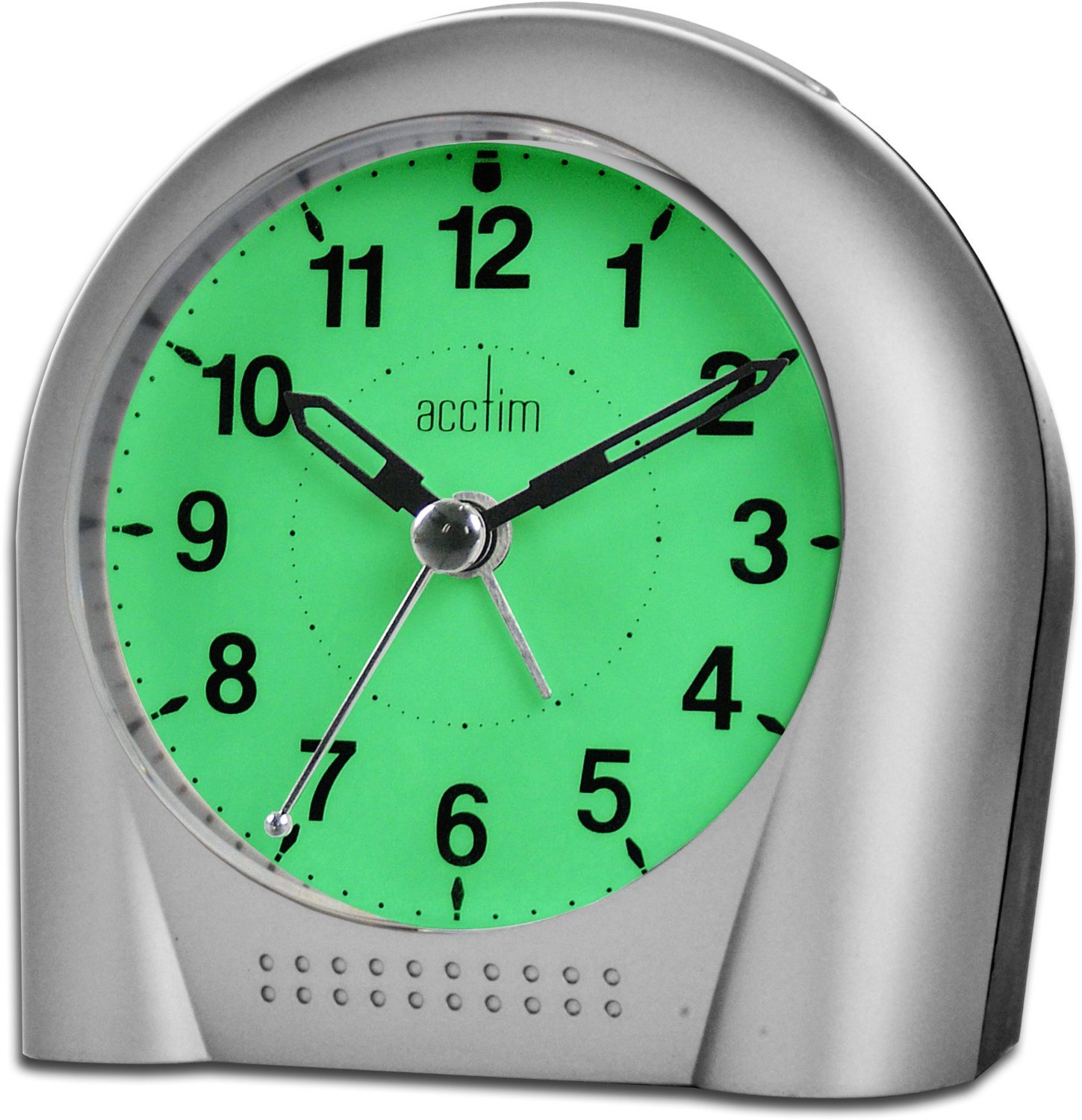
Image: Front view of the Acctim 12257S Smartlite Sweeper Quartz Analog Alarm Clock. The clock features a silver-colored casing, a white face with clear black numbers, and black hour, minute, and sweep second hands. The "Acctim" logo is visible below the 12 o'clock position.
The Acctim 12257S features a silent sweep second hand, a crescendo alarm with snooze function, and Acctim's Smartlite technology for automatic night illumination, ensuring easy readability in low light conditions.
Setup
1. Battery Installation
- Locate the battery compartment cover on the back of the alarm clock.
- Remove the cover by sliding or lifting it.
- Insert 3 x AA batteries (not included) according to the polarity indicators (+ and -) inside the compartment.
- Replace the battery compartment cover securely.
2. Setting the Time
- Locate the TIME SET knob on the back of the clock.
- Rotate the TIME SET knob clockwise or counter-clockwise to set the current time. Ensure the hour and minute hands are correctly aligned.

Image: Back view of the Acctim 12257S alarm clock, showing the battery compartment, time set knob, alarm set knob, alarm ON/OFF switch, and Smartlite sensor switch.
Operating Instructions
1. Setting the Alarm
- Locate the ALARM SET knob on the back of the clock.
- Rotate the ALARM SET knob to move the alarm hand to your desired alarm time.
- Slide the AL ON/OFF switch to the "ON" position to activate the alarm. Slide to "OFF" to deactivate.
- The alarm features a crescendo sound, starting softly and gradually increasing in volume.
2. Snooze Function
- When the alarm sounds, press the large SNOOZE/LIGHT button located on the top of the clock.
- The alarm will temporarily stop and sound again after approximately 5-10 minutes.
- To fully turn off the alarm, slide the AL ON/OFF switch to the "OFF" position.
3. Smartlite Technology (All-Night Light)
- The Acctim 12257S is equipped with Smartlite technology, which automatically illuminates the clock face in low light conditions.
- To activate this feature, ensure the SENSOR switch on the back of the clock is in the "ON" position.
- When the room darkens, the clock face will emit a soft glow for easy viewing.
- To disable the automatic night light, slide the SENSOR switch to the "OFF" position.
4. Manual Light Activation
- Press the SNOOZE/LIGHT button on the top of the clock to temporarily illuminate the clock face, regardless of the Smartlite sensor setting. The light will stay on as long as the button is pressed.
Maintenance
Cleaning
- Wipe the clock with a soft, dry cloth.
- Do not use abrasive cleaners, solvents, or chemical sprays, as these may damage the casing or display.
Battery Replacement
- Replace batteries when the clock's display dims, the alarm weakens, or the clock stops functioning.
- Always replace all 3 AA batteries at the same time with new ones.
- Dispose of old batteries responsibly according to local regulations.
Troubleshooting
| Problem | Possible Cause | Solution |
|---|---|---|
| Clock not working / Display dim | Dead or incorrectly inserted batteries. | Check battery polarity. Replace all 3 AA batteries with new ones. |
| Alarm not sounding | Alarm not set or AL ON/OFF switch is OFF. | Ensure alarm time is set correctly and the AL ON/OFF switch is in the "ON" position. Check batteries. |
| Smartlite not working | SENSOR switch is OFF or ambient light is too bright. | Ensure the SENSOR switch is in the "ON" position. Test in a darker environment. Check batteries. |
| Clock losing time | Weak batteries. | Replace all 3 AA batteries with new ones. |
Specifications
- Brand: Acctim
- Display Type: Analog
- Movement: Quartz
- Power Source: 3 x AA Batteries (not included)
- Features: Smartlite Technology (Automatic Night Light), Crescendo Alarm, Snooze Function, Silent Sweeping Second Hand
- Material: Plastic
- Dimensions (approx.): 110 mm (Width) x 110 mm (Height) x 60 mm (Depth)
- Color: Silver (as per product image)
Warranty Information
Specific warranty details for the Acctim 12257S alarm clock are typically provided at the point of purchase or within the product packaging. Please refer to your purchase receipt or the documentation included with your product for information regarding warranty coverage and terms.
Support
For further assistance, technical support, or inquiries regarding your Acctim 12257S alarm clock, please contact the retailer where the product was purchased or refer to the official Acctim website for customer service contact information.


