
Introduction
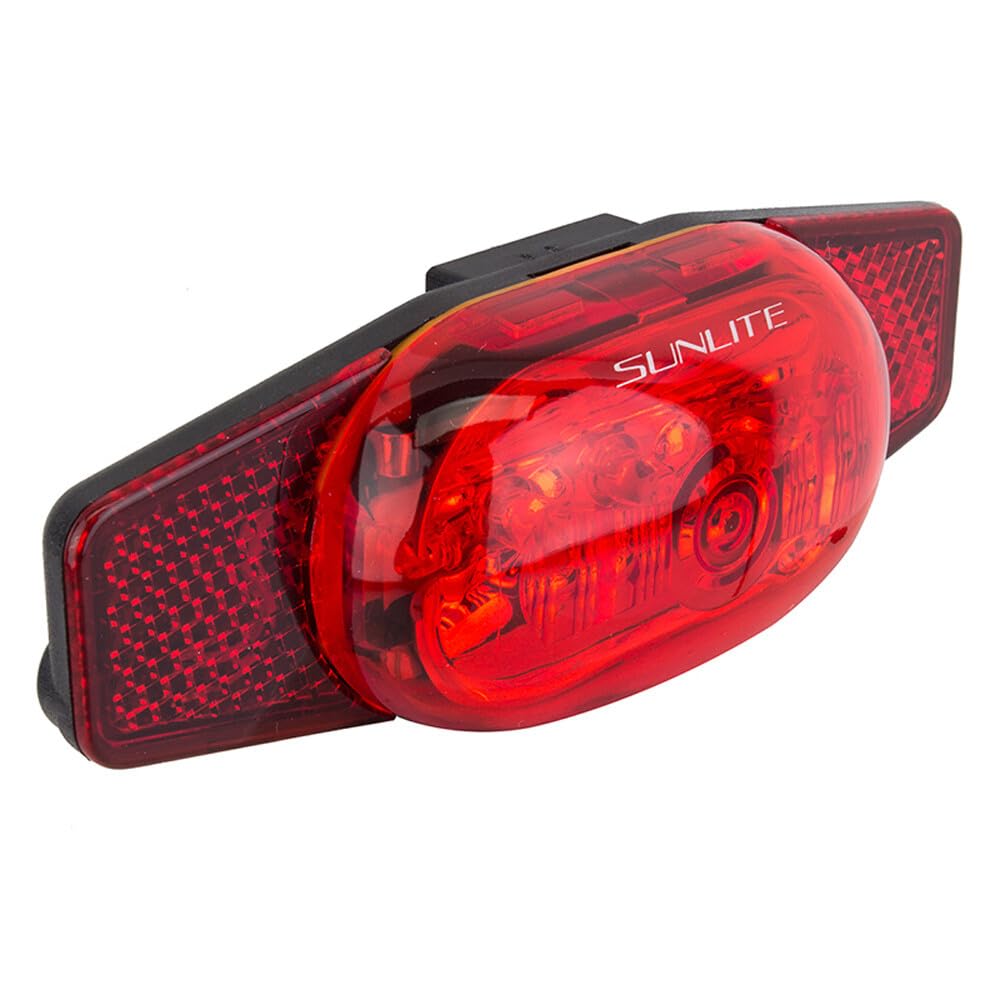
Thank you for choosing the Sunlite TL-L505 Tail Light. This manual provides essential information for the proper installation, operation, and maintenance of your new bicycle tail light. Designed for enhanced visibility, this rack-mounted light features 5 LEDs and an integrated reflector to ensure safety during your rides. Please read these instructions thoroughly before use.
Setup
1. Battery Installation
The Sunlite TL-L505 Tail Light requires two (2) AAA batteries for operation. These are typically included with your purchase. To install or replace batteries:
- Locate the battery compartment cover on the rear of the tail light.
- Carefully open the cover.
- Insert the two AAA batteries, ensuring correct polarity (+/-) as indicated inside the compartment.
- Securely close the battery compartment cover.
2. Mounting the Tail Light
This tail light is designed for rack mounting and offers a universal fit for most standard rear bicycle racks. It attaches using two bolts.
- Align the two mounting holes on the tail light with the corresponding holes on your bicycle's rear rack.
- Insert the provided bolts through the tail light and rack holes.
- Securely fasten the bolts with nuts, ensuring the light is firmly attached and does not wobble. Over-tightening may damage the plastic housing.
Operating Instructions
The Sunlite TL-L505 Tail Light features multiple lighting modes for various conditions. To cycle through the modes:
- Locate the power button, typically on the side or rear of the light.
- Press the button once to turn the light ON.
- Subsequent presses will cycle through the available modes:
- Steady Mode: Provides continuous illumination.
- Flashing Mode 1: A slow, consistent flash.
- Flashing Mode 2: A rapid, consistent flash.
- Flashing Mode 3: An irregular, attention-grabbing flash pattern.
- To turn the light OFF, press and hold the power button for approximately 2-3 seconds, or cycle through all modes until the light turns off.
Maintenance
Battery Replacement
Replace batteries when the light appears dim or stops functioning. Refer to the 'Battery Installation' section under Setup for detailed steps.
Cleaning
Wipe the light's surface with a soft, damp cloth. Avoid using abrasive cleaners or solvents, as these can damage the plastic and reflector. Ensure the battery compartment is sealed before cleaning.
Water Resistance
The Sunlite TL-L505 Tail Light has an International Protection Rating of IPX5, meaning it is water-resistant and can withstand sustained low-pressure water jet sprays. It is not designed for submersion. Ensure the battery compartment is properly sealed to maintain water resistance.
Troubleshooting
- Light does not turn on:
- Check if batteries are installed correctly with proper polarity.
- Replace old batteries with new AAA batteries.
- Ensure the battery compartment cover is securely closed.
- Light flickers or is dim:
- Batteries may be low; replace them.
- Ensure battery contacts are clean and free of corrosion.
- Light falls off the rack:
- Ensure mounting bolts are securely tightened.
- Verify the light is correctly seated on the rack's mounting points.
Specifications
| Feature | Detail |
|---|---|
| Brand | Sunlite |
| Model Number | 98284 |
| Color | Red |
| Material | Multiple |
| Power Source | Battery Powered (2 AAA batteries) |
| Water Resistance Level | Water Resistant (IPX5) |
| Item Weight | 2.88 ounces |
| Mounting Type | Rear Rack Mount |
| Number of Settings | 4 (3 flashing, 1 steady) |
| Product Dimensions (L x W x H) | 9" x 5.5" x 1" |
| Included Components | Taillight |
Warranty & Support
The Sunlite TL-L505 Tail Light comes with a Limited Warranty. For specific warranty details, claims, or technical support, please refer to the warranty information provided with your purchase or contact Sunlite customer service directly. Keep your proof of purchase for warranty purposes.

