
Introduction
Thank you for choosing the Acctim Wexham 24 Hour Plastic Wall Clock. This manual provides essential information for the safe and efficient operation of your new clock. Please read these instructions carefully before use and retain them for future reference.
The Acctim Wexham 24 Hour Plastic Wall Clock features a standard 1-12 numbering system along with an outer 24-hour clock ring. It is powered by a precision quartz movement for accurate timekeeping. The bold red outer ring allows for quick reading of 24-hour time. A durable plastic lens protects the 225mm white dial.
Safety Information
- Do not expose the clock to extreme temperatures, direct sunlight, or high humidity.
- Avoid dropping the clock or subjecting it to strong impacts.
- Use only the specified battery type (AA, not included).
- Remove exhausted batteries promptly to prevent leakage and damage.
- Keep batteries out of reach of children.
- Clean the clock with a soft, dry cloth. Do not use abrasive cleaners or solvents.
Package Contents
Verify that all items are present in the package:
- 1 x Acctim Wexham 24 Hour Plastic Wall Clock
- Instruction Manual (this document)
Note: Batteries are not included and must be purchased separately.
Setup
1. Unpacking
Carefully remove the clock from its packaging. Inspect the clock for any signs of damage. If any damage is found, do not proceed with setup and contact customer support.
2. Battery Installation
- Locate the battery compartment cover on the back of the clock.
- Remove the cover by sliding or lifting it.
- Insert one (1) AA battery, ensuring the positive (+) and negative (-) terminals align correctly with the markings inside the compartment.
- Replace the battery compartment cover.
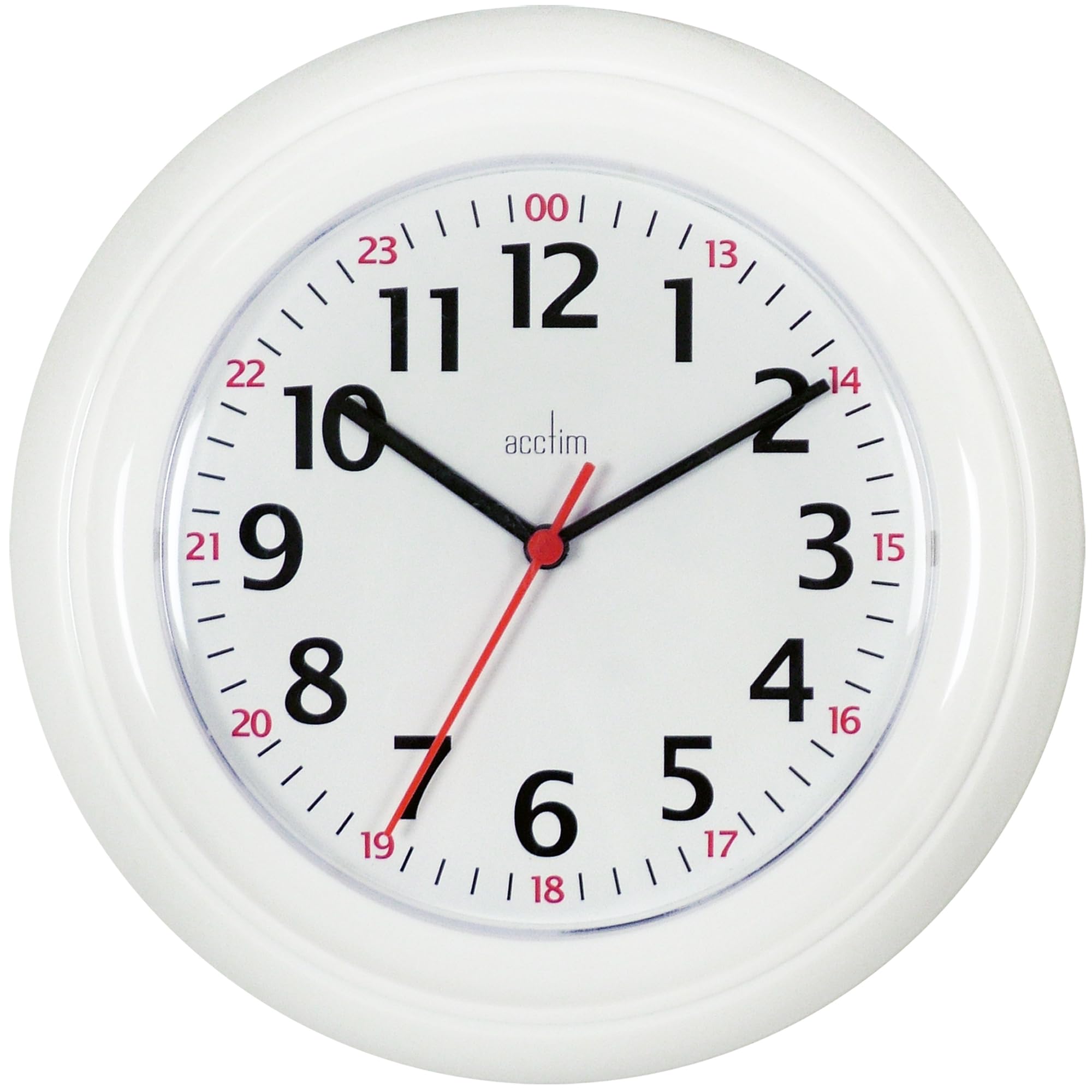
Image: Rear view of the clock, indicating the battery compartment for AA battery insertion.
3. Setting the Time
- Locate the time setting knob (usually a small wheel) on the back of the clock, near the battery compartment.
- Gently turn the knob clockwise or counter-clockwise to move the clock hands to the correct time.
- Ensure the minute hand is aligned precisely with the minute markers.
Image: Rear view of the clock, highlighting the time setting knob for adjusting the hands.
4. Mounting the Clock
- Choose a suitable location on a wall that is sturdy and free from obstructions.
- Use a nail or screw (not included) appropriate for your wall type. Ensure it is securely fastened.
- Hang the clock using the hanging slot located on the back of the clock mechanism.
- Verify that the clock is level and securely mounted before releasing it.
Image: Rear view of the clock, indicating the hanging slot for wall mounting.
Operating Instructions
Once the battery is installed and the time is set, the Acctim Wexham clock will begin keeping time automatically.
- Standard Time Display: The inner ring displays standard 12-hour time (1-12).
- 24-Hour Time Display: The outer red ring displays 24-hour time (e.g., 13 for 1 PM, 14 for 2 PM, up to 24 for midnight). This allows for quick reference of military or universal time.
Image: Front view of the clock dial, illustrating the inner 12-hour and outer 24-hour time markings.
Maintenance
Cleaning
To clean the clock, gently wipe the surface with a soft, dry, lint-free cloth. Do not use liquid cleaners, sprays, or abrasive materials, as these can damage the plastic lens or casing.
Battery Replacement
When the clock hands stop moving or begin to slow down, it is an indication that the battery needs to be replaced. Follow the "Battery Installation" steps in the Setup section to replace the AA battery. Always dispose of old batteries responsibly according to local regulations.
Troubleshooting
| Problem | Possible Cause | Solution |
|---|---|---|
| Clock not working / Hands not moving | Battery is dead or incorrectly installed. | Check battery polarity. Replace with a new AA battery. |
| Clock runs slow or fast | Weak battery or faulty movement. | Replace the battery. If the problem persists, contact customer support. |
| Hands are loose or misaligned | Impact or manufacturing defect. | Do not attempt to fix yourself. Contact customer support. |
Specifications
| Feature | Detail |
|---|---|
| Brand | Acctim |
| Model Number | 21862 |
| Display Type | Analog (12-hour and 24-hour) |
| Movement Type | Quartz |
| Power Source | 1 x AA Battery (not included) |
| Material | Plastic (Case and Lens) |
| Color | White |
| Product Dimensions | Approximately 18.9"W x 10.16"H (48 x 26 x 25.8 cm) |
| Item Weight | 0.24 Kilograms |
Warranty and Support
Acctim products are manufactured to high-quality standards. For information regarding warranty coverage, please refer to the warranty card included with your purchase or visit the official Acctim website.
If you encounter any issues or have questions not covered in this manual, please contact Acctim customer support for assistance.
- Website: www.acctim.com
- Email: support@acctim.com

