
1. Introduction
The HealthmateForever NK8ML is an FDA-cleared Transcutaneous Electrical Nerve Stimulator (TENS) and Powered Muscle Stimulator (PMS) device designed for pain management. It delivers electronic pulses to sensory nerves and muscles, activating natural pain gate mechanisms to help relax the body and manage various types of pain. This manual provides essential information for the safe and effective use of your device.
2. Important Safety Information
Please read all instructions and warnings carefully before using this device. Failure to do so may result in injury or device malfunction.
- Consult your physician before using this device, especially if you have pre-existing medical conditions, are pregnant, have a pacemaker, or any other implanted electronic device.
- Do not use on open wounds, rashes, or irritated skin.
- Do not place electrode pads on your head, face, neck (carotid sinus area), or across your chest.
- Keep out of reach of children.
- Do not use while driving, operating machinery, or during any activity where involuntary muscle contractions could put you at risk.
- Discontinue use if you experience any adverse reactions such as skin irritation, discomfort, or dizziness.
3. Package Contents
Verify that all items are present in your HealthmateForever NK8ML package:
- 1 x Dual Channel TENS Machine
- 4 x 3"x1.75" Hands Electrode Pads
- 2 x 4"x2" Rectangle Pads
- 1 x 13"x1.5" Electrode Pad
- 2 x 1.75"x1.25" Electrode Pads
- 2 x 2-in-1 Lead Wire Cables
- 1 x 4-in-1 Lead Wire Cable
- 1 x USB Cable
- 1 x USB Charger
- 1 x User Manual (this document)
- 1 x Pad Holder
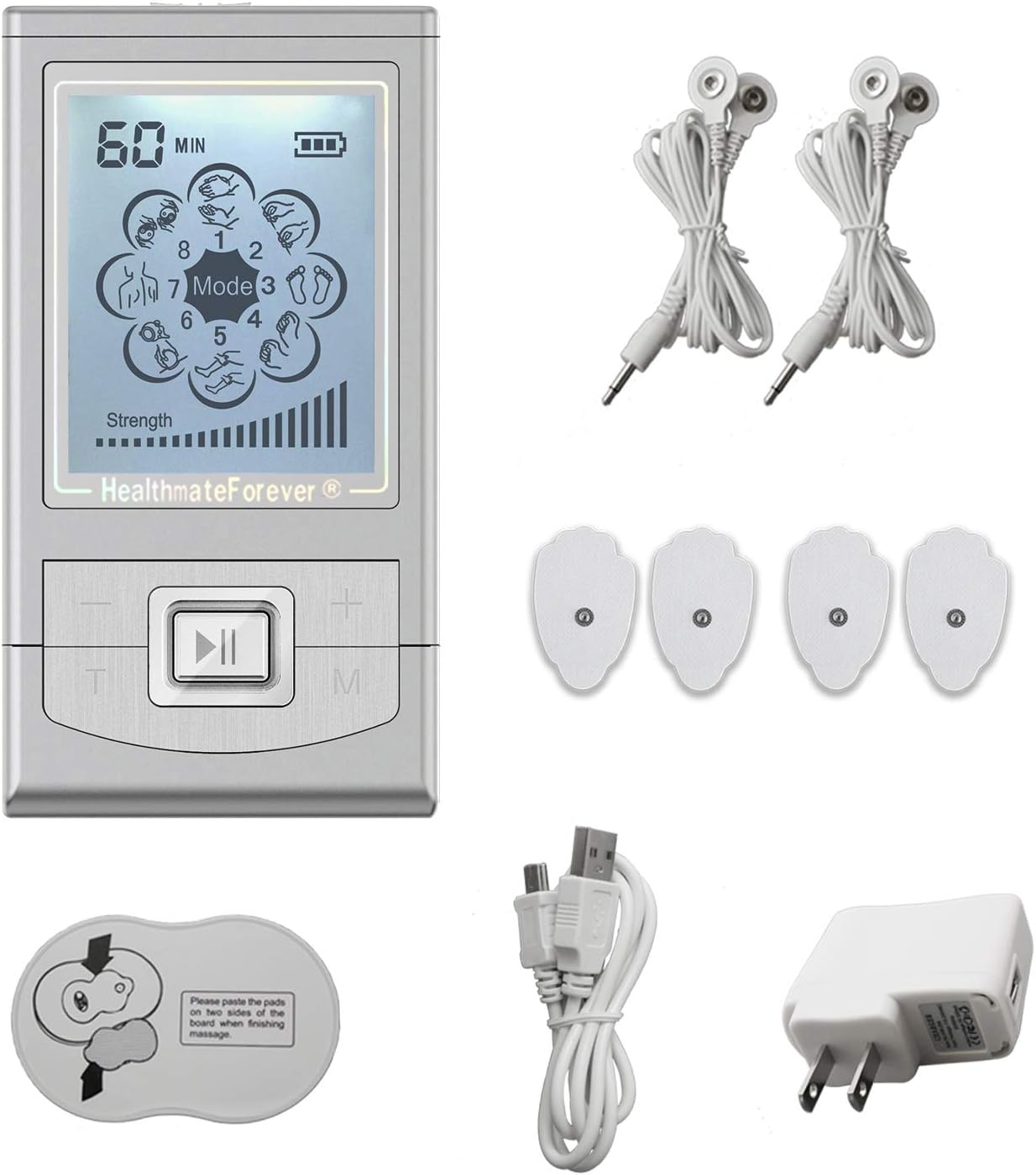
Image: The HealthmateForever NK8ML TENS unit, electrode pads of various sizes, lead wires, USB charging cable, and wall adapter.
4. Product Features
- FDA Cleared: This TENS unit and PMS machine is FDA cleared for safety and effectiveness.
- LCD Screen: Features a 3.75-inch LCD screen with backlighting for clear visibility and a safety pause button.
- 8 Pre-Programmed Modes: Includes Tuina (Push & Pull), Acupuncture, Tapping, Guasha (Scraping), Cupping, Body Building, Body Building 2, and Combination modes.
- 20 Intensity Levels: Allows for precise adjustment of stimulation strength.
- Adjustable Timer: Programs can be set for durations from 10 to 80 minutes.
- Independent A/B Channels: Two individual outputs enable simultaneous treatment of multiple body parts or two users with different modes and intensities.
- Reusable Electrode Pads: FDA 510K cleared, non-irritating, self-stick, pre-gelled, and latex-free for excellent adhesion.
- Portable Design: Pocket-sized with a dust-proof storage pouch, offering up to 20 hours of continuous use on a single charge.

Image: Visual representation of key features including dual outputs, 10 pre-programmed modes (note: device has 8 modes as listed above), USB rechargeable, 20 intensity levels, LCD backlit display, 20 hours usage, and adjustable timer.
5. Setup
5.1 Charging the Device
- Connect the small end of the USB cable to the charging port on the bottom of the TENS unit.
- Connect the large end of the USB cable to the USB charger, then plug the charger into a standard wall outlet.
- The battery indicator on the LCD screen will show charging status. A full charge provides up to 20 hours of continuous use.
5.2 Attaching Electrode Pads
- Ensure your skin is clean and dry before applying pads.
- Snap the lead wire connectors onto the electrode pads. The pads are designed with a snap-on style for secure connection.
- Remove the protective film from the gel side of the electrode pads.
- Apply the pads firmly to the desired treatment area on your skin.

Image: Close-up view of a snap-on electrode pad, showing the connection point and the 3.5mm connector of the lead wire. The diagram also illustrates the non-woven material layers of the pad, including textile adhesive, carbon, hydrogel, and holding sheet.
5.3 Connecting Lead Wires to the Device
- Insert the 3.5mm plug of the lead wire cable into either the 'A' or 'B' output port on the top of the TENS unit.
- The NK8ML features two independent channels (A and B), allowing for different settings for each pair of pads.
6. Operating Instructions
6.1 Power On/Off
- To turn on: Press and hold the 'ON/OFF' button (usually the central button with a play/pause icon) until the screen illuminates.
- To turn off: Press and hold the 'ON/OFF' button until the screen turns off.
6.2 Selecting a Mode
- Press the 'M' (Mode) button to cycle through the 8 pre-programmed massage modes. The selected mode will be displayed on the LCD screen.
- The available modes are: Tuina (Push & Pull), Acupuncture, Tapping, Guasha (Scraping), Cupping, Body Building, Body Building 2, and Combination.
6.3 Adjusting Intensity
- Use the '+' button to increase intensity and the '-' button to decrease intensity for the active channel.
- The device offers 20 intensity levels. Start with the lowest setting and gradually increase until you feel a comfortable, yet effective, sensation.
- For independent channels, select channel 'A' or 'B' (if applicable, usually by pressing a dedicated channel button or cycling through) before adjusting its intensity.
6.4 Setting the Timer
- Press the 'T' (Timer) button to adjust the treatment duration.
- The timer can be set from 10 to 80 minutes. The device will automatically shut off once the timer expires.
7. Electrode Pad Placement Guide
Proper electrode pad placement is crucial for effective and safe treatment. Refer to the diagrams and tables below for recommended treatment points. Always ensure pads are placed on clean, dry skin.

Image: Schematic diagrams of the human body (front, back, and side views) indicating numerous numbered points for electrode pad placement. These points correspond to various anatomical locations for targeted therapy.

Image: A detailed table titled 'Normal Points Functions' listing numbered points, their corresponding functions, conditions that may be treated, and a guide to treatment points. This table provides guidance on where to place electrodes based on specific pain or condition.
How to use the guide:
- Identify the area of your body where you wish to apply therapy.
- Locate the corresponding numbered point(s) on the 'Schematic Presentation of Normal Treatment Points' diagram.
- Refer to the 'Normal Points Functions' table to understand the function of each point and the conditions it may help treat.
- Apply electrode pads to the identified points. For optimal results, place at least two pads to create a circuit for the electrical impulses.
8. Maintenance
8.1 Cleaning the Device
- Wipe the device with a soft, damp cloth. Do not use abrasive cleaners or immerse the device in water.
8.2 Cleaning and Storing Electrode Pads
- After each use, gently wipe the adhesive side of the pads with a damp cloth to remove any skin oils or debris.
- Re-apply the protective film to the gel side of the pads.
- Store the pads on the provided pad holder or in a sealed plastic bag to prevent them from drying out.
- Store the device and accessories in the dust-proof storage pouch in a cool, dry place.
9. Troubleshooting
- No power: Ensure the device is fully charged. Connect to the USB charger and allow sufficient time to charge.
- No sensation or weak sensation:
- Check that the lead wires are securely connected to both the device and the electrode pads.
- Ensure electrode pads are firmly applied to clean, dry skin.
- Increase the intensity level gradually.
- Replace electrode pads if they have lost their adhesiveness or are damaged.
- Irritation at pad site: Discontinue use immediately. Ensure skin is clean before application. Consider using hypoallergenic pads if irritation persists.
If you experience issues not covered here, please contact customer support.
10. Specifications
| Model | NK8ML |
| Manufacturer | Healthmate International, LLC |
| Package Dimensions | 5.7 x 3.3 x 2.8 inches |
| Weight | 11.22 ounces |
| Power Source | Rechargeable Lithium Battery (USB charged) |
| Battery Life | Up to 20 hours continuous use |
| Output Channels | Dual (A/B) |
| Modes | 8 Pre-programmed |
| Intensity Levels | 20 |
| Timer | 10-80 minutes |

Image: The HealthmateForever NK8ML device held in a hand, illustrating its compact size and showing a measurement of approximately 3.8 inches (9 cm) in height.
11. Warranty and Customer Support
The HealthmateForever NK8ML comes with a 3-month warranty. Local U.S.-based customer service is guaranteed to assist with any product inquiries or support needs.
For warranty claims or technical assistance, please contact Healthmate International, LLC customer support.
12. Legal Disclaimer
Statements regarding dietary supplements have not been evaluated by the FDA and are not intended to diagnose, treat, cure, or prevent any disease or health condition. This device is intended for pain management and muscle stimulation as indicated by its FDA clearance. Always consult with a healthcare professional for medical advice.