
1. Introduction
This manual provides detailed instructions for the setup, operation, maintenance, and troubleshooting of your new Beetel B15 Corded Landline Phone. Please read this manual carefully before using the phone to ensure proper functionality and to maximize your user experience. The Beetel B15 is designed for clear call quality and ease of use, featuring essential functions for reliable communication.
2. Package Contents
Upon opening the package, please verify that all the following items are included:
- Landline Instrument (Beetel B15 Phone)
- Coil Cord (Handset Cord)
- Line Cord (Telephone Line Cord)
- User Manual (This document)
3. Product Overview
The Beetel B15 Corded Landline Phone is a robust and user-friendly device. Below are key components and features:

Figure 3.1: Top-down view of the Beetel B15 Corded Landline Phone, showcasing the handset, keypad, and coiled cord connection.

Figure 3.2: Angled view of the Beetel B15 with the handset lifted, revealing the base unit and the connection point for the coiled cord.
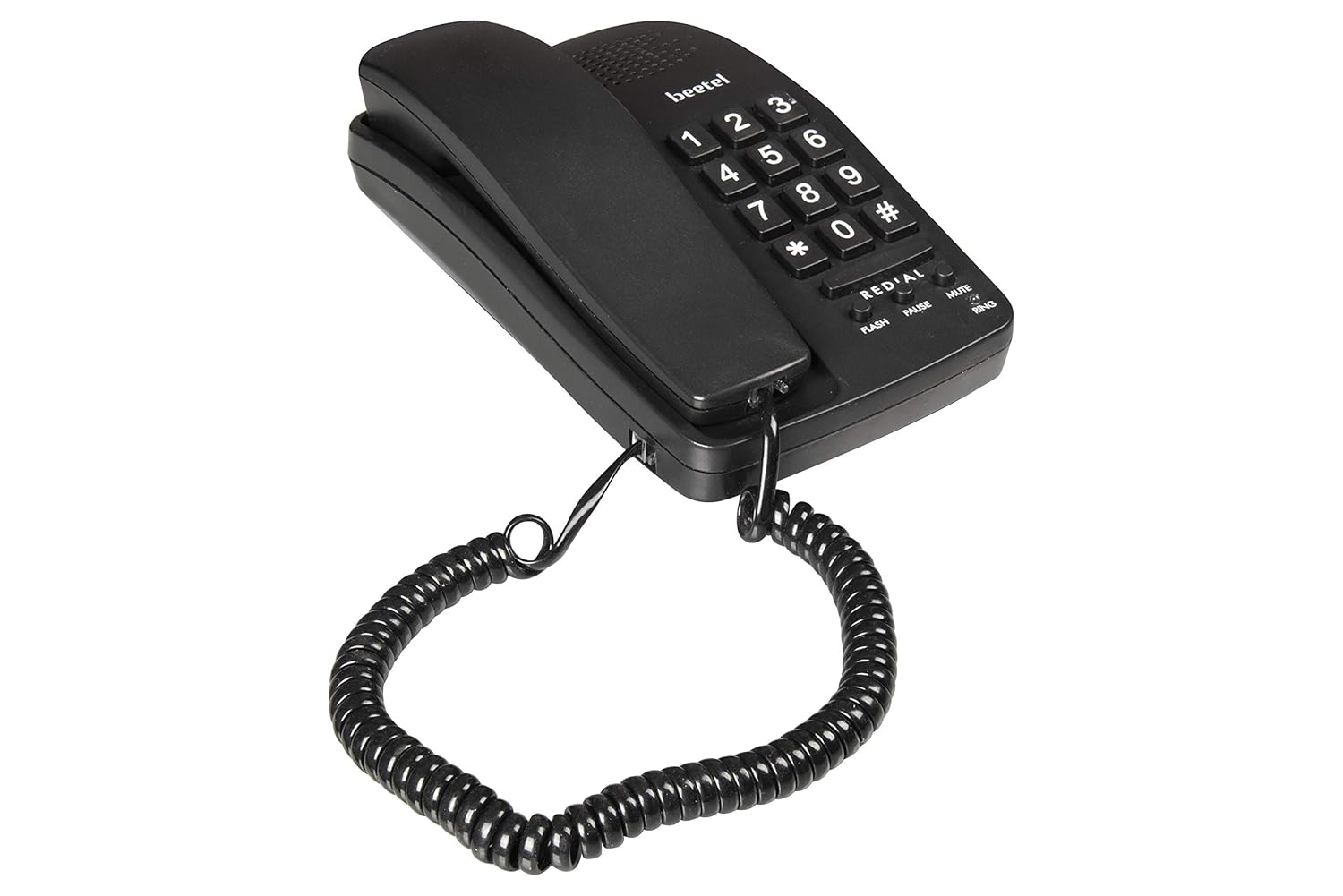
Figure 3.3: Left side view of the Beetel B15, showing the profile of the phone base and handset.
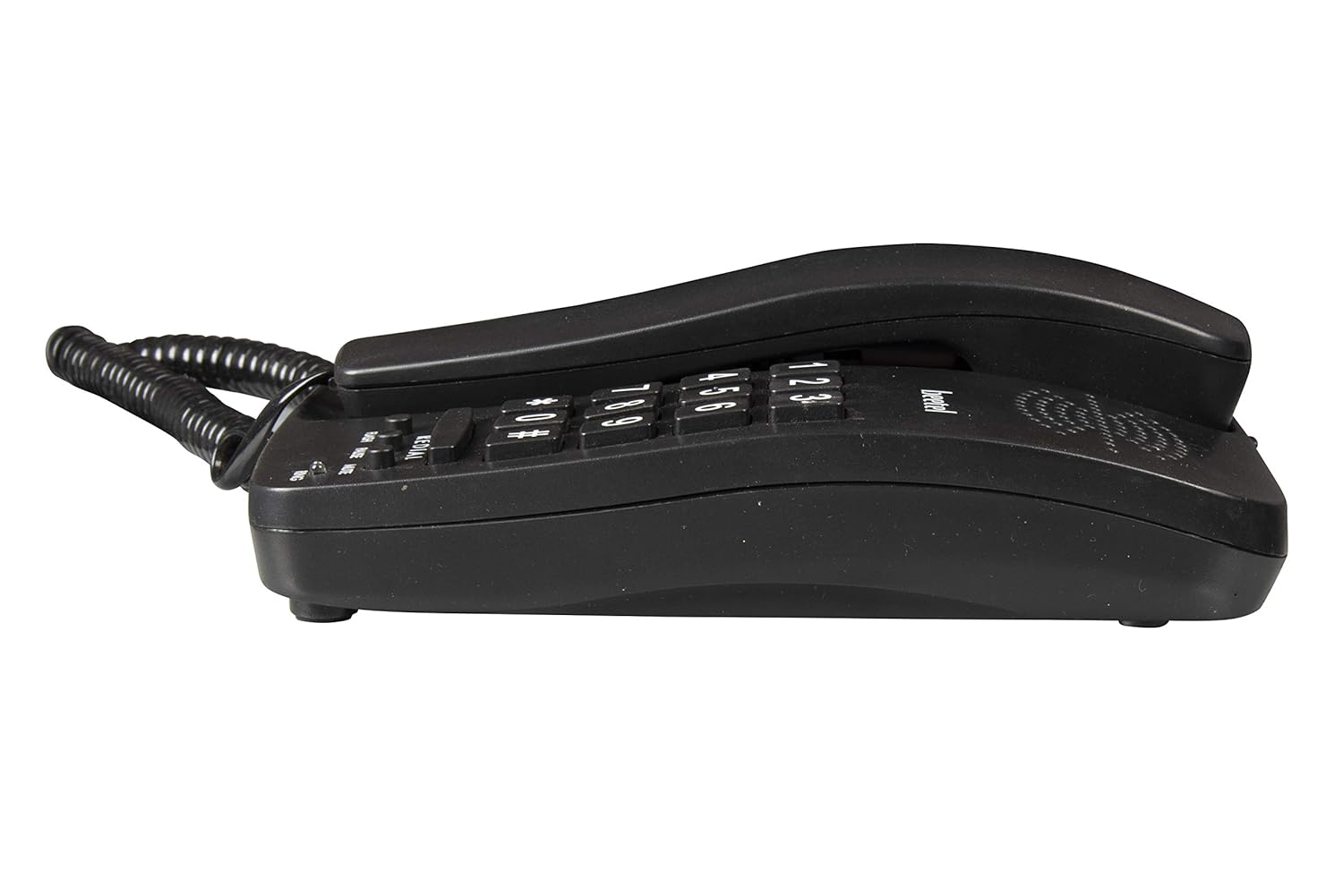
Figure 3.4: Right side view of the Beetel B15, illustrating the compact design.

Figure 3.5: Front angled view of the Beetel B15, highlighting the keypad and function buttons.
Key Features:
- Ringer Volume Control: Adjust the incoming call volume to your preference.
- Tone/Pulse Switchable: Compatible with both tone and pulse dialing systems.
- Redial Function: Quickly redial the last number called.
- Mute Function: Temporarily silence your microphone during a call.
- Flash Function: Used for call waiting or transferring calls on compatible systems.
- Pause Function: Inserts a pause in the dialing sequence, useful for accessing external lines or voicemail systems.
- LED for Ring Indication: A visual indicator that flashes when there is an incoming call.
- Wall/Desk Mountable: Designed for flexible placement on a desk or mounted on a wall.
4. Setup Instructions
Follow these steps to set up your Beetel B15 Corded Landline Phone:
- Connect the Coil Cord: Plug one end of the coiled cord into the handset and the other end into the designated port on the phone base unit. Ensure a secure connection.
- Connect the Line Cord: Plug one end of the telephone line cord into the 'LINE' port on the back or side of the phone base unit.
- Connect to Wall Jack: Plug the other end of the telephone line cord into your telephone wall jack.
- Placement: Place the phone on a flat, stable surface (desk) or mount it on a wall using the integrated mounting holes if desired. Ensure the cord is not tangled or obstructing pathways.
- Test Dial Tone: Lift the handset. You should hear a clear dial tone. If not, check all connections.
5. Operating Instructions
Making a Call:
- Lift the handset.
- Wait for a dial tone.
- Dial the desired telephone number using the keypad.
- Once the call is complete, place the handset back on the cradle.
Receiving a Call:
- When the phone rings and the LED indicator flashes, lift the handset to answer the call.
- Once the call is complete, place the handset back on the cradle.
Using Special Functions:
- Redial: Lift the handset, wait for the dial tone, then press the REDIAL button to automatically dial the last number called.
- Mute: During a call, press the MUTE button to temporarily disable your microphone. The other party will not hear you. Press MUTE again to resume conversation.
- Flash: During a call, press the FLASH button to use services like call waiting or call transfer, if supported by your telephone service provider.
- Pause: When dialing, press the PAUSE button to insert a brief pause in the dialing sequence. This is useful for dialing into systems that require a delay before entering extensions or codes.
- Ringer Volume Control: Locate the ringer volume switch (usually on the side or bottom of the phone base). Adjust it to your desired volume level (e.g., High, Low, Off).
- Tone/Pulse Switch: Locate the Tone/Pulse switch (usually on the bottom or side of the phone). Set it to 'Tone' for modern telephone systems. Only switch to 'Pulse' if your telephone line specifically requires it (older systems).
6. Maintenance
To ensure the longevity and optimal performance of your Beetel B15 phone, follow these simple maintenance guidelines:
- Cleaning: Wipe the phone's surface with a soft, damp cloth. Do not use harsh chemicals, abrasive cleaners, or excessive moisture, as these can damage the phone.
- Avoid Liquids: Keep the phone away from water and other liquids. If the phone gets wet, disconnect it immediately and allow it to dry completely before reconnecting.
- Temperature: Do not expose the phone to extreme temperatures (hot or cold) or direct sunlight for prolonged periods.
- Handling: Handle the phone with care. Avoid dropping it or subjecting it to strong impacts.
- Cord Management: Ensure the coiled cord and line cord are not excessively stretched, twisted, or pinched, as this can lead to damage and poor connection.
7. Troubleshooting
If you encounter issues with your Beetel B15 phone, refer to the following common problems and solutions:
| Problem | Possible Cause | Solution |
|---|---|---|
| No dial tone | Line cord or coil cord not connected properly. | Check all cable connections. Ensure they are firmly plugged in. |
| Phone does not ring | Ringer volume set to 'Off' or 'Low'. | Adjust the ringer volume switch to 'High'. |
| Cannot make calls | Incorrect Tone/Pulse setting. | Ensure the Tone/Pulse switch is set to 'Tone' for most modern lines. |
| Poor call quality / Static | Loose connections; interference. | Check all connections. Try plugging the phone into a different wall jack if available. Keep phone away from other electronic devices that may cause interference. |
| Redial/Flash/Mute buttons not working | Phone not in active call state; feature not supported by line. | Ensure you are on an active call for Mute/Flash. Redial works after a previous outgoing call. Confirm with your service provider if Flash is supported. |
If the problem persists after trying these solutions, please contact Beetel customer support.
8. Specifications
Below are the technical specifications for the Beetel B15 Corded Landline Phone:
| Feature | Description |
|---|---|
| Model Number | B15 BLACK |
| Product Dimensions | 20.7 x 12.5 x 6.2 cm |
| Item Weight | 470 g |
| Colour | Black |
| Telephone Type | Corded |
| Material | Plastic |
| Power Source | Line Powered (No external power adapter needed) |
| Special Features | LED Flash, Ringer Volume Control, Redial, Mute, Flash, Pause, Tone/Pulse Switchable |
| Whats in the box | Landline Instrument, Coil Cord, Line Cord, User Manual |
| Manufacturer | Beetel Teletech Limited |
| Country of Origin | India |
9. Warranty and Support
Your Beetel B15 Corded Landline Phone comes with a manufacturer's warranty to ensure your peace of mind.
- Warranty Period: The product is covered by a 1-year manufacturer warranty for the device from the date of purchase. In-box accessories, including batteries (if applicable), typically have a 6-month manufacturer warranty.
- Warranty Claims: For any warranty-related issues or product support, please contact Beetel Teletech Limited customer service. Keep your purchase receipt as proof of purchase.
- Support: For further assistance, troubleshooting not covered in this manual, or general inquiries, please refer to the official Beetel website or contact their customer support channels.