
1. Introduction
The CyberPower PR2200LCD Smart App Sinewave UPS provides reliable battery backup, power protection, and surge protection for critical equipment. This Uninterruptible Power Supply (UPS) system is designed for corporate servers, department servers, storage appliances, network devices, and telecom installations that require Active PFC power source compatibility. It features Automatic Voltage Regulation (AVR) to correct minor power fluctuations without switching to battery power, thereby extending battery life.
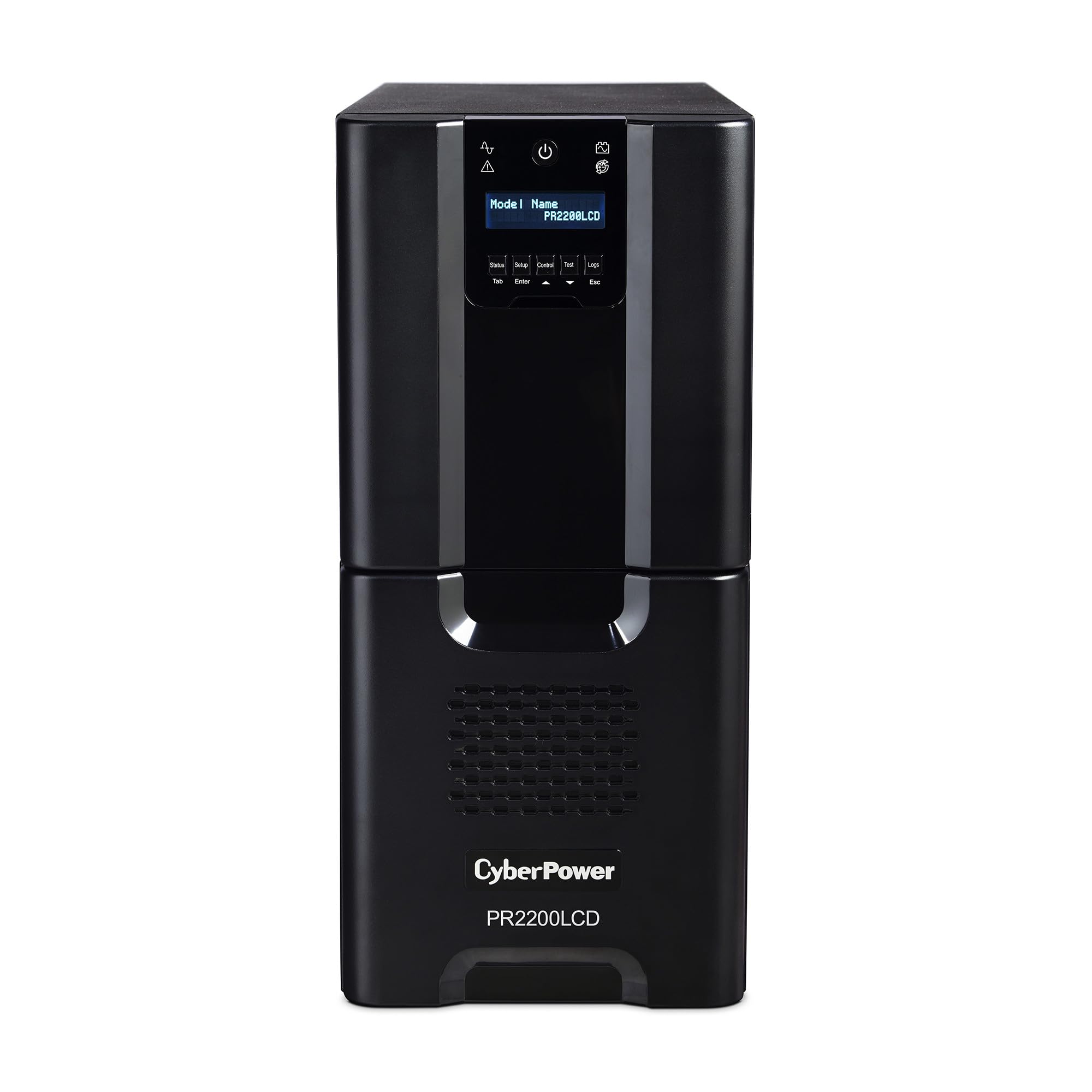
Figure 1: Front view of the CyberPower PR2200LCD UPS unit.
2. Safety Instructions
Please read and follow all instructions carefully before installing and operating the UPS. Save this manual for future reference.
- Electrical Safety: Do not open the UPS housing. There are no user-serviceable parts inside. Refer servicing to qualified service personnel.
- Placement: Install the UPS in a temperature-controlled indoor environment, away from direct sunlight, heat sources, and excessive moisture. Ensure adequate ventilation around the unit.
- Connection: Connect the UPS to a properly grounded AC power outlet. Do not use extension cords or power strips with the UPS input.
- Battery Safety: Batteries can present a risk of electrical shock and high short-circuit current. Observe proper precautions when working with batteries. Do not dispose of batteries in a fire; they may explode.
- Overload: Do not overload the UPS outlets. Ensure the total power draw of connected equipment does not exceed the UPS's capacity.
3. Package Contents
Upon receiving your UPS, please inspect the package for any damage. If damage is found, notify your dealer immediately. Please verify all items are present in the packaging:
- CyberPower PR2200LCD UPS Unit
- User Manual (this document)
- USB Cable
- Serial Cable
- PowerPanel Business Edition Software CD (or download instructions)
4. Product Features
The CyberPower PR2200LCD UPS is equipped with advanced features to ensure optimal power protection and management:
- 2200VA/1980W Capacity: Provides substantial power backup for critical systems.
- Smart App Sinewave Output: Delivers pure sine wave output, compatible with Active PFC power supplies and sensitive electronics.
- 10 Outlets: Includes eight NEMA 5-15R and two NEMA 5-20R battery backup and surge-protected outlets.
- Automatic Voltage Regulation (AVR): Corrects minor power fluctuations (sags and surges) without switching to battery power, preserving battery life.
- Extendable Multifunction LCD Panel: The LCD panel can be removed and relocated using its attached 4.5-foot cable for easy monitoring in hard-to-reach installations.
- SNMP/HTTP Remote Monitoring: Available with optional RMCARD205 (sold separately).
- PowerPanel Business Edition Software: Free management software for monitoring and graceful shutdown of connected systems.

Figure 2: Angled front view highlighting the LCD panel and ventilation.
Video 1: Overview of CyberPower Smart App Sinewave Mini-Tower LCD UPS features by the manufacturer.
5. Setup and Installation
5.1 Physical Placement
Place the UPS in a protected area that is free of excessive dust, corrosive liquids, and conductive contaminants. Ensure the location has adequate airflow around the unit. Avoid placing the UPS near heat-emitting appliances or in direct sunlight.
5.2 Connecting to Power
- Ensure the UPS is turned off.
- Plug the UPS's input power cord (NEMA L5-30P) into a properly grounded 120V 30A dedicated outlet.
- Allow the UPS to charge for at least 8 hours before initial use to ensure maximum battery runtime.
5.3 Connecting Equipment
The PR2200LCD has 10 outlets on its rear panel. These outlets provide both battery backup and surge protection.

Figure 3: Rear panel showing outlets and communication ports.
- Plug your computer, monitor, and other critical equipment into the battery backup and surge-protected outlets.
- Do not plug laser printers or shredders into the battery backup outlets, as their high power draw can overload the UPS.
5.4 Communication Ports
Connect the provided USB or Serial cable from the UPS to your computer to enable communication with the PowerPanel Business Edition software for automatic shutdown and monitoring.
5.5 Software Installation
Download and install the PowerPanel Business Edition software from the CyberPower website (cyberpowersystems.com). Follow the on-screen instructions to configure the software for monitoring and automatic shutdown settings.
6. Operation
6.1 Powering On/Off
- To Power On: Press and hold the Power button on the front panel for approximately 2 seconds until you hear a beep.
- To Power Off: Press and hold the Power button for approximately 2 seconds until you hear a beep and the unit shuts down.
6.2 LCD Display and Control Panel
The multifunction LCD panel displays real-time information about the UPS status, battery conditions, and power parameters. Use the control buttons (Status, Setup, Control, Test, Logs, Tab, Enter, Esc) to navigate through menus and adjust settings.

Figure 4: Detachable LCD control panel.
- Status: View current operational status, input/output voltage, load level, and battery capacity.
- Setup: Configure various UPS parameters such as output voltage, alarm settings, and self-test schedule.
- Control: Manually initiate a self-test or control specific UPS functions.
- Test: Perform a battery self-test to check battery health.
- Logs: Review event logs and power history.
6.3 Automatic Voltage Regulation (AVR)
The UPS automatically engages AVR to correct minor voltage fluctuations without using battery power. This extends battery life and ensures a stable power supply to connected equipment.
7. Maintenance
7.1 Battery Replacement
The typical battery life is 3 to 5 years, depending on usage and environmental conditions. If the battery needs replacement, the UPS will indicate a battery fault. Contact CyberPower support or a certified technician for battery replacement. Only use CyberPower approved replacement batteries.
7.2 Cleaning
Periodically clean the exterior of the UPS with a soft, dry cloth. Ensure ventilation openings are free from dust and debris to maintain proper airflow.
8. Troubleshooting
| Problem | Possible Cause | Solution |
|---|---|---|
| UPS will not turn on | No AC input power; Low battery | Check power cord connection; Allow battery to charge for 8 hours. |
| UPS is beeping continuously | Overload; Low battery | Remove non-essential equipment; Allow battery to charge or replace if old. |
| UPS does not provide expected backup time | Battery not fully charged; Battery is old | Charge battery for 8 hours; Replace battery. |
| LCD display is blank | UPS is off; Fault condition | Press power button to turn on; Contact support if fault persists. |
9. Specifications
| Feature | Specification |
|---|---|
| Model Number | PR2200LCD |
| Capacity (VA/Watts) | 2200VA / 1980W |
| Input Voltage | 120V AC |
| Input Connector | NEMA L5-30P |
| Output Voltage | 120V AC |
| Output Waveform | Pure Sinewave |
| Output Outlets | 8 x NEMA 5-15R, 2 x NEMA 5-20R |
| Surge Protection Rating | 1030 Joules |
| Battery Type | Sealed Lead Acid |
| Typical Recharge Time | 8 hours |
| Runtime (Half Load) | Approx. 18 minutes |
| Runtime (Full Load) | Approx. 7 minutes |
| Dimensions (D x W x H) | 20.2" x 7.7" x 17" |
| Weight | 116 lbs |
| Operating Temperature | 32°F to 104°F (0°C to 40°C) |
| Certifications | UL Certified |
10. Warranty and Support
10.1 Limited Warranty
The CyberPower PR2200LCD UPS comes with a 3-Year Limited Warranty, which includes the battery. This warranty covers defects in materials and workmanship under normal use and service.
10.2 Connected Equipment Guarantee
This UPS is backed by a $375,000 Connected Equipment Guarantee. This guarantee provides protection for equipment connected to the UPS against damage from power surges, spikes, or lightning strikes while properly connected to the UPS.
10.3 Technical Support
For technical assistance, warranty claims, or product information, please visit the CyberPower Systems website or contact their customer support:
- Website: www.cyberpowersystems.com
- Refer to the website for current contact information and support resources.


