
1. Introduction
The Edifier Studio 6 Plus 2.0 speaker system (Model R2600 PLUS) is a high-quality audio solution designed for various applications, including home cinema, music playback, and computer audio. This manual provides essential information for setup, operation, and maintenance to ensure optimal performance and longevity of your speakers.
2. Safety Instructions
- Read these instructions carefully before operating the product.
- Keep this manual for future reference.
- Do not expose the speakers to rain or moisture.
- Do not open the speaker enclosure. Refer all servicing to qualified personnel.
- Ensure proper ventilation around the speakers to prevent overheating.
- Use only attachments and accessories specified by the manufacturer.
- Disconnect the power plug during lightning storms or when unused for long periods.
3. Package Contents
Please check the box contents to ensure all items are present:
- 1x Active Speaker (with integrated power cord)
- 1x Passive Speaker
- 1x Infrared Remote Control
- 1x Stereo Connection Cable (3.5mm to RCA)
- 1x Speaker Connection Cable (5-pin XLR)
- 1x User Manual (this document)

Figure 3.1: The Edifier Studio 6 Plus 2.0 Speaker System, showing both active and passive speakers along with the included remote control.

Figure 3.2: The 5-pin XLR speaker connection cable used to link the active and passive speakers.
4. Product Overview
4.1. Speaker Components
The Edifier Studio 6 Plus system consists of one active speaker, which houses the amplifier and controls, and one passive speaker, which connects to the active unit.

Figure 4.1: A close-up view of the woofer cone, responsible for producing mid-range and bass frequencies.

Figure 4.2: A close-up view of the tweeter dome, which reproduces high-frequency sounds.
4.2. Controls and Inputs
The active speaker features various controls and input ports for connectivity and sound adjustment.

Figure 4.3: Control panel on the active speaker, featuring knobs for Treble, Bass, and Volume/Input selection.
- Treble Control: Adjusts the high-frequency output.
- Bass Control: Adjusts the low-frequency output.
- Volume/Input Control: Rotates to adjust overall volume. Press to cycle through input sources (PC, AUX).

Figure 4.4: Rear panel of the active speaker, displaying the RCA input ports, speaker output, and power switch.
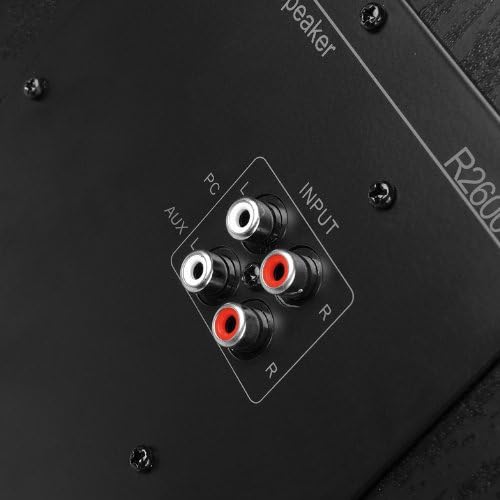
Figure 4.5: Detailed view of the dual RCA input ports (PC and AUX) on the active speaker for connecting audio sources.
- PC Input: RCA input for connecting to a computer or other audio device.
- AUX Input: Secondary RCA input for connecting to another audio source.
- Speaker Output: 5-pin XLR port for connecting to the passive speaker.
- Power Switch: Toggles the speaker system on or off.

Figure 4.6: Close-up of the 5-pin XLR port on the active speaker, used for connecting the passive speaker.
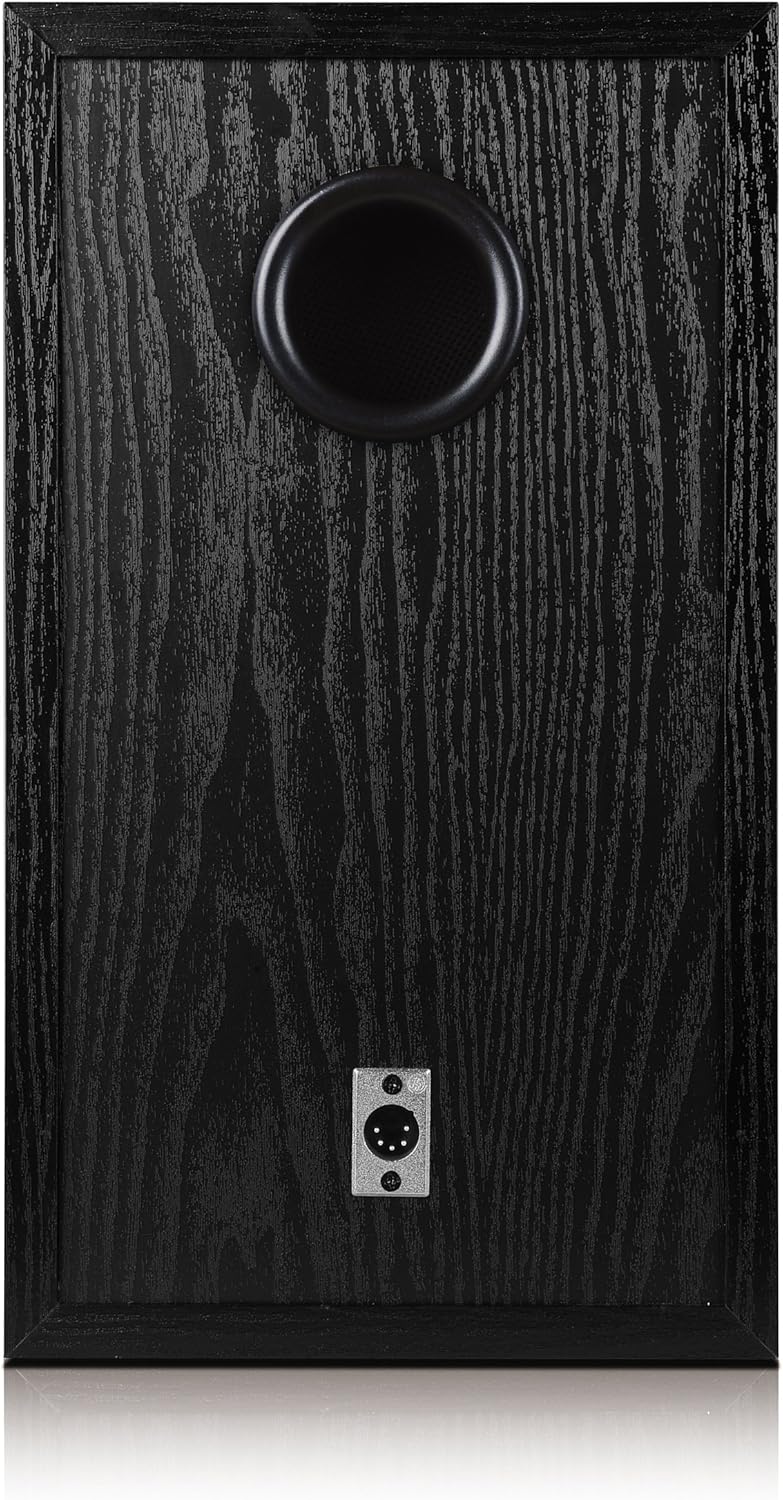
Figure 4.7: Rear panel of the passive speaker, showing the 5-pin XLR input port and the bass reflex port.
4.3. Remote Control
The included infrared remote control provides convenient access to essential functions.

Figure 4.8: The infrared remote control for the Edifier Studio 6 Plus speaker system.
- Volume Up/Down: Increases or decreases the master volume.
- Mute: Silences the audio output.
- PC/AUX: Selects between the PC and AUX input sources.
5. Setup
5.1. Speaker Placement
Place the active and passive speakers on a stable, flat surface. For optimal stereo imaging, position them equidistant from your listening position and at ear level.
5.2. Connecting Speakers
- Locate the 5-pin XLR speaker connection cable.
- Connect one end of the XLR cable to the 'Speaker Output' port on the rear of the active speaker.
- Connect the other end of the XLR cable to the 'Speaker Input' port on the rear of the passive speaker. Ensure a secure connection.
5.3. Connecting Audio Sources
The Edifier Studio 6 Plus offers two RCA input options:
- PC Input: Use an RCA cable (or the included 3.5mm to RCA cable for devices with a 3.5mm output) to connect your computer's audio output to the 'PC' RCA input on the active speaker.
- AUX Input: Use an RCA cable to connect another audio device (e.g., CD player, TV, smartphone with adapter) to the 'AUX' RCA input on the active speaker.
5.4. Power Connection
- Ensure the power switch on the active speaker is in the 'OFF' position.
- Plug the active speaker's integrated power cord into a standard electrical outlet.
6. Operating Instructions
6.1. Powering On/Off
Flip the power switch on the rear of the active speaker to the 'ON' position to power on the system. Flip it to 'OFF' to power down.
6.2. Adjusting Volume
Rotate the 'Volume' knob on the active speaker clockwise to increase volume and counter-clockwise to decrease it. Alternatively, use the 'VOL+' and 'VOL-' buttons on the remote control.
6.3. Adjusting Bass and Treble
Use the 'Bass' and 'Treble' knobs on the active speaker to fine-tune the low and high frequencies according to your preference.
6.4. Selecting Input Source
Press the 'Volume/Input' knob on the active speaker to cycle between 'PC' and 'AUX' inputs. The selected input will be indicated by an LED. On the remote control, use the 'PC' or 'AUX' buttons to directly select the desired input.
6.5. Mute Function
Press the 'MUTE' button on the remote control to temporarily silence the audio. Press it again to resume playback.
7. Maintenance
- Cleaning: Use a soft, dry cloth to clean the speaker surfaces. Do not use abrasive cleaners or solvents.
- Storage: If storing the speakers for an extended period, disconnect them from power and store them in a cool, dry place.
- Remote Control Batteries: The remote control requires 2 AA batteries (not included). Replace them when the remote's functionality diminishes.
8. Troubleshooting
| Problem | Possible Cause | Solution |
|---|---|---|
| No sound | Power is off; incorrect input selected; volume too low; cables loose. | Ensure power is on; select correct input (PC/AUX); increase volume; check all cable connections. |
| Distorted sound | Volume too high; audio source distortion; incorrect bass/treble settings. | Reduce volume; check audio source quality; adjust bass/treble controls. |
| Remote control not working | Batteries depleted or incorrectly inserted; obstruction between remote and speaker. | Replace batteries (2x AA); ensure correct battery polarity; remove any obstructions. |
| One speaker not working | XLR cable loose or faulty. | Check the 5-pin XLR cable connection between active and passive speakers. |
9. Specifications
- Model: R2600 PLUS
- Output Power (RMS): 2 x 30 W (Treble) + 2 x 32 W (Bass) = 124 W Total
- Input Type: 2x RCA (PC, AUX)
- Control Method: Remote Control, On-speaker Knobs
- Wireless Communication: Infrared (for remote)
- Power Source: Wired Electric
- Speaker Type: Bookshelf
- Product Dimensions (per speaker): 29.3 x 21.8 x 37 cm
- Item Weight: 14.8 kg (total)
- Included Components: Active speaker, passive speaker, infrared remote control, 3.5mm to RCA cable, 5-pin XLR speaker cable, user manual.
- Remote Control Batteries: 2 AA batteries (not included)
10. Warranty and Support
The Edifier Studio 6 Plus 2.0 Speaker System comes with a limited warranty provided by the manufacturer, Edifier. For specific warranty terms and conditions, please refer to the warranty card included with your product or contact Edifier customer support.
For further assistance, technical support, or to explore other Edifier products, please visit the official Edifier store or website.
Manufacturer: Edifier
Edifier Store: https://www.amazon.nl/stores/EDIFIER/page/FD4D5FD4-32FF-4475-990E-E45B4E6A6ED2


