
Sauder 413670
Sauder Palladia L-Shaped Office Desk User Manual
Model: 413670
Product Overview
The Sauder Palladia L-Shaped Office Desk is designed to enhance your home office or workspace with its functional features and elegant style. This desk provides a spacious work surface and integrated storage solutions to keep your office essentials organized and accessible.
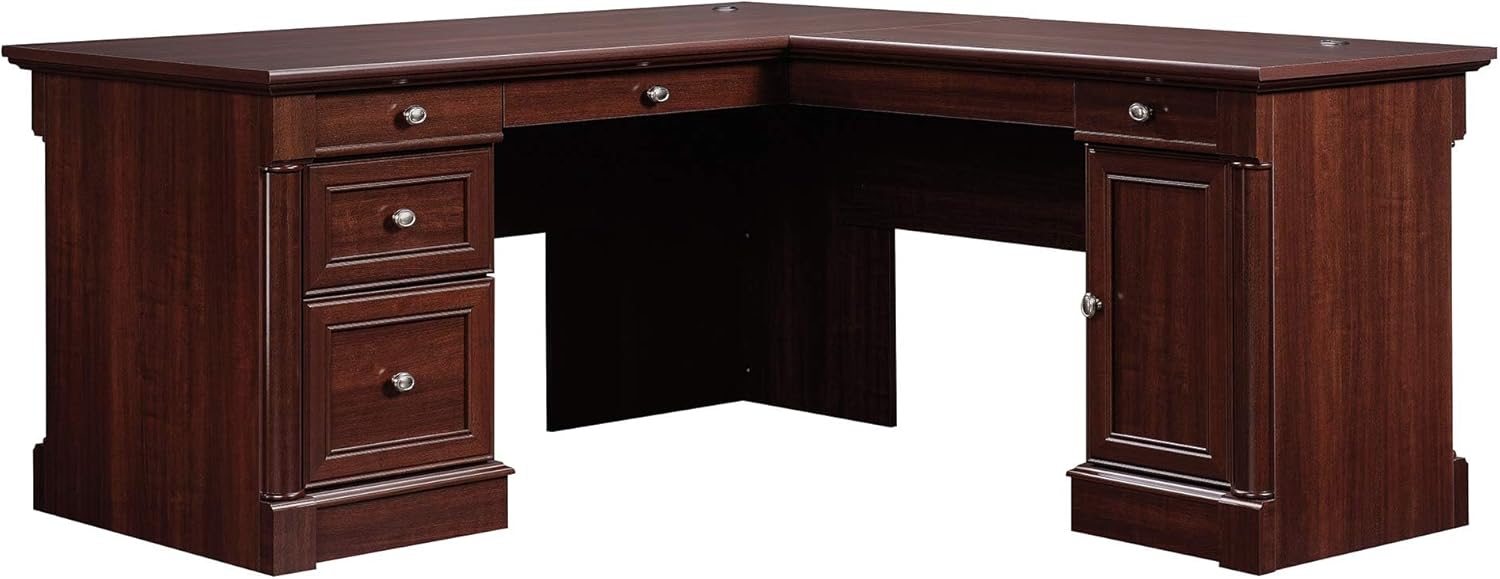
Image: The Sauder Palladia L-Shaped Office Desk, showcasing its full design and Select Cherry finish.
Safety Information
Please read all instructions carefully before beginning assembly. Keep all hardware and packaging materials out of reach of children. Assembly should be performed on a soft, clean surface to prevent scratching. Due to the size and weight of the desk, it is recommended that two or more people assist with assembly and moving the assembled unit.
- Ensure all parts are present and undamaged before starting.
- Use only the provided hardware.
- Do not overtighten screws, as this may damage the material.
- Place the desk on a level surface to prevent wobbling.
- Keep small parts away from children to avoid choking hazards.
Parts List and Preparation
Before beginning assembly, unpack all components and verify them against the included parts list in your instruction booklet. Lay out all pieces on a clean, soft surface to prevent scratches. Organize hardware by type to streamline the assembly process.

Image: Detailed dimensions diagram of the L-shaped desk, showing measurements for overall size and internal drawer/storage areas.
Assembly Instructions
Assembly of the Sauder Palladia L-Shaped Desk typically requires approximately 5-8 hours for one person. Having a second person assist, especially with lifting and aligning larger sections, is highly recommended. Follow the step-by-step instructions provided in your physical manual for detailed guidance.
Key Assembly Points:
- Keyboard Tray/Drawer: The large drawer/shelf with a flip-down panel for your laptop or keyboard/mouse can be installed on either the left or right side of the L-shaped configuration to suit your preference.
- File Drawer: The lower file drawer features full extension slides and is designed to accommodate both letter and legal-size hanging files. Ensure the slides are correctly aligned during installation for smooth operation.
- Storage Drawers: The three additional storage drawers operate on smooth metal runners with safety stops.
- CPU Tower Storage: A dedicated storage area behind a door includes an adjustable shelf, perfect for housing a vertical CPU tower or other office equipment.
- Cable Management: The desk top is equipped with grommet holes to help manage and route electrical cords, keeping your workspace tidy.
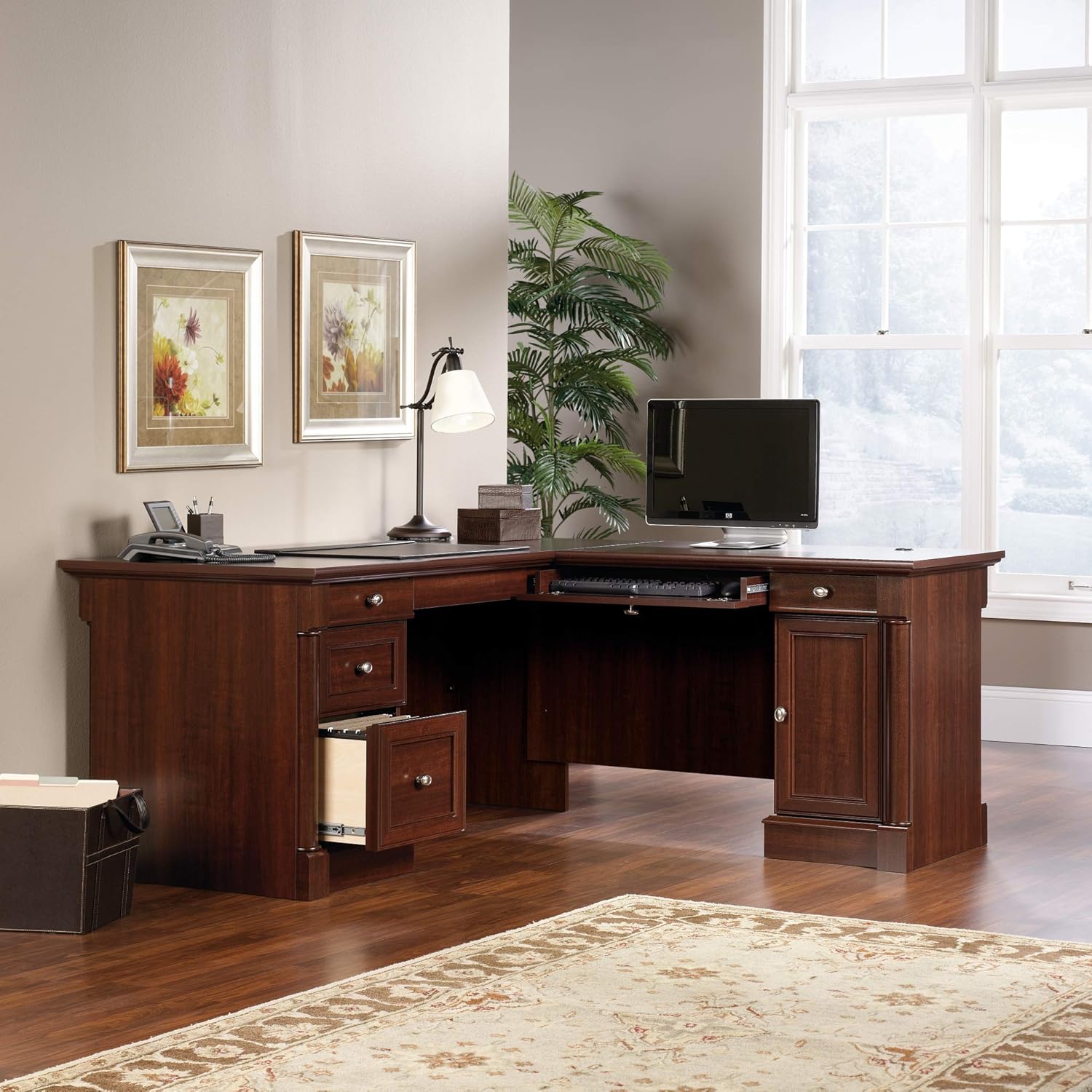
Image: The L-shaped desk showing the keyboard tray pulled out, ready for use.
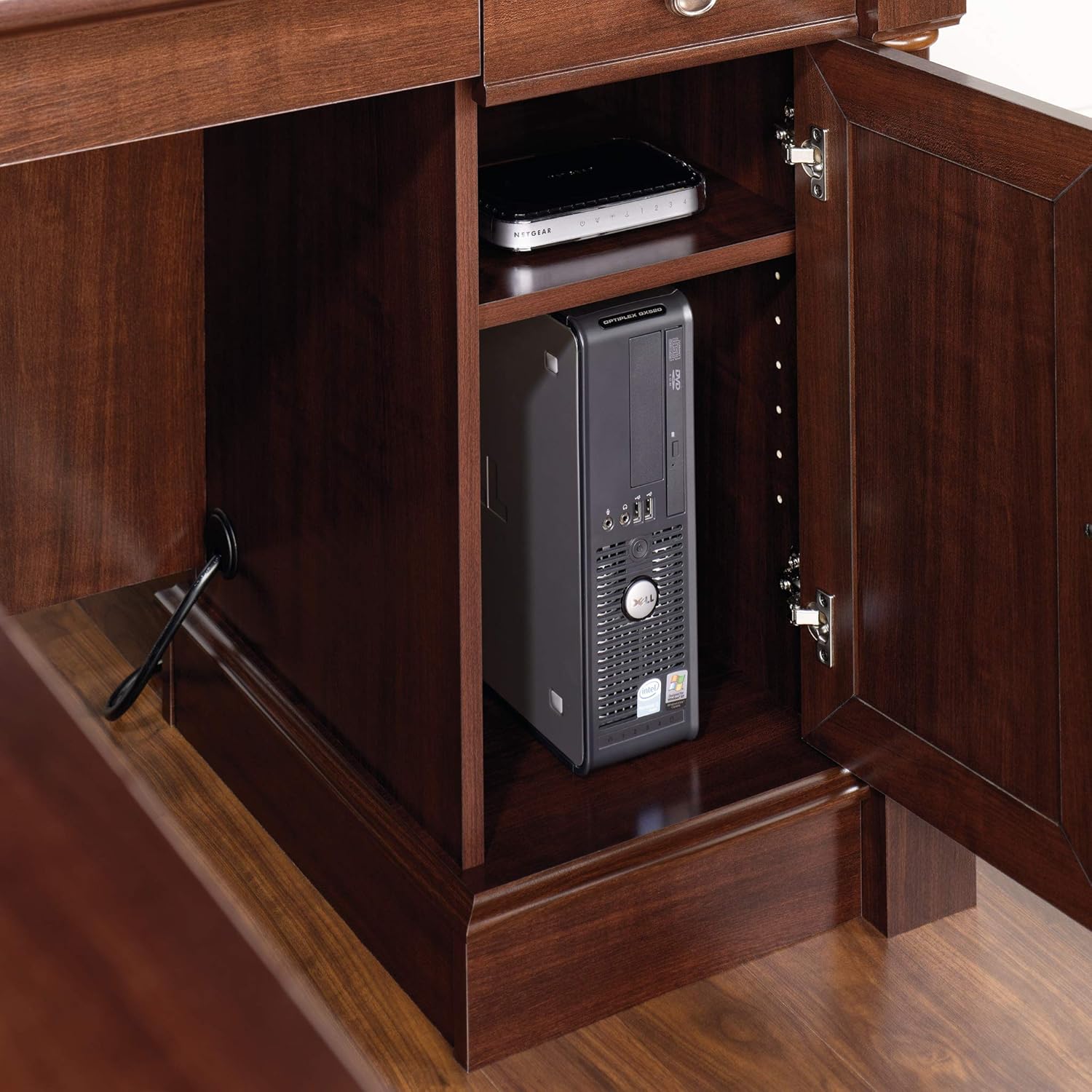
Image: A view inside the CPU storage compartment, demonstrating space for a vertical CPU tower and an adjustable shelf.
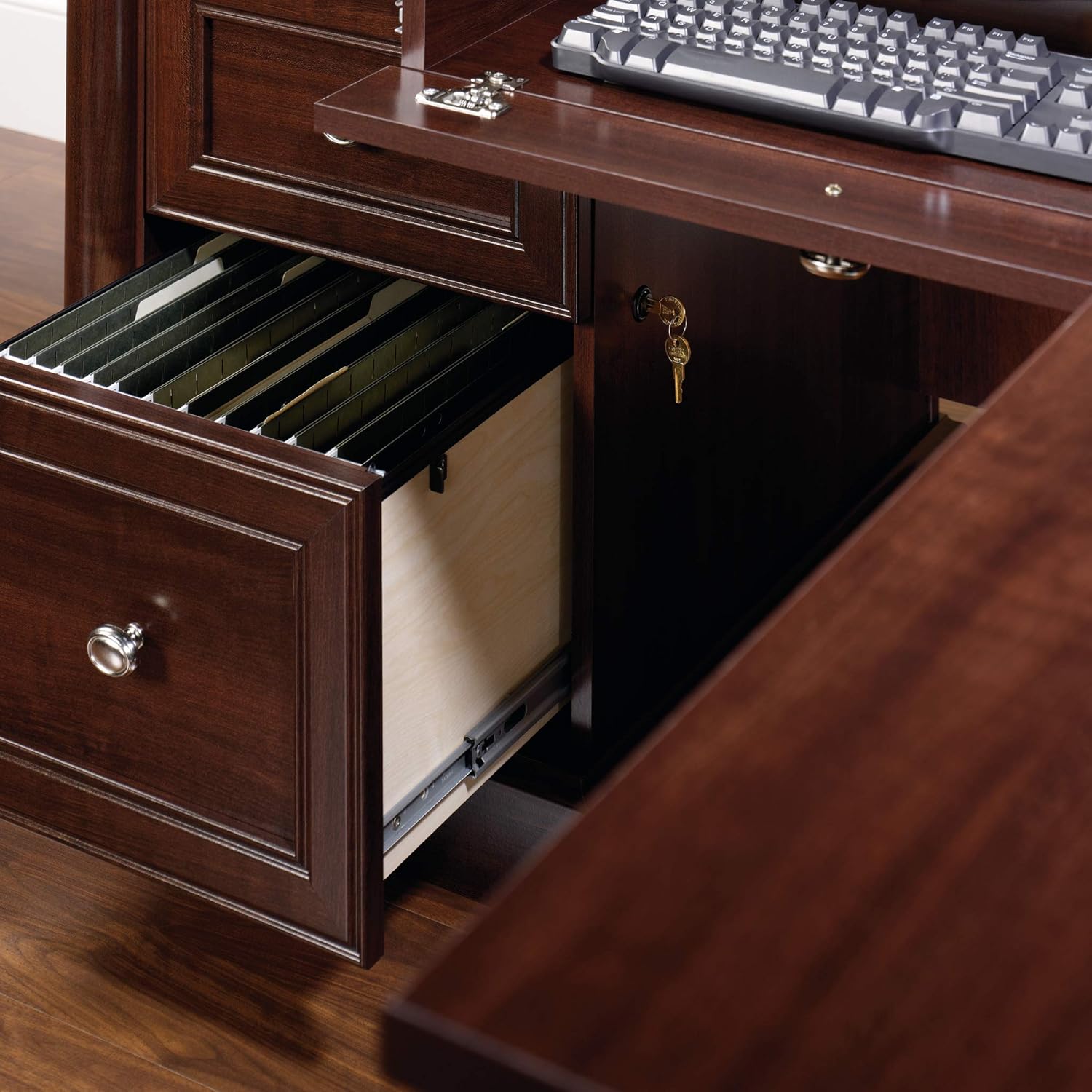
Image: The file drawer fully extended, showing its capacity for hanging files.
Assembly Video Guide:
Video: A brief overview of the Sauder Palladia L-Shaped Desk, demonstrating its features and design.
Operating Instructions
Once assembled, your Sauder Palladia L-Shaped Desk is ready for use.
- Keyboard Tray: Gently pull the front panel of the keyboard drawer to extend the tray. Push it back in until it clicks into place to retract.
- Drawers: Pull the drawer handles to open. Push firmly to close completely. The file drawer has full extension slides for easy access to contents.
- CPU Cabinet: Open the cabinet door to access the storage area. The adjustable shelf can be repositioned by removing the shelf pins and inserting them into desired holes.
- Cable Management: Utilize the grommet holes on the desk surface to route power cords and data cables, keeping them organized and out of sight.
Maintenance
To ensure the longevity and appearance of your Sauder Palladia L-Shaped Desk, follow these maintenance guidelines:
- Cleaning: Wipe surfaces with a soft, damp cloth. Avoid using harsh chemicals, abrasive cleaners, or polishes that may damage the finish.
- Spills: Immediately wipe up any spills to prevent moisture damage.
- Heat and Moisture: Avoid placing hot items directly on the surface. Use coasters or protective pads under drinks and hot dishes.
- Sunlight: Prolonged exposure to direct sunlight may cause fading or discoloration.
- Hardware: Periodically check and tighten all hardware to ensure stability.
Troubleshooting
| Problem | Possible Cause | Solution |
|---|---|---|
| Desk wobbles | Uneven floor or loose hardware. | Ensure the desk is on a level surface. Check and tighten all assembly hardware. |
| Drawers stick or do not close smoothly | Misaligned slides or obstructions. | Verify that drawer slides are correctly installed and free of debris. Check for any items obstructing the drawer's path. |
| Minor scratches or blemishes | Normal wear and tear or minor impact. | For minor scratches, a furniture repair marker or polish matching the Select Cherry finish may be used. |
Specifications
| Feature | Detail |
|---|---|
| Brand | Sauder |
| Model Number | 413670 |
| Dimensions (L x W x H) | 68.74" x 65.12" x 29.61" |
| Color/Finish | Select Cherry Finish |
| Material | Engineered Wood, Metal (drawer slides) |
| Weight | Approximately 251 Pounds |
| Drawer Features | Flip-down keyboard tray, 3 storage drawers, 1 file drawer (letter/legal size) |
| Additional Storage | Hidden CPU tower storage with adjustable shelf |
| Cable Management | Grommet holes on desk top |
| Assembly Required | Yes (Recommended 2 people) |
Warranty and Support
Sauder products are backed by a manufacturer's warranty. For specific warranty details, please refer to the documentation included with your product or visit the official Sauder website.
For assistance with assembly, missing parts, or any other product-related inquiries, please contact Sauder customer support.
- Manufacturer Warranty: 5 year parts.
- Online Support: Visit the Sauder Store on Amazon for additional resources and contact information.
- Replacement Parts: Information regarding quick ship replacement parts may be available through Sauder customer service.
Ask a question about this manual
Ask about setup, troubleshooting, compatibility, parts, safety, or missing instructions. Manuals+ will review the question and use this page’s manual context to help answer it.