
Introduction
This user manual provides essential information for the safe and efficient use of your Metabo MPT625585000 10.8 V Li-Ion Power Battery Pack. Please read this manual thoroughly before first use and keep it for future reference. This battery pack is designed to power compatible Metabo 10.8 Volt machines, offering reliable and consistent performance.
Safety Instructions
Always observe the following safety precautions to prevent personal injury and damage to the battery pack or connected tools.
- Charging: Only use chargers recommended by Metabo for Li-Ion batteries. Using an incompatible charger may cause fire, explosion, or injury.
- Temperature: Do not charge or store the battery pack in extreme temperatures. Optimal charging temperature is between 0°C and 45°C (32°F and 113°F).
- Damage: Do not use a damaged or modified battery pack. Damaged batteries may exhibit unpredictable behavior resulting in fire, explosion, or risk of injury.
- Short Circuit: Do not short-circuit the battery terminals. Keep the battery pack away from metal objects like keys, coins, paper clips, and other small metal objects that can make a connection from one terminal to another.
- Water Exposure: Do not expose the battery pack to water or rain. Water entering a battery may increase the risk of electric shock or fire.
- Disposal: Dispose of battery packs responsibly according to local regulations. Do not dispose of in household waste or by incineration.
- Overload Protection: The battery pack is equipped with Metabo electronic single cell protection system, overload protection, and overheat motor shut-off. If the battery pack becomes too hot or overloaded, it may temporarily shut down. Allow it to cool before resuming use.
Product Overview
The Metabo MPT625585000 10.8 V Li-Ion Power Battery Pack is a compact and robust power source for your cordless tools.
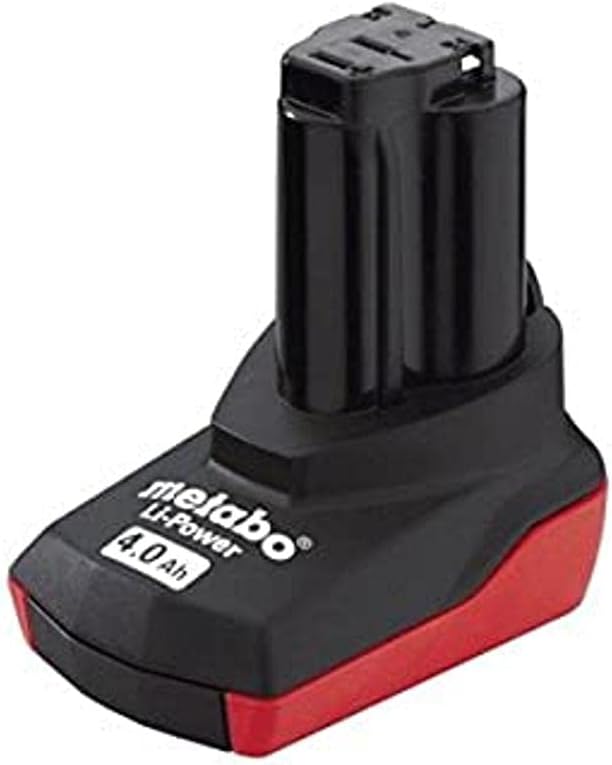
Image: Metabo 10.8V Li-Ion Power Battery Pack. This image displays the black and red battery pack with "metabo Li-Power 4.0 Ah" branding visible on the side.
Key features include:
- Metabo electronic single cell protection system for enhanced battery life.
- Integrated overload protection and overheat motor shut-off for safety and durability.
- Compatibility with all 10.8 Volt Metabo machines (excluding slide-on battery types).
- 4.0 Amp-hour (Ah) capacity for extended runtime.
Setup
Before first use, ensure the battery pack is fully charged. A compatible Metabo charger (sold separately) is required for this process.
- Inspect the Battery Pack: Before charging or use, visually inspect the battery pack for any signs of damage, cracks, or leaks. Do not use if damaged.
- Connect to Charger: Insert the battery pack firmly into a compatible Metabo 10.8V Li-Ion battery charger. Ensure it clicks into place securely.
- Charge: Plug the charger into a suitable power outlet. The charger's indicator lights will show the charging status. Refer to your charger's manual for specific indicator meanings.
- Full Charge: Allow the battery pack to charge until the charger indicates a full charge. This ensures maximum runtime and battery longevity.
Operating
To use the battery pack with your Metabo 10.8V cordless tool:
- Insert Battery: Align the battery pack with the battery slot on your Metabo 10.8V tool. Push the battery pack firmly into the tool until it clicks securely into place. Ensure it is fully seated to prevent accidental dislodgement during operation.
- Remove Battery: To remove the battery pack, press the release button(s) on the tool (if present) or on the battery itself, and slide the battery pack out of the tool.
- Battery Level Check: Some Metabo tools or battery packs may feature a battery level indicator. Consult your tool's manual for details on checking the remaining charge.
Always ensure the battery pack is fully charged before starting demanding tasks to maintain optimal tool performance.
Maintenance
Proper maintenance extends the life of your battery pack.
- Cleaning: Keep the battery pack and its terminals clean and free of dirt, dust, and debris. Use a dry cloth to wipe surfaces. Do not use solvents or abrasive cleaners.
- Storage: Store the battery pack in a cool, dry place, away from direct sunlight and extreme temperatures. For long-term storage, it is recommended to store Li-Ion batteries at approximately 50% charge.
- Charging Cycles: Avoid completely discharging the battery pack before recharging. Frequent partial charges are generally better for Li-Ion battery health than full discharge cycles.
- Regular Use: If storing for extended periods, charge the battery pack every 6 months to prevent deep discharge, which can permanently damage the battery.
Troubleshooting
If you encounter issues with your battery pack, consider the following common solutions:
| Problem | Possible Cause | Solution |
|---|---|---|
| Battery not charging. |
|
|
| Tool not operating with battery. |
|
|
| Reduced runtime. |
|
|
If problems persist after attempting these solutions, contact Metabo customer support.
Specifications
| Brand | Metabo |
| Model Number | MPT625585000 |
| Part Number | MPT625585000 |
| Voltage | 10.8 V |
| Battery Capacity | 4.0 Ah (Amp Hours) |
| Battery Cell Type | Lithium Polymer (Li-Ion) |
| Power Source | Battery |
| Product Dimensions | 9 x 6.5 x 12.5 cm |
| Item Weight | 380 g |
| Colour | Black |
| Material | Metal |
| Included Components | 1 x 625585000 Battery Pack |
| Recommended Use | Power Tool |
Warranty and Support
For information regarding warranty coverage, technical support, or service, please refer to the official Metabo website or contact Metabo customer service directly. Keep your purchase receipt as proof of purchase for any warranty claims.
You can typically find contact information and detailed warranty terms on the manufacturer's official website or within the product packaging.


