
Introduction
Thank you for choosing the Suntone ELEC3600 AM/FM Portable Radio. This manual provides essential information for the safe and efficient operation of your device. Please read it thoroughly before use and retain it for future reference.
The Suntone ELEC3600 is a portable AM/FM radio designed for ease of use and reliable performance. It features integrated speakers and operates on four AA batteries, making it ideal for on-the-go listening.
Important Safety Information
- Do not expose the radio to extreme temperatures, direct sunlight, or high humidity.
- Avoid dropping the radio or subjecting it to strong impacts.
- Do not attempt to disassemble or modify the radio. Refer all servicing to qualified personnel.
- Use only the specified battery type (AA batteries). Ensure correct polarity when installing batteries.
- Remove batteries if the radio will not be used for an extended period to prevent leakage.
- Keep the radio away from water and other liquids.
Setup
1. Unpacking
Carefully remove the radio from its packaging. Check for any visible damage. Ensure all components are present.
2. Battery Installation
- Locate the battery compartment on the back of the radio.
- Slide the battery compartment cover open.
- Insert four (4) AA batteries, ensuring the correct positive (+) and negative (-) polarity as indicated inside the compartment.
- Close the battery compartment cover securely.
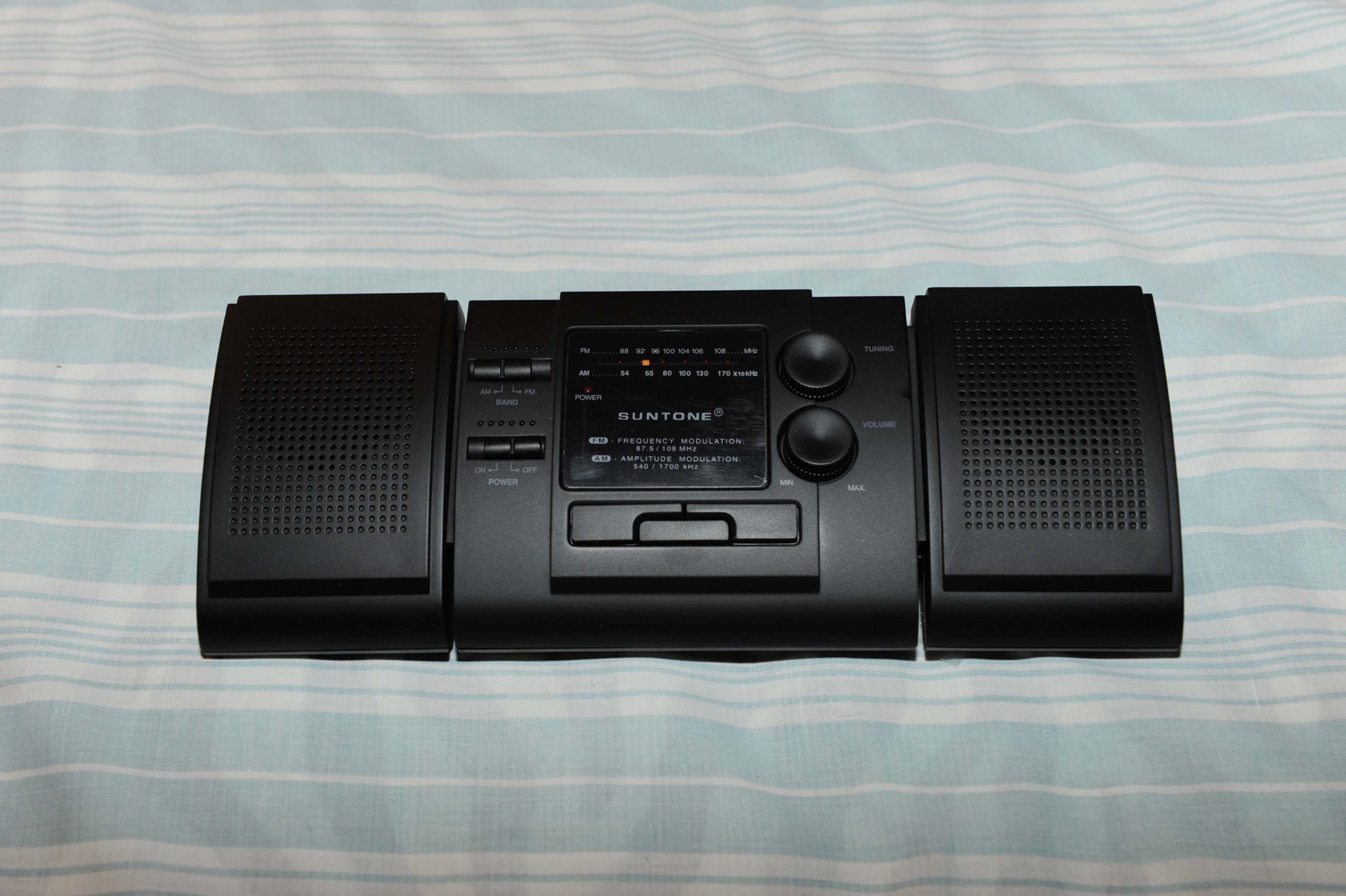
Image: The Suntone ELEC3600 Portable Radio. The image shows the radio's front with speakers and controls, and potentially the rear with the battery compartment and handle.
3. Antenna Adjustment
For optimal reception, extend the telescopic antenna fully. Adjust its angle and direction to achieve the clearest signal for your desired station.
Operating Instructions
1. Powering On/Off
Locate the Power/Volume knob. Rotate it clockwise to turn the radio on. Continue rotating to increase the volume. Rotate counter-clockwise until it clicks to turn the radio off.
2. Tuning AM/FM Bands
- Band Selector: Use the AM/FM switch, usually located on the side or top of the radio, to select your desired frequency band.
- Tuning Dial: Rotate the tuning dial to scan for radio stations. The frequency scale will indicate the approximate station frequency.
- Fine-Tuning: Adjust the tuning dial slowly for the best reception.
3. Volume Control
The Power/Volume knob also controls the audio output level. Rotate clockwise to increase volume and counter-clockwise to decrease it.
4. Using the Handle
The radio features a handle on the back that can be used to carry the unit or to prop it up for better viewing/listening angle.
Maintenance
1. Cleaning
Wipe the exterior of the radio with a soft, dry cloth. Do not use abrasive cleaners, solvents, or harsh chemicals, as these can damage the finish.
2. Battery Replacement
When the sound becomes weak or distorted, it is time to replace the batteries. Follow the battery installation steps in the Setup section. Always replace all four batteries at the same time with new ones.
3. Storage
If storing the radio for an extended period, remove the batteries to prevent potential leakage and damage to the unit. Store in a cool, dry place away from direct sunlight.
Troubleshooting
| Problem | Possible Cause | Solution |
|---|---|---|
| No power | Batteries are dead or incorrectly installed. | Replace batteries with new ones, ensuring correct polarity. |
| Poor reception / Static | Antenna not extended or poorly positioned; weak signal. | Extend the telescopic antenna fully and adjust its direction. Try moving the radio to a different location. |
| No sound | Volume is too low; radio is off. | Increase the volume. Ensure the radio is powered on. |
Specifications
- Brand: Suntone
- Model Number: ELEC3600
- Tuner Technology: AM, FM
- Radio Bands Supported: AM, FM
- Power Source: Battery Powered (4 x AA batteries)
- Item Weight: 2 Pounds
- Frequency: 108 MHz (FM upper limit, typical)
- Special Feature: Portable
- Hardware Interface: USB (Note: This may refer to an internal component or a legacy feature not directly user-accessible for media playback.)
Warranty and Support
For warranty information or technical support, please refer to the documentation included with your purchase or contact Suntone customer service. Keep your proof of purchase for warranty claims.