
Introduction
This manual provides detailed instructions for the proper setup, operation, maintenance, and troubleshooting of your Baseus One-Handed Gaming Keyboard GK01. Please read this manual thoroughly before using the product to ensure optimal performance and longevity.
Product Overview
The Baseus One-Handed Gaming Keyboard GK01 is a compact, mechanical keyboard designed specifically for gaming. It features a 35-key QWERTY layout, single-color backlighting, and a wired USB connection for reliable performance.
Key Features
- One-handed gaming keyboard with 35 QWERTY layout keys, designed for PC gaming.
- Mechanical keys with single-color backlight for enhanced visibility.
- USB connection with wired power source for reliable connectivity.
- Compact design with plastic carbon fiber material structure.

Figure 1: Close-up of Baseus GK01 mechanical key switch. The keyboard features mechanical key switches designed for precise and responsive input, ensuring no key conflicts during rapid presses.

Figure 2: One-handed operation. Optimized 35-key layout for efficient one-handed gaming, integrating commonly used keys for simplified in-game operation.
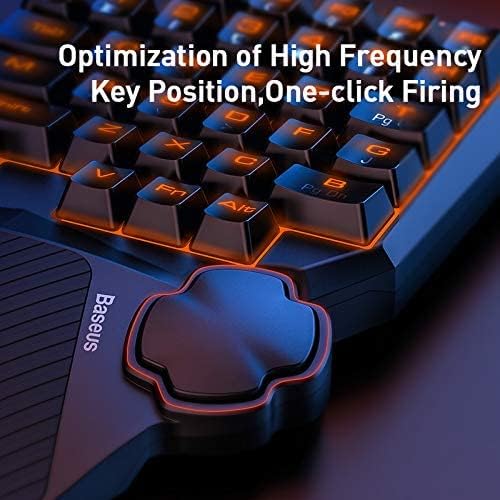
Figure 3: Key position optimization. The keyboard's design optimizes high-frequency key positions for quick access and features a dedicated thumb control for actions like 'one-click firing'.
Setup
Package Contents
- 1 x Baseus One-Handed Gaming Keyboard GK01
System Requirements
- Compatible with computers.
- Available USB port.
Connection
- Unpack the keyboard from its packaging.
- Connect the USB cable of the keyboard to an available USB port on your computer.
- The keyboard is plug-and-play and should be automatically recognized by your operating system. No additional drivers are typically required.
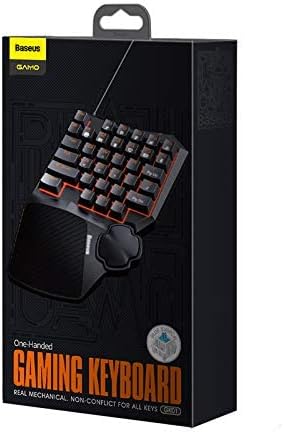
Figure 4: Product packaging. The product comes in a compact box, clearly labeled with the brand 'Baseus GAMO One-Handed Gaming Keyboard GK01'.
Operating Instructions
Basic Operation
The Baseus GK01 keyboard is designed for intuitive one-handed gaming. The 35 keys are arranged in a QWERTY layout, providing essential controls for most PC games.
Backlight Control
The keyboard features a single-color backlight. Specific controls for adjusting backlight brightness or modes are typically integrated into the keyboard's function keys. Refer to the keycap legends for any dedicated backlight control keys (e.g., Fn + a specific key).

Figure 5: Backlit keyboard layout. The keyboard features a vibrant single-color backlight powered by 34 LED beads, providing enhanced visibility in low-light conditions.
Key Functions
- QWERTY Layout: Standard key arrangement for familiar gaming controls.
- 35 Keys: Optimized number of keys for essential in-game actions.
- Mechanical Switches: Provide tactile feedback and quick response times.
- Ergonomic Design: Features a wave-shape key profile and a balance bar design for the thumb rest to enhance comfort during prolonged use.

Figure 6: Wave shape key design. The keys are designed with a wave shape and professionally optimized profile to reduce hand fatigue during extended gaming sessions.
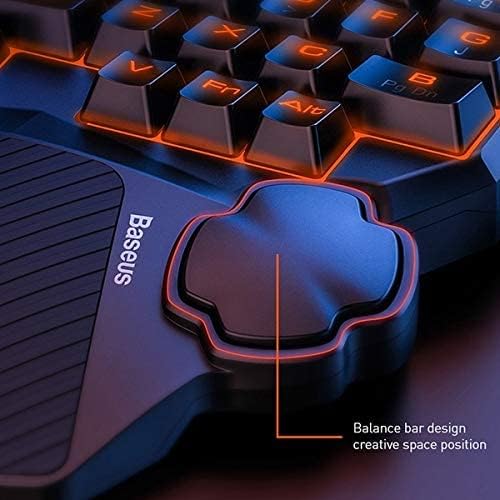
Figure 7: Thumb rest balance bar design. The integrated thumb rest features a balance bar design, providing comfortable support and a creative space position for enhanced control during gameplay.
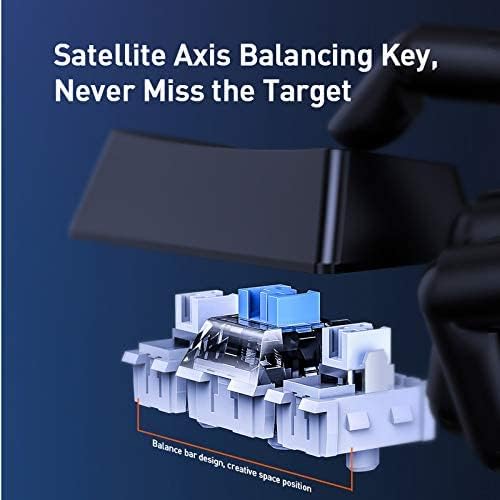
Figure 8: Satellite axis balancing key. Equipped with a satellite axis balancing key design, ensuring stable and consistent key presses, particularly for larger keys like the spacebar.
Maintenance
Cleaning and Care
- Disconnect the keyboard from your computer before cleaning.
- Use a soft, dry cloth to wipe the surface of the keyboard.
- For stubborn dirt, a slightly damp cloth with mild soap can be used, ensuring no liquid enters the key switches or internal components.
- Do not use harsh chemicals, abrasive cleaners, or solvents.
- Use compressed air to remove dust and debris from between the keys.
- The keyboard is not water-resistant; avoid exposure to liquids.
Troubleshooting
| Issue | Possible Cause | Solution |
|---|---|---|
| Keyboard not responding | Loose USB connection, faulty USB port, system error. | Ensure USB cable is securely connected. Try a different USB port. Restart your computer. |
| Backlight not working | Backlight turned off, system error. | Check if there's a dedicated key combination (e.g., Fn + key) to toggle or adjust the backlight. Restart your computer. |
| Keys are sticky or unresponsive | Dirt or debris under keycaps, faulty switch. | Clean the keyboard using compressed air. If a specific key is consistently faulty, contact customer support. |
Specifications
| Feature | Detail |
|---|---|
| Brand Name | Baseus |
| Model Number | A0002086 |
| Model Name | GMGK01-01 |
| Compatible Devices | Computer |
| Connectivity Technology | USB (Wired) |
| Keyboard Description | Gaming |
| Recommended Uses | Gaming |
| Special Features | Backlit |
| Color | Black |
| Backlight Color Support | Single Color |
| Style | Modern |
| Material | Plastic (Carbon Fiber/Carbon Infused) |
| Switch Type | Mechanical |
| Keyboard Layout | QWERTY Keyboard |
| Hand Orientation | One-handed design |
| Number of Buttons | 35 |
| Water Resistance Level | Not Water Resistant |
| Number of Keys | 35 |
| Primary Theme | Games |
| Included Components | One-handed keyboard |
| Unit Count | 1 Count |
| Manufacturer | Baseus |
| Part Number | A0002086 |
| Item Weight | 10 Grams |
Warranty and Support
Warranty Information
This product carries a manufacturer's warranty for 1 year from the date of purchase. This warranty covers manufacturing defects under normal use conditions.
Customer Support
For warranty claims, technical assistance, or further inquiries, please contact the manufacturer or their authorized agent. You may also contact Amazon customer service for additional details regarding your purchase.
