
1. Product Overview
The CAMRY Digital Hand Dynamometer is a professional testing device designed for measuring handgrip strength. It is suitable for various environments including doctor's offices, physical therapy clinics, engineering labs, and gyms. This device provides accurate digital readings of gripping power and includes features for user data storage and comparison.

2. Setup Guide
- Battery Installation: Locate the battery compartment on the back of the device. Remove the isolation tag from the battery case before first use. Ensure two AAA batteries (included) are correctly inserted.
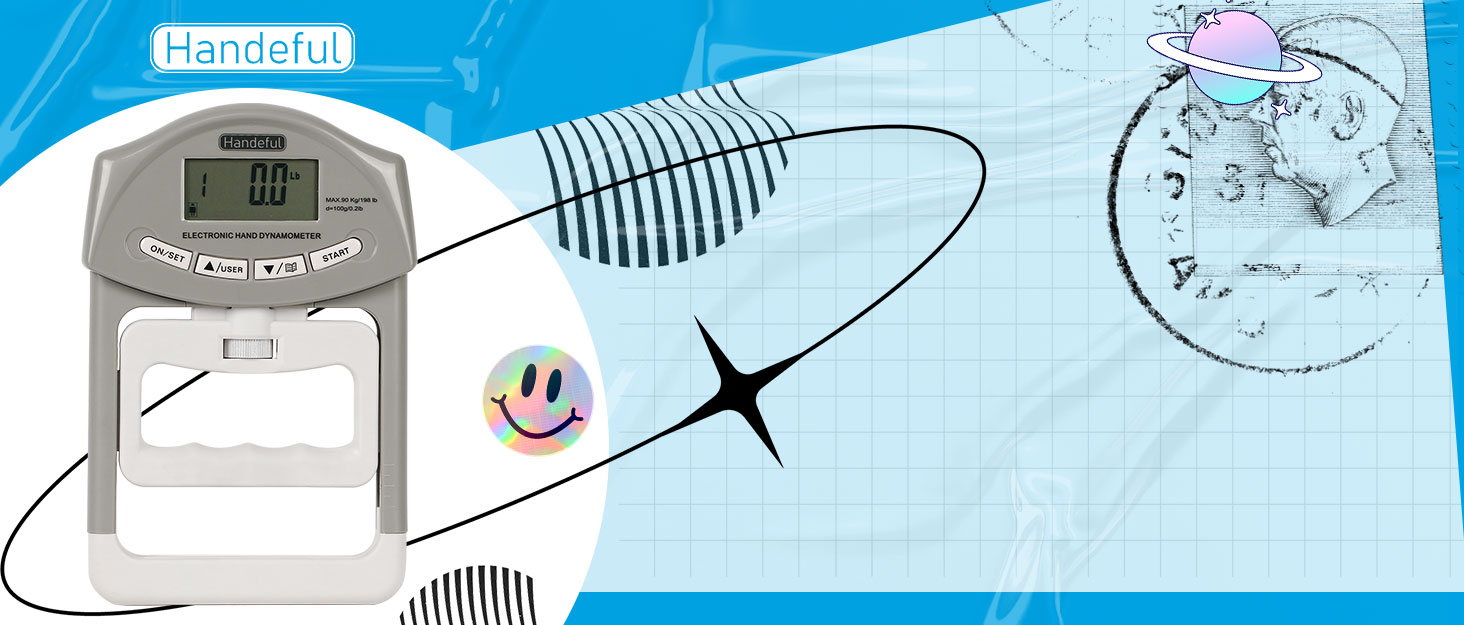
- Power On: Press the ON/SET button to turn on the device.
- Preliminary Adjustment: Adjust the center knob to set the handle to an ideal grasp position that fits your hand size. This ensures comfort and accuracy during measurement.

3. Operation Instructions
3.1 User Profile Setup
- After powering on, use the middle two buttons (ARROWS up/down) to select a user profile (up to 19 definable users).
- Press the ON/SET button to cycle between gender and age settings for the selected user.
- Use the ARROWS up/down to edit the gender and age values. These values are used to rate grip strength as "weak," "normal," or "strong."
3.2 Taking a Grip Measurement
- Once the user profile is set, press the START button to initiate a grip test.
- Squeeze the hand dynamometer with maximum isometric effort for at least 5 seconds. The display will show the current force being applied.
- Upon releasing the grip, the LCD will automatically display the maximum/peak grip value achieved during that test.
- To save the result, press the ARROW down button. To retest without saving, press the START button again.
- After the max result is displayed, if you wait 6 seconds, the device will show the incremental increase or decrease from the last saved record for that user.
3.3 Unit Conversion
- At any time, including after a measurement, press the ON/SET button to switch between pounds (lbs) and kilograms (kg).

4. Understanding the Display
The large LCD screen provides clear readings and status indicators. The displayed measurements include:
- User Code: Identifies the active user profile.
- Age: The age entered for the current user.
- Gender: The gender entered for the current user.
- Max Grip Value: The peak force recorded during the test (indicated by "HOLD").
- Test Result: The numerical grip strength value.
- Unit (kg/lb): Indicates whether the measurement is in kilograms or pounds.
- Status: Rates the grip strength as "weak," "normal," or "strong" based on the user's age and gender.
- Grip Fluctuation: Shows the difference (up/down) compared to the last recorded result.

5. Care and Maintenance
- Keep the device clean and dry. Wipe with a soft, damp cloth if necessary. Do not use abrasive cleaners or immerse in water.
- Store the dynamometer in a safe place, away from extreme temperatures, direct sunlight, and high humidity.
- Avoid dropping the device or subjecting it to strong impacts, as this may affect its accuracy and functionality.
- If the device will not be used for an extended period, it is recommended to remove the batteries to prevent leakage.
6. Troubleshooting
This section addresses common issues you might encounter with your CAMRY Digital Hand Dynamometer.
- Device does not power on:
- Ensure batteries are correctly installed and the isolation tag has been removed.
- Replace batteries with new AAA batteries if necessary.
- Inaccurate readings:
- Ensure the handle is adjusted properly for your hand size.
- Avoid applying force unevenly.
- If issues persist, contact customer support.
- Display shows error message:
- Turn the device off and then on again.
- If the error persists, it may indicate a malfunction. Contact customer support.
7. Product Specifications
| Specification | Detail |
|---|---|
| Model Name | FBA_EH101 |
| Brand | CAMRY |
| Color | Grey |
| Material | Acrylonitrile Butadiene Styrene |
| Measuring Capacity | 198 lbs / 90 kg |
| Division | 0.2 lbs / 0.1 kg |
| Item Weight | 12.2 Ounces |
| Product Dimensions (LxW) | 7.7"L x 4.9"W (195mm x 125mm) |
| Power Source | 2 x AAA batteries (included) |
| User Profiles | Up to 19 definable users |

8. Warranty Information
Every CAMRY hand dynamometer undergoes individual testing for defects and accuracy prior to leaving the factory. The product is covered by a 5-year product warranty. For warranty claims or support, please refer to the contact information provided with your purchase or visit the official CAMRY website.
