
Nokia MD-100W
Nokia MD-100W JBL PowerUp Wireless Charging Speaker User Manual
Model: MD-100W
Product Overview
The Nokia MD-100W JBL PowerUp is a wireless charging speaker designed to provide high-quality audio and convenient wireless charging for compatible devices. It features Bluetooth connectivity for wireless audio streaming and NFC for quick pairing. The speaker is portable and includes a built-in battery for use on the go.
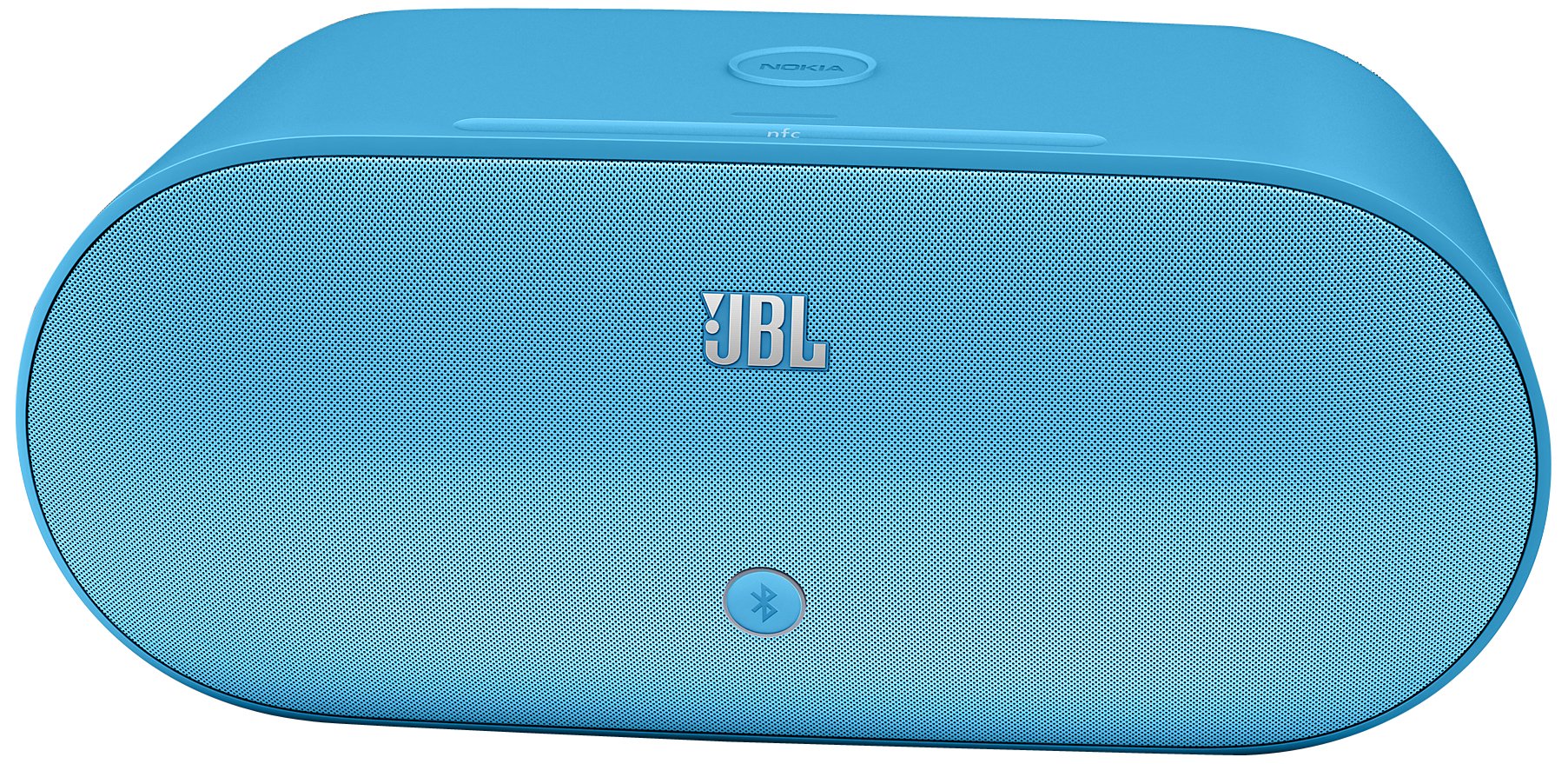
Image: Nokia MD-100W JBL PowerUp Wireless Charging Speaker in Cyan. This image displays the speaker unit with its distinctive design and the wireless charging pad on top.
Setup
1. Unpacking and Initial Charge
Carefully remove the speaker and all accessories from the packaging. Before first use, ensure the speaker is fully charged. Connect the provided power adapter to the speaker's power input and then to a wall outlet. The charging indicator will illuminate.
2. Powering On
Press and hold the power button located on the speaker until the power indicator light turns on.
3. Bluetooth Pairing
- Ensure the speaker is powered on and in pairing mode. The Bluetooth indicator light will typically flash.
- On your mobile device (smartphone, tablet, etc.), enable Bluetooth and search for available devices.
- Select "Nokia MD-100W" from the list of found devices.
- Once paired, the Bluetooth indicator light on the speaker will become solid, and your device will confirm the connection.
4. NFC (Near Field Communication) Pairing
For devices with NFC capability, simply tap your NFC-enabled device to the NFC tag area on the speaker. Your device will prompt you to confirm the Bluetooth pairing. This provides a quick and convenient way to establish a connection.
5. Wired Connection (3.5mm AUX)
To connect a device without Bluetooth, use a 3.5mm audio cable (not included) to connect the device's headphone jack to the AUX input port on the speaker. The speaker will automatically switch to AUX input mode.
Operating Instructions
1. Playing Audio
- Bluetooth/NFC: Once paired, start playing audio on your connected device. The sound will be output through the speaker. Adjust volume using your device's controls or the touch controls on the speaker.
- AUX: After connecting via the 3.5mm cable, start playing audio on your connected device. Adjust volume using your device's controls or the touch controls on the speaker.
2. Wireless Charging
The speaker features a wireless charging pad on its top surface. To charge a compatible device wirelessly:
- Ensure the speaker is powered on and connected to a power source.
- Place your Qi-compatible smartphone or device directly onto the charging pad area on top of the speaker.
- Ensure the device is centered on the charging pad for optimal charging. Your device's screen will typically indicate that it is charging wirelessly.
Note: Wireless charging functionality requires the speaker to be connected to its power adapter.
3. Touch Controls
The speaker features touch-sensitive controls for various functions. Refer to the markings on the speaker for specific functions such as volume adjustment, play/pause, and track navigation (if supported by your device).
Maintenance
1. Cleaning
Wipe the speaker with a soft, dry, lint-free cloth. Do not use abrasive cleaners, waxes, or solvents as they may damage the finish. Avoid getting moisture into any openings.
2. Battery Care
- To prolong battery life, avoid fully discharging the battery frequently.
- Store the speaker in a cool, dry place when not in use for extended periods.
- Recharge the battery periodically if stored for a long time to prevent deep discharge.
Troubleshooting
| Problem | Possible Cause | Solution |
|---|---|---|
| Speaker does not power on. | Battery is depleted; Power adapter not connected or faulty. | Connect the speaker to a power source and allow it to charge. Ensure the power adapter is working correctly. |
| No sound from the speaker. | Volume is too low; Device not paired/connected; Incorrect input source selected. | Increase volume on both the speaker and the connected device. Re-pair the Bluetooth device or check the 3.5mm cable connection. Ensure the correct input mode is active. |
| Bluetooth connection issues. | Device too far; Interference; Pairing failed. | Move the device closer to the speaker. Avoid obstacles. Delete "Nokia MD-100W" from your device's Bluetooth list and try pairing again. |
| Wireless charging not working. | Speaker not powered/plugged in; Phone not Qi-compatible; Phone not correctly placed. | Ensure the speaker is connected to its power adapter. Verify your phone supports Qi wireless charging. Re-position your phone centrally on the charging pad. |
Specifications
- Model Name: MD-100W
- Speaker Type: Bookshelf
- Special Feature: Portable
- Recommended Uses: Music, Travel, Outdoor Activities
- Compatible Devices: Desktop, Laptop, MP3 Player, Projector, Smartphone, Tablet, Television
- Color: Cyan
- Item Weight: 4.8 Pounds
- Waterproof: No
- Control Method: Touch
- Wireless Communication Technology: Bluetooth
- Power Source: Battery Powered (1 Lithium Ion battery included)
- Audio Driver Type: Dynamic Driver
- Product Dimensions: 9.06 x 13.6 x 7.48 inches
- Manufacturer: Nokia
- Connectivity Technology: Bluetooth, 3.5mm AUX
- Audio Output Mode: Stereo
- Mounting Type: Freestanding
- Global Trade Identification Number (GTIN): 06438158513983
Warranty and Support
For detailed warranty information, please refer to the warranty card included with your product or visit the official Nokia support website. For technical support, product registration, or service inquiries, please contact Nokia customer support through their official channels.
Related documentsMD-100W


Ask a question about this manual
Ask about setup, troubleshooting, compatibility, parts, safety, or missing instructions. Manuals+ will review the question and use this page’s manual context to help answer it.