
1. Introduction and Overview
This manual provides detailed instructions for the operation and maintenance of your Casio AE1200WH-1B Classic Digital Watch. This timepiece features a durable resin case and band, quartz movement, and a resin glass display. Key functions include Multi Time (displaying time in 4 different cities), World Time, a 1/100-second stopwatch, countdown timer, 5 daily or one-time alarms, hourly time signal, full auto-calendar, 12/24-hour format, button operation tone on/off, and LED illumination. The watch is water-resistant up to 100 meters and boasts a 10-year battery life.
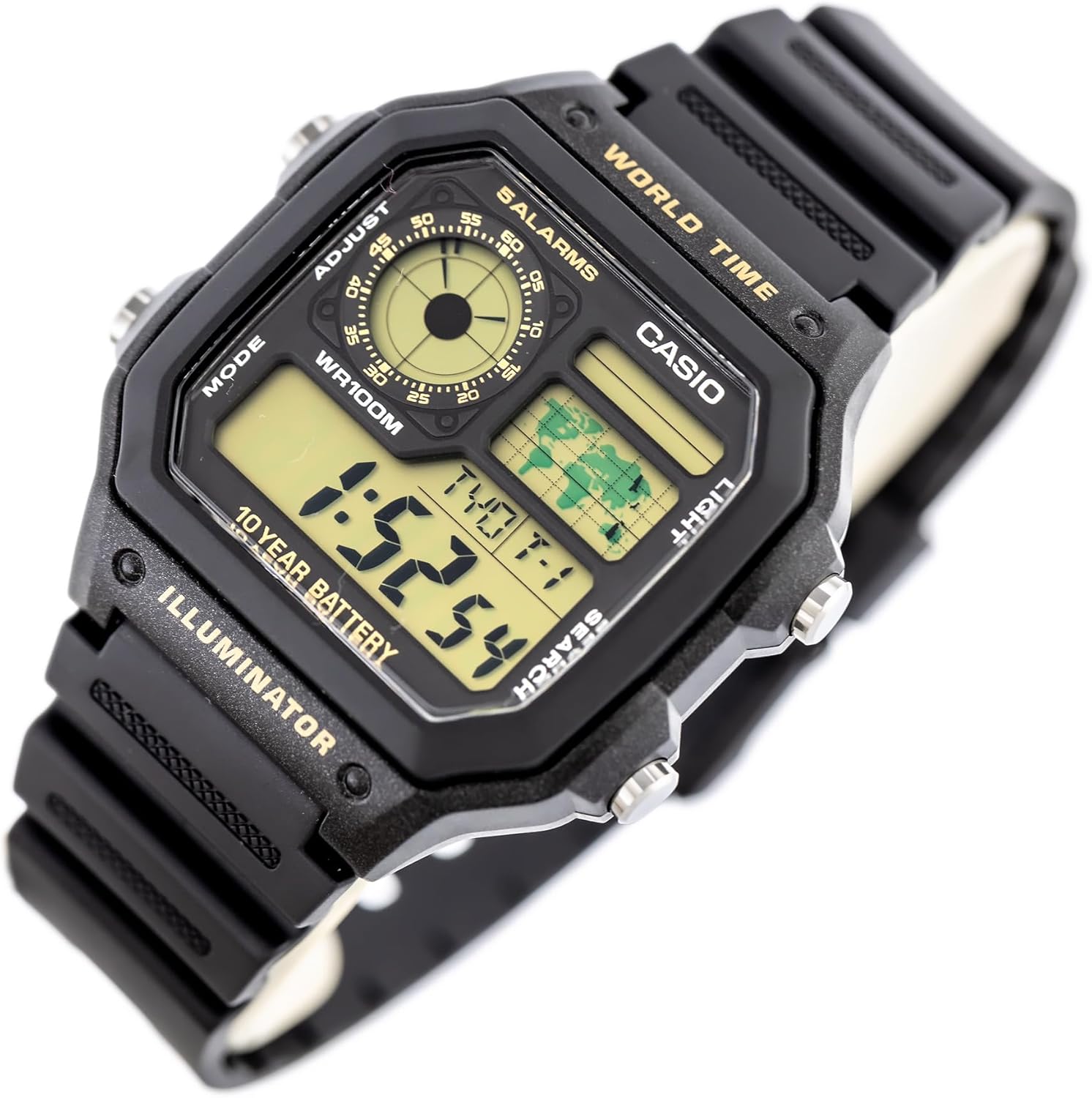
Figure 1: Front view of the Casio AE1200WH-1B watch, displaying the digital time, world map, and analog sub-dial.
2. Setup and Initial Configuration
2.1 Setting the Home City and Time
- In Timekeeping Mode, press and hold the ADJUST button (top left) until the city code starts to flash. This indicates the setting mode.
- Use the SEARCH button (bottom right) to scroll through the city codes until your desired Home City is displayed.
- Press the MODE button (bottom left) to move the flashing selection to the DST (Daylight Saving Time) setting. Use SEARCH to toggle DST ON or OFF.
- Continue pressing MODE to cycle through seconds, hour, minute, year, month, and day settings. Use SEARCH to adjust each value.
- Once all settings are configured, press ADJUST to exit the setting mode.
2.2 Button Operation Tone
To toggle the button operation tone ON or OFF, press the MODE button in Timekeeping Mode until "MUTE" appears or disappears from the display.
3. Operating Modes and Functions
The Casio AE1200WH-1B features several modes accessible via the MODE button (bottom left).
3.1 Timekeeping Mode
This is the default mode, displaying the current time, date, and day of the week. The analog sub-dial also shows the current time.
3.2 World Time Mode
In World Time Mode, you can view the current time in 4 different pre-set cities.
- From Timekeeping Mode, press MODE to cycle to World Time Mode.
- Use the SEARCH button (bottom right) to cycle through the different city times. The world map display will highlight the current time zone.
- To swap your Home City time with a World Time city, press and hold the ADJUST button (top left) for approximately three seconds.
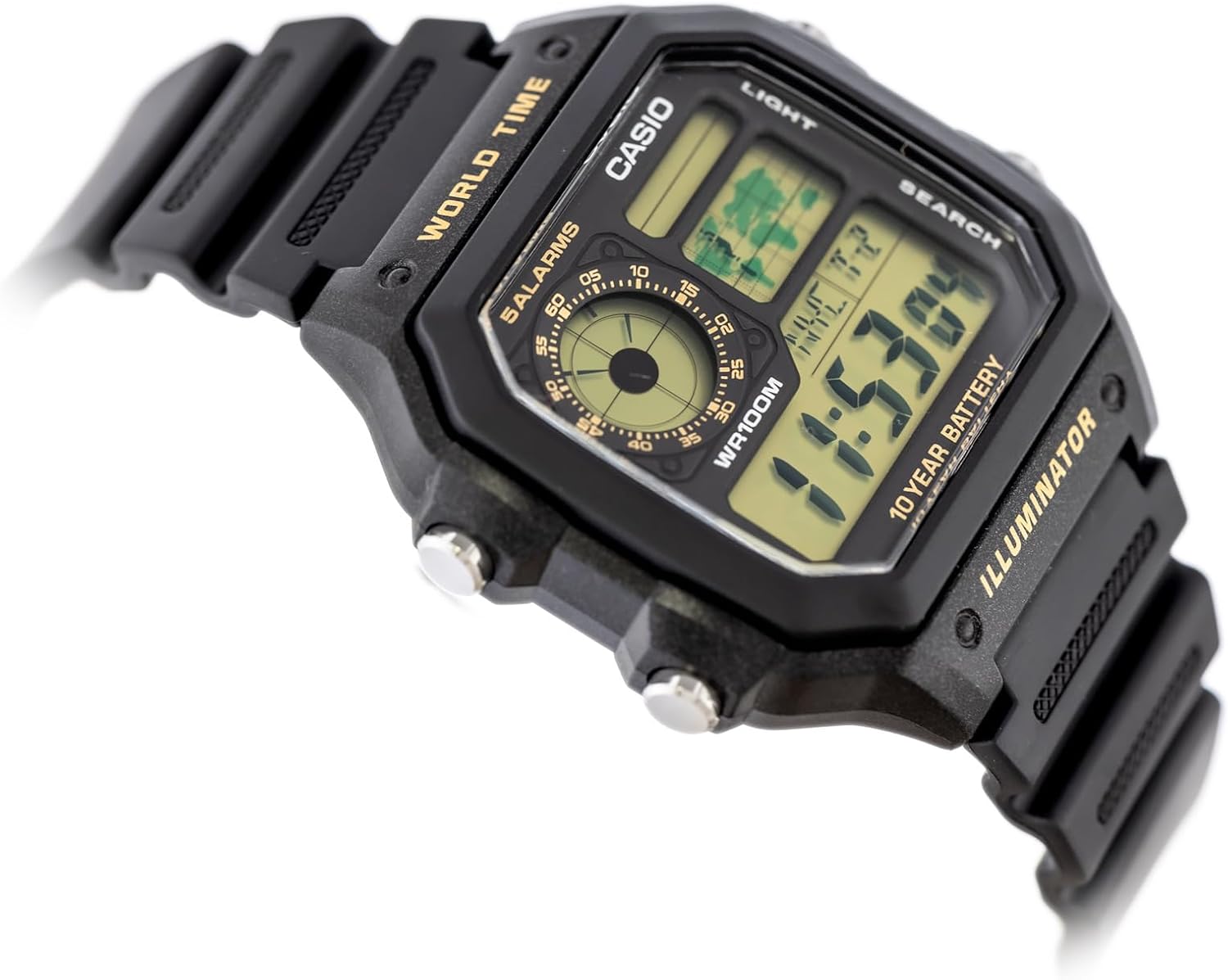
Figure 2: The watch display in World Time mode, with the world map indicating the selected time zone.
3.3 Alarm Mode
The watch supports 5 independent daily or one-time alarms and an hourly time signal.
- From Timekeeping Mode, press MODE until you reach the Alarm Mode (indicated by "ALM" or similar).
- Use the SEARCH button to cycle through the 5 alarms (AL1 to AL5) and the Hourly Time Signal (SIG).
- To set an alarm, select the desired alarm number, then press and hold ADJUST until the hour digits flash.
- Use SEARCH to adjust the hour, and MODE to switch between hour and minute settings.
- Press ADJUST to confirm and exit.
- To turn an alarm ON/OFF, select the alarm and press ADJUST briefly. The alarm indicator will appear/disappear.
- To turn the Hourly Time Signal ON/OFF, select "SIG" and press ADJUST briefly.
3.4 Stopwatch Mode
The stopwatch measures elapsed time with 1/100-second accuracy.
- From Timekeeping Mode, press MODE to navigate to Stopwatch Mode (indicated by "STW" or similar).
- Press SEARCH to start the stopwatch.
- Press SEARCH again to stop.
- Press ADJUST to reset the stopwatch to zero.
3.5 Countdown Timer Mode
The countdown timer can be set for up to 24 hours.
- From Timekeeping Mode, press MODE to navigate to Countdown Timer Mode (indicated by "TMR" or similar).
- Press and hold ADJUST until the hour digits flash.
- Use SEARCH to adjust the hour, and MODE to switch between hour and minute settings.
- Press ADJUST to confirm the timer setting.
- Press SEARCH to start or stop the countdown.
- When the countdown reaches zero, an alarm will sound. Press any button to stop the alarm.
3.6 LED Illumination
Press the LIGHT button (top right) to illuminate the display for easy viewing in low-light conditions. The illumination duration is selectable.
Video 1: Official product video demonstrating the Casio Classic Black Watch AE1200WH-1B's features and display illumination.
4. Maintenance and Care
4.1 Water Resistance
The watch is water-resistant up to 100 meters (10 BAR). This means it is suitable for swimming, showering, and snorkeling. However, it is not recommended for scuba diving or prolonged exposure to high-pressure water activities. Do not operate buttons while the watch is wet or submerged.
4.2 Battery Life
The Casio AE1200WH-1B is equipped with a long-life battery designed to last approximately 10 years under normal usage. Battery replacement should be performed by a qualified technician to ensure water resistance is maintained. The battery type is CR2025.
4.3 Cleaning and Storage
Clean the watch regularly with a soft, dry cloth. For stubborn dirt, use a mild soap solution and rinse thoroughly with fresh water, then dry completely. Avoid exposing the watch to extreme temperatures, direct sunlight for extended periods, or strong magnetic fields.
5. Troubleshooting
5.1 Incorrect Time Display
- Ensure the Home City setting is correct for your region.
- Verify that Daylight Saving Time (DST) is set appropriately for your location.
- Check if the 12/24-hour format is set to your preference.
5.2 Display is Dim or Blank
- The battery may be low. Although designed for 10 years, environmental factors or heavy use of the backlight can reduce battery life. Consider professional battery replacement.
- Ensure the watch is not exposed to extreme cold, which can temporarily dim the LCD display.
5.3 Buttons Not Responding
- If the watch is wet, allow it to dry completely before operating buttons to prevent water ingress.
- A hard reset might be necessary. Consult a Casio service center if the issue persists.
6. Specifications
| Feature | Detail |
|---|---|
| Model Name | AE-1200WH-1B |
| Case Material | Resin |
| Band Material | Resin |
| Crystal Type | Resin Glass |
| Movement Type | Quartz |
| Water Resistance | 100 Meters (10 BAR) |
| Battery Life | Approx. 10 years (CR2025) |
| Case Dimensions | 45 x 42.1 x 12.5 mm (L x W x H) |
| Weight | 32 Grams |
| Features | Multi Time (4 cities), World Time, 1/100-sec Stopwatch, Countdown Timer, 5 Alarms, Hourly Time Signal, Full Auto-Calendar, LED Light |
7. Warranty and Support
Your Casio AE1200WH-1B watch comes with a manufacturer's warranty. For specific warranty details, including coverage and duration, please refer to the warranty card included with your product or visit the official Casio website. For technical support, service, or inquiries about replacement parts, please contact Casio customer service directly.
