
Introduction
The ProMaster Go! Universal Digital Battery Charger is designed to provide a versatile charging solution for a wide range of digital camera and camcorder lithium-ion batteries. It also functions as a portable power source for USB-powered devices such as cell phones, tablets, and digital music players. This manual provides essential instructions for the safe and efficient use of your charger.
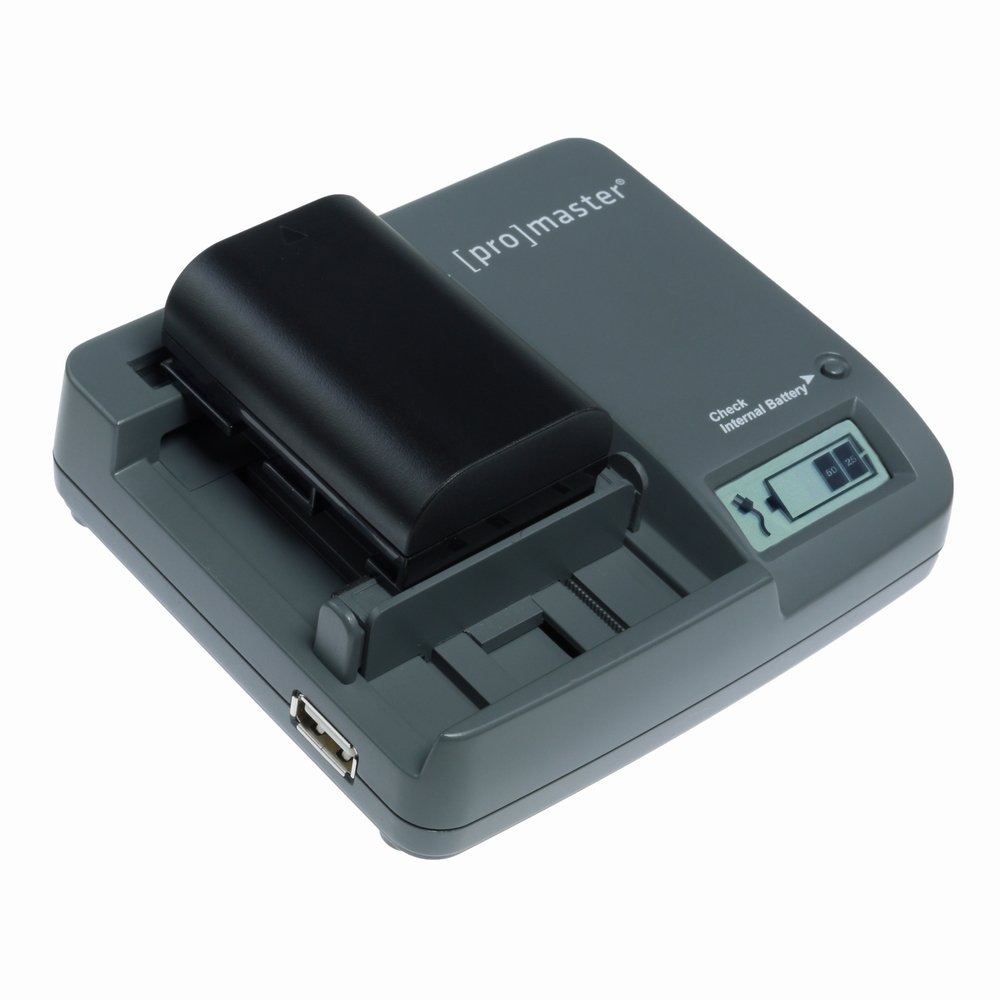
Image: The ProMaster Go! Universal Digital Battery Charger, showcasing its compact design and battery charging interface.
Setup
Before using your ProMaster Go! charger, ensure all components are present and undamaged.
- Power Connection: Connect the charger to a power source. You can use the included AC adapter for wall outlets or an optional DC cord (not included) for vehicle power.
- Battery Insertion: Adjust the battery contacts on the charger to match the terminals of your digital camera or camcorder battery. Carefully insert the battery into the charging slot, ensuring a secure connection. The charger is compatible with most lithium-ion batteries up to 7.2/7.4V.
- Initial Charge: For first-time use or after extended storage, it is recommended to fully charge the internal power unit of the ProMaster Go! charger. This can be done by connecting it to an AC power source without any external battery inserted. The LED power gauge will indicate charging status.
Operating Instructions
Charging Digital Camera/Camcorder Batteries
- Ensure the charger is connected to a power source (AC or DC) or has sufficient internal charge.
- Insert your digital camera or camcorder battery into the charging slot, aligning the contacts.
- The LED power gauge will illuminate to indicate charging is in progress. The gauge will show the battery's charge level.
- Once the battery is fully charged, the LED indicator will change (refer to specific indicator patterns on the device itself, not detailed in JSON). Remove the battery carefully.
Charging USB Devices
- Connect your USB-powered device (e.g., smartphone, tablet) to the USB output port on the ProMaster Go! charger using a compatible USB cable (not included).
- The charger will begin supplying power to your device. This can be done using the internal power source of the charger or while the charger is connected to an external AC/DC power source.
- Monitor your device's charging indicator. The ProMaster Go! charger's internal power unit can provide extended run time to your USB device.
Using the Fuel Gauge
The built-in fuel gauge allows you to check the remaining charge of your inserted battery or the internal power unit. Press the designated button (if available, not specified in JSON, so I'll generalize) to activate the LED display, which will show the current charge level.
Maintenance
- Cleaning: Use a soft, dry cloth to clean the exterior of the charger. Do not use liquid cleaners or solvents. Ensure charging contacts are free of dust and debris.
- Storage: Store the charger in a cool, dry place away from direct sunlight and extreme temperatures. If storing for an extended period, ensure the internal power unit has a partial charge (around 50%) to prolong its lifespan.
- Handling: Avoid dropping the charger or subjecting it to strong impacts. Do not attempt to disassemble the unit.
Troubleshooting
If you encounter issues with your ProMaster Go! charger, refer to the following common solutions:
- Battery Not Charging:
- Ensure the battery is correctly inserted and contacts are aligned.
- Verify the charger is securely connected to a working power outlet (AC) or DC source.
- Check if the battery itself is damaged or at the end of its lifespan.
- Confirm the battery voltage is compatible (up to 7.2/7.4V).
- USB Device Not Charging:
- Ensure the USB cable is properly connected to both the charger and the device.
- Check if the USB cable is functional. Try a different cable if available.
- Verify the internal power unit of the ProMaster Go! charger has sufficient charge.
- Internal Power Source Depletes Quickly:
- The capacity of the internal power source varies depending on the size and voltage of the battery being charged. Larger batteries will consume more of the internal charge.
- Ensure the internal power source is fully charged before use.
- Environmental factors (e.g., extreme cold) can affect battery performance.
Specifications
| Brand | ProMaster |
| Model Number | 9553 |
| Input Voltage | 5 Volts |
| Compatible Battery Voltage | Up to 7.2/7.4V (Lithium-ion) |
| Item Weight | 2.3 Pounds |
| UPC | 029144095536 |
Warranty and Support
For detailed warranty information, please refer to the documentation included with your product packaging or visit the official ProMaster website.
If you require technical assistance or have questions not covered in this manual, please contact ProMaster customer support through their official website or the contact information provided with your purchase.