
Nikon D600
Nikon D600 Digital SLR Camera Instruction Manual
Model: D600 (13203)
1. Introduction
1.1 Overview
The Nikon D600 is a 24.3 MP CMOS FX-Format Digital SLR camera designed for passionate photographers seeking exceptional full-frame, high-resolution performance. It combines advanced imaging capabilities with a compact and affordable design. Featuring an EXPEED 3 processing system, it supports continuous shooting up to 5.5 frames per second and offers excellent low-light performance with an ISO range of 100 to 6400, expandable to 50 and 25600.
This manual provides detailed instructions for setting up, operating, and maintaining your Nikon D600 camera, ensuring you can fully utilize its features for both still photography and cinema-quality HD video recording.
2. Package Contents
Before you begin, please ensure all items listed below are present in your package:
- Nikon D600 Camera Body
- AF-S NIKKOR 28-300mm f/3.5-5.6G ED VR Lens
- EN-EL15 Rechargeable Li-ion Battery
- MH-25 Quick Charger
- EG-D2 Audio Video Cable
- UC-E15 USB Cable
- BM-14 LCD Monitor Cover
- DK-21 Rubber Eyecup
- AN-DC8 Strap
- DK-5 Eyepiece Cap
- BF-1B Body Cap
- BS-1 Accessory Shoe Cap
- NikonView NX2 CD ROM
- Class 10 32 GB SD Card
- Nikon DSLR/Laptop Bag
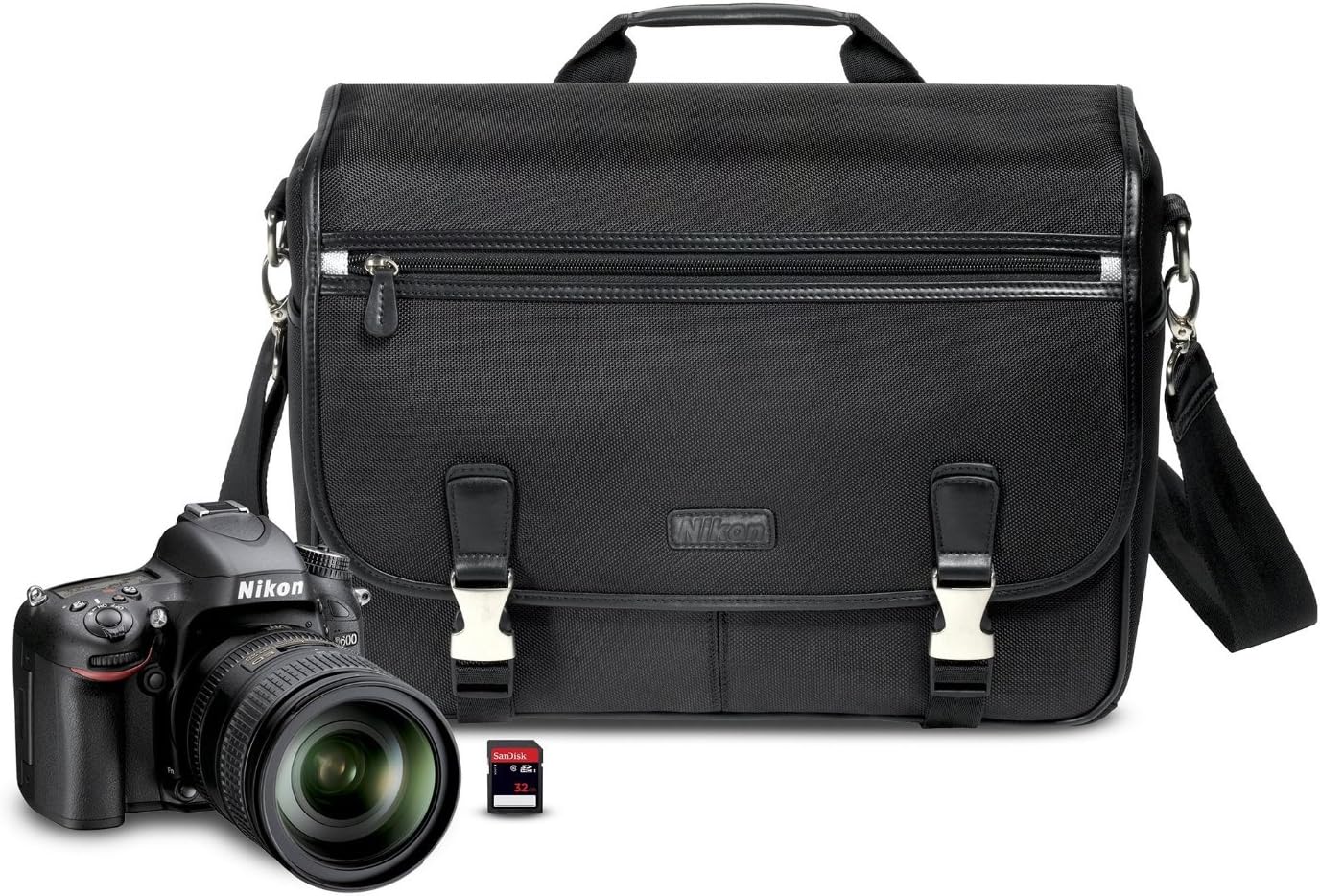
Figure 2.1: Nikon D600 camera kit, including the camera body, lens, SD card, and a camera bag.
3. Setup
3.1 Battery Installation
Insert the EN-EL15 Rechargeable Li-ion Battery into the battery chamber located at the bottom of the camera. Ensure it clicks securely into place. Charge the battery fully using the MH-25 Quick Charger before first use.
3.2 Memory Card Installation
The D600 features dual SD card slots. Open the memory card slot cover on the side of the camera and insert the provided Class 10 32 GB SD card (or other compatible SD/SDHC/SDXC cards) into either slot until it clicks. You can configure the camera to use both cards simultaneously, for overflow, or to record different file types (e.g., JPEGs to one card and RAW files to another).
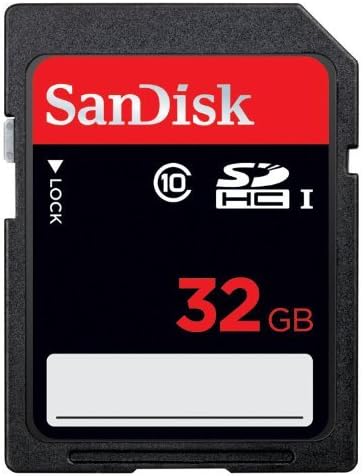
Figure 3.1: A 32GB SD card, compatible with the Nikon D600's dual card slots.
3.3 Lens Attachment
To attach the 28-300mm f/3.5-5.6G ED Nikkor Lens, align the mounting mark on the lens with the mounting mark on the camera body. Rotate the lens counter-clockwise until it clicks into place. Ensure the lens is securely attached before use.

Figure 3.2: The Nikon D600 camera body with the 28-300mm lens attached, showing the camera's profile.
4. Operating the Camera
4.1 Basic Controls and Interface
The Nikon D600 features a well-designed series of control points for easy access. Familiarize yourself with the main dials and buttons for adjusting settings such as ISO, white balance, and image quality. The 3.2-inch LCD monitor provides a clear view of your settings and captured images.

Figure 4.1: Front view of the Nikon D600, highlighting the lens and camera body design.
4.2 Shooting Modes and Autofocus
The D600 offers various shooting modes including Aperture priority (A), Shutter-priority (S), Program (P), and Manual. Its superior 39-point AF system, with 9 cross-type sensors, ensures sharp focus for both still images and HD videos. The camera also supports continuous shooting at 5.5 frames per second, ideal for capturing fast-moving subjects.
4.3 Video Recording
Record cinema-quality 1080p HD videos with selectable frame rates (30p, 25p, or 24p) and MPEG-4 AVC/H.264 compression. For ultra-smooth playback of fast-moving subjects or slow-motion footage, shoot 720p HD at 60p, 50p, or 30p. Manual exposure control and full-time AF with face-priority and subject tracking are available. The camera includes dedicated inputs for a stereo microphone and headphones for enhanced audio control.
Video 4.1: An overview of the Nikon D600's features, including its full-frame sensor, continuous shooting capabilities, and dual SD card slots. This video highlights the camera's robust build and user-friendly controls, demonstrating its suitability for various photography needs.
4.4 Wireless Connectivity
With the optional WU-1b Wireless Adapter (sold separately), you can wirelessly transfer photos to your smartphone or tablet. The Nikon Wireless Mobile Adapter Utility app allows you to remotely control the D600, view what the camera sees, and trigger shots directly from your mobile device.
4.5 Built-in Flash and DX Crop Mode
The D600 includes a built-in pop-up flash that can be used in commander mode to wirelessly control compatible Nikon Speedlights. Additionally, the camera offers a 10.5MP DX-format crop mode, allowing you to utilize DX lenses and gain a 1.5x crop factor for extended reach or specific compositional needs.
5. Maintenance
5.1 Cleaning the Camera and Lens
Regularly clean the camera body with a soft, dry cloth. For the lens, use a lens brush or air blower to remove dust, followed by a lens cleaning solution and microfiber cloth. Avoid touching the sensor directly. If sensor dust becomes an issue, professional cleaning is recommended, or you can use a sensor cleaning kit with caution.
5.2 Battery Care
To prolong battery life, store the EN-EL15 battery in a cool, dry place when not in use. Avoid fully discharging the battery frequently. Charge it regularly, even if not in use, to maintain its capacity.
6. Troubleshooting
6.1 RAW File Compatibility
If you encounter issues opening NEF (RAW) files from your D600, ensure your photo editing software is updated to the latest version. For Adobe products, Photoshop CS6 or Adobe Lightroom 4.2 (or newer) are required. Nikon's ViewNX2 software (included) can open D600 NEF files, but for full editing capabilities, Capture NX2 (version 2.3.4 or newer) may be necessary.
6.2 Sensor Dust/Oil Spots
Some users may experience sensor dust or oil spots. This is a common occurrence with DSLR cameras. For minor spots, a sensor cleaning kit can be used carefully. For persistent or severe issues, professional sensor cleaning services are available. Refer to the camera's official support resources for detailed instructions or authorized service centers.
7. Specifications
| Feature | Detail |
|---|---|
| Model Name | D600 |
| Photo Sensor Resolution | 24.3 MP |
| Photo Sensor Size | Full Frame (35mm) |
| ISO Range | 100-6400 (Expandable to 50-25600) |
| Autofocus System | 39-point AF (9 cross-type) |
| Continuous Shooting Speed | 5.5 frames per second |
| Video Resolution | 1080p Full HD |
| LCD Screen Size | 3.2 Inches (921,000 dots) |
| Memory Card Slots | Dual SD/SDHC/SDXC |
| Body Material | Magnesium Alloy (top and rear covers) |
| Weight | 1.87 Pounds (body only) |
| Connectivity | USB, HDMI, Optional Wireless (WU-1b) |
8. Warranty and Customer Support
For information regarding your product's warranty, please refer to the warranty card included in your original packaging or visit the official Nikon website. For technical support, service, or additional inquiries, please contact Nikon customer support directly through their official channels.
Online resources and FAQs are also available on the Nikon support website to assist with common questions and issues.
Related documentsD600


Ask a question about this manual
Ask about setup, troubleshooting, compatibility, parts, safety, or missing instructions. Manuals+ will review the question and use this page’s manual context to help answer it.