
1. Introduction
The Dreambaby Clinical Digital Thermometer L318 is designed to provide quick and accurate temperature readings for infants, young children, and adults. This mercury-free device features a clear digital display, a flexible tip for comfort, and a fever alert function to indicate elevated temperatures. Please read this manual thoroughly before use to ensure proper operation and safety.
2. Safety Information
- Do not boil the thermometer or immerse it in hot water.
- Do not drop the thermometer or expose it to heavy shock.
- Do not attempt to disassemble the thermometer.
- Keep the thermometer out of reach of children when not in use.
- Do not use the thermometer for purposes other than measuring body temperature.
- Consult a medical professional if you have concerns about temperature readings or your health.
- Dispose of batteries and the device according to local regulations.
3. Product Overview
The Dreambaby Clinical Digital Thermometer L318 consists of a main unit with a digital display, a power/mode button, and a flexible measuring tip.
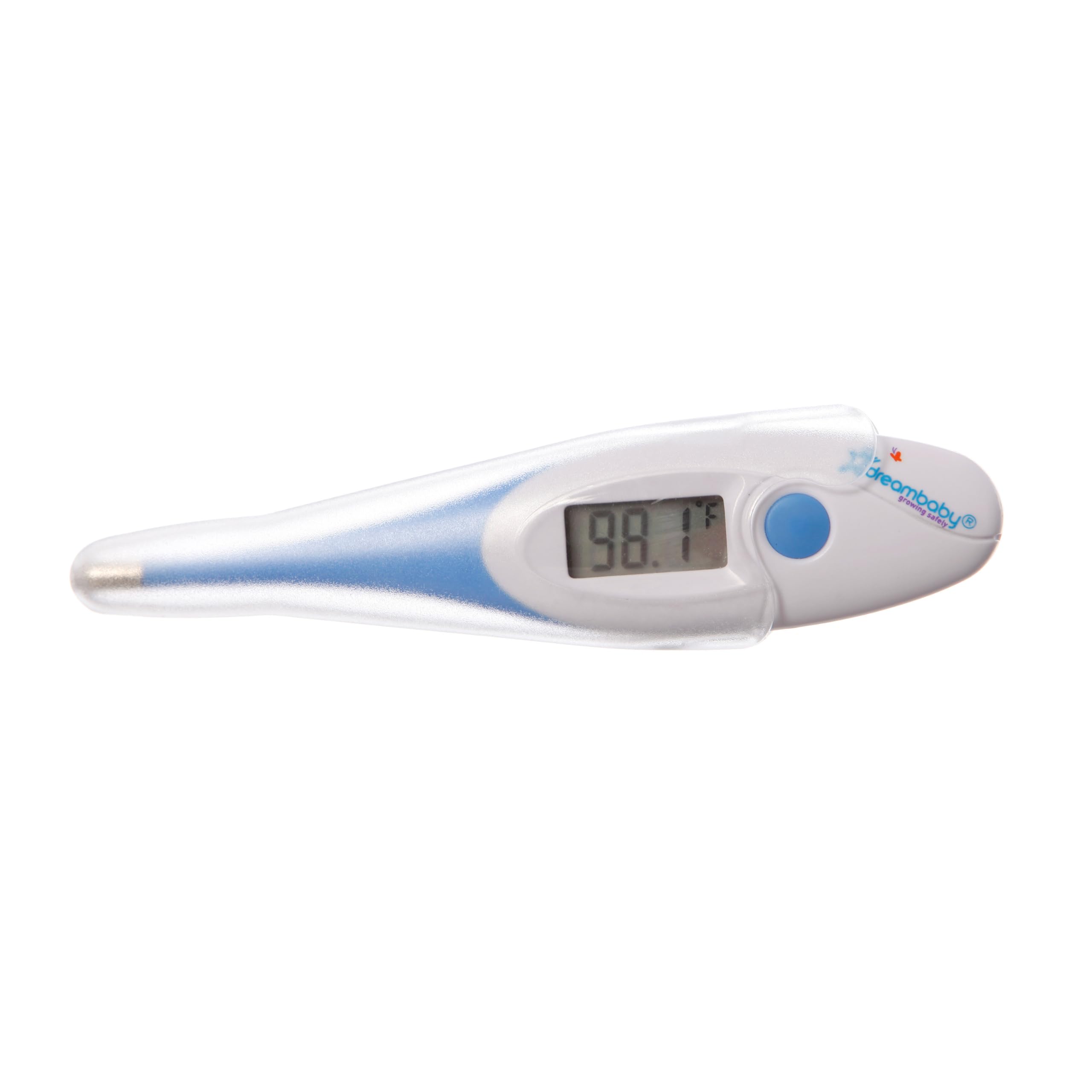
Figure 1: Front view of the Dreambaby Clinical Digital Thermometer L318, showing the digital display and power button.

Figure 2: Close-up view of the flexible tip, designed for comfortable use.
4. Setup
4.1 Battery Installation
The thermometer comes with a pre-installed Lithium Ion battery. If the battery needs replacement, refer to the Maintenance section.
4.2 Unit Selection (Celsius/Fahrenheit)
To switch between Celsius (°C) and Fahrenheit (°F):
- Ensure the thermometer is turned off.
- Press and hold the power button for approximately 3 seconds until the unit changes.
- Release the button. The selected unit will be displayed.
5. Operating Instructions
5.1 Taking a Temperature
- Clean the Tip: Before and after each use, clean the thermometer tip with alcohol or soap and water.
- Turn On: Press the power button. The display will show the last measured temperature for 2 seconds, then 'Lo' with a flashing °C or °F, indicating it's ready for measurement.
- Positioning:
- Oral Use: Place the tip under the tongue, as far back as comfortable. Close lips to hold the thermometer in place.
- Axillary (Underarm) Use: Place the tip in the armpit, ensuring good skin contact. Hold the arm firmly against the body.
- Rectal Use: Apply a water-soluble lubricant to the tip. Gently insert the tip no more than 1/2 inch into the rectum.
- Wait for Beep: Hold the thermometer in position until it beeps (approximately 30 seconds). The beep indicates the measurement is complete.
- Read Temperature: Remove the thermometer and read the temperature displayed.
- Turn Off: Press the power button to turn off the thermometer. It will automatically shut off after approximately 10 minutes of inactivity.

Figure 3: Example of using the thermometer to measure a child's temperature.
5.2 Fever Alert Feature
The thermometer is equipped with a fever alert. If a temperature of 37.6°C (99.7°F) or higher is detected, the thermometer will emit a rapid series of beeps to indicate a potential fever.
6. Maintenance
6.1 Cleaning
To clean the thermometer:
- Wipe the tip and body of the thermometer with a soft cloth dampened with isopropyl alcohol (70% concentration) or soap and water.
- Do not immerse the entire thermometer in water or any cleaning solution.
- Allow the thermometer to air dry completely before storage.
6.2 Storage
Store the thermometer in its protective case in a cool, dry place, away from direct sunlight and extreme temperatures.
6.3 Battery Replacement
When the battery symbol appears on the display, the battery needs to be replaced. The thermometer uses one Lithium Ion battery.
- Carefully remove the battery cover.
- Remove the old battery and insert a new one, ensuring correct polarity (+/-).
- Replace the battery cover securely.
- Dispose of the old battery according to local environmental regulations.
7. Troubleshooting
| Problem | Possible Cause | Solution |
|---|---|---|
| Thermometer does not turn on. | Dead battery. | Replace the battery. |
| Inaccurate readings. | Improper placement; dirty tip; external factors. | Ensure correct placement. Clean the tip. Avoid taking temperature after eating, drinking, or exercising. |
| "Err" message on display. | Measurement error; temperature out of range. | Ensure proper contact. Retake temperature. If error persists, contact support. |
| No beep sound. | Volume setting (not applicable for this model); malfunction. | Ensure the thermometer is held long enough. If no beep, rely on the 30-second response time. |
8. Specifications
- Model: L318
- Brand: Dreambaby
- Display Type: Digital
- Measurement Range: 90.0°F - 109.4°F (32.0°C - 42.9°C)
- Accuracy: ±0.1°F (±0.1°C)
- Response Time: Approximately 30 seconds
- Fever Alert: Beep sound for temperatures ≥ 37.6°C (99.7°F)
- Power Source: 1 x Lithium Ion Battery (included)
- Material: Plastic
- Special Features: High Accuracy, Flexible Tip, Mercury-Free
- Product Care: Wipe to clean
- Age Range: Infant, Child, Adult
9. Warranty and Support
For warranty information or technical support, please refer to the documentation provided with your purchase or contact Dreambaby customer service. Keep your purchase receipt as proof of purchase.