
1. Introduction
This manual provides comprehensive instructions for the safe and efficient operation of your RCA RP2511 Personal CD Player. Designed for portability, this device offers CD, CD-R/W playback, an integrated FM radio, and essential features for an enhanced listening experience.
Key Features:
- CD and CD-R/W Playback Compatibility
- 45-Second Anti-Skip Protection (ESPXtreme)
- Integrated FM Radio with 20 Programmable Presets
- Dynamic Bass Boost
- Wired Remote Control Capability
- Up to 20 Hours of Battery Life (with specified batteries)
2. Safety Information
Please read and understand all safety instructions before using this product. Retain this manual for future reference.
- Do not expose the unit to extreme temperatures, humidity, or direct sunlight.
- Avoid dropping or subjecting the unit to strong impacts.
- Do not attempt to disassemble or modify the unit. Refer all servicing to qualified personnel.
- Use only the specified battery type (2 x AA batteries). Ensure correct polarity when inserting batteries.
- Remove batteries if the unit will not be used for an extended period.
- Listening at high volume levels for prolonged periods can cause permanent hearing damage.
3. Package Contents
Verify that all items are present in the package:
- RCA RP2511 Personal CD Player
- Stereo Headphones
- Wired Remote Control
- User Manual (this document)
4. Product Overview
Familiarize yourself with the components of your personal CD player.

Figure 1: Front view of the RCA RP2511 Personal CD Player in its original packaging. The image highlights the player's main body, which is silver and blue, featuring a digital display, control buttons (PRESET/STATION, TUNING, ON/MODE), and a BASS BOOST indicator. The packaging also mentions key features like '45 Joggable Antivibración' and 'Wired Remote Control'.
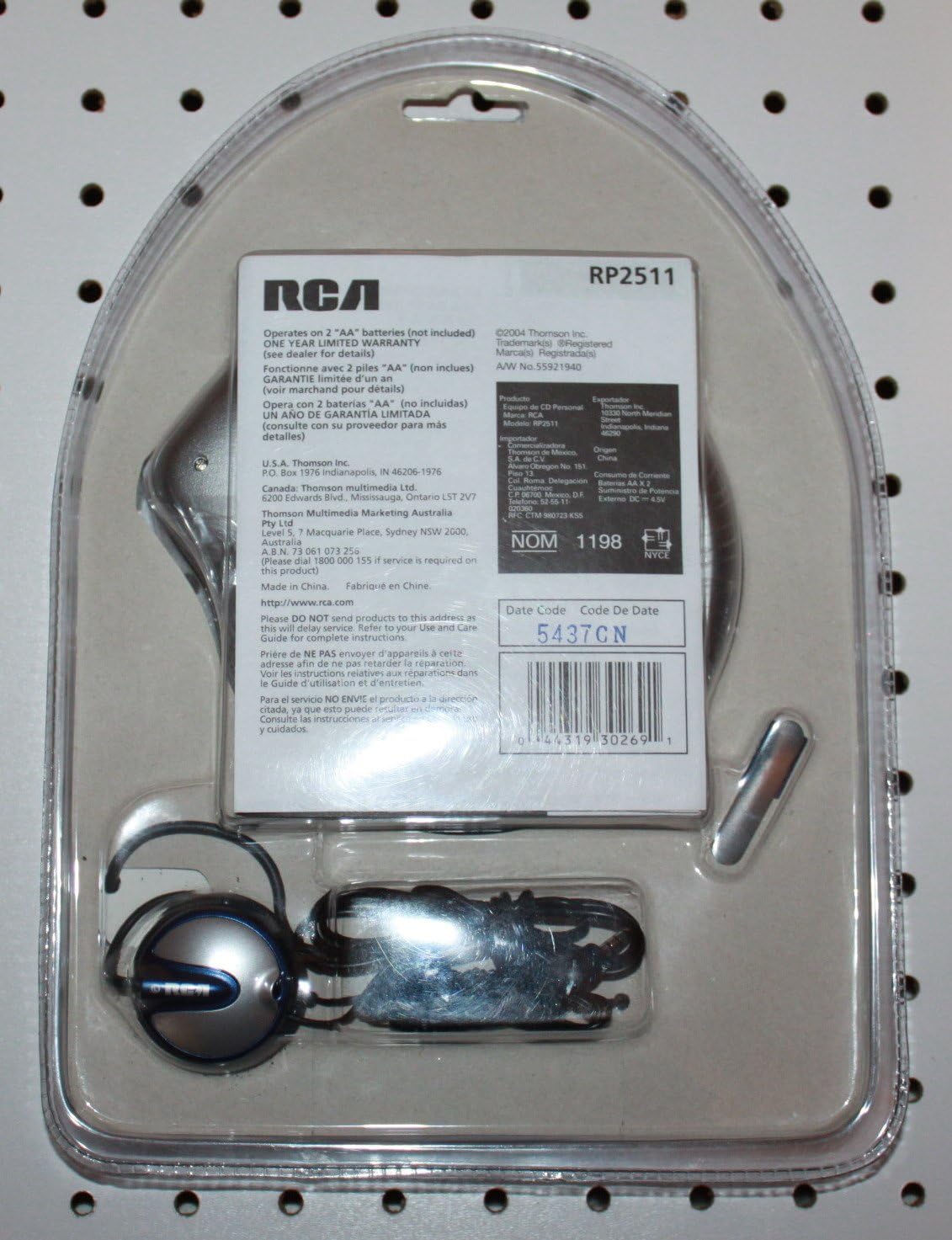
Figure 2: Back view of the RCA RP2511 Personal CD Player's retail packaging. This image displays the included headphones and wired remote control, neatly arranged within the blister pack. Visible text on the packaging indicates that the unit operates on two 'AA' batteries (not included) and provides a 'ONE YEAR LIMITED WARRANTY'. Essential product details such as the model number RP2511, manufacturer information, and a UPC barcode (0044319302691) are also present.
Controls and Connections:
- LCD Display: Shows track number, time, FM frequency, and battery status.
- PLAY/PAUSE (►/▮): Starts or pauses CD playback.
- STOP (■): Stops CD playback.
- SKIP/SEARCH (◀◀ / ►►): Skips tracks or fast forwards/rewinds within a track.
- VOLUME (+/-): Adjusts audio output level.
- ON/MODE: Powers the unit on and switches between CD and FM radio modes.
- PRESET/STATION: For FM radio, selects preset stations or initiates auto-scan.
- TUNING (+/-): For FM radio, manually tunes frequencies.
- BASS BOOST: Enhances bass frequencies.
- DC IN 4.5V Jack: For optional external power adapter (not included).
- HEADPHONE Jack: Connects headphones or external audio devices.
- REMOTE Jack: Connects the wired remote control.
5. Setup
5.1 Battery Installation
- Locate the battery compartment on the bottom of the unit.
- Slide the battery compartment cover open.
- Insert two (2) AA-size batteries (not included), ensuring correct polarity (+ and -) as indicated inside the compartment.
- Close the battery compartment cover securely.
Note: For optimal performance and battery life, use high-quality alkaline batteries. Remove batteries if the unit is not used for extended periods to prevent leakage.
5.2 Connecting Headphones and Remote Control
- Plug the stereo headphones into the HEADPHONE jack.
- If using the wired remote control, plug its connector into the REMOTE jack. Then, plug your headphones into the headphone jack on the remote control.
6. Operating Instructions
6.1 Powering On/Off
Press the ON/MODE button to turn the unit on. To turn off, press and hold the ON/MODE button until the display turns off.
6.2 Playing a CD
- Open the CD compartment cover by sliding the latch.
- Place a CD (or CD-R/W) onto the spindle with the label side facing up. Gently press the CD until it clicks into place.
- Close the CD compartment cover firmly.
- Press the ON/MODE button to power on the unit. Ensure it is in CD mode (indicated on the display).
- Press the PLAY/PAUSE (►/▮) button to start playback.
- To pause, press PLAY/PAUSE (►/▮) again. Press it once more to resume.
- To stop playback, press the STOP (■) button.
6.3 Skipping Tracks and Searching
- During playback, press SKIP/SEARCH (►►) to skip to the next track.
- Press SKIP/SEARCH (◀◀) to skip to the beginning of the current track. Press it twice quickly to go to the previous track.
- Press and hold SKIP/SEARCH (►►) to fast forward within a track.
- Press and hold SKIP/SEARCH (◀◀) to fast rewind within a track.
6.4 Anti-Skip Protection (ESPXtreme)
The RP2511 features 45-second anti-skip protection, which stores audio data in a buffer to prevent interruptions during movement or minor shocks. This feature is automatically active during CD playback.
6.5 FM Radio Operation
- Press the ON/MODE button repeatedly until 'FM' appears on the display.
- Auto-Scan and Preset Storage: Press and hold the PRESET/STATION button. The radio will scan for available stations and automatically store them as presets (up to 20).
- Selecting Presets: Press the PRESET/STATION button briefly to cycle through stored preset stations.
- Manual Tuning: Use the TUNING (+/-) buttons to manually adjust the frequency. Press briefly for fine-tuning, or press and hold to scan for the next strong station.
6.6 Dynamic Bass Boost
Press the BASS BOOST button to activate or deactivate the bass enhancement feature. An indicator on the display will confirm its status.
6.7 Volume Control
Use the VOLUME (+/-) buttons on the unit or the wired remote control to adjust the listening volume.
7. Maintenance
7.1 Cleaning the Unit
Wipe the exterior of the unit with a soft, dry cloth. Do not use abrasive cleaners or solvents. For the CD lens, use a specialized CD lens cleaning kit if necessary, following its instructions carefully.
7.2 Battery Care
Always remove depleted batteries promptly. If the unit will not be used for an extended period, remove the batteries to prevent corrosion and leakage.
7.3 Storage
Store the CD player in a cool, dry place away from direct sunlight and extreme temperatures. Avoid placing heavy objects on top of the unit.
8. Troubleshooting
If you encounter issues with your RCA RP2511, refer to the following table for common problems and solutions.
| Problem | Possible Cause | Solution |
|---|---|---|
| Unit does not power on. | Batteries are depleted or incorrectly inserted. | Replace batteries with new AA batteries, ensuring correct polarity. |
| CD does not play. | CD is dirty, scratched, or inserted incorrectly. Unit is in FM mode. | Clean the CD. Ensure the CD is inserted label-side up. Press ON/MODE to switch to CD mode. |
| Skipping or distorted audio during CD playback. | CD is dirty or scratched. Unit is subjected to excessive vibration. | Clean the CD. Avoid strong impacts. The 45-second anti-skip feature should mitigate minor vibrations. |
| No sound from headphones. | Headphones not properly connected. Volume is too low. | Ensure headphones are fully plugged into the HEADPHONE jack (or remote's jack). Increase volume. |
| FM radio reception is poor. | Weak signal. Interference. | Adjust the unit's position. Extend the headphone cable as it acts as the antenna. |
9. Specifications
- Model: RP2511
- Brand: RCA
- Supported Audio Format: MP3 (for CD-R/W)
- Number of Discs: 1
- Special Feature: 45-second Anti-Skip Protection, Dynamic Bass Boost
- Connectivity Technology: Auxiliary (Headphone Jack)
- Power Source: 2 x AA Batteries (not included) or DC IN 4.5V (adapter not included)
- Item Weight: 13.3 ounces
- Package Dimensions: 11.2 x 8 x 1.7 inches
- Date First Available: October 20, 2016
- Manufacturer: RCA
- UPC: 0044319302691
10. Warranty and Support
This RCA RP2511 Personal CD Player comes with a ONE YEAR LIMITED WARRANTY from the date of purchase. Please retain your proof of purchase for warranty claims.
For technical support or warranty inquiries, please contact RCA customer service. You can also visit the official RCA store for more product information and support resources:


