
1. Introduction
This manual provides comprehensive instructions for the Redi-Remote replacement remote control, model RTAKB73215301. This remote is designed to function as a direct replacement for the original LG remote control model AKB73215301, specifically for use with LG BD530 units. It offers full functionality without requiring any programming.
2. Compatibility
The Redi-Remote model RTAKB73215301 is specifically compatible with the following LG unit:
- LG BD530 Blu-ray Disc Player
This remote replaces the original LG remote control model AKB73215301.
3. Features
- No Programming Required: Ready to use immediately after battery installation.
- Direct Replacement: Functions identically to the original LG AKB73215301 remote.
- Compact Design: Measures approximately 7.5 inches (19 cm) in length.
- Sliding Cover: A protective cover slides down to reveal additional buttons.
4. Setup
4.1 Battery Installation
The remote control requires four (4) AAA batteries (included). Follow these steps to install them:
- Locate the battery compartment on the back of the remote control.
- Slide the battery compartment cover downwards to open it.
- Insert four new AAA batteries, ensuring the positive (+) and negative (-) terminals align correctly with the markings inside the compartment.
- Slide the battery compartment cover back into place until it clicks securely.
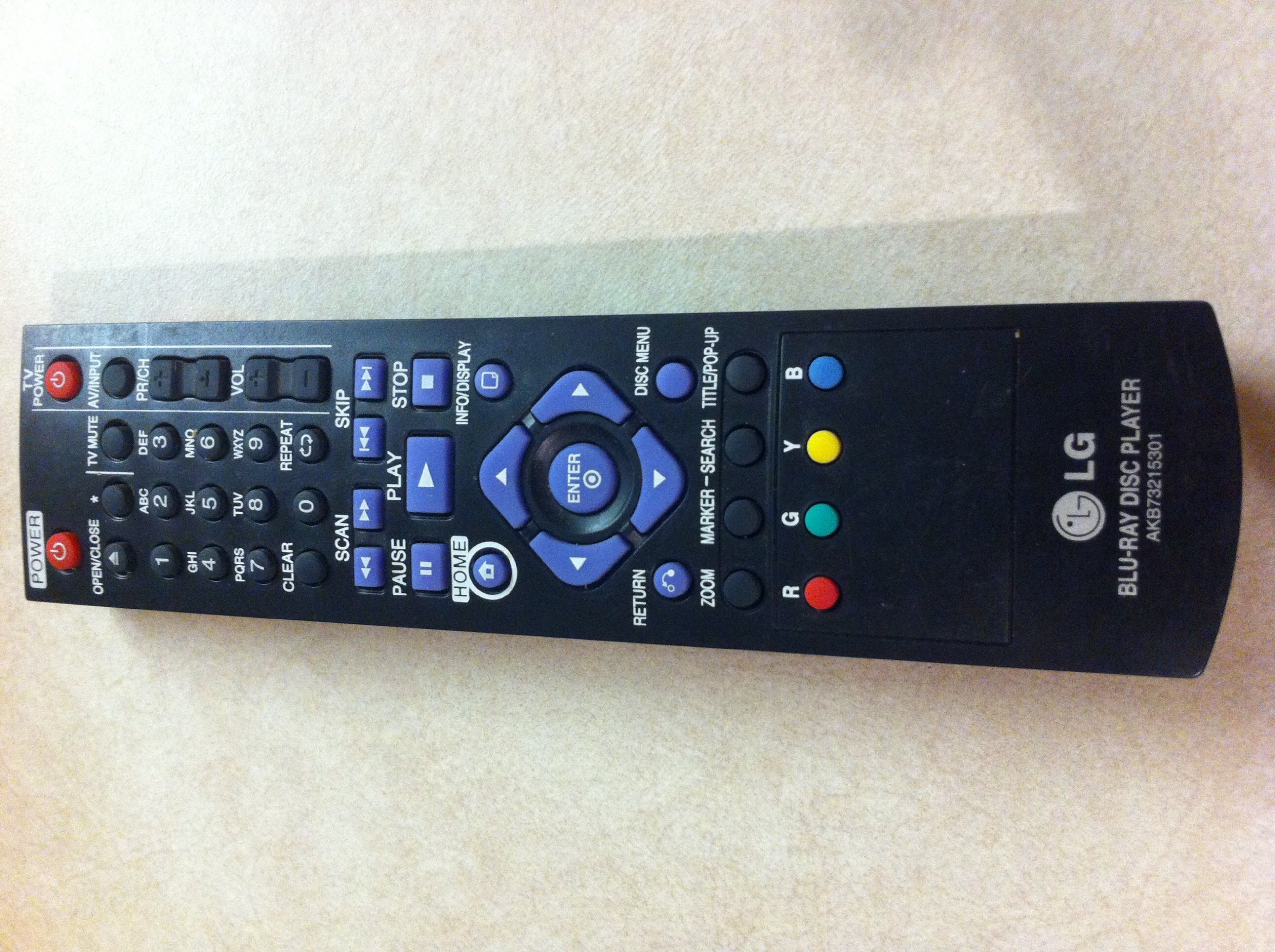
Image: Back of the remote control with the battery compartment cover. The cover is located on the lower half of the remote's back, designed to slide open for battery access.
5. Operation
5.1 Basic Functions
Once batteries are installed, the remote is ready for use. Point the remote directly at your LG BD530 unit and press the desired function button.

Image: Front view of the remote control, displaying the array of buttons for various functions such as power, volume, channel, navigation, and playback controls.
5.2 Sliding Cover for Additional Buttons
The remote features a sliding cover on its lower half. To access additional functions, gently slide this cover downwards to reveal the hidden buttons.
6. Maintenance
- Cleaning: Wipe the remote with a soft, dry cloth. Do not use liquid cleaners or abrasive materials.
- Battery Replacement: Replace all four AAA batteries simultaneously when the remote's performance diminishes. Do not mix old and new batteries.
- Storage: If the remote will not be used for an extended period, remove the batteries to prevent leakage.
- Avoid Damage: Do not drop the remote or expose it to extreme temperatures or moisture.
7. Troubleshooting
| Problem | Possible Cause | Solution |
|---|---|---|
| Remote not responding | Dead or incorrectly installed batteries | Replace batteries with new ones, ensuring correct polarity (+/-). |
| Remote range is poor | Weak batteries; Obstruction between remote and unit | Replace batteries. Ensure a clear line of sight to the LG BD530 unit. |
| Certain buttons not working | Dust or debris under buttons; Remote damage | Clean the remote surface. If issue persists, contact support. |
8. Specifications
| Feature | Detail |
|---|---|
| Model Number | RTAKB73215301 |
| Compatible LG Model | BD530 |
| Replaces LG Remote | AKB73215301 |
| Dimensions | 7 x 2.5 x 1 inches (17.78 x 6.35 x 2.54 cm) |
| Item Weight | 4.5 ounces (127.57 grams) |
| Batteries Required | 4 x AAA (included) |
| Connectivity Technology | Infrared (IR) |
| Special Feature | No Programming Required |
9. Warranty and Support
For any concerns or issues with your Redi-Remote replacement remote control, please contact the manufacturer directly. Specific warranty details may vary; refer to your purchase documentation for more information.
Manufacturer: Redi-Remote