
Introduction
Welcome to your new Taylor Digital Bathroom Scale. This manual provides essential instructions for the proper setup, operation, and maintenance of your scale. Designed for home use, this personal scale delivers accurate weight readings up to 330 pounds (150 kg / 23 st 8 lb). Its clear 1.2-inch LCD display ensures easy readability in various lighting conditions.
Important Safety Information
Battery Warning
WARNING: INGESTION HAZARD. This product contains a button cell or coin battery. Button cell batteries can cause severe internal chemical burns if swallowed. Keep new and used batteries away from children. If the battery compartment does not close securely, stop using the product and keep it away from children. If you suspect batteries might have been swallowed or placed inside any part of the body, seek immediate medical attention.
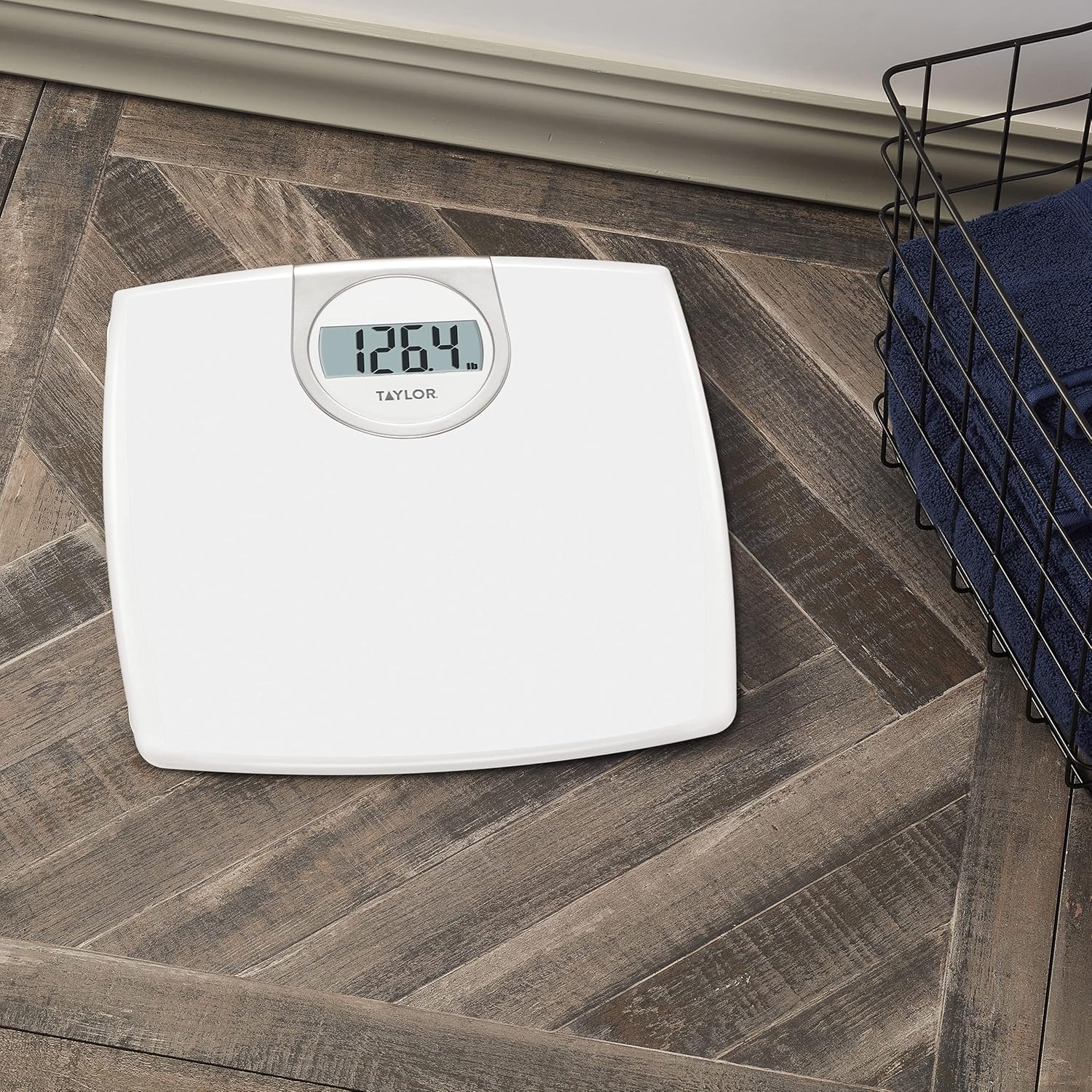
Image: Various button cell batteries with an ingestion hazard warning.
General Safety Precautions
- Always use the scale on a hard, flat, and level surface. Using it on carpet or uneven surfaces may affect accuracy.
- The scale surface can be slippery when wet. Ensure the surface is dry before stepping on.
- Do not immerse the scale in water or use abrasive cleaners.
- This scale is intended for household use only.
Package Contents
- Taylor Digital Bathroom Scale (Model 702940133)
- User Manual
- 1 CR2 battery (pre-installed or included separately)
Setup
Battery Installation
- Locate the battery compartment on the underside of the scale.
- Open the battery compartment cover.
- Insert the included CR2 battery, ensuring correct polarity (+ and -).
- Close the battery compartment cover securely.

Image: Underside of the scale with battery compartment.
Initial Placement
Place the scale on a hard, flat, and level surface. Avoid carpets or soft flooring, as these surfaces can significantly affect measurement accuracy.

Image: Taylor Digital Bathroom Scale, front view.
Operating Instructions
Taking a Measurement
- Gently tap the center of the scale with your foot to activate it. The display will show "0.0" or "0.00".
- Once "0.0" or "0.00" appears, step onto the scale with bare feet, standing still and centered on the platform.
- Your weight will be displayed. The reading will flash when finalized.
- Step off the scale. The display will hold the weight for a few seconds before turning off automatically.

Image: Scale in a bathroom environment.
Unit Conversion (Pounds, Kilograms, Stones)
Your scale can display weight in pounds (lb), kilograms (kg), or stones (st).
To change the unit of measurement:
- Locate the unit switch button on the underside of the scale, near the battery compartment.
- Press the button to toggle between lb, kg, and st.
- The selected unit will be indicated on the display during your next measurement.
Image: Underside of the scale showing unit switch.
Maintenance and Care
- Clean the scale with a damp cloth and mild detergent. Do not use abrasive cleaners or immerse the scale in water.
- Store the scale in a dry place at room temperature.
- Remove batteries if the scale will not be used for an extended period to prevent leakage.
- Avoid dropping the scale or subjecting it to strong impacts, as this may damage the internal components.
Troubleshooting
| Problem | Solution |
|---|---|
| "Lo" or "Err" on display | Indicates low battery. Replace the CR2 battery. |
| Inaccurate readings | Ensure the scale is on a hard, flat, level surface. Recalibrate by stepping on, waiting for "0.0", then stepping off and back on. Ensure you are standing still and centered. |
| Scale does not turn on | Check battery installation and ensure the battery is not depleted. Replace if necessary. |
| "O-Ld" on display | Indicates overload. The weight capacity of 330 lbs (150 kg / 23 st 8 lb) has been exceeded. Remove weight immediately to prevent damage. |
Specifications
- Model: 702940133
- Capacity: 330 lbs (150 kg / 23 st 8 lb)
- Graduation: 0.2 lbs (0.1 kg / 0.2 st)
- Display: 1.2-inch LCD
- Power: 1 x CR2 battery (included)
- Platform Material: Textured ABS
- Dimensions: 11.5 x 11.65 x 2 inches (29.2 x 29.6 x 5.1 cm)
- Weight: 2.1 Pounds (0.95 kg)
Warranty and Support
For warranty information or customer support, please refer to the contact details provided on the product packaging or visit the official Taylor website. Keep your purchase receipt as proof of purchase for any warranty claims.
Taylor Precision Products has been dedicated to quality and accuracy for over 170 years, ensuring reliable products for your home.


