
VOX SL1B
VOX StompLab 1B Multi-Effects Modeling Pedal for Bass Guitar
Brand: VOX
Model: SL1B
1. Setup Guide
This section provides instructions for setting up your VOX StompLab 1B pedal for first use.
1.1 Powering the Unit
The StompLab 1B can be powered using either an AC adapter (not included) or four AA batteries. Four AA batteries are included with the unit.

Figure 1: Rear view of the StompLab 1B, highlighting the DC 9V power input and audio jacks.
To install batteries, carefully unscrew the four rubber feet on the bottom plate of the pedal. Lift the plate to reveal the battery compartment. Insert four AA batteries, ensuring correct polarity. Replace the bottom plate and secure the rubber feet.
Alternatively, connect a compatible DC 9V power adapter to the "DC 9V" jack located on the rear of the unit.
Video 1: Demonstration of how to install batteries in the StompLab pedal. This video shows the process of accessing the battery compartment by removing the bottom plate.
1.2 Connecting Your Instrument
- Connect your bass guitar to the "INPUT" jack on the rear of the StompLab 1B.
- Connect the "OUTPUT / PHONES (STEREO / MONO)" jack to your amplifier, mixer, or headphones.
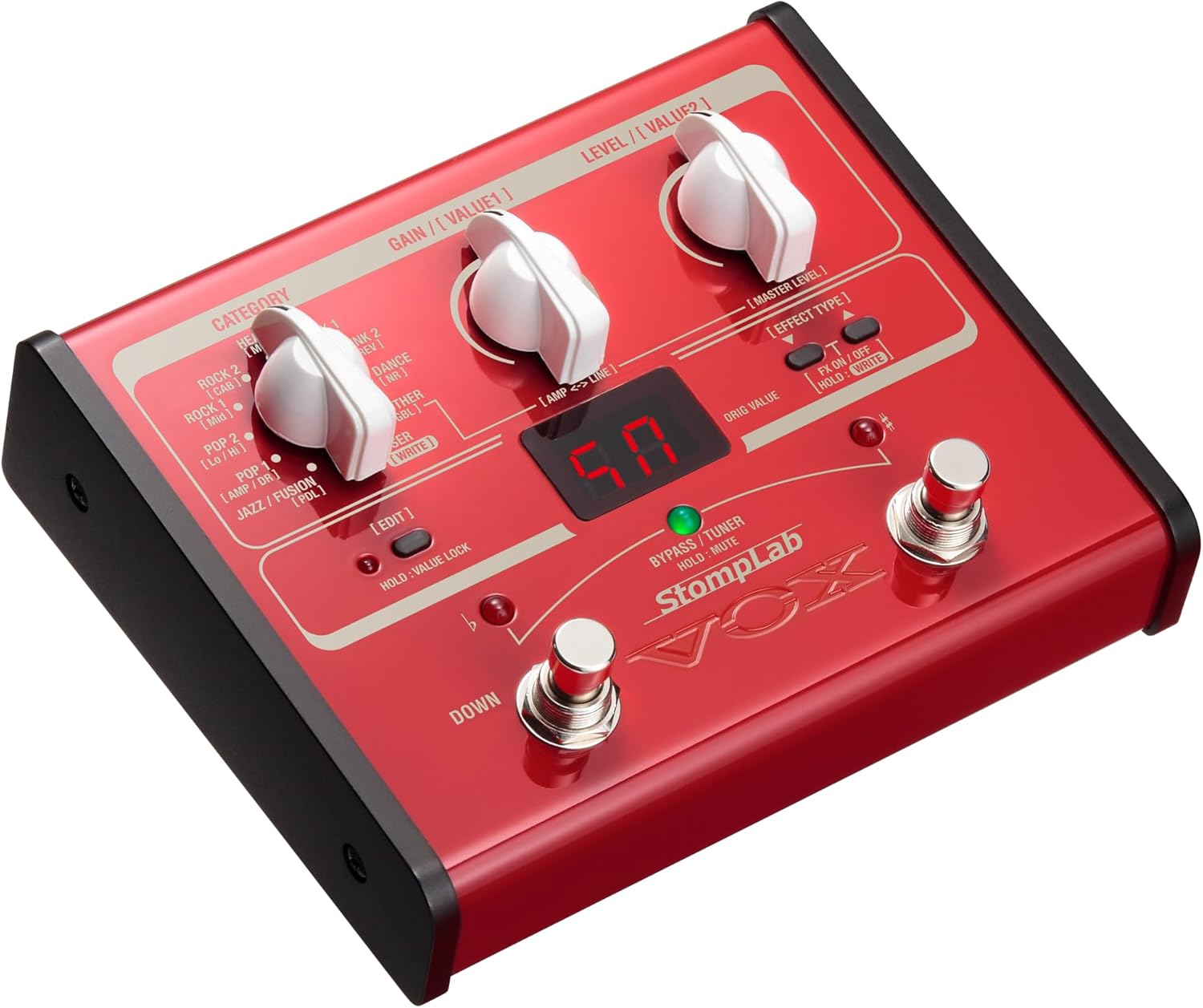
Figure 2: Front view of the StompLab 1B, showing the main controls and display.
Once powered and connected, press and hold the power button on the rear of the unit to turn it on. The display will illuminate, indicating the pedal is ready for use.
2. Operating Your StompLab 1B
The StompLab 1B offers a diverse array of sounds and effects, designed for intuitive use.
2.1 Program Selection and Categories
The pedal features 100 preset programs, categorized by musical style for easy navigation. Use the "CATEGORY" dial to select from styles such as:
- Rock & Roll (CAB)
- Blues (HI)
- Pop (Lo)
- Jazz / Fusion (AMP / DR)
- Ballad (PDL)
- Rock (MOD)
- Hard Rock (DLY)
- Metal (REV)
- Hard Core (NR)
- Other (GBL)
Each category contains 10 variations, allowing you to quickly find a suitable sound. The sound engine is derived from the highly-regarded VOX VT+ series of modeling amps and the Tone Lab series of multi-effect units, ensuring high-quality tones.

Figure 3: Detailed view of the StompLab 1B's control panel, including the Category, Gain, and Level dials.
2.2 Customizing and Saving Programs
The StompLab 1B provides 60 types of modeling effects. You can edit and save 20 of your own user programs. To do this, select a "USER" slot using the CATEGORY dial, then press the "EDIT" button. Adjust the "GAIN / VALUE1" and "LEVEL / VALUE2" knobs to fine-tune the effects. Refer to the full manual for detailed parameter descriptions for each effect type.
2.3 Tuner Function
The pedal includes a built-in tuner. To activate the tuner, press and hold the "BYPASS / TUNER" footswitch. The display will show tuning information. Press the footswitch again to exit tuner mode.
Video 2: Official VOX demonstration video showcasing the StompLab's features, including program selection and the built-in tuner.
3. Maintenance
Proper maintenance ensures the longevity and optimal performance of your StompLab 1B.
3.1 Cleaning
Wipe the unit with a soft, dry cloth. Do not use abrasive cleaners, waxes, or solvents. Avoid spraying liquid cleaners directly onto the unit.
3.2 Storage
When storing the unit for extended periods, remove the batteries to prevent leakage and corrosion. Store in a cool, dry place away from direct sunlight and extreme temperatures.
4. Troubleshooting
If you encounter issues with your StompLab 1B, try the following basic troubleshooting steps:
- No Power: Ensure the AC adapter is securely connected or that fresh batteries are correctly installed. Check the power outlet.
- No Sound: Verify all cables (instrument, amplifier, headphones) are properly connected. Check the volume levels on your instrument, pedal, and amplifier. Ensure the pedal is not in "Bypass" or "Mute" mode.
- Unexpected Effects/Sound: Check the selected program category and its specific settings. Ensure no unintended effects are active in your signal chain.
- Distorted Sound: Adjust the "GAIN" and "LEVEL" controls on the pedal. Check the input level of your amplifier.
For more detailed troubleshooting, please refer to the comprehensive user manual available on the VOX website.
5. Specifications
| Feature | Detail |
|---|---|
| Item Model Number | SL1B |
| Item Weight | 2.72 ounces (0.17 Pounds) |
| Product Dimensions | 7 x 2 x 7 inches |
| Batteries | 4 AA batteries required (included) |
| Battery Type | Alkaline |
| Voltage | 9 Volts |
| Amperage | 100 Milliamps |
| Signal Format | Analog |
| Hardware Interface | Bluetooth |
6. Warranty and Support
For detailed warranty information and product support, please refer to the official VOX website or the documentation included with your StompLab 1B pedal.
You can also visit the VOX Store on Amazon for additional product information and accessories.
Related documentsSL1B


Ask a question about this manual
Ask about setup, troubleshooting, compatibility, parts, safety, or missing instructions. Manuals+ will review the question and use this page’s manual context to help answer it.