
GE WB20X10048
GE WB20X10048 Thermostat Instruction Manual
Model: WB20X10048
Introduction
This instruction manual provides essential information for the proper installation, operation, and maintenance of your GE WB20X10048 Thermostat. This product is an O.E.M. authorized replacement part designed to fit various WB20X10048 brand models. Please read this manual thoroughly before attempting any installation or operation to ensure safe and efficient use.
Safety Information
Always observe basic safety precautions when installing, operating, or maintaining electrical appliances. Failure to do so may result in electric shock, fire, or personal injury.
- Disconnect power to the appliance before installation or servicing.
- Ensure all wiring connections are secure and comply with local electrical codes.
- If you are unsure about any part of the installation process, consult a qualified technician.
- Do not operate the thermostat if it appears damaged.
Product Overview
The GE WB20X10048 Thermostat is a non-programmable replacement part designed for specific GE appliances. It functions to regulate the temperature within the appliance, ensuring optimal performance. This is an authorized aftermarket product, ensuring compatibility and reliability as an O.E.M. authorized part.
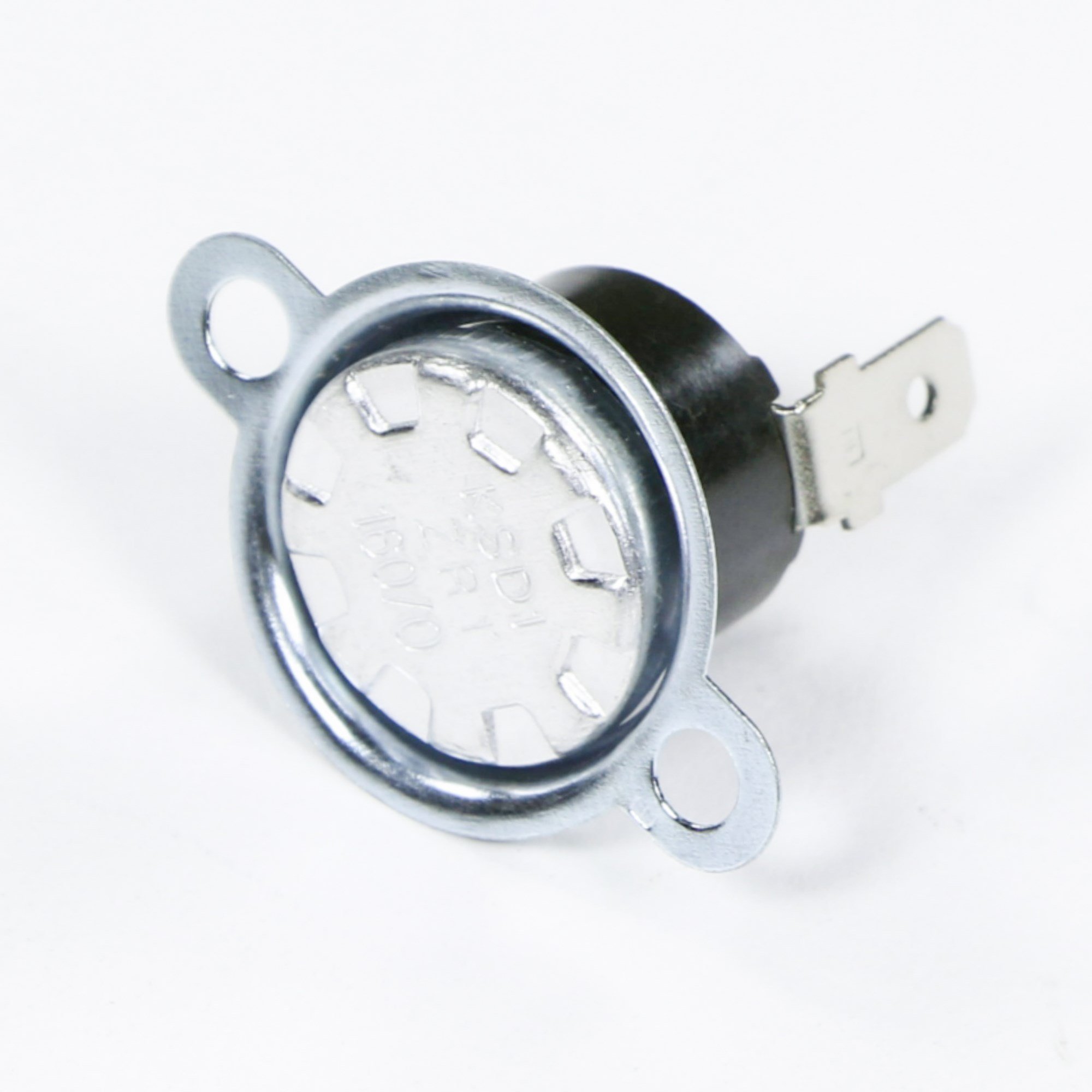
Figure 1: GE WB20X10048 Thermostat. This image shows the GE WB20X10048 Thermostat, a replacement part for various appliances. It typically features a simple design for temperature control.
Setup and Installation
The GE WB20X10048 Thermostat is intended as a direct replacement part. Installation should be performed by a qualified individual or by carefully following the specific service manual for the appliance it is being installed into. Incorrect installation can lead to damage to the thermostat or the appliance, and may pose safety risks.
- Power Disconnection: Before beginning any installation, ensure that the power supply to the appliance is completely disconnected at the circuit breaker or fuse box.
- Access: Gain access to the existing thermostat within the appliance. This may involve removing panels or covers. Refer to your appliance's service manual for specific instructions.
- Wiring: Carefully note the wiring connections of the old thermostat. It is recommended to take a photograph before disconnecting any wires. Connect the new GE WB20X10048 Thermostat exactly as the old one was wired.
- Mounting: Secure the new thermostat in its designated position.
- Reassembly: Reassemble any panels or covers removed during the installation process.
- Power Restoration: Restore power to the appliance and test the thermostat's functionality.
Note: This thermostat is designed to fit various WB20X10048 brand models. Always verify compatibility with your specific appliance model before installation.
Operating Instructions
As a non-programmable thermostat, the GE WB20X10048 operates on a simple set-and-forget principle. Its primary function is to maintain a desired temperature within the appliance it controls.
- Temperature Setting: The thermostat typically features a dial or a simple control mechanism to set the desired temperature. Adjust this control to your preferred setting.
- Automatic Operation: Once the temperature is set, the thermostat will automatically activate or deactivate the heating/cooling element of the appliance to maintain the set temperature.
- Monitoring: Periodically monitor the appliance's performance to ensure the thermostat is functioning correctly and maintaining the desired temperature range.
Specific operational details may vary slightly depending on the appliance in which the thermostat is installed. Refer to your appliance's user manual for precise instructions related to its temperature control system.
Maintenance
The GE WB20X10048 Thermostat is designed for reliable, low-maintenance operation. Regular maintenance of the appliance it controls is generally sufficient to ensure the thermostat's longevity.
- Cleaning: If accessible, gently wipe the exterior of the thermostat with a soft, dry cloth to remove dust. Do not use liquid cleaners directly on the thermostat.
- Inspections: During routine appliance maintenance, visually inspect the thermostat and its wiring for any signs of wear, damage, or loose connections.
- Power Disconnection: Always disconnect power to the appliance before performing any cleaning or inspection that requires accessing internal components.
Troubleshooting
If you experience issues with your appliance's temperature control, consider the following troubleshooting steps related to the thermostat. Always ensure power is disconnected before inspecting internal components.
- No Power to Appliance: Check the circuit breaker or fuse for the appliance. Ensure the thermostat is correctly wired and connections are secure.
- Incorrect Temperature Reading/Control: Verify that the thermostat is set to the desired temperature. Ensure there are no obstructions or external heat sources affecting the thermostat's sensor.
- Appliance Runs Continuously or Not At All: This could indicate a faulty thermostat or a wiring issue. Recheck wiring connections. If the issue persists, the thermostat may need replacement.
- Physical Damage: Inspect the thermostat for any visible signs of damage. A damaged thermostat should be replaced.
If these steps do not resolve the issue, it is recommended to consult a qualified appliance technician or contact GE customer support.
Specifications
| Manufacturer | GE |
| Part Number | WB20X10048 |
| Item Weight | 3.2 ounces |
| Product Dimensions | 5 x 1 x 4 inches |
| Item Model Number | WB20X10048 |
| Item Package Quantity | 1 |
| Included Components | Appliance Parts & Accessories, appliance-replacement-parts |
| Batteries Included? | No |
| Batteries Required? | No |
Warranty Information
Specific warranty details for the GE WB20X10048 Thermostat are typically provided by the original manufacturer (GE) or the authorized seller at the time of purchase. As this is an authorized aftermarket product, warranty coverage may vary. Please retain your proof of purchase and consult the documentation provided with your thermostat or contact the seller for precise warranty terms and conditions.
Customer Support
For further assistance, technical support, or inquiries regarding the GE WB20X10048 Thermostat, please contact:
- GE Appliances Customer Service: Refer to the official GE Appliances website for contact information.
- Your Authorized Seller: Contact the retailer from whom you purchased the thermostat.
When contacting support, please have your product model number (WB20X10048) and proof of purchase readily available.
Related documentsWB20X10048


Ask a question about this manual
Ask about setup, troubleshooting, compatibility, parts, safety, or missing instructions. Manuals+ will review the question and use this page’s manual context to help answer it.