
Sigma BC 5.12
Sigma Sport BC 5.12 Cycle Computer User Manual
Model: BC 5.12
Introduction
The Sigma Sport BC 5.12 is a classic and user-friendly cycle computer designed for all cyclists. It offers essential bike and time functions with a clear, full-text display and simple one-button operation. This manual provides detailed instructions for installation, operation, maintenance, and troubleshooting to ensure optimal performance of your device.
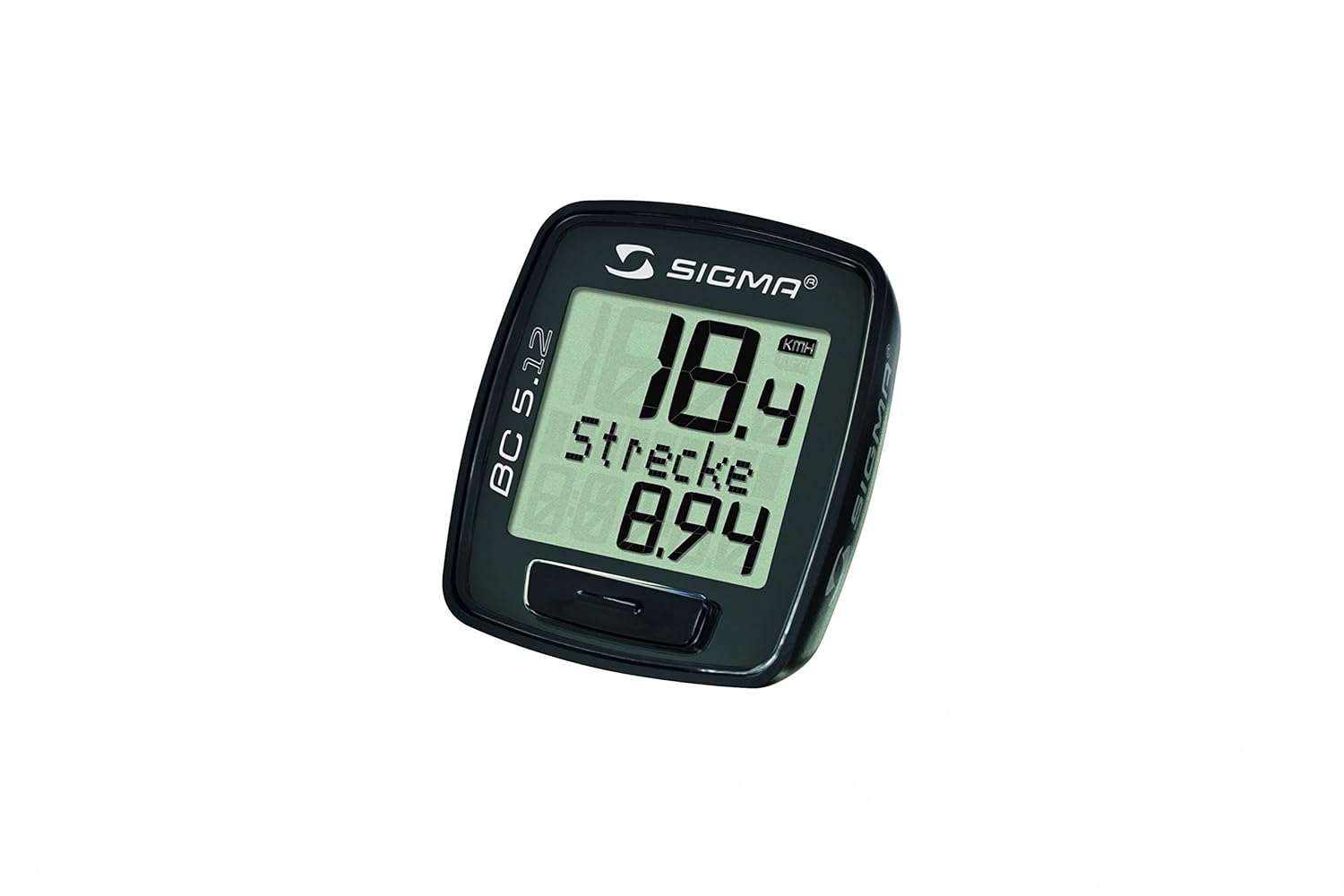
Image: The Sigma Sport BC 5.12 Cycle Computer, displaying current speed (18.4 KMH) and trip distance (8.94). The device features a clear LCD screen and a single button for operation.
Product Features
- Scan Mode On/Off: Allows you to toggle between different display modes.
- Automatic Start / Stop: The computer automatically begins recording when you start cycling and pauses when you stop.
- Watertight: Designed to withstand various weather conditions (IPX7 rated).
- Tool-free Install: Easy and quick installation without the need for additional tools.
- UFSB-Compatible: Compatible with Sigma's Universal Fast Setting Box for quick setup (optional).
Setup
Package Contents
Before installation, ensure all components are present:
- Sigma Sport BC 5.12 Cycle Computer Unit
- Wired Sensor with cable
- Mounting bracket for handlebar
- Spoke magnet
- Mounting O-rings/ties
- User Manual
Installation
- Mount the Bracket: Attach the handlebar mount to your bicycle's handlebar using the provided O-rings or ties. Ensure it is securely fastened and positioned for easy viewing.
- Install the Sensor: Secure the wired sensor to the front fork of your bicycle, aligning it with the spoke magnet's path. The sensor should be positioned approximately 2-5mm from the magnet.
- Attach the Spoke Magnet: Fasten the magnet to a spoke on your front wheel. Ensure it passes directly in front of the sensor with each wheel rotation.
- Route the Cable: Carefully route the sensor cable along the fork and up to the handlebar mount, securing it with cable ties to prevent interference with moving parts.
- Insert the Computer: Slide the BC 5.12 computer unit into the handlebar mount until it clicks securely into place.
Initial Configuration
After installation, configure the computer:
- Set Language: Follow the on-screen prompts to select your preferred language.
- Select Units: Choose between Kilometers per Hour (KMH) or Miles per Hour (MPH).
- Set Time: Adjust the current time.
- Enter Wheel Circumference: This is crucial for accurate speed and distance readings. Refer to the table below or measure your wheel's circumference in millimeters.
| Tire Size | Circumference (mm) |
|---|---|
| 16 inch | 1272 |
| 20 inch | 1596 |
| 26 x 1.75 inch | 2070 |
| 26 x 2.1 inch | 2100 |
| 27 inch | 2155 |
| 28 inch / 700C | 2240 |
Operating Instructions
Basic Functions
The BC 5.12 features a single button for easy navigation through its functions. Press the button to cycle through the following displays:
- Current Speed: Displays your real-time cycling speed.
- Trip Distance: Shows the distance covered during your current ride.
- Total Distance: Displays the accumulated distance over all rides.
- Ride Time: Tracks the duration of your current ride.
- Clock: Shows the current time.
Scan Mode
The Scan Mode feature allows the computer to automatically cycle through different display functions. To activate or deactivate Scan Mode, refer to the specific instructions in your quick start guide or the full manual. When active, the display will periodically change between speed, trip distance, and ride time.
Automatic Start/Stop
The BC 5.12 is equipped with an automatic start/stop function. The computer will automatically begin recording your ride data when it detects movement from the wheel and will pause when you stop. This ensures that only actual riding time and distance are recorded, without needing manual intervention.
Maintenance
Cleaning
To clean your cycle computer, use a soft, damp cloth. Do not use abrasive cleaners or solvents, as these can damage the display or casing. Ensure the unit is dry before re-attaching it to the bike.
Battery Replacement
The BC 5.12 uses a standard coin cell battery (e.g., CR2032). When the display becomes dim or erratic, it's time to replace the battery. Carefully open the battery compartment on the back of the unit, replace the old battery with a new one, ensuring correct polarity, and securely close the compartment. Note that replacing the battery may reset some settings, requiring re-configuration of time and wheel circumference.
Water Resistance
The BC 5.12 is rated IPX7, meaning it is protected against immersion in water up to 1 meter for 30 minutes. While it is watertight and suitable for use in rain, avoid prolonged submersion or high-pressure washing, which could compromise the seals.
Troubleshooting
- No Speed Display:
- Check if the computer unit is securely seated in its mount.
- Verify that the sensor and spoke magnet are correctly aligned and within 2-5mm of each other.
- Inspect the sensor cable for any damage or kinks.
- Ensure the battery is not depleted.
- Incorrect Speed/Distance:
- Re-check the entered wheel circumference setting. An incorrect value will lead to inaccurate readings.
- Ensure the magnet is securely attached and not slipping on the spoke.
- Display is Blank or Dim:
- Replace the battery.
- Ensure the battery is inserted with the correct polarity.
- Buttons Not Responding:
- Try removing and re-inserting the battery to perform a soft reset.
- Ensure no dirt or debris is obstructing the button mechanism.
Specifications
| Feature | Detail |
|---|---|
| Brand | Sigma |
| Model | BC 5.12 |
| Color | Black |
| Item Weight | 2 Kilograms (packaging weight) |
| Display Type | LCD |
| Included Components | Sensor |
| International Protection Rating | IPX7 |
| Mounting Type | Handlebar Mount |
| Human Interface Input | Buttons |
| Manufacturer | Sigma Sport |
| UPC | 641702477310, 641945562095 |
| Global Trade Identification Number | 04016224051205 |
| Batteries Included | Yes |
| ASIN | B0093GEASA |
| Date First Available | 14 November 2012 |
Warranty and Support
Please note the legal disclaimer regarding warranty: Manufacturer's Warranty/Guarantee (if any provided by the manufacturer) is only provided in a Service Center Outside India for imported products.
For further assistance, technical support, or warranty claims, please contact Sigma Sport directly through their official website or authorized service centers in your region. Keep your proof of purchase for any warranty-related inquiries.
Related documentsBC 5.12


Ask a question about this manual
Ask about setup, troubleshooting, compatibility, parts, safety, or missing instructions. Manuals+ will review the question and use this page’s manual context to help answer it.