
1. Product Overview
The REV Ritter Trunk/Cabinet Door Switch, Model 0509007555, is a surface-mounted electrical switch designed to control lighting or other electrical devices based on the opening and closing of a cabinet or trunk door. It features a normally open contact type, meaning the circuit is open (off) when the door is closed and closes (on) when the door is opened. The switch is housed in a white plastic casing, ensuring durability and integration into various environments.
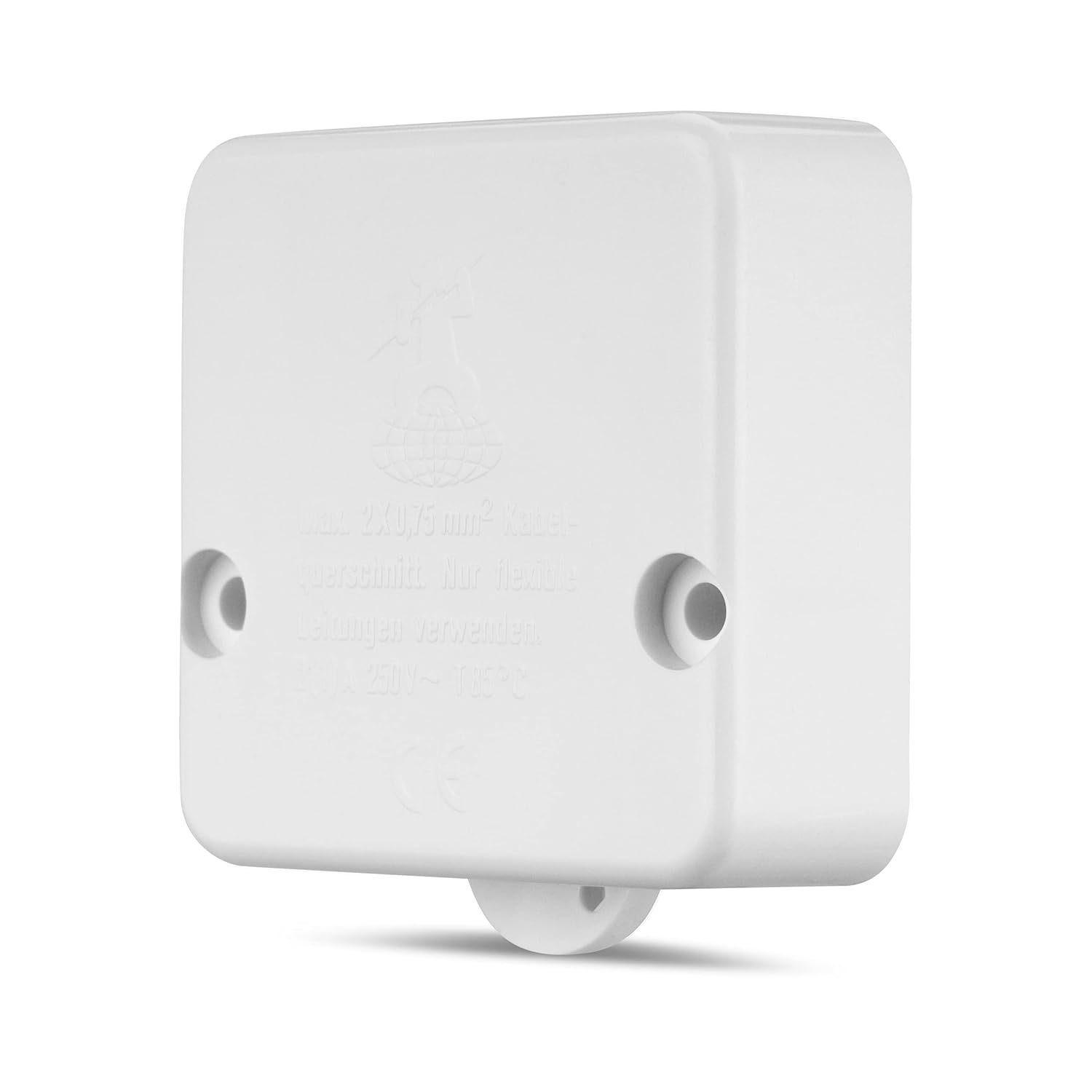
Figure 1: Exterior view of the REV Ritter Trunk/Cabinet Door Switch. This image shows the compact white plastic housing with mounting holes visible on the sides and the plunger mechanism at the bottom.
2. Safety Information
Please read and understand all safety instructions before installing or operating this product. Failure to follow these instructions may result in electric shock, fire, or serious injury.
- Electrical Hazard: Installation should only be performed by a qualified electrician or competent person. Always disconnect power at the main circuit breaker or fuse box before beginning any electrical work.
- Voltage and Current: Ensure the switch's electrical ratings (250V, 10A) are compatible with your application. Do not exceed the maximum rated voltage or current.
- Wiring: Use appropriate wiring for the intended load. The switch supports a maximum cable cross-section of 2x0.75 mm². Ensure all connections are secure and properly insulated.
- Environment: This product has an IP20 rating, meaning it is protected against solid objects larger than 12.5mm but has no protection against water. Do not install in wet or damp locations.
- Intended Use: This switch is designed for controlling circuits based on door movement in dry indoor environments. Do not use for purposes other than its intended design.
3. Setup and Installation
This section outlines the steps for installing your REV Ritter Trunk/Cabinet Door Switch. Ensure all safety precautions from Section 2 are followed.
- Prepare the Installation Area:
- Identify a suitable, dry location on the cabinet or trunk frame where the switch can be surface-mounted. The plunger mechanism should align with the door's closing path.
- Ensure there is sufficient space for wiring and that the door can fully close without obstruction.
- Disconnect Power: Turn off the power supply to the circuit at the main breaker or fuse box before proceeding. Verify that the power is off using a voltage tester.
- Open the Switch Casing: Carefully open the switch casing to access the internal terminals. This typically involves unscrewing or unclipping the cover.
- Wire the Switch:
- Route the electrical cables (max. 2x0.75 mm² cross-section) into the switch casing through the designated entry points.
- Connect the live (phase) wire to one terminal and the load wire (to the light fixture or device) to the other terminal. This switch operates as a single-pole, normally open contact.
- Ensure all wire connections are tight and secure under the screw terminals. Avoid loose strands.
- Mount the Switch:
- Position the switch on the desired surface. Use the provided mounting holes and screws to securely fasten the switch to the cabinet or trunk frame.
- Ensure the plunger mechanism is positioned to be depressed by the door when closed and released when opened.
- Close the Casing: Once wiring and mounting are complete, carefully reattach the switch cover, ensuring no wires are pinched.
- Restore Power: Turn the power supply back on at the main circuit breaker.

Figure 2: Interior view of the switch, showing the two screw terminals for electrical connections. The plunger mechanism is visible at the bottom.
4. Operating Instructions
The REV Ritter Trunk/Cabinet Door Switch operates automatically based on the position of the door it is installed with.
- Door Closed: When the cabinet or trunk door is closed, it presses against the switch's plunger. This action keeps the internal contact open, interrupting the electrical circuit. Any connected device (e.g., a light) will be off.
- Door Opened: When the cabinet or trunk door is opened, the pressure on the switch's plunger is released. This allows the internal contact to close, completing the electrical circuit. Any connected device (e.g., a light) will turn on.
The switch is designed for reliable ON-OFF-ON operation, providing immediate response to door movement.
5. Maintenance
The REV Ritter Trunk/Cabinet Door Switch requires minimal maintenance to ensure long-term performance.
- Cleaning: Periodically wipe the exterior of the switch with a dry, soft cloth to remove dust and dirt. Do not use abrasive cleaners or solvents. Ensure no liquids enter the switch casing.
- Inspection: Regularly inspect the switch for any signs of physical damage, loose connections, or wear. If any damage is observed, disconnect power immediately and replace the switch.
- Environmental Conditions: Ensure the switch remains in a dry, indoor environment, consistent with its IP20 rating.
6. Troubleshooting
If you encounter issues with your REV Ritter Trunk/Cabinet Door Switch, refer to the following troubleshooting guide:
| Problem | Possible Cause | Solution |
|---|---|---|
| Device (e.g., light) does not turn on when door is opened. |
|
|
| Device remains on when door is closed. |
|
|
If problems persist after following these steps, consult a qualified electrician.
7. Specifications
| Feature | Detail |
|---|---|
| Brand | REV Ritter |
| Model Number | 0509007555 |
| Product Dimensions (L x W x H) | 50 x 54 x 21 mm (5 x 5.4 x 2.1 cm) |
| Weight | 26 grams |
| Material | Plastic (Housing), Copper (Contact) |
| Switch Type | Trunk/Cabinet Door Switch |
| Contact Type | Normally Open |
| Operating Mode | ON-OFF-ON (Activated by door movement) |
| Max. Cable Cross-Section | 2x0.75 mm² |
| Voltage Rating | 250V |
| Current Rating | 10A |
| Fixation Type | Surface Mounting |
| International Protection Rating (IP) | IP20 |
| Country of Origin | Germany |
8. Warranty and Support
Specific warranty information for the REV Ritter Trunk/Cabinet Door Switch (Model 0509007555) is not provided in this manual. For details regarding warranty coverage, please refer to the purchase documentation or contact your retailer.
For technical support or further inquiries, please contact REV Ritter customer service through their official website or the retailer from whom the product was purchased. When contacting support, please have your product model number (0509007555) available.