1. Introduction
This manual provides essential information for the safe and effective use of your Phoenix Contact CRIMPFOX 10S crimping pliers. Designed for crimping ferrules according to DIN 46228, this tool ensures reliable electrical connections. Please read this manual thoroughly before operation and retain it for future reference.
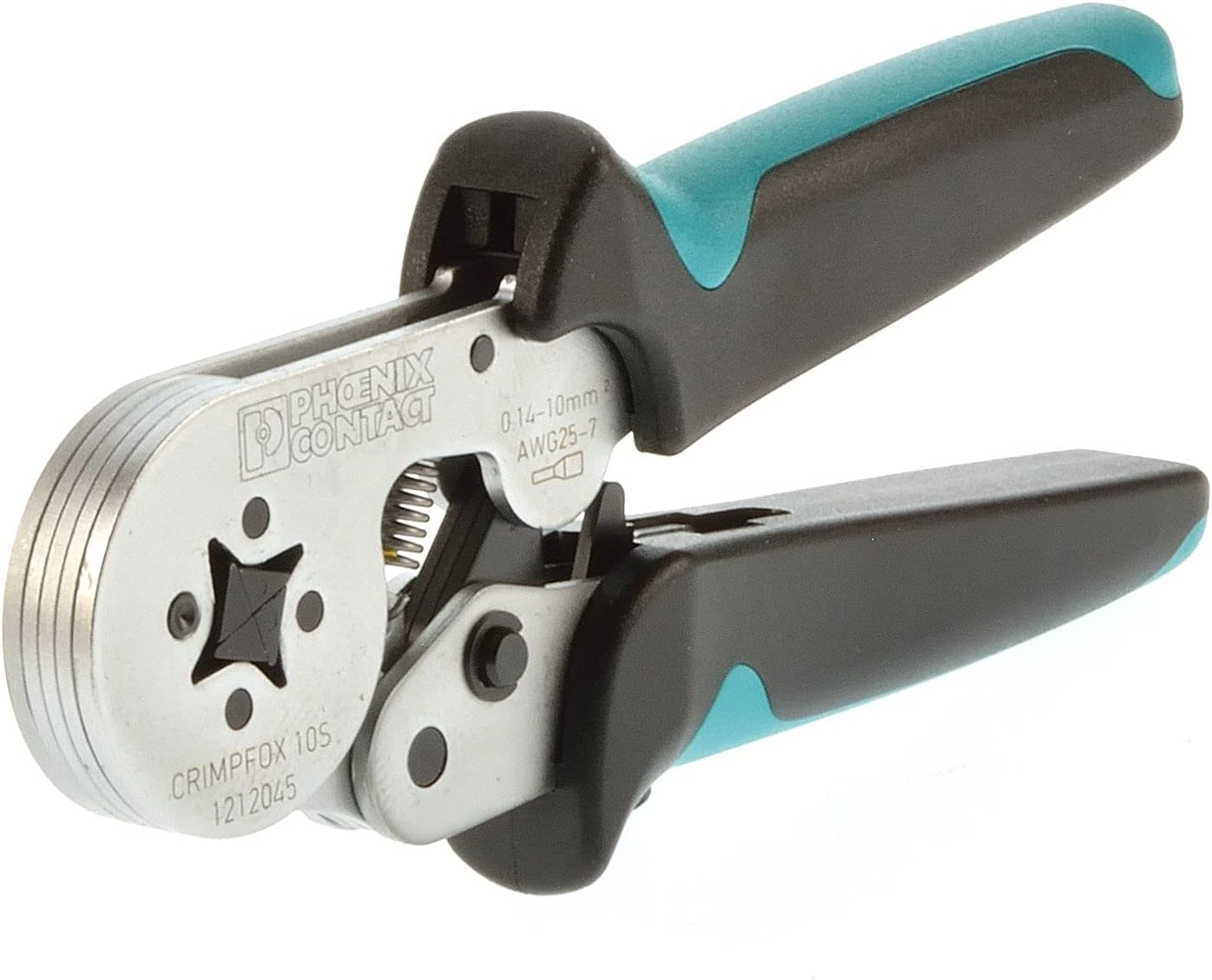
Figure 1: Phoenix Contact CRIMPFOX 10S Crimping Pliers. This image displays the crimping pliers with black and teal ergonomic handles, a silver metal body, and the crimping die visible at the front. The brand "PHOENIX CONTACT" and model "CRIMPFOX 10S 1212045" are engraved on the tool, along with the wire cross-section range 0.14-10mm² and AWG25-7.
2. Safety Instructions
- Always wear appropriate personal protective equipment (PPE), such as safety glasses, when using crimping tools.
- Ensure the tool is clean and free from debris before each use.
- Do not use the tool for purposes other than crimping ferrules.
- Keep hands and fingers clear of the crimping dies during operation to prevent injury.
- Store the tool in a dry, secure place, out of reach of children.
- Inspect the tool for any damage before use. Do not use a damaged tool.
3. Setup
- Unpacking: Carefully remove the crimping pliers from its packaging.
- Initial Inspection: Check the tool for any visible signs of damage from shipping. Ensure all moving parts operate smoothly.
- Familiarization: Identify the crimping dies, handles, and the locking mechanism.
4. Operating Instructions
The CRIMPFOX 10S is designed for precise crimping of wire end ferrules with a square crimp profile. It features a force-lock mechanism for consistent results and lateral ferrule introduction.
- Prepare the Wire: Strip the insulation from the wire to the appropriate length for the ferrule being used. The stripped wire should fully enter the ferrule without excess insulation.
- Select the Ferrule: Choose a wire end ferrule that matches the wire's cross-section (0.14 to 10 mm²). Ensure the ferrule complies with DIN 46228 standards.
- Insert the Ferrule: Insert the ferrule laterally into the crimping die. The open end of the ferrule should face the wire entry side.
- Insert the Wire: Insert the stripped wire completely into the ferrule. Ensure all wire strands are contained within the ferrule.
- Perform the Crimp: Squeeze the handles of the crimping pliers firmly and evenly until the force-lock mechanism releases. The tool will automatically open once the crimp is complete. This ensures a consistent, square crimp profile.
- Inspect the Crimp: After crimping, visually inspect the ferrule to ensure it is securely attached to the wire and the crimp profile is uniform. A proper crimp should hold the wire firmly without damaging the strands.
5. Maintenance
- Cleaning: After each use, wipe the crimping pliers with a clean, dry cloth to remove any dust, dirt, or residue. For stubborn grime, a mild solvent can be used, ensuring it does not damage the handle material.
- Lubrication: Periodically apply a small amount of light machine oil to the pivot points and moving parts to ensure smooth operation and prevent corrosion. Do not over-lubricate.
- Storage: Store the tool in a dry environment to prevent rust. The locking device helps keep the pliers closed, protecting the crimping dies.
- Inspection: Regularly check the crimping dies for wear or damage. Worn dies can lead to poor crimps.
6. Troubleshooting
| Problem | Possible Cause | Solution |
|---|---|---|
| Poor crimp quality (loose ferrule, damaged wire) | Incorrect ferrule size; Worn crimping dies; Insufficient wire stripping; Tool not fully closed during crimp. | Ensure ferrule matches wire gauge; Inspect/replace dies; Strip wire correctly; Squeeze handles until force-lock releases. |
| Tool handles stiff or difficult to operate | Lack of lubrication; Dirt/debris in mechanism. | Clean and lubricate pivot points; Remove any obstructions. |
| Locking device not engaging/disengaging properly | Mechanism obstructed or damaged. | Clean the mechanism; If damaged, seek professional repair or replacement. |
7. Specifications
- Model: 1212045
- Brand: PHOENIX CONTACT
- Crimping Range: 0.14 - 10 mm² (AWG 25-7)
- Crimp Profile: Square crimp
- Ferrule Standard: DIN 46228
- Introduction Type: Lateral
- Locking Device: Force-lock (automatic release)
- Item Weight: 0.01 Kilograms (approx. 0.352 ounces)
- Package Dimensions: 10.94 x 4.49 x 1.34 inches
- Grip Type: Ergonomic
- Part Number: 803-4420
8. Warranty and Support
Phoenix Contact products are manufactured to high-quality standards. For specific warranty information, please refer to the documentation provided with your purchase or visit the official Phoenix Contact website. For technical support, service, or spare parts, please contact your local Phoenix Contact distributor or customer service.
Phoenix Contact Official Website: www.phoenixcontact.com


