
1. Product Overview
The TDK 8mm High Standard Video Cassette Tape is designed for recording and playback in compatible 8mm camcorders. This blank storage media provides 120 minutes of recording time, making it suitable for capturing extended video footage.
Important Compatibility Note: This 8mm video cassette tape is specifically for use with 8mm cameras and camcorders. It is not compatible with VHS-C, MiniDV, or other video formats and their respective recording devices.
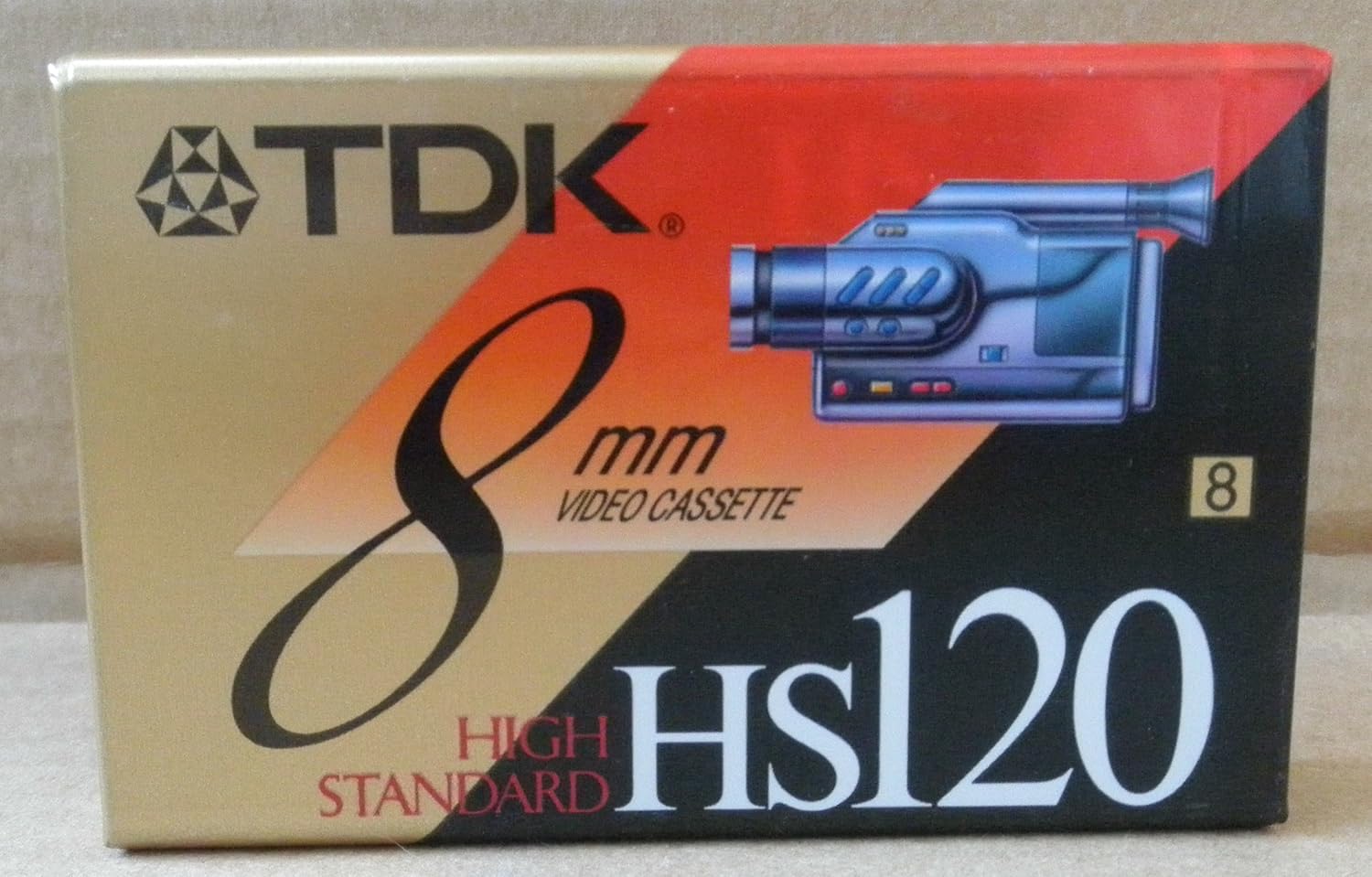
Figure 1: TDK 8mm High Standard Video Cassette Tape packaging. The image displays the product box, featuring the TDK logo, "8mm VIDEO CASSETTE," "HIGH STANDARD," and "HS120" branding, along with an illustration of an 8mm camcorder.
2. Setup and Loading
To begin using your TDK 8mm video cassette tape, ensure you have a compatible 8mm camcorder or video recorder. Follow these general steps for loading the tape:
- Power Off: Ensure your 8mm camcorder is powered off before inserting or removing any media.
- Open Cassette Compartment: Locate and open the cassette compartment on your 8mm camcorder. This is typically a door or lid that swings open.
- Insert Tape: Gently insert the TDK 8mm video cassette tape into the compartment with the tape window facing outwards (or as indicated by your camcorder's specific instructions). Ensure it slides in smoothly and clicks into place. Do not force the tape.
- Close Compartment: Close the cassette compartment door firmly until it latches.
- Power On: You may now power on your camcorder. The device should recognize the tape.
Refer to your specific 8mm camcorder's user manual for detailed loading instructions, as procedures may vary slightly between models.
3. Operating Instructions
Once the TDK 8mm tape is loaded, you can proceed with recording or playback functions. The operation is primarily controlled by your 8mm camcorder.
3.1 Recording
- Select Recording Mode: Set your camcorder to recording mode (usually indicated by a camera icon or "REC").
- Start Recording: Press the "Record" button to begin capturing video and audio onto the tape. A recording indicator (e.g., a red dot or "REC" on screen) should appear.
- Pause/Stop Recording: Press the "Pause" or "Stop" button to temporarily halt or end recording.
- Rewind/Fast Forward: Use the rewind (REW) and fast forward (FF) buttons to navigate through the tape.
3.2 Playback
- Select Playback Mode: Switch your camcorder to playback mode (often indicated by a play arrow icon).
- Start Playback: Press the "Play" button to view recorded content.
- Adjust Volume/Tracking: Use your camcorder's controls to adjust audio volume or tracking if the picture quality is poor during playback.
Always refer to your camcorder's manual for specific button functions and advanced recording/playback features.
4. Maintenance and Care
Proper care of your TDK 8mm video cassette tape will help preserve your recordings and extend the life of the tape.
- Storage: Store tapes in their original cases or suitable storage boxes to protect them from dust, dirt, and physical damage.
- Temperature and Humidity: Keep tapes away from extreme temperatures, direct sunlight, and high humidity. Ideal storage conditions are cool, dry environments.
- Magnetic Fields: Avoid exposing tapes to strong magnetic fields, which can erase or distort recordings. Keep them away from speakers, televisions, and other electronic devices that generate magnetic fields.
- Handling: Handle tapes by their edges. Avoid touching the exposed tape surface, as oils from your skin can degrade recording quality.
- Rewind After Use: It is good practice to fully rewind the tape to the beginning after each use before storing it.
- Cleaning: Do not attempt to clean the tape itself. If your camcorder requires head cleaning, use a specialized 8mm head cleaning cassette according to your camcorder's instructions.
5. Troubleshooting
If you encounter issues while using your TDK 8mm video cassette tape, consider the following common troubleshooting steps:
| Problem | Possible Cause | Solution |
|---|---|---|
| Tape not loading/ejecting | Incorrect insertion; mechanical issue with camcorder. | Ensure tape is inserted correctly. Do not force. Check camcorder for obstructions. If issue persists, consult camcorder manual or service. |
| Poor picture/sound quality | Dirty camcorder heads; tape damage; tracking issues. | Use an 8mm head cleaning cassette. Adjust camcorder's tracking control during playback. Try a different tape to rule out tape damage. |
| Tape jam/snag | Improper handling; worn camcorder mechanism. | Do not pull tape if jammed. Gently try to eject. If tape is visibly damaged, do not reinsert. Seek professional repair for camcorder if frequent. |
| No recording taking place | Tape write-protect tab engaged; camcorder not in record mode. | Check the small write-protect tab on the tape (slide to record position). Ensure camcorder is set to record mode. |
For persistent issues, refer to your 8mm camcorder's user manual or contact the camcorder manufacturer's support.
6. Specifications
Key specifications for the TDK 8mm High Standard Video Cassette Tape (Model: 5268058):
- Brand: TDK
- Model Number: 5268058
- Format: 8mm Video Cassette
- Recording Capacity: 120 minutes (Standard Play)
- Color: Black (referring to the tape housing)
- Item Weight: Approximately 3.2 ounces (90.7 grams)
- Package Dimensions: Approximately 4 x 2.7 x 0.8 inches (10.16 x 6.86 x 2.03 cm)
- Compatibility: Designed for 8mm camcorders only. Not compatible with VHS-C, MiniDV, or other formats.
7. Warranty and Support
This product is a blank recording media. For specific warranty information regarding manufacturing defects, please refer to the packaging or contact TDK customer support directly. General support for usage and compatibility should be directed to the manufacturer of your 8mm camcorder.
For further assistance or inquiries, please visit the official TDK website or contact their customer service department.


