
Sharper Image EC-B150
Sharper Image Sound Soother White Noise Machine User Manual
Model: EC-B150
Product Overview
The Sharper Image Premium Sound Soother Digital FM Clock Radio is designed to help you relax and fall asleep faster by providing a selection of 20 digitally mastered sounds. It also features a dual alarm system with dual readouts and an extra-large display for easy operation.
Key features include:
- Digital FM clock radio with gradual wake and snooze function.
- 20 digitally mastered relaxing sounds, including Aviary, Brook, City, Dockside, Ebb Tide, Everglades, Fireside, Foghorns, Heartbeat, North Woods, Oceanside, Rain, Rainforest, Roadside, Steam Train, Summer Night, Surf's Up, Thunderstorms, White Noise, and Wind Chimes.
- Extra-large display showing full sound titles.
- Dual alarm with dual readouts, allowing wake-up to sounds, beep, or radio.

Figure 1: Front view of the Sharper Image Sound Soother White Noise Machine, displaying the time and date.
Setup
Powering the Device
The Sound Soother can be powered using either the included AC adapter or batteries for portability.
- AC Power: Connect the provided AC adapter to the DC IN port on the back of the unit and plug it into a standard wall outlet.
- Battery Power: (Batteries not included) Open the battery compartment on the bottom of the unit and insert the required batteries (e.g., 4 x AA batteries, refer to the battery compartment for exact type). Ensure correct polarity.
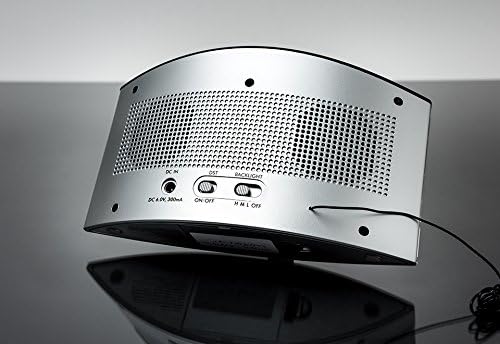
Figure 2: Rear view of the Sound Soother, showing the DC IN port and battery compartment access.
Initial Time and Date Setting
Upon first power-up or after a power interruption, you may need to set the time and date. Refer to the top panel buttons for "DATE/TIME SET" controls. Use the arrow buttons to adjust values and the "SET" button to confirm.
Operating Instructions
Selecting Sounds
The unit offers 20 pre-programmed sounds. To select a sound:
- Press the "SOURCE" button to cycle through the available sound categories (e.g., White Noise, Nature Sounds).
- Use the "SOUND" or arrow buttons to navigate and select your desired sound. The sound title will appear on the extra-large display.
Video 1: Demonstration of sound selection and display on the Sharper Image Sound Soother.
Adjusting Volume
Use the "VOLUME +" and "VOLUME -" buttons located on the top panel to increase or decrease the sound output.
Setting Alarms
The unit features dual alarms. To set an alarm:
- Press the "ALARM 1" or "ALARM 2" button.
- Use the time adjustment buttons to set the desired alarm time.
- Select the wake-up source (sound, beep, or FM radio) and the alarm frequency (daily, weekdays, weekends).
- Confirm settings by pressing the respective "ALARM" button again.
FM Radio Operation
To use the FM radio:
- Press the "SOURCE" button until "FM Radio" is displayed.
- Use the tuning buttons to find your desired station.
Maintenance
To ensure the longevity and optimal performance of your Sharper Image Sound Soother, follow these maintenance guidelines:
- Cleaning: Wipe the unit with a soft, dry cloth. Do not use abrasive cleaners or solvents.
- Storage: If storing for an extended period, remove batteries to prevent leakage. Store in a cool, dry place.
- Battery Replacement: Replace batteries when the display dims or the unit's performance degrades while on battery power.
Troubleshooting
| Problem | Possible Cause | Solution |
|---|---|---|
| Unit does not power on. | No power from AC adapter or dead batteries. | Check AC adapter connection and wall outlet. Replace batteries if using battery power. |
| No sound output. | Volume is too low or muted. Incorrect sound source selected. | Increase volume using "VOLUME +" button. Ensure a sound or FM radio is selected. |
| Alarm does not sound. | Alarm not set correctly or alarm volume is too low. | Verify alarm time and wake-up source. Ensure alarm volume is audible. |
| Display is dim or unreadable. | Backlight setting is low or batteries are weak. | Adjust the backlight switch on the rear of the unit. Replace batteries if applicable. |
Specifications
| Feature | Detail |
|---|---|
| Brand | Sharper Image |
| Model Number | EC-B150 |
| Color | White |
| Display Type | Digital |
| Product Dimensions | 2.4"W x 4.6"H |
| Power Source | Battery Powered / Electrical |
| Item Weight | 1 Pound |
| Alarm Clock | Yes |
| Number of Sounds | 20 |
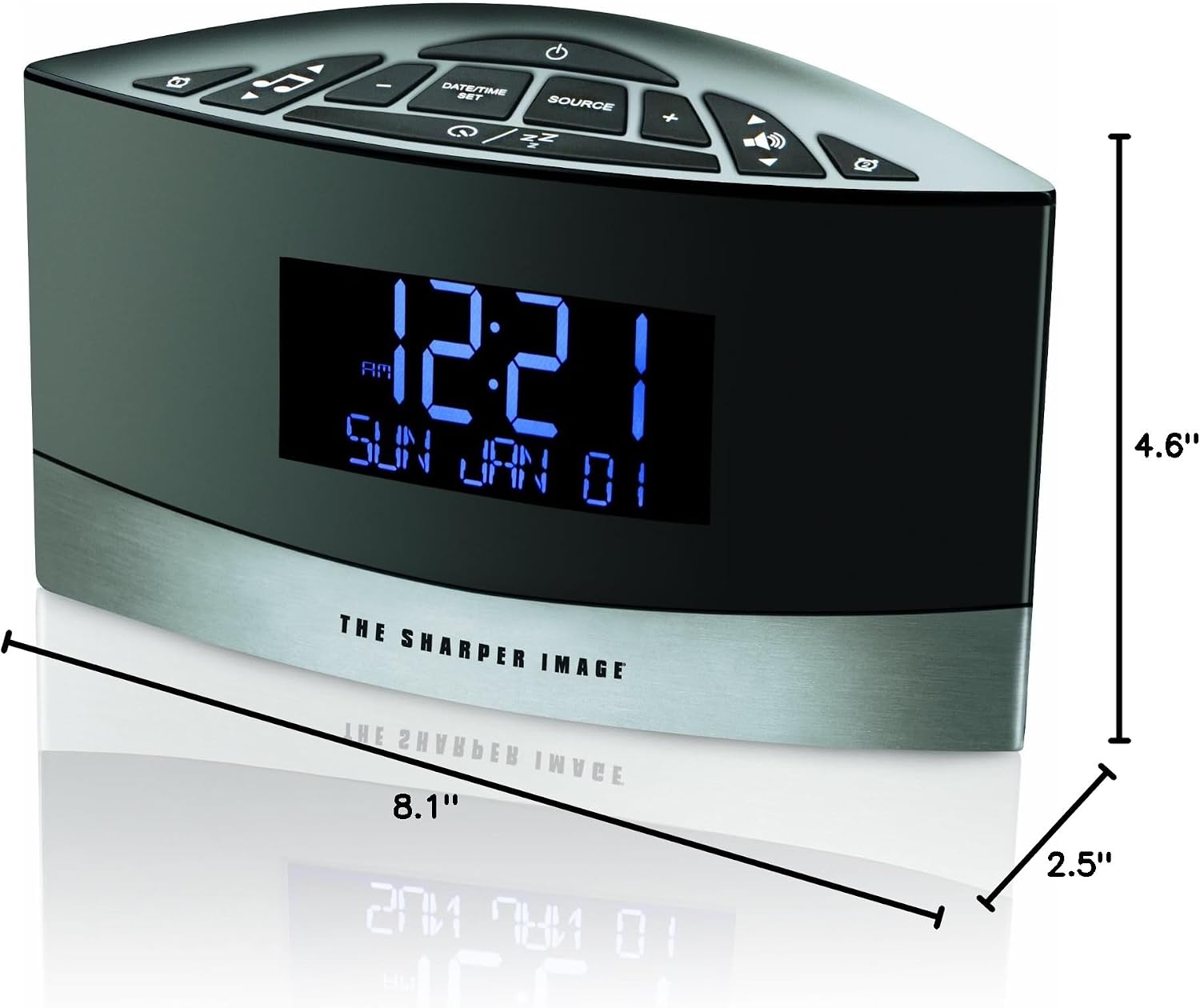
Figure 3: Dimensions of the Sharper Image Sound Soother.
Warranty and Support
For warranty information or technical support, please refer to the contact details provided with your product packaging or visit the official Sharper Image website. Keep your purchase receipt for warranty claims.
Related documentsEC-B150


Ask a question about this manual
Ask about setup, troubleshooting, compatibility, parts, safety, or missing instructions. Manuals+ will review the question and use this page’s manual context to help answer it.