
1. Introduction
This manual provides comprehensive instructions for the setup, operation, and maintenance of your Acctim Metal Radio Controlled Wall Clock (Model 74457). Designed for accuracy and ease of use, this clock automatically sets itself and adjusts for seasonal time changes using a radio signal. Please read this manual thoroughly before use to ensure optimal performance and longevity of your clock.

Figure 1: Front view of the Acctim Metal Radio Controlled Wall Clock. This image shows the clock's white face with black numbers for hours 1-12 and smaller red numbers for 13-24, along with the minute and second markers. The clock has a silver-colored metal frame.
2. Safety Information
- Do not expose the clock to extreme temperatures, direct sunlight, or high humidity.
- Avoid dropping the clock or subjecting it to strong impacts.
- Keep batteries out of reach of children. If swallowed, seek immediate medical attention.
- Dispose of used batteries responsibly according to local regulations.
- Do not attempt to disassemble or repair the clock yourself. Refer to qualified service personnel.
3. Package Contents
Please ensure all items are present in the package:
- Acctim Metal Radio Controlled Wall Clock (Model 74457)
- User Manual (this document)
Note: 1 x AA battery is not included and must be purchased separately.
4. Setup
- Insert Battery: Locate the battery compartment on the back of the clock. Insert one (1) AA battery, ensuring the polarity (+/-) matches the diagram inside the compartment.
- Initial Synchronization: After inserting the battery, the clock hands will automatically rotate to the 12:00 position. This is a calibration step.
- Receive Radio Signal: The clock will then attempt to receive a radio time signal. This process can take several minutes, or up to 24 hours depending on your location and signal strength. For best reception, place the clock near a window and away from electronic devices that may cause interference.
- Automatic Time Setting: Once a stable signal is received, the hands will automatically move to the correct time. The clock is designed to receive signals primarily in the UK and Ireland. If you are outside these regions, the radio control function may not operate, and the clock might display an incorrect time (e.g., 1 hour difference).
- Manual Reset (if needed): If the clock does not set itself after an extended period, or if it displays an incorrect time, press the small red "RESET" button located on the back of the clock (refer to Figure 2). This will restart the synchronization process.

Figure 2: Rear view of the clock. This image displays the battery compartment, the quartz movement, and a small red reset button. The model number "74457" is visible on a label.
5. Operating Instructions
Your Acctim Radio Controlled Wall Clock is designed for fully automatic operation once set up. There are no manual adjustments required for daily timekeeping.
- Automatic Time Adjustment: The clock will automatically adjust for Daylight Saving Time (Summer/Winter time changes) based on the received radio signal.
- Time Display: The clock features a clear dial with both 12-hour (large black numbers) and 24-hour (smaller red numbers) markings for easy readability.

Figure 3: Close-up of the clock face. This image highlights the dual numbering system, with standard 1-12 hours in black and corresponding 13-24 hours in red, along with minute markers.
6. Maintenance
- Cleaning: To clean the clock, gently wipe the surface with a soft, dry cloth. Do not use abrasive cleaners, solvents, or chemical sprays, as these may damage the finish or the glass lens.
- Battery Replacement: When the clock hands stop moving or the time becomes inaccurate, it is time to replace the battery. Follow the steps in Section 4.1 to replace the AA battery. Always use a fresh, high-quality AA battery for optimal performance.
7. Troubleshooting
| Problem | Possible Cause | Solution |
|---|---|---|
| Clock does not set time or displays incorrect time. |
|
|
| Clock hands are stuck or not moving smoothly. |
|
|
8. Specifications
| Model Number | 74457 |
| Brand | Acctim |
| Type | Wall Clock |
| Display Type | Analog (12/24 hour dial) |
| Special Feature | Radio Controlled (UK & Ireland only) |
| Case Material | Aluminium |
| Lens Material | Glass |
| Colour | White |
| Dimensions | 250mm (25cm) Diameter |
| Power Source | 1 x AA Battery (not included) |
| Item Weight | 0.6 Kilograms |
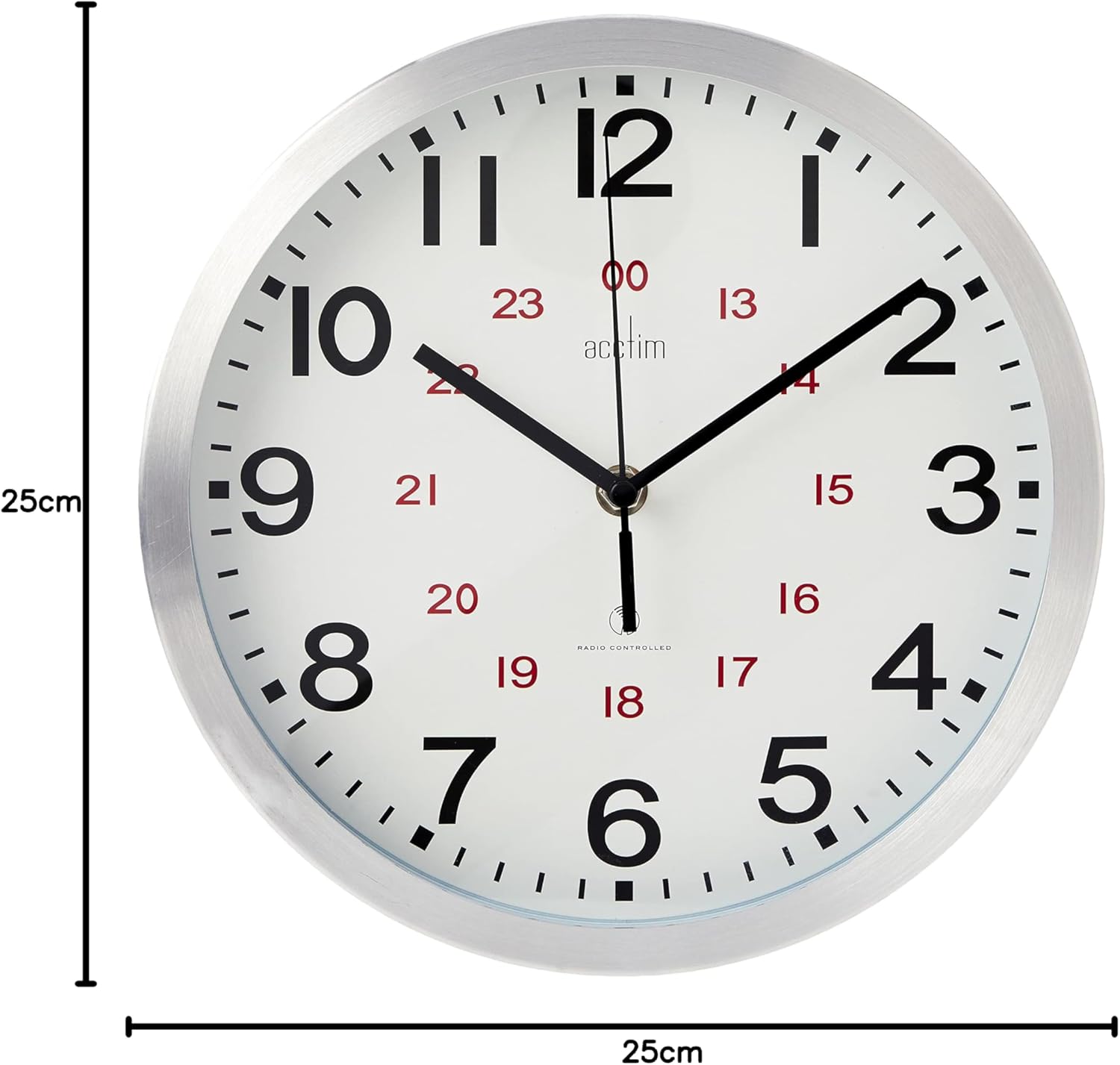
Figure 4: Dimensions of the Acctim Wall Clock. This image shows the clock with measurement lines indicating a 25cm diameter.
9. Warranty and Support
Acctim clocks are backed with a 1-year guarantee from the date of purchase. This warranty covers defects in materials and workmanship under normal use.
For technical support, warranty claims, or any inquiries regarding your Acctim clock, please contact our friendly Customer Service team. Refer to the product packaging or the official Acctim website for the most current contact information.
Please retain your proof of purchase for warranty purposes.