
Gravity G-230TW
Gravity Audio G-230TW 1-inch Dome Tweeter Instruction Manual
Model: G-230TW
Introduction
This manual provides essential information for the proper installation, operation, and maintenance of your Gravity Audio G-230TW 1-inch Dome Tweeters. Please read this manual thoroughly before installation and retain it for future reference.
Safety Information
Always observe the following safety precautions during installation and operation:
- Disconnect the vehicle's negative battery terminal before beginning any electrical work to prevent short circuits.
- Ensure all wiring is properly insulated to prevent damage and electrical hazards.
- Mount components securely to avoid them becoming projectiles in case of sudden stops or accidents.
- Consult a professional car audio installer if you are unsure about any part of the installation process.
- Do not expose the tweeters to excessive moisture or extreme temperatures.
Package Contents
Verify that all items are present in the package:
- Gravity Audio G-230TW 1-inch Dome Tweeters (2 units)
- Passive Crossovers (2 units)
- Mounting Hardware (screws, clips, etc.)
- Mounting Pods (flush mount and angle mount options)

Image: Contents of the Gravity Audio G-230TW package, showing two tweeters and two passive crossovers.
Setup and Installation
1. Mounting the Tweeters
The G-230TW tweeters offer versatile mounting options, including flush mount and angle mount pods, to suit various vehicle interiors and optimize sound direction.
- Choose a Location: Select a suitable location in your vehicle, typically on the dashboard, A-pillars, or door panels, where the tweeters can provide optimal sound imaging without obstructing visibility or safety features.
- Prepare the Mounting Surface:
- Flush Mount: If using the flush mount option, carefully cut a circular opening in the chosen surface. Ensure the hole size matches the tweeter's dimensions for a snug fit.
- Angle Mount: For angle mounting, secure the angle mount pod to the surface using the provided screws. The pod allows for directional adjustment of the tweeter.
- Secure the Tweeter: Insert the tweeter into the chosen mounting pod or flush mount opening. Use the supplied hardware to secure it firmly in place.

Image: An example of a mounting cup for the tweeter, used for flush or angled installation.
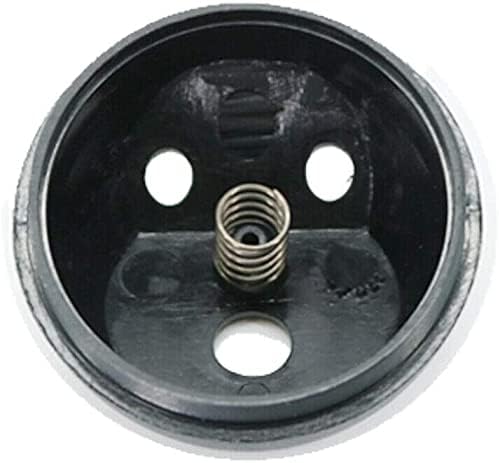
Image: Inside view of a tweeter mounting cup, showing the spring mechanism for securing the tweeter.
2. Wiring the Tweeters and Crossovers
The G-230TW tweeters require a passive crossover to protect them from low frequencies and ensure optimal sound quality. Connect the components as follows:
- Identify Wires: The tweeters have positive (+) and negative (-) terminals, typically indicated by color coding (e.g., red for positive, black for negative) or markings. The passive crossover will have input terminals (from amplifier/head unit) and output terminals (to tweeter).
- Connect Amplifier/Head Unit to Crossover: Connect the speaker output wires from your amplifier or head unit to the input terminals of the passive crossover. Ensure correct polarity.
- Connect Crossover to Tweeter: Connect the tweeter output terminals from the passive crossover to the corresponding positive and negative terminals on the G-230TW tweeter. Maintain correct polarity.
- Secure Connections: Use appropriate connectors (e.g., spade terminals, crimp connectors) and ensure all connections are secure and insulated to prevent short circuits.
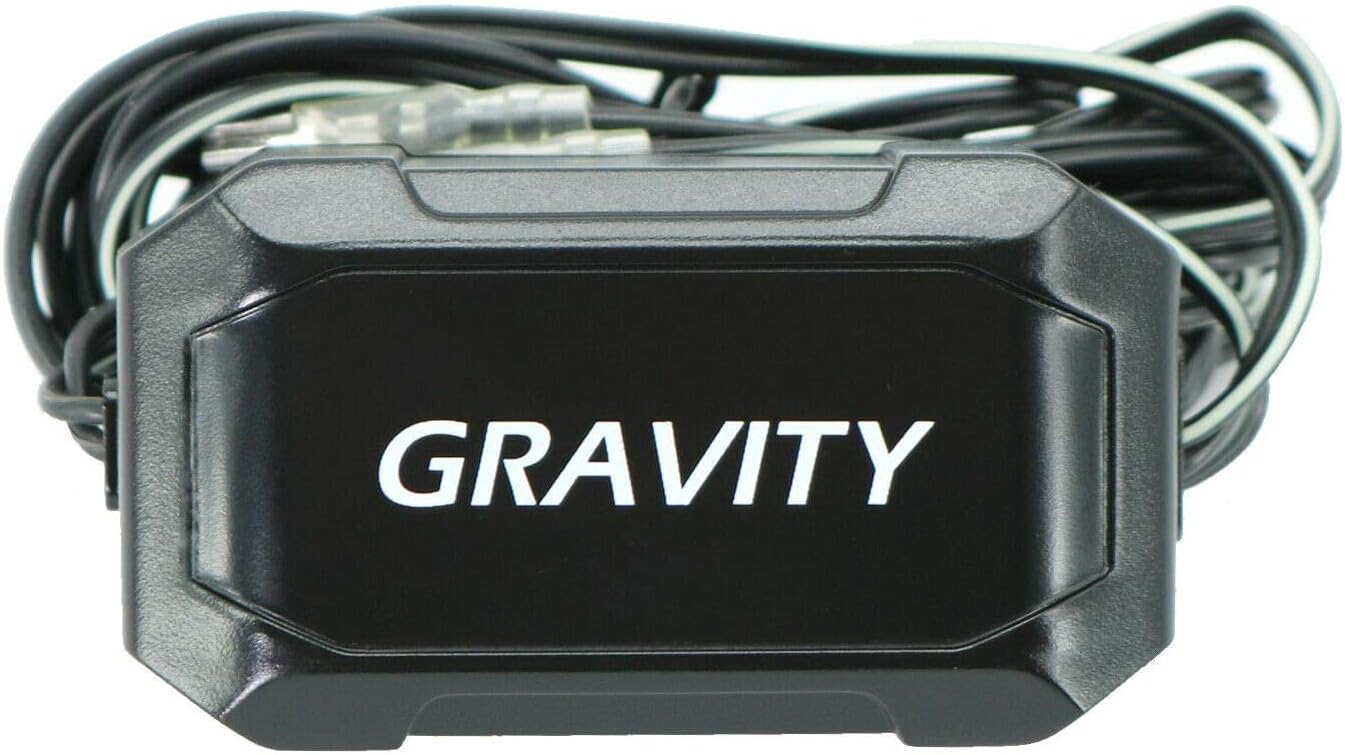
Image: A Gravity passive crossover unit, essential for filtering frequencies to the tweeter.

Image: The rear of the G-230TW tweeter, illustrating the wiring connections.
Operating Instructions
Once properly installed, your Gravity Audio G-230TW tweeters will enhance the high-frequency reproduction of your car audio system. Tweeters are designed to reproduce crisp and clear treble sounds, adding detail and clarity to your music.
- Power Handling: The G-230TW tweeters have a maximum power handling of 350 Watts. Ensure your amplifier's output does not exceed this rating to prevent damage.
- Impedance: These tweeters have a 4 Ohm impedance. Match this with your amplifier's specifications for optimal performance and to prevent overheating.
- Sound Adjustment: Use your head unit's or amplifier's equalizer settings to fine-tune the sound to your preference. Avoid excessive treble boost, which can lead to harsh sound or tweeter damage.
Maintenance
The Gravity Audio G-230TW tweeters require minimal maintenance to ensure long-lasting performance:
- Cleaning: Gently wipe the tweeter grilles and surfaces with a soft, dry cloth to remove dust. Do not use harsh chemicals or abrasive cleaners.
- Inspection: Periodically check wiring connections for tightness and insulation integrity.
- Environmental Protection: Avoid exposing the tweeters to direct sunlight for extended periods or extreme temperature fluctuations, which can degrade materials over time.
Troubleshooting
If you experience issues with your G-230TW tweeters, refer to the following common problems and solutions:
| Problem | Possible Cause | Solution |
|---|---|---|
| No sound from tweeters |
|
|
| Distorted or harsh sound |
|
|
| Intermittent sound |
|
|
Specifications
| Model Name | G-230TW |
| Speaker Type | Tweeter |
| Speaker Size | 1 Inches (Voice Coil) |
| Speaker Maximum Output Power | 350 Watts |
| Impedance | 4 Ohm |
| Connectivity Technology | Wired |
| Mounting Type | Flush Mount (with included pods) |
| Included Components | G-230TW Tweeters, Passive Crossovers, Mounting Hardware |
| Color | Black, Metallic |
| Item Weight | 1.01 pounds (approx.) |
| Manufacturer | Gravity |
Warranty Information
Gravity Audio products are designed for reliability and performance. For specific warranty terms and conditions, please refer to the warranty card included with your product or visit the official Gravity Audio website. Retain your proof of purchase for any warranty claims.
Support
If you require further assistance or have questions not covered in this manual, please contact Gravity Audio customer support through their official website or the retailer where the product was purchased. Please have your model number (G-230TW) and proof of purchase ready.
Ask a question about this manual
Ask about setup, troubleshooting, compatibility, parts, safety, or missing instructions. Manuals+ will review the question and use this page’s manual context to help answer it.