
1. Introduction
Thank you for choosing the Coby LEDTV3216 32-Inch 720p 60Hz Slim-Bezel LED HDTV. This manual provides essential information for the safe and efficient operation of your television. Please read these instructions thoroughly before use and retain them for future reference.
The Coby LEDTV3216 offers a 32-inch widescreen display, a built-in digital TV tuner (ATSC/NTSC/QAM), and multiple connectivity options including HDMI and VGA. It features energy-efficient technology, digital noise reduction, and V-chip parental control.
2. Safety Information
To ensure safe operation and prevent damage, observe the following precautions:
- Power Source: Connect the TV only to an AC 100-240V, 50/60Hz power supply.
- Ventilation: Do not block ventilation openings. Ensure adequate space around the TV for proper airflow.
- Water and Moisture: Do not expose the TV to rain, moisture, or place objects filled with liquids on or near it.
- Heat Sources: Keep the TV away from radiators, heat registers, stoves, or other heat-producing appliances.
- Cleaning: Unplug the TV from the wall outlet before cleaning. Use a soft, dry cloth. Do not use liquid or aerosol cleaners.
- Servicing: Do not attempt to service this product yourself. Refer all servicing to qualified service personnel.
- Wall Mounting: If wall-mounting, ensure the mount is VESA 200mm x 200mm compatible and installed by qualified personnel.
3. Package Contents
Verify that all items are present in the package:
- Coby LEDTV3216 32-Inch LED HDTV
- TV Stand
- Remote Control (requires 2 AAA batteries, included)
- Power Cord
- User Manual (this document)
4. Setup
4.1 Attaching the Stand
To attach the included stand:
- Place the TV face down on a soft, clean surface to prevent screen damage.
- Align the stand base with the mounting holes on the bottom of the TV.
- Secure the stand using the provided screws. Ensure all screws are tightened firmly.
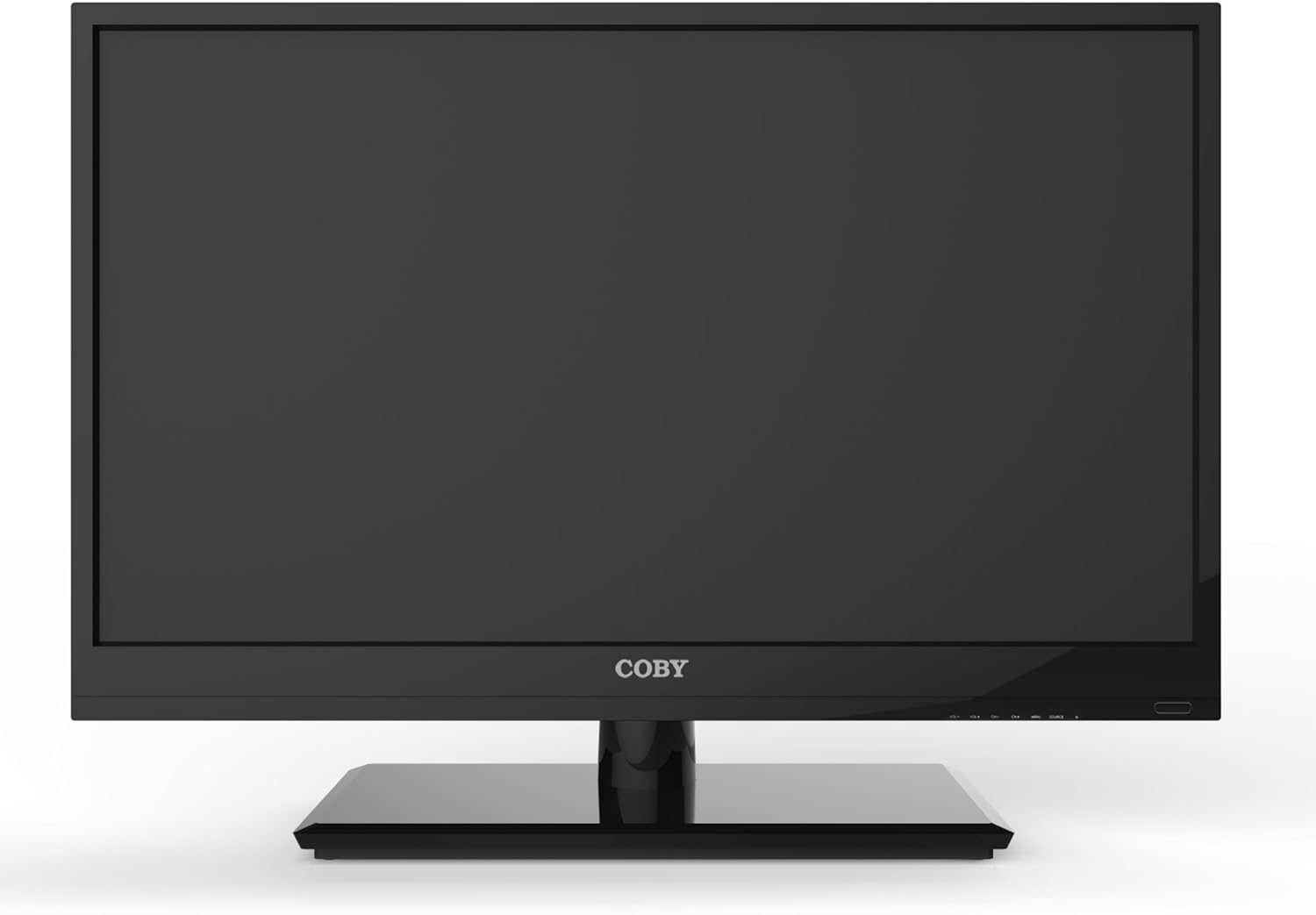
Figure 4.1: Front view of the Coby LEDTV3216 with stand.
4.2 Wall Mounting (Optional)
The TV supports VESA 200mm x 200mm wall mounts. Wall mount hardware is not included. For safe installation, it is recommended to have the TV wall-mounted by a professional.
4.3 Connecting Devices
The Coby LEDTV3216 offers various input ports on the rear panel for connecting external devices.
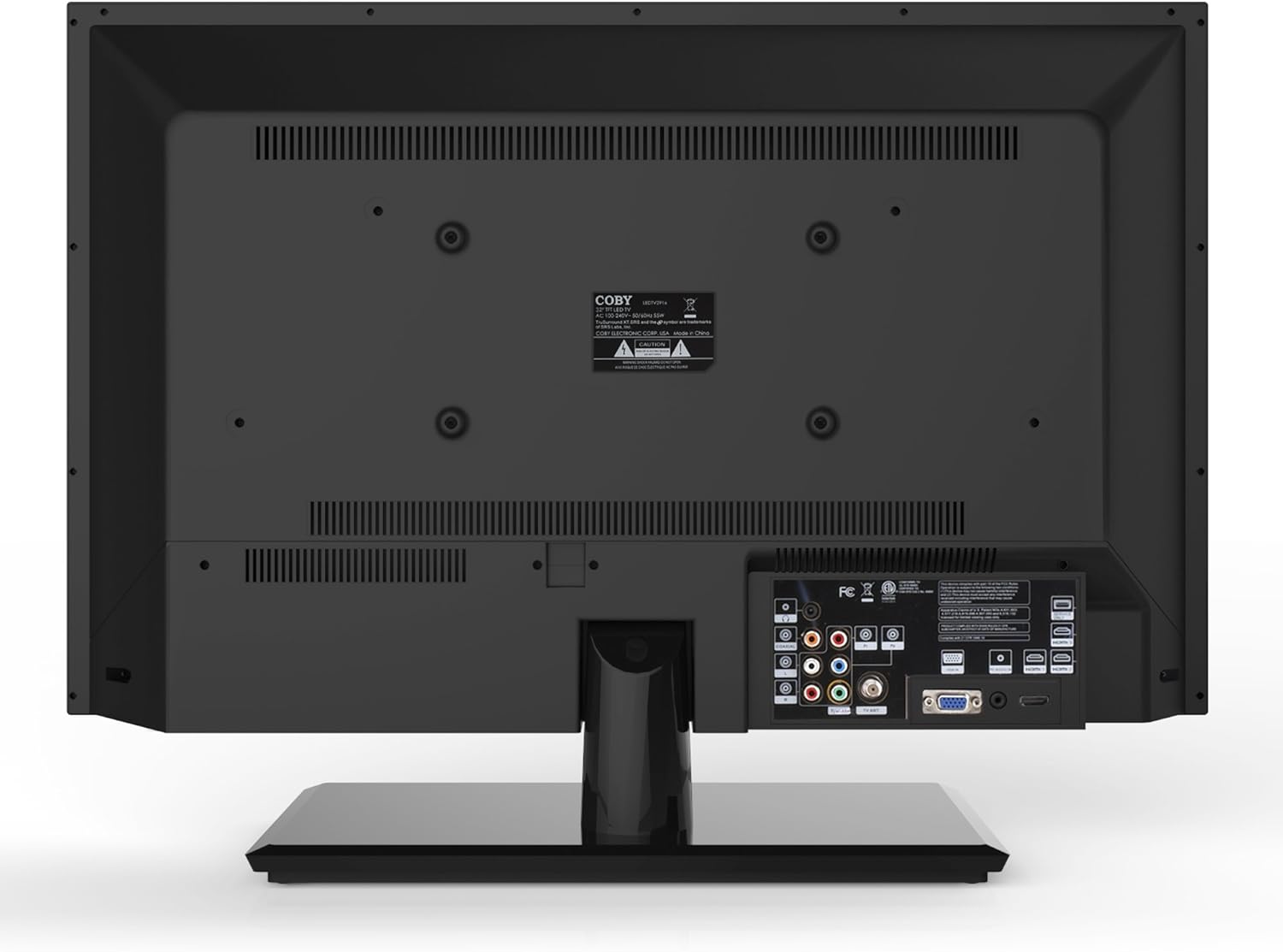
Figure 4.2: Rear view with input ports.
- HDMI: Connect high-definition devices such as Blu-ray players, game consoles, or cable/satellite boxes using an HDMI cable. The TV has 1 HDMI port.
- VGA (PC Input): Connect a computer to use the TV as a monitor. Use a VGA cable for video and a 3.5mm audio cable for audio input.
- Antenna/Cable: Connect an antenna or cable TV feed to the RF input for receiving broadcast channels.
- Component Video (YPbPr): Connect devices using component video cables (red, green, blue) and corresponding audio cables (red, white).
- Composite Video (AV): Connect older devices using composite video (yellow) and stereo audio (red, white) cables.
4.4 Initial Power On
After connecting all desired devices and the power cord, press the Power button on the TV or remote control. Follow the on-screen prompts for initial setup, including language selection and channel scanning.
5. Operating the TV
5.1 Remote Control Functions
The remote control allows you to access all TV functions. Insert the two included AAA batteries into the remote control, observing polarity.
- Power: Turns the TV on or off.
- Input/Source: Selects the input source (HDMI, VGA, TV, AV, Component).
- Volume (+/-): Adjusts the volume level.
- Channel (CH +/-): Changes TV channels.
- Menu: Opens the on-screen display (OSD) menu.
- Navigation Buttons (Up/Down/Left/Right): Navigate through menu options.
- OK/Enter: Confirms selections.
- Exit: Closes the menu.
- Mute: Mutes or unmutes the sound.
- Info: Displays channel or program information.
5.2 Menu Navigation
Press the Menu button on the remote to access the main menu. Use the navigation buttons to select categories such as Picture, Sound, Channel, Time, and Setup. Press OK to enter a sub-menu and adjust settings. Press Exit to leave the menu.
5.3 Picture Settings
Adjust settings like Brightness, Contrast, Color, Tint, and Sharpness to optimize your viewing experience. Picture modes (e.g., Standard, Dynamic, Movie, User) are available for quick adjustments.

Figure 5.1: Coby LEDTV3216 displaying an image.
5.4 Sound Settings
Adjust Bass, Treble, and Balance. Sound modes (e.g., Standard, Music, Movie, User) are available. The TV features premium sound powered by SRS Labs.
5.5 Channel Settings
Perform auto-scan or manual scan to find available channels. The built-in digital TV tuner supports ATSC, NTSC, and QAM standards.
5.6 Parental Control (V-Chip)
The V-chip parental control feature allows you to block programs based on their rating. Access this setting through the menu and follow the on-screen instructions to set up a password and content restrictions.
6. Features
Key features of the Coby LEDTV3216 include:
- Energy efficient technology (standby power less than 0.5W).
- Extended backlight life expectancy (30,000 hours).
- Built-in digital TV tuner (ATSC/NTSC/QAM).
- HDMI digital connection for perfect signal transmission.
- PC VGA connection for use as a computer monitor.
- Premium sound powered by SRS Labs.
- Digital noise reduction.
- V-chip parental control, Closed-Caption, and Electronic Program Guide support.
- Energy Star 5.3 compliant.
- Multi-language on-screen display.
- Wall-Mountable design (200mm x 200mm VESA Mount).
7. Specifications
| Feature | Specification |
|---|---|
| Model Name | LEDTV3216 |
| Screen Size | 32 Inches |
| Display Technology | LED |
| Resolution | 720p |
| Refresh Rate | 60 Hz |
| Contrast Ratio | 3,000:1 |
| Response Time | 6 Milliseconds |
| Connectivity Technology | HDMI, VGA |
| Total Number of HDMI Ports | 1 |
| Tuner Type | ATSC, NTSC, QAM |
| Parental Control | V-Chip |
| VESA Mount Standard | 200 x 200 mm |
| Item Weight | 18.08 Pounds |
| Color | Black |

Figure 7.1: Estimated Yearly Energy Cost for LEDTV3216.
8. Maintenance
8.1 Cleaning the Screen
Gently wipe the screen with a soft, lint-free cloth. For stubborn marks, lightly dampen the cloth with water or a specialized screen cleaner. Never spray cleaner directly onto the screen.
8.2 Cleaning the Cabinet
Wipe the TV cabinet with a soft, dry cloth. Avoid using abrasive cleaners or solvents that may damage the finish.
9. Troubleshooting
If you encounter issues with your TV, refer to the following common problems and solutions:
| Problem | Possible Cause / Solution |
|---|---|
| No power | Ensure the power cord is securely plugged into the TV and a working electrical outlet. Check the power indicator light. |
| No picture, but sound is present | Verify the correct input source is selected. Check cable connections to external devices. |
| No sound, but picture is present | Check the volume level and ensure the TV is not muted. Verify audio cable connections for external devices. |
| Poor picture quality | Adjust picture settings (brightness, contrast, sharpness). Ensure the antenna or cable connection is secure. For digital channels, perform a channel scan. |
| Remote control not working | Check and replace batteries if necessary. Ensure there are no obstructions between the remote and the TV's IR sensor. |
10. Warranty and Support
The Coby LEDTV3216 comes with a limited warranty. Please refer to the warranty card included with your product for specific terms and conditions. For technical support or service inquiries, please contact Coby customer service through their official website or the contact information provided in your warranty documentation.


