
Introduction
This manual provides essential information for the installation, operation, and maintenance of your Zodiac RS-P8 AquaLink RS8 Pool or Spa Only Automation Control System. This system is designed to manage up to 8 auxiliary functions for your pool or spa, utilizing a single set of equipment. Its user-friendly design aims to simplify the control of your aquatic features.
Product Overview
The Zodiac RS-P8 AquaLink RS8 is an advanced automation control system specifically designed for managing pool or spa functions. It offers comprehensive control over various equipment with ease.
Key Features:
- Manages up to 8 auxiliary functions for your pool or spa.
- Designed for use with a single set of pool/spa equipment.
- Features an easy-to-operate interface.
- Provides convenient control over your pool and spa from a central location.
System Components:
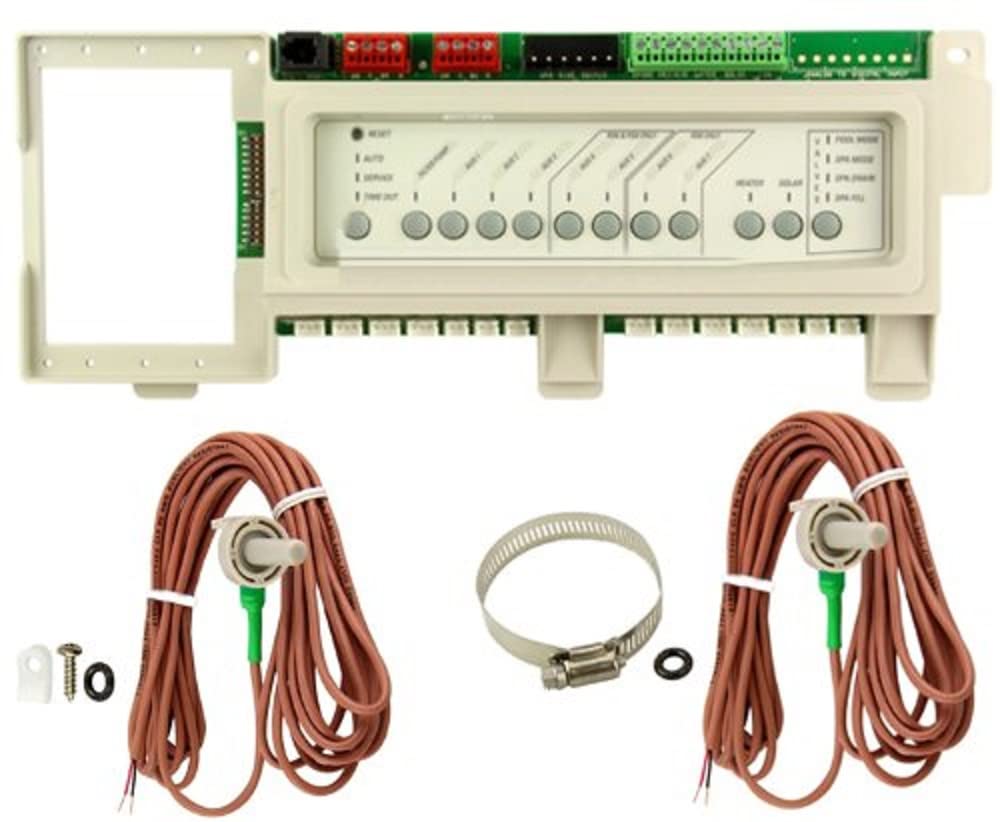
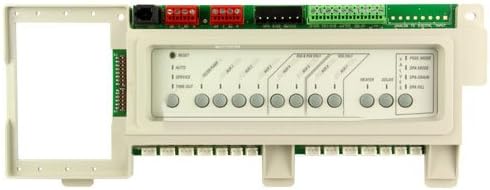
Main control board of the Zodiac RS-P8 AquaLink RS8 system, showing various connection points and interface buttons.
Temperature sensor with wiring, used for monitoring water or air temperature within the AquaLink RS system.
Setup and Installation
Proper installation is crucial for the optimal performance and safety of your AquaLink RS8 system. It is recommended that installation be performed by a qualified professional. Always ensure power is disconnected before beginning any installation or service work.
Installing the Control Panel and Sensors:
- Power Disconnection: Before any work, turn off all power to the pool/spa equipment and the AquaLink RS8 control system at the main breaker.
- Accessing the Enclosure: Open the main control panel enclosure. You may need to remove screws securing the front panel.
- Control Panel Installation: Carefully remove the existing control panel (if any) or prepare the slot for the new RS-P8 control panel. Connect the ribbon cables and any other necessary wiring to the main board.
- Sensor Connection: Connect the temperature sensors (water and air) to their designated ports on the control board. Ensure secure connections.
- Wiring Verification: Double-check all wiring connections against the system's wiring diagram to ensure correct polarity and placement.
- Securing Components: Once all connections are made, secure the control panel and close the enclosure.
- Power Restoration: Restore power to the system. The control panel should power on and display initial information.
Visual Guide: Service Controller Replacement
This video demonstrates the process of replacing a service controller, which includes accessing the main panel, disconnecting and reconnecting components, and verifying system status. This can be helpful for understanding the physical setup of the AquaLink RS8 system.
Operating Your System
The AquaLink RS8 system is designed for intuitive operation. The control panel allows you to monitor and adjust various pool and spa functions.
Basic Functions:
- Power On/Off: Use the main power switch or designated buttons on the control panel to turn the system on or off.
- Auxiliary Control: Activate or deactivate up to 8 auxiliary devices (e.g., lights, waterfalls, additional pumps) directly from the control panel.
- Temperature Monitoring: View current water and air temperatures on the display.
- Mode Selection: Switch between pool and spa modes as needed.
Refer to the on-screen menu and help options for detailed instructions on specific functions and advanced programming.
Maintenance
Regular maintenance ensures the longevity and efficient operation of your Zodiac RS-P8 AquaLink RS8 system. Always disconnect power before performing any maintenance.
- Keep Clean: Periodically wipe down the control panel and enclosure with a soft, damp cloth. Avoid abrasive cleaners.
- Inspect Wiring: Annually inspect all wiring for signs of wear, corrosion, or loose connections.
- Sensor Check: Ensure temperature sensors are clean and free from debris for accurate readings.
- Professional Inspection: It is recommended to have a qualified pool professional inspect your automation system at least once a year.
Troubleshooting
If you encounter issues with your AquaLink RS8 system, refer to the following common troubleshooting steps. For complex problems, contact a certified service technician.
| Problem | Possible Cause | Solution |
|---|---|---|
| System not powering on | No power supply; tripped breaker; loose wiring. | Check main power breaker; verify all wiring connections are secure. |
| Incorrect temperature readings | Dirty or faulty sensor; loose sensor connection. | Clean sensors; ensure sensors are properly connected to the board. |
| Auxiliary equipment not responding | Incorrect programming; faulty relay; power issue to equipment. | Verify programming settings; check power to the specific equipment. |
Specifications
| Feature | Detail |
|---|---|
| Product Dimensions | 12.9 x 7.2 x 6.2 inches |
| Item Weight | 3.75 pounds |
| Manufacturer | Zodiac |
| Model Number | RS-P8 |
| ASIN | B008E6R3G6 |
Warranty and Support
For warranty information and technical support, please refer to the official Zodiac website or contact their customer service. Keep your purchase receipt as proof of purchase for warranty claims.
Additional protection plans may be available for extended coverage. Please check with your retailer for details.


