1. Product Overview
The Meliconi CME ETR100 is a slim tilt wall bracket designed for mounting 14-25 inch LED, LCD, and Plasma televisions. This bracket supports VESA 75 and VESA 100 mounting patterns, allowing for horizontal and vertical screen adjustments to optimize viewing angles. Manufactured in Italy, the ETR100 series emphasizes quality and safety, certified by the TÜV group to ensure reliability and durability.
2. Safety Information
Please read all instructions carefully before installation and use. Improper installation can result in serious injury or damage to your equipment. If you are unsure about the installation process, consult a qualified professional.
- Ensure the mounting surface can safely support the combined weight of the bracket and your television.
- Do not exceed the maximum weight capacity of 20 kg (44 lbs).
- Verify that the VESA mounting pattern of your TV is compatible (75x75mm or 100x100mm).
- Use appropriate tools and hardware for your specific wall type.
- Keep children and pets away from the installation area.
- The safety and quality of Meliconi supports have been certified by the TÜV group, tested with a safety factor of three times the declared maximum load.
3. Package Contents
The Meliconi CME ETR100 package includes the following items:
- 1 x TV Wall Bracket (Meliconi CME ETR100)
- Mounting Hardware Kit (screws, anchors, washers)
- Installation Guide
4. Product Features
- TV Size Compatibility: 14 - 25 inches (36 - 63 cm)
- Maximum Capacity: 20 kg (44 lbs)
- Horizontal Rotation: ±25°
- Vertical Rotation (Tilt): -5° to +15°
- VESA Compatibility: 75x75 mm and 100x100 mm
- Material: Metal
- Color: Black
5. Setup and Installation
Follow these general steps for installing your Meliconi CME ETR100 wall bracket. Refer to the detailed installation guide included in your package for specific instructions and diagrams.
- Identify Mounting Location: Choose a suitable wall location, ensuring it is structurally sound and free from electrical wires or plumbing.
- Mark Drilling Holes: Use the wall plate as a template to mark the drilling points on the wall. Ensure the marks are level.
- Drill Pilot Holes: Drill pilot holes according to the recommended drill bit size for your wall type (e.g., concrete, wood stud, drywall).
- Attach Wall Plate: Secure the wall plate to the wall using the provided screws and anchors. Ensure it is firmly attached and level.
- Attach TV Plate to TV: Fasten the TV mounting plate to the back of your television using the appropriate VESA screws.
- Mount TV to Wall Plate: Carefully lift the television and hook the TV plate onto the wall plate. Secure it in place according to the bracket's locking mechanism.
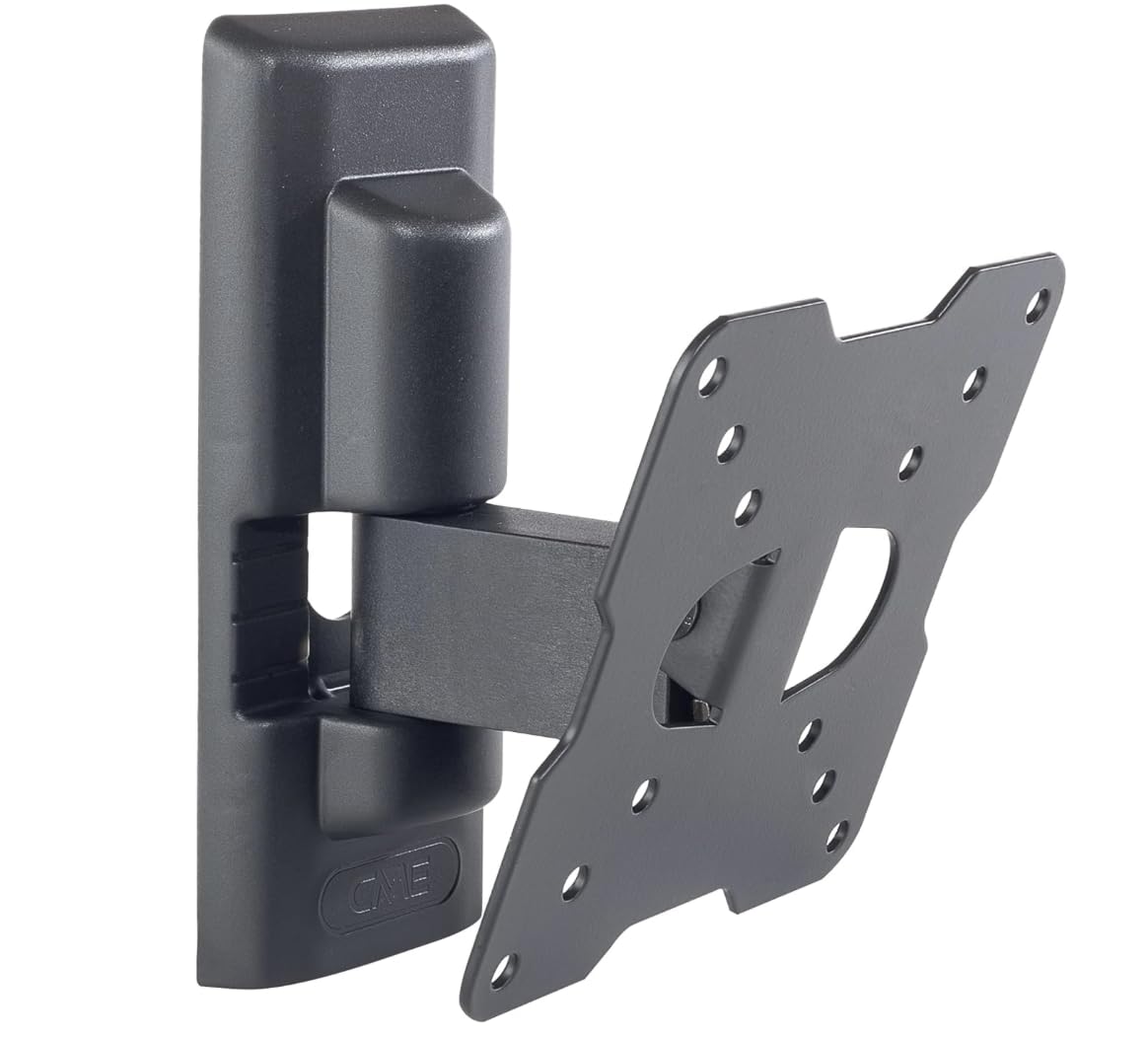
Image 1: The Meliconi CME ETR100 Slim Tilt Wall Bracket, showcasing its compact design and VESA mounting plate.

Image 2: Detailed technical diagram of the Meliconi CME ETR100 bracket, illustrating its dimensions, tilt, and rotation capabilities, along with VESA 75-100 mounting patterns.
Video 1: A product summary video demonstrating the features and functionality of the Meliconi CME ETR100 Slim Tilt Wall Bracket. This video provides a visual overview of the product's design and movement capabilities.
6. Operating Instructions
The Meliconi CME ETR100 bracket allows for easy adjustment of your TV's viewing angle.
- Tilting: To adjust the vertical tilt, gently push or pull the top or bottom of your TV to achieve the desired angle between -5° and +15°. The bracket is designed to hold its position once adjusted.
- Horizontal Rotation (Swivel): To adjust the horizontal rotation, gently swivel your TV left or right. The bracket allows for a ±25° rotation to fine-tune your viewing position.
Always adjust the TV carefully and avoid excessive force to prevent damage to the bracket or television.
7. Maintenance
Regular maintenance ensures the longevity and safe operation of your wall bracket.
- Cleaning: Wipe the bracket with a soft, dry cloth. Avoid using abrasive cleaners or solvents that could damage the finish.
- Inspection: Periodically check all screws and connections to ensure they remain tight. Re-tighten if necessary.
- Movement Check: Occasionally test the tilt and swivel mechanisms to ensure smooth operation.
8. Troubleshooting
If you encounter issues with your Meliconi CME ETR100 bracket, consider the following:
- TV Not Level: Ensure the wall plate was installed perfectly level. Minor adjustments can sometimes be made by slightly loosening and re-tightening mounting screws, or by using the bracket's built-in leveling features if available.
- Bracket Feels Loose: Re-check all wall mounting screws and TV attachment screws. Ensure they are securely tightened. Do not overtighten.
- Difficulty Adjusting Tilt/Swivel: Ensure no cables are obstructing movement. If the movement is stiff, check for any debris or obstructions in the joints.
- TV Exceeds Weight/Size Limit: If your TV is heavier than 20 kg or larger than 25 inches, it is not compatible with this bracket. Using an incompatible TV can lead to failure and damage.
For persistent issues, contact Meliconi customer support.
9. Specifications
| Feature | Specification |
|---|---|
| Brand | Meliconi |
| Model Number | ETR100 (Item model number: 580411 BC1) |
| TV Size Compatibility | 14 - 25 inches (36 - 63 cm) |
| Maximum Weight Capacity | 20 kg (44 lbs) |
| VESA Compatibility | 75x75 mm, 100x100 mm |
| Horizontal Rotation | ±25° |
| Vertical Rotation (Tilt) | -5° to +15° |
| Product Dimensions | 4.53 x 7.28 x 3.39 inches |
| Item Weight | 1.24 pounds |
| Material | Metal |
| Color | Black |
| Manufacturing Origin | Italy |
10. Warranty and Support
The Meliconi CME ETR100 wall bracket is proudly Made in Italy, reflecting a commitment to quality and craftsmanship. For warranty information, product support, or to purchase replacement parts, please refer to the official Meliconi website or contact their customer service department directly. Keep your purchase receipt as proof of purchase for any warranty claims.


