
1. Introduction
Thank you for purchasing the Panasonic FlashXpress Toaster Oven NB-G110P. This compact countertop appliance is designed for efficient and versatile cooking, featuring double infrared heating elements for instant heat and no preheating. This manual provides essential information for safe and effective operation, maintenance, and troubleshooting to ensure optimal performance of your toaster oven.
The FlashXpress toaster oven is ideal for preparing a variety of foods, including toast, waffles, bagels, frozen pizza, hash browns, and reheating rolls, breads, and leftovers. Its precise temperature control and digital timer offer convenience for everyday use.
2. Safety Instructions
Please read all instructions carefully before using the appliance. Failure to follow these instructions may result in electric shock, fire, or serious injury.
- Electrical Safety: Ensure the appliance is plugged into a grounded outlet. Do not immerse the cord, plug, or appliance in water or other liquid. Unplug from outlet when not in use and before cleaning.
- Hot Surfaces: Surfaces of the toaster oven become hot during and after operation. Use oven mitts or gloves when handling hot materials. Do not touch hot surfaces.
- Placement: Place the toaster oven on a stable, heat-resistant surface. Maintain adequate clearance (at least 4 inches) from walls, cabinets, and other appliances to ensure proper ventilation. Do not operate under wall cabinets.
- Food Safety: Do not place oversized foods, metal foil packages, or utensils into the toaster oven as they may create a fire or risk of electric shock. Exercise extreme caution when using containers constructed of materials other than metal or oven-safe glass.
- Supervision: Close supervision is necessary when any appliance is used by or near children.
- Maintenance: Refer to the Maintenance and Cleaning section for proper care. Do not attempt to repair the appliance yourself. Contact qualified service personnel for repairs.
3. Product Overview
The Panasonic FlashXpress Toaster Oven NB-G110P is designed for quick and efficient cooking with its double infrared heating technology. Below are its key features and components.
Key Features:
- Double Infrared Heating: Provides instant heat, eliminating the need for preheating.
- Six 1-Touch Controls: Pre-set cooking functions for common foods like toast, waffles, rolls, pizza, hash browns, and quick reheat.
- Precise Temperature Control: Adjustable from 250°F to 500°F (120°C to 260°C).
- Digital Timer: Up to 25 minutes for precise cooking duration.
- Removable Crumb Tray: For easy cleaning and maintenance.
- Connected Baking Rack: Pulls out automatically when the door is opened for safe food retrieval.
- Interior Light: Allows monitoring of food during cooking.
- Automatic Shut-Off: Enhances safety and prevents overcooking.
Components and Controls:
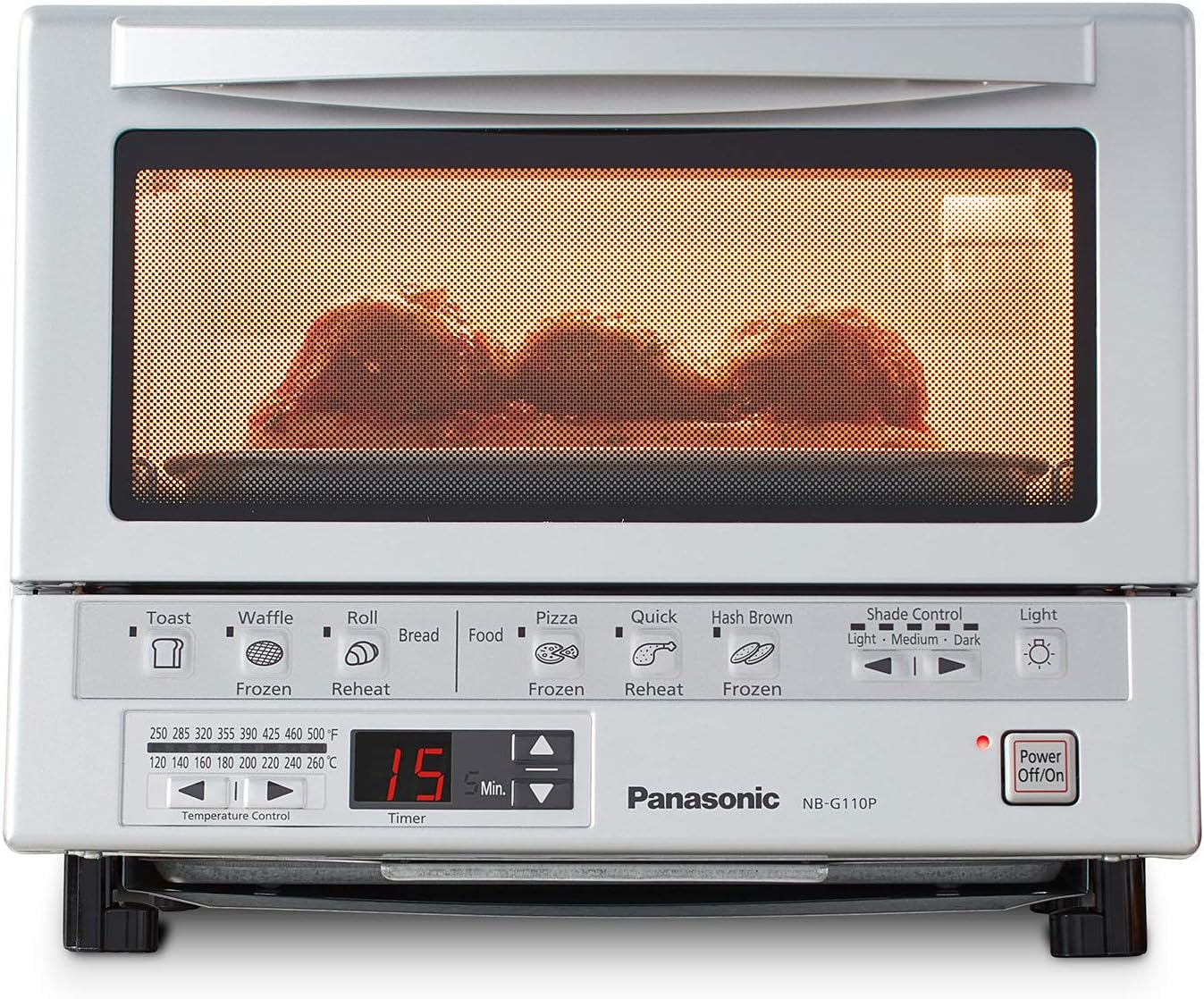
Figure 1: Front view of the Panasonic FlashXpress Toaster Oven NB-G110P, showing the control panel and food being cooked.

Figure 2: Detailed view of the control panel with numbered features for precise temperature, preset modes, timer, browning settings, and adjustable interior brightness.
- Temperature Control Dial: Adjusts cooking temperature.
- Preset Buttons: One-touch selection for specific food types.
- Timer: Digital display and adjustment buttons for cooking duration.
- Shade Control: Adjusts toast darkness (Light, Medium, Dark).
- Light Button: Activates the interior light.
- Power On/Off Button: Initiates or stops cooking.
4. Setup
Before first use, ensure the toaster oven is properly set up and cleaned.
- Unpacking: Remove all packaging materials, including any protective films or stickers.
- Placement: Place the toaster oven on a flat, stable, heat-resistant surface. Ensure there is at least 4 inches (10 cm) of clearance on all sides and above the appliance for proper ventilation. Do not place it directly under cabinets.
- Initial Cleaning: Wash the removable baking pan, wire rack, and crumb tray in warm, soapy water. Rinse thoroughly and dry completely. Wipe the interior and exterior of the oven with a damp cloth.
- Power Connection: Plug the power cord into a grounded electrical outlet.
5. Operating Instructions
The Panasonic FlashXpress Toaster Oven offers intuitive controls for various cooking needs.
Basic Operation:
- Place food on the baking pan or wire rack.
- Slide the baking pan/wire rack into the desired position within the oven.
- Close the oven door.
- Select the desired cooking function using the preset buttons or manually adjust temperature and time.
- Press the Power On/Off button to start cooking.
Using Preset Functions:
The toaster oven features six 1-touch preset buttons for common food items:
- Toast: For bread slices. Adjust shade control (Light, Medium, Dark) as desired.
- Waffle (Frozen): Optimized for frozen waffles.
- Roll (Reheat): For reheating rolls and pastries.
- Pizza (Frozen): Ideal for frozen pizzas up to 9 inches.
- Quick Reheat: For general reheating of leftovers.
- Hash Brown (Frozen): Specifically for frozen hash browns.
Simply press the corresponding button for your food item. The oven will automatically set the optimal temperature and time. You can adjust the shade control for toast/bagels if needed.
Manual Temperature and Timer Adjustment:
For foods not covered by presets, use the temperature control dial and timer buttons:
- Temperature: Rotate the temperature control dial to select a temperature between 250°F and 500°F (120°C and 260°C).
- Timer: Use the up/down arrows next to the digital timer to set the desired cooking duration (up to 25 minutes).
- Press the Power On/Off button to begin cooking.
Video 1: Official Panasonic video demonstrating the FlashXpress Toaster Oven's features and ease of use.
Video 2: Official Panasonic video highlighting the compact design and various cooking capabilities of the FlashXpress Compact Toaster Oven.
6. Maintenance and Cleaning
Regular cleaning ensures the longevity and optimal performance of your toaster oven.
- Always Unplug: Before cleaning, always unplug the toaster oven from the electrical outlet and allow it to cool completely.
- Crumb Tray: The removable crumb tray should be emptied regularly. Slide it out from the bottom, discard crumbs, and wash it in warm, soapy water. Rinse and dry thoroughly before replacing.
- Baking Pan and Wire Rack: These accessories can be washed in warm, soapy water. For stubborn food residue, soak them before scrubbing. Rinse and dry completely.
- Interior: Wipe the interior walls with a damp cloth and mild detergent. Avoid abrasive cleaners or scouring pads that could damage the non-stick coating.
- Exterior: Clean the exterior with a soft, damp cloth. Do not use abrasive cleaners or metal scouring pads.
- Door: Clean the glass door with a damp cloth and a non-abrasive cleaner.
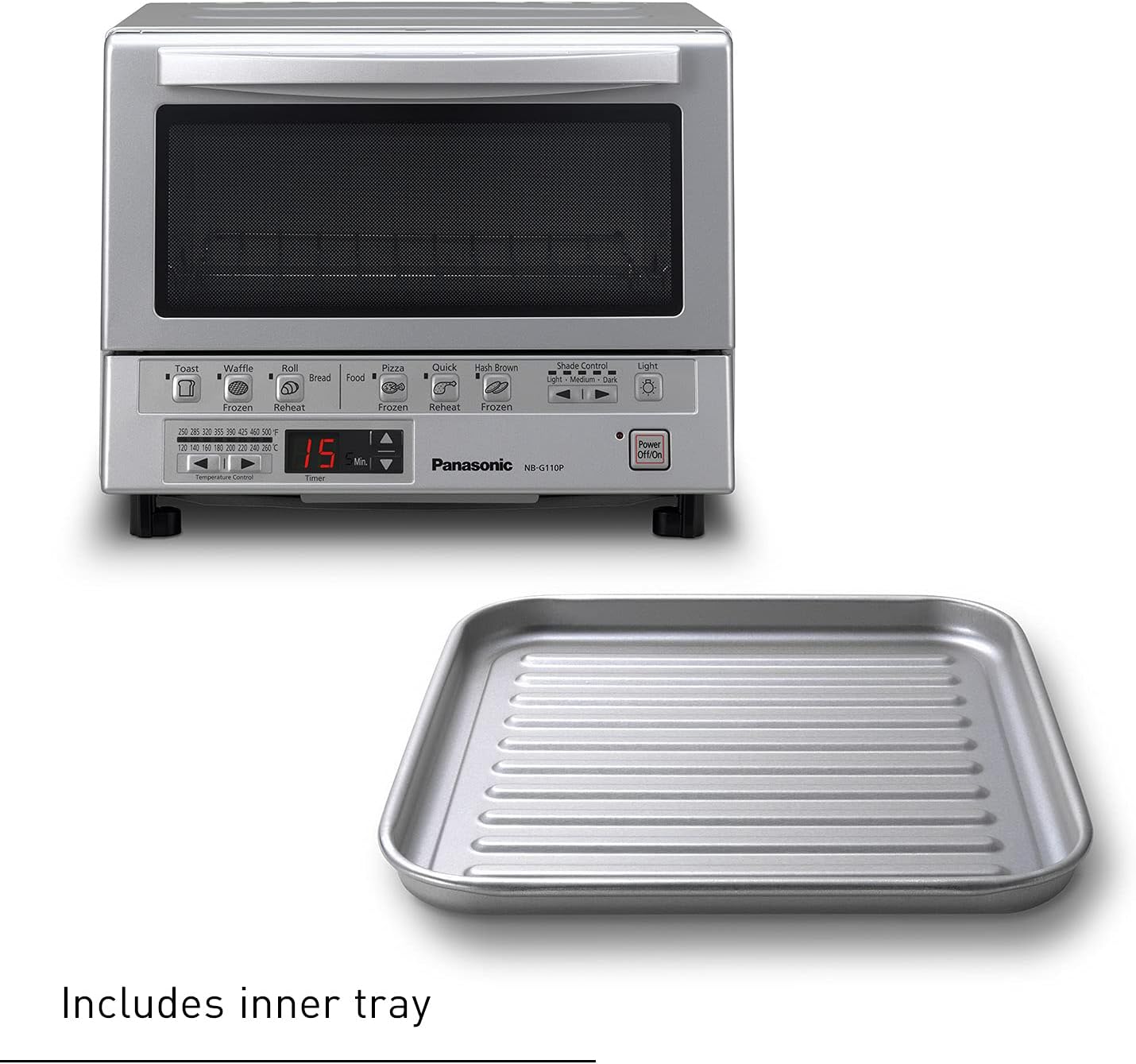
Figure 3: The removable inner tray, designed for easy cleaning.

Figure 4: The non-stick interior and wire rack, highlighting ease of cleaning.
7. Troubleshooting
If you encounter issues with your Panasonic FlashXpress Toaster Oven, refer to the following common troubleshooting steps:
- Appliance does not turn on: Ensure the power cord is securely plugged into a working electrical outlet. Check if the Power On/Off button has been pressed.
- Food is not cooking evenly: Ensure the food is placed centrally on the rack. For toast, ensure slices are evenly distributed. Adjust temperature or cooking time as needed.
- Smoke or unusual odor: A small amount of smoke or odor may occur during initial use. If excessive smoke occurs, unplug the appliance immediately and allow it to cool. Ensure the crumb tray and interior are clean and free of food debris.
- Timer not working: Ensure the timer has been set correctly. If using a preset function, the timer is automatically set.
- Rack does not slide out smoothly: Ensure the rack is properly seated in its grooves. Clean any debris or food particles that may be obstructing its movement.
If the problem persists after attempting these steps, please contact Panasonic customer support.
8. Specifications
| Feature | Specification |
|---|---|
| Brand | Panasonic |
| Model Name | FlashXpress |
| Item Model Number | NB-G110P |
| Color | Matte Silver |
| Product Dimensions | 12"D x 13"W x 10.25"H |
| Item Weight | 7.5 pounds |
| Power Source | Corded Electric |
| Temperature Range | 250 - 500 Degrees Fahrenheit |
| Control Type | Touch Control |
| Included Components | Baking Pan, Crumb Tray, Wire Rack |

Figure 5: Visual representation of the toaster oven's dimensions.
9. Warranty and Support
For warranty information and customer support, please refer to the documentation included with your product or visit the official Panasonic website. Keep your purchase receipt as proof of purchase for any warranty claims.
Online Support: Visit the Panasonic Store on Amazon


