
1. Introduction
This instruction manual provides essential information for the safe installation, operation, and maintenance of your Duravit Utronic Urinal, Model 0830370000. This electronic urinal is crafted from high-quality sanitary ceramic and features a rear water supply connection and battery-powered electronic flush mechanism. Please read this manual thoroughly before installation and use, and retain it for future reference.
2. Safety Instructions
- Professional Installation: Installation of this urinal should only be performed by a qualified plumber or technician in accordance with local building and plumbing codes.
- Electrical Safety: The electronic flush system requires battery power. Ensure correct battery type and polarity during installation. Do not expose battery compartment to excessive moisture.
- Water Supply: Ensure the water supply is turned off before connecting or disconnecting water lines. Check for leaks after installation.
- Cleaning: Use only mild, non-abrasive cleaning agents suitable for ceramic surfaces. Avoid harsh chemicals that may damage the finish or electronic components.
- Children: Keep packaging materials out of reach of children to prevent choking hazards.
3. Setup and Installation
The Duravit Utronic Urinal is designed for rear water supply. Accurate measurements and proper mounting are crucial for correct function and stability.


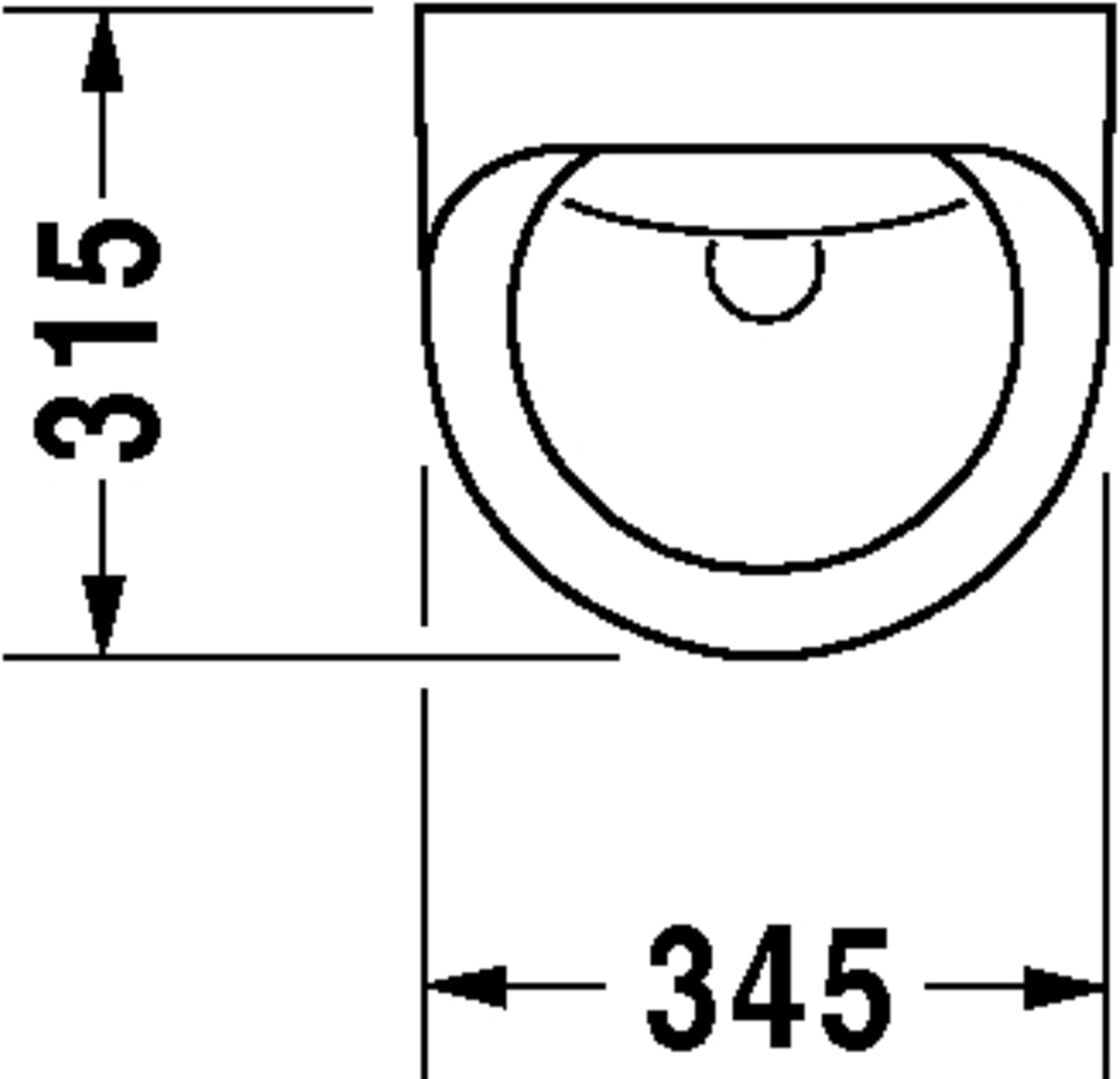
Installation Steps:
- Prepare Wall: Ensure the wall is structurally sound and prepared for mounting. Mark drilling points according to the dimensions provided in Figure 3.1.
- Water and Waste Connections: Install the rear water supply and waste pipe connections at the specified heights and diameters (refer to Figures 3.1 and 3.2).
- Mount Urinal: Securely mount the urinal to the wall using appropriate fasteners. Ensure it is level and stable.
- Connect Water: Connect the water supply to the urinal's inlet. Turn on the water supply and check for leaks.
- Install Battery: Open the battery compartment (usually located on the underside or rear of the urinal) and insert the required batteries, ensuring correct polarity. Close the compartment securely.
- Test Functionality: Test the electronic flush mechanism by activating the sensor.
4. Operating Instructions
The Duravit Utronic Urinal features an automatic, sensor-activated flush system.
- Automatic Flush: The urinal will automatically flush after use, triggered by the integrated sensor detecting presence and subsequent absence.
- Sensor Range: The sensor is factory-set for optimal performance. Avoid placing objects directly in front of the sensor that might interfere with its operation.
- Manual Override (if applicable): Some models may feature a manual flush button for additional flushing. Refer to specific product documentation if present.
5. Maintenance
Cleaning:
- Clean the ceramic surface regularly with a soft cloth and a mild, non-abrasive bathroom cleaner.
- Do not use abrasive sponges, scouring powders, or strong chemical cleaners (e.g., bleach, acid-based cleaners) as these can damage the ceramic finish and electronic components.
- Wipe the sensor area with a soft, damp cloth to ensure it remains free of dirt and debris.
Battery Replacement:
When the battery power is low, the flush mechanism may become inconsistent or stop working. Replace batteries as follows:
- Turn off the water supply to the urinal.
- Locate the battery compartment (refer to installation diagrams or product specifics).
- Open the compartment and remove the old batteries.
- Insert new batteries of the specified type, ensuring correct polarity.
- Close the battery compartment securely.
- Turn on the water supply and test the urinal's function.
6. Troubleshooting
| Problem | Possible Cause | Solution |
|---|---|---|
| Urinal does not flush automatically. | Low or dead batteries. Sensor is dirty or obstructed. Water supply is off. | Replace batteries. Clean the sensor area. Check if the water supply valve is open. |
| Urinal flushes continuously. | Sensor is obstructed or faulty. Water valve issue. | Clean the sensor area. If problem persists, contact a qualified technician. Check water valve for proper closure. |
| Weak or incomplete flush. | Low water pressure. Partial obstruction in water inlet. | Check building's water pressure. Consult a plumber to inspect water lines. |
| Water leakage. | Loose connections. Damaged seals. | Turn off water supply immediately. Tighten connections. Replace seals if damaged. Contact a plumber. |
If you encounter problems not listed here or if the suggested solutions do not resolve the issue, please contact a qualified service technician.
7. Specifications
- Model Number: 0830370000
- Material: Sanitary Ceramic
- Color: Alpine White (00)
- Dimensions (Overall):
- Width: 345 mm
- Depth: 615 mm
- Height: 700 mm
- Water Supply: Rear Inlet
- Flush Type: Electronic, Sensor-Activated
- Power Source: Battery Connection
- Waste Outlet Diameter: Ø50 mm
8. Warranty and Support
For warranty information and technical support, please refer to the official Duravit website or contact your local Duravit dealer. Keep your purchase receipt as proof of purchase.
Duravit Contact Information: Please visit www.duravit.com for contact details and further product information.


