
1. Product Overview
The Honey-Can-Do STO-01400 Remote Control Organizer is designed to keep your remote controls neatly stored and easily accessible. Its flat design allows for convenient placement on various surfaces, and integrated handles provide portability.
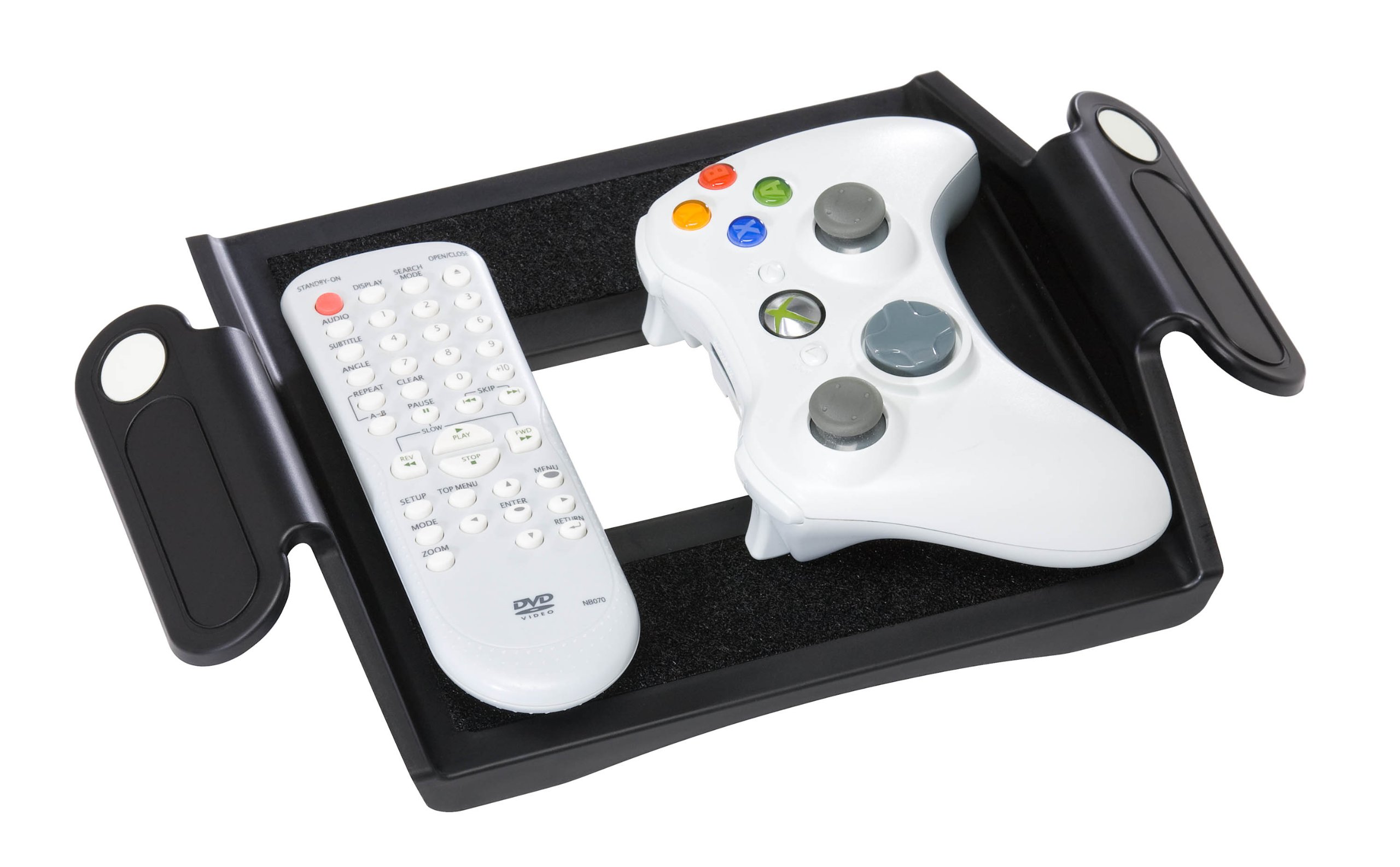
Image 1.1: The Honey-Can-Do STO-01400 Remote Control Organizer in black, shown from an angled perspective, highlighting its flat design and multiple compartments.
Key Features:
- Accommodates 4 or more remote controls, depending on their size.
- Equipped with two handles for easy relocation.
- Flat design for stable placement on tables or other surfaces.
- Includes Velcro strips for securing remotes within the organizer.
2. Setup
The Honey-Can-Do STO-01400 Remote Control Organizer requires no assembly. Follow these steps to set up your organizer:
- Unpack: Carefully remove the organizer from its packaging.
- Position: Place the organizer on a flat, stable surface such as a coffee table, end table, or entertainment unit.
- Secure Remotes (Optional): For added stability, use the provided circular Velcro strips. Peel one side of a Velcro strip and attach it to the back of your remote control. Peel the other side and press the remote firmly into one of the organizer's compartments. Repeat for other remotes as desired.
- Organize: Place your remote controls into the designated compartments.
3. Operating Instructions
Using your remote control organizer is straightforward:
- Storage: Place your remote controls into the various compartments of the organizer when not in use.
- Access: Easily retrieve any remote control from its compartment as needed.
- Portability: Use the two integrated handles to lift and move the organizer to a different location if required.
4. Maintenance
To ensure the longevity and appearance of your remote control organizer, follow these simple maintenance guidelines:
- Cleaning: Wipe the organizer with a soft, damp cloth to remove dust and light dirt. Avoid using abrasive cleaners or harsh chemicals, as these may damage the finish.
- Drying: After cleaning, dry the organizer thoroughly with a clean, dry cloth.
- Storage: Store the organizer in a dry environment away from direct sunlight or extreme temperatures.
5. Troubleshooting
If you encounter any issues with your remote control organizer, refer to the following common solutions:
- Remotes not staying in place:
- Ensure the Velcro strips are properly applied to both the remote and the organizer.
- Clean the surfaces before applying Velcro to ensure good adhesion.
- If Velcro strips lose their stickiness over time, replace them with new ones.
- Organizer appears unstable:
- Ensure the organizer is placed on a completely flat and level surface.
- Distribute the weight of the remotes evenly across the compartments.
6. Specifications
| Model Number | STO-01400 |
| Color | Black |
| Dimensions (LxWxH) | 19.1 x 19.1 x 31.8 Centimeters |
| Item Weight | 454 g (1 Pound) |
| Assembly Required | No |
| Manufacturer | Honey-Can-Do |
7. Warranty and Support
This Honey-Can-Do STO-01400 Remote Control Organizer comes with a 1-Year Warranty from the date of purchase, covering manufacturing defects.
For warranty claims, technical support, or any inquiries regarding your product, please contact Honey-Can-Do customer service directly. Refer to the official Honey-Can-Do website or product packaging for the most current contact information.
Please retain your proof of purchase for warranty validation.