
1. Introduction
This manual provides instructions for the proper installation, use, and maintenance of your Cellular Line Shocking Protective Case for the Samsung Galaxy S3. This case is designed to offer enhanced protection against impacts and scratches while maintaining full accessibility to your device's functions.
2. Package Contents
- Cellular Line Shocking Protective Case
- Screen Protector
3. Setup and Installation
Follow these steps to properly install your Cellular Line Shocking Protective Case and screen protector on your Samsung Galaxy S3.
3.1. Installing the Screen Protector
- Clean the Screen: Ensure your Samsung Galaxy S3 screen is free of dust, smudges, and fingerprints. Use a microfiber cloth for best results.
- Align the Protector: Carefully align the screen protector with the device's screen, paying attention to cutouts for the speaker, camera, and home button.
- Apply the Protector: Gently lay the screen protector onto the screen. If bubbles appear, gently push them towards the edges using a soft card or your finger.

Image 1: Front view of the Samsung Galaxy S3 with the protective case and screen protector installed, showing full screen visibility.
3.2. Installing the Protective Case
- Insert Phone: Hold your Samsung Galaxy S3 and gently slide it into the Cellular Line Shocking case, starting with one side.
- Secure Fit: Ensure all edges of the phone are securely seated within the case. The case is designed for a "Perfect Fit," providing full accessibility to buttons, controls, and connectors.
- Check Accessibility: Verify that all ports, buttons, and the camera are unobstructed and fully functional.
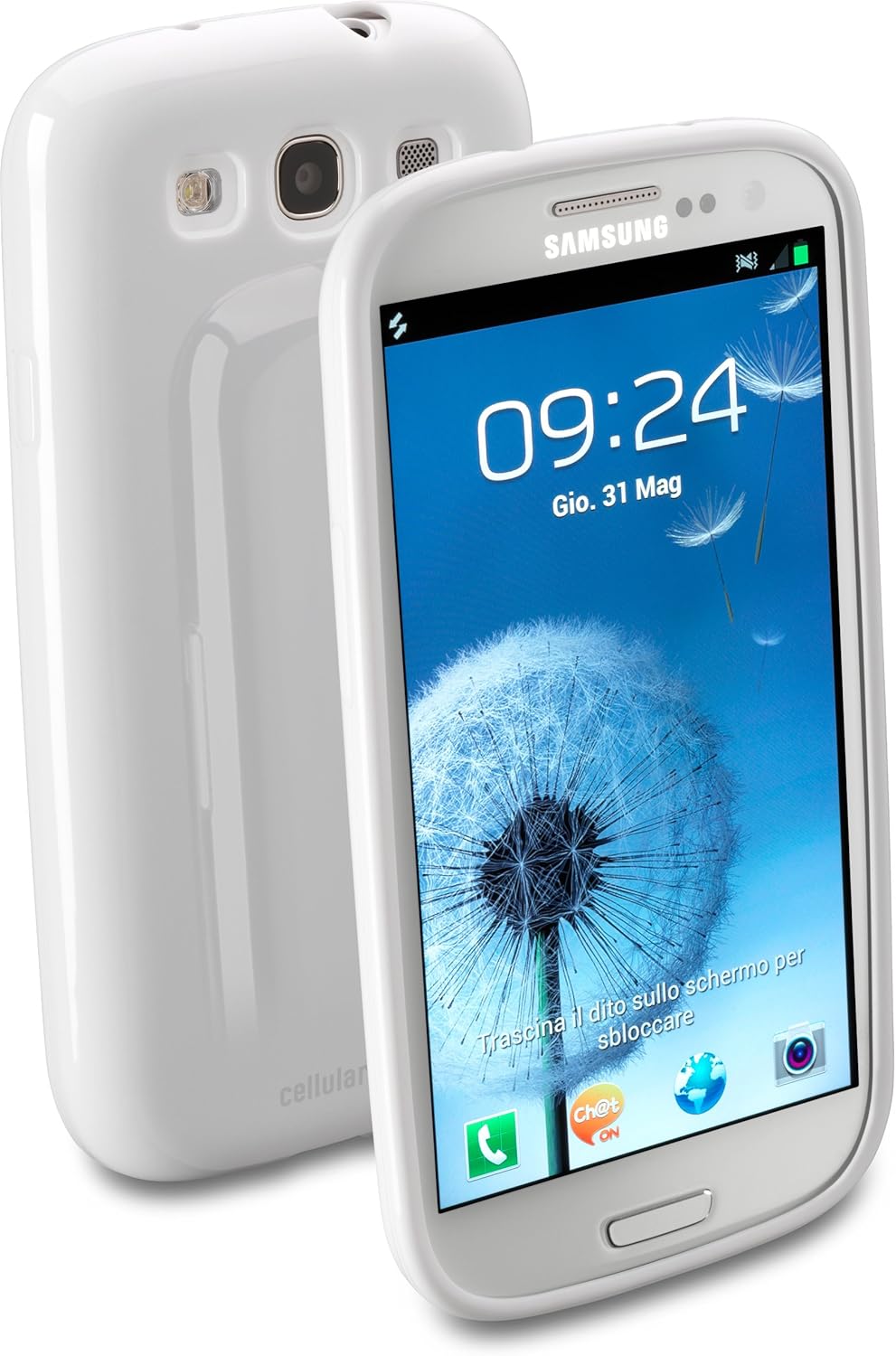
Image 2: Front and back view of the Samsung Galaxy S3 securely fitted within the Cellular Line Shocking protective case.
4. Operating Your Device with the Case
The Cellular Line Shocking case is designed to be "Assembly-free" and allows for normal operation of your Samsung Galaxy S3. Its "Corner protection" feature provides additional safeguarding for the screen against lateral impacts.
- Button Access: All physical buttons (power, volume) remain fully accessible and responsive.
- Port Access: Charging port, headphone jack, and other connectors are unobstructed for easy use.
- Camera Functionality: The camera and flash are fully functional without obstruction from the case.

Image 3: Rear view of the Samsung Galaxy S3 in the case, highlighting precise cutouts for the camera, flash, and speaker.
5. Maintenance and Care
To ensure the longevity and appearance of your Cellular Line Shocking Protective Case, follow these care instructions:
- Cleaning: Wipe the case regularly with a soft, damp cloth. Avoid harsh chemicals or abrasive cleaners, as these can damage the rubber material.
- Avoid Stains: The white rubber material may be susceptible to staining from certain dyes or materials. Clean any spills promptly.
- Storage: When not in use, store the case in a cool, dry place away from direct sunlight to prevent material degradation.
6. Troubleshooting
This section addresses common concerns regarding the protective case.
- Case does not fit: Ensure you have the correct model case for your device. This case is specifically designed for the Samsung Galaxy S3.
- Buttons are stiff: After initial installation, press the buttons a few times to ensure they are properly aligned and responsive.
- Screen protector bubbles: If bubbles persist after installation, gently lift a corner of the screen protector and reapply slowly, pushing air out as you go.
7. Product Specifications
| Feature | Detail |
|---|---|
| Product Name | Cellular Line Shocking Protective Case |
| Model Number | SHCKGALAXYS3W |
| Compatible Device | Samsung Galaxy S3 |
| Material | Rubber (Gomma) |
| Color | White |
| Key Features | Shock absorption, Corner protection, Full accessibility, Includes screen protector |
| Item Weight | 1.76 ounces (approximately 50 grams) |
| Package Dimensions | 6.85 x 3.54 x 0.87 inches (17.4 x 9 x 2.2 cm) |
8. Warranty Information
For warranty details and terms, please refer to the official Cellular Line website or contact their customer support directly. Keep your proof of purchase for any warranty claims.
9. Customer Support
If you encounter any issues or have questions not covered in this manual, please visit the official Cellular Line support page or contact their customer service department for assistance.


