
1. Introduction
Thank you for choosing the MTX Audio RTX88 Road Thunder Xtreme Full Range Speakers. This manual provides essential information for the proper installation, operation, and maintenance of your new speakers. Please read this manual thoroughly before attempting installation or operation to ensure optimal performance and safety.
The MTX RTX88 is an 8-inch (20.32 cm) full-range speaker designed for high-performance audio systems. It features a treated paper cone, 8 ohms impedance, and is capable of handling 300W peak power (150W RMS).
2. Safety Information
- Always disconnect the vehicle's battery before beginning any electrical installation to prevent short circuits.
- Ensure all wiring is properly insulated and secured to prevent damage from vibration or abrasion.
- Avoid installing speakers in locations that obstruct vehicle operation or safety features.
- Consult a professional car audio installer if you are unsure about any part of the installation process.
- Prolonged exposure to high volume levels can cause permanent hearing damage. Use caution when adjusting volume.
- These speakers are NOT waterproof. Avoid exposure to moisture or direct water contact.
3. Package Contents
Verify that your package contains the following items:
- One (1) MTX Audio RTX88 Road Thunder Xtreme Full Range Speaker
- Instruction Manual (this document)
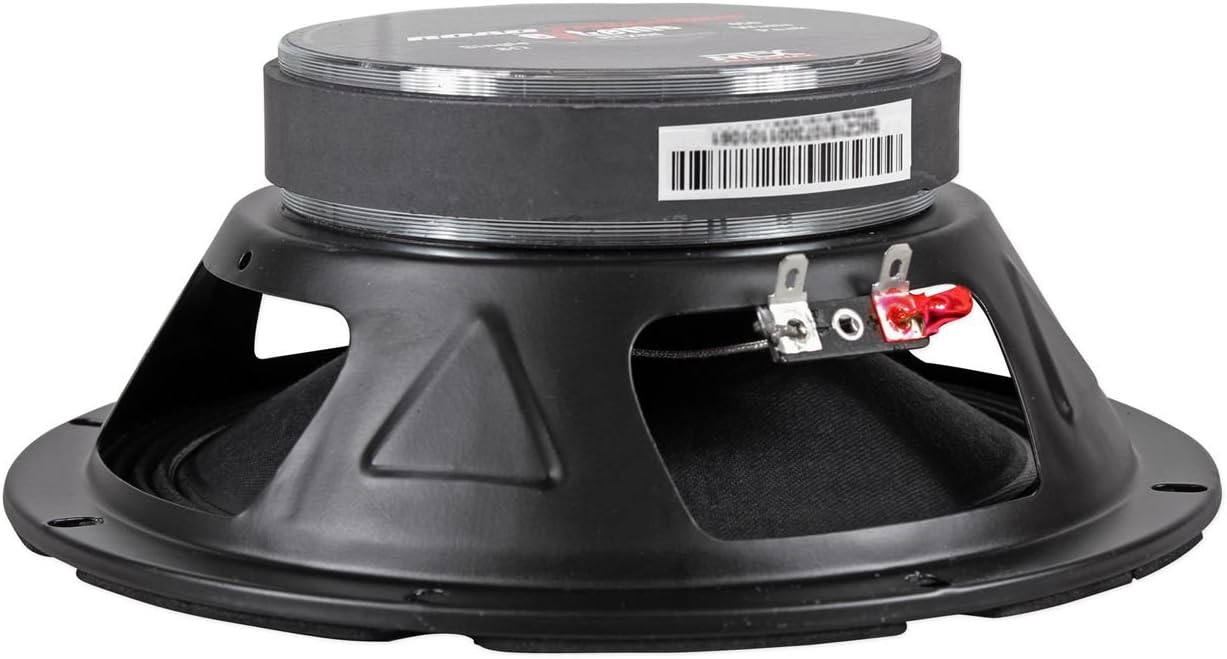
Image: The MTX Audio RTX88 speaker is shown inside its red and black retail box, indicating the product and brand.
4. Setup and Installation
The MTX RTX88 speaker is designed for flush mounting in compatible vehicle applications. Proper installation is crucial for optimal sound quality and speaker longevity.
4.1 Mounting
- Choose a Location: Select a suitable location in your vehicle that can accommodate an 8-inch speaker with a flush mount design. Ensure there is sufficient depth for the speaker's magnet structure.
- Prepare the Opening: If replacing existing speakers, ensure the opening matches the RTX88's dimensions. For new installations, carefully cut a circular opening according to the speaker's mounting template (not included, refer to specifications for dimensions).
- Secure the Speaker: Place the speaker into the opening. Use appropriate screws (not included) to secure the speaker firmly to the mounting surface through the provided mounting holes. Do not overtighten.
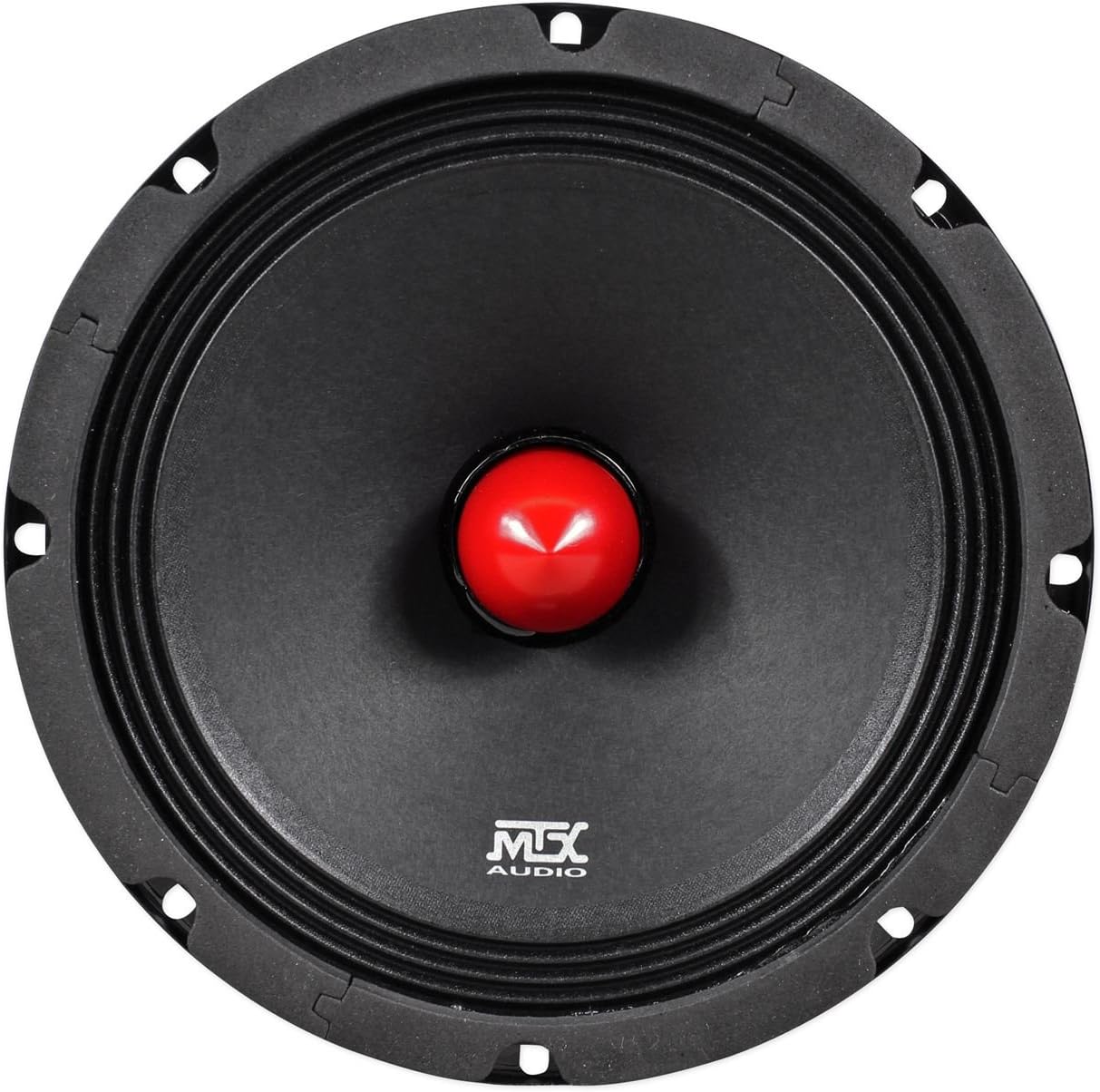
Image: A front view of the MTX Audio RTX88 speaker, showing the black treated paper cone and the red phase plug in the center. The mounting holes around the rim are visible.
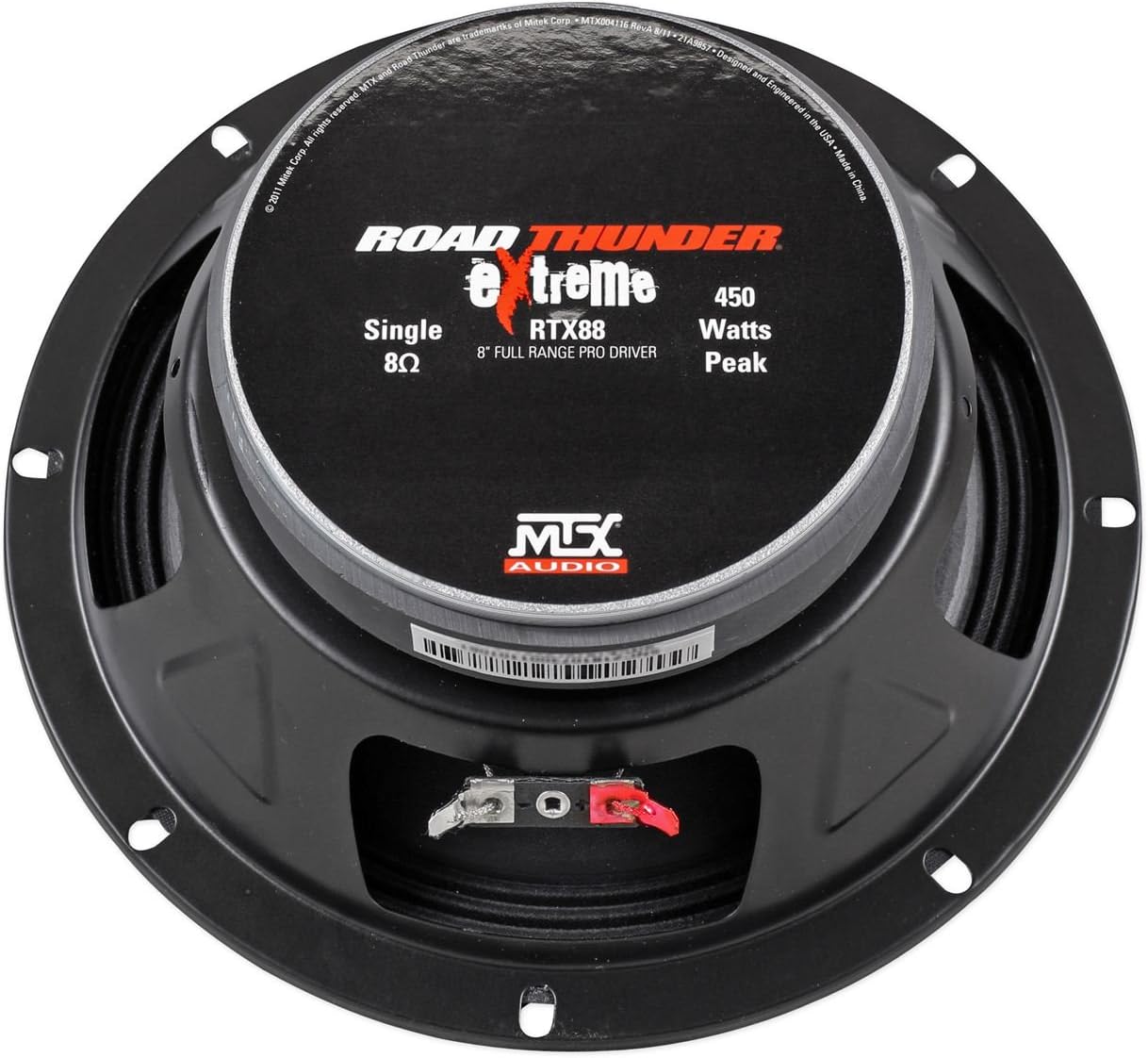
Image: A side profile view of the MTX Audio RTX88 speaker, illustrating its depth from the mounting flange to the back of the magnet structure. This view helps assess mounting clearance.
4.2 Wiring
The RTX88 speaker has an 8-ohm impedance. Ensure your amplifier is stable at this impedance and can provide adequate power (150W RMS per speaker is recommended).
- Identify Terminals: Locate the positive (+) and negative (-) terminals on the back of the speaker. These are typically marked, with the positive terminal often being red and the negative terminal black or silver.
- Connect Speaker Wire: Connect the positive (+) output from your amplifier to the positive (+) terminal on the speaker. Connect the negative (-) output from your amplifier to the negative (-) terminal on the speaker. Ensure a secure connection.
- Verify Polarity: Incorrect polarity can lead to poor sound quality and reduced bass response. Double-check all connections.
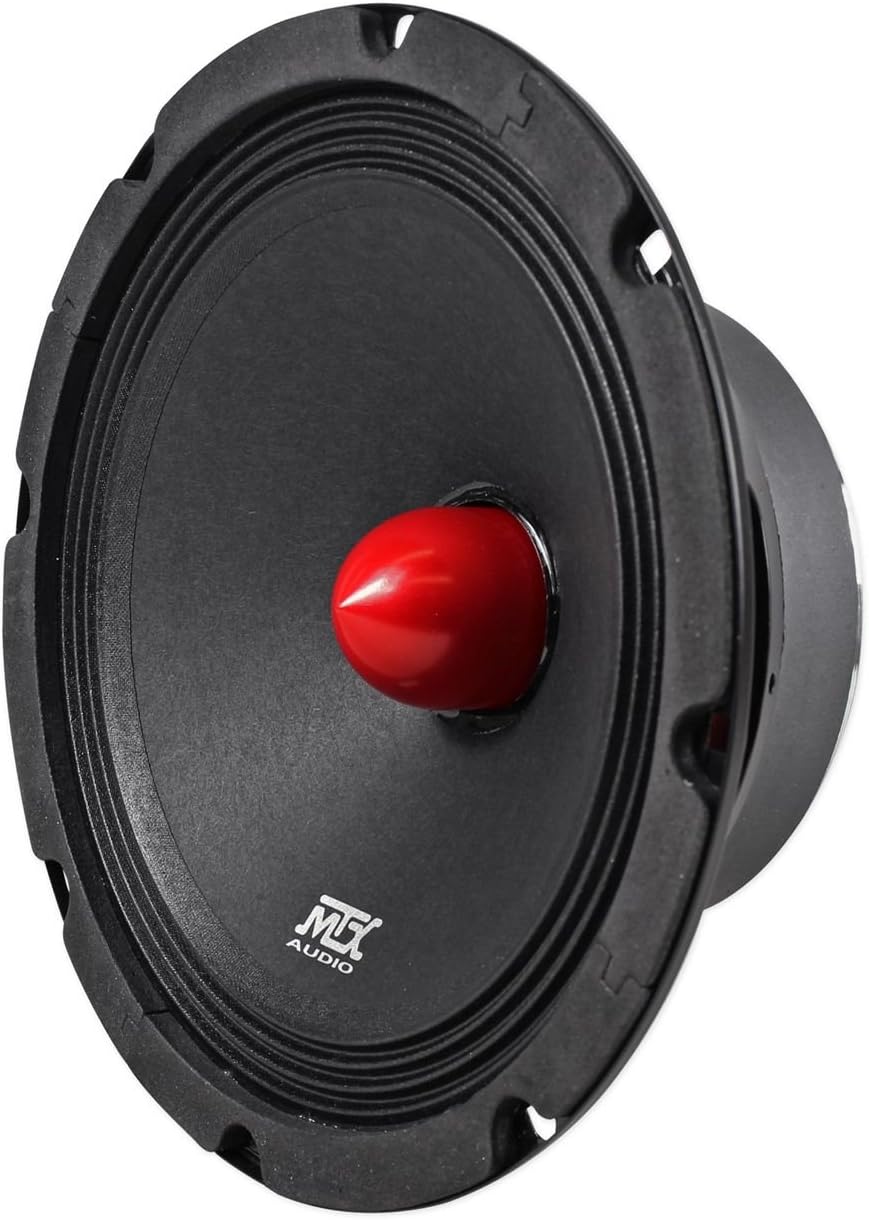
Image: A rear view of the MTX Audio RTX88 speaker, clearly showing the positive (red) and negative (black) wiring terminals for electrical connection.
5. Operating Instructions
Once the MTX RTX88 speakers are correctly installed and connected to a compatible amplifier and audio source (e.g., car head unit), they are ready for operation.
- Power On: Turn on your vehicle's audio system.
- Adjust Volume: Start with the volume at a low level and gradually increase it to your desired listening level. Avoid excessively high volumes to prevent speaker damage and hearing loss.
- Audio Settings: Use your amplifier and head unit's audio settings (bass, treble, balance, fader) to fine-tune the sound to your preference.
6. Maintenance
To ensure the longevity and performance of your MTX RTX88 speakers, follow these simple maintenance guidelines:
- Cleaning: Gently wipe the speaker cone and surround with a soft, slightly damp cloth. Do not use harsh chemicals, solvents, or abrasive cleaners, as these can damage the speaker materials.
- Inspection: Periodically inspect the speaker for any signs of damage, such as tears in the cone or surround, or loose connections. Address any issues promptly.
- Environmental Protection: As these speakers are not waterproof, protect them from direct exposure to water, excessive moisture, and extreme temperatures.
7. Troubleshooting
If you experience issues with your MTX RTX88 speakers, refer to the following common problems and solutions:
| Problem | Possible Cause | Solution |
|---|---|---|
| No sound from speaker | Loose or disconnected wiring; Amplifier off or faulty; Head unit issue | Check all speaker wire connections; Ensure amplifier is powered on and functioning; Verify head unit output. |
| Distorted sound | Over-driven amplifier; Incorrect gain settings; Damaged speaker; Loose connections | Reduce amplifier gain or head unit volume; Check for speaker damage; Secure all connections. |
| Weak or no bass | Incorrect wiring polarity; Amplifier settings (e.g., high-pass filter engaged); Speaker not properly sealed in enclosure | Verify speaker wire polarity; Adjust amplifier crossover settings; Ensure speaker is securely mounted. |
8. Specifications
Detailed technical specifications for the MTX Audio RTX88 Road Thunder Xtreme Full Range Speaker:
- Brand: MTX
- Model Name: RTX88
- Speaker Type: Woofer / Full Range
- Speaker Size: 8 Inches (20.32 cm)
- Impedance: 8 Ohms
- Peak Power: 300 Watts
- RMS Power: 150 Watts
- Mounting Type: Flush Mount
- Cone Material: Treated Paper Cone
- Item Dimensions (D x W x H): 10"D x 3.58"W x 9.58"H (25.4 cm D x 9.09 cm W x 24.33 cm H)
- Item Weight: 9.07 g (0.02 lbs)
- Waterproof: No
- Compatible Vehicle Type: Car
9. Warranty and Support
Warranty information for the MTX Audio RTX88 speakers is typically provided with the product at the time of purchase or can be found on the official MTX Audio website. Please retain your proof of purchase for warranty claims.
For technical support, troubleshooting assistance beyond this manual, or warranty inquiries, please contact MTX Audio customer service directly through their official website or authorized dealers.
