
1. Important Safety Information
Read this user manual carefully before using the appliance and save it for future reference. Always follow basic safety precautions when using electrical appliances to reduce the risk of fire, electric shock, and/or injury to persons.
- Do not immerse the appliance in water or any other liquid.
- Ensure the voltage indicated on the appliance corresponds to your local mains voltage before connecting.
- Keep the appliance out of reach of children.
- Do not operate the appliance if the plug, the mains cord, or the appliance itself is damaged.
- Only use the appliance for its intended household purpose.
2. Product Overview
Familiarize yourself with the components of your Philips Senseo HD7870/10 Twist Coffee Pad Machine.

Figure 1: Overview of the Senseo HD7870/10 machine with accessories.
- Water Reservoir: Detachable tank for water. Capacity for 6 cups.
- Coffee Spout: Height-adjustable to accommodate various cup sizes.
- Pad Holder: For single or double coffee pads.
- Drip Tray: Collects excess liquid and is removable for cleaning.
- Touchscreen Display: For operation and status indicators.
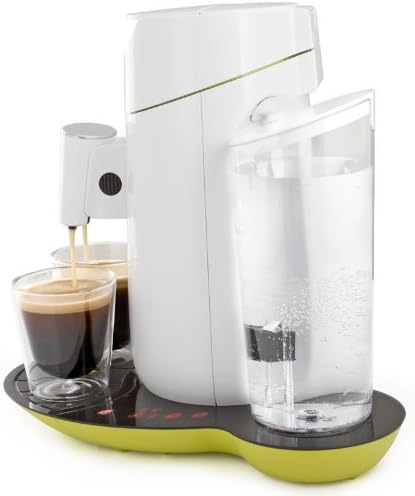
Figure 2: Side view highlighting the water reservoir.

Figure 3: Detail of the touchscreen control panel with power, 1-cup, 2-cup, and descaling indicators.
3. Setup
3.1 First Use and Rinsing
- Remove all packaging materials.
- Clean the water reservoir, pad holders, and drip tray with warm water and a mild detergent. Rinse thoroughly.
- Fill the water reservoir with fresh cold water up to the MAX indication.
- Place the water reservoir back onto the appliance.
- Place a pad holder (without a coffee pad) and close the lid.
- Place a bowl under the spout.
- Press the power button to turn on the machine. The 1-cup and 2-cup buttons will flash.
- Press the 2-cup button to start the rinsing cycle. Repeat this process once or twice until the water reservoir is empty.
3.2 Filling the Water Reservoir
- Remove the water reservoir from the appliance.
- Fill it with fresh, cold tap water up to the MAX level.
- Place the water reservoir back onto the appliance, ensuring it is seated correctly.
4. Operating the Coffee Machine
4.1 Brewing Coffee
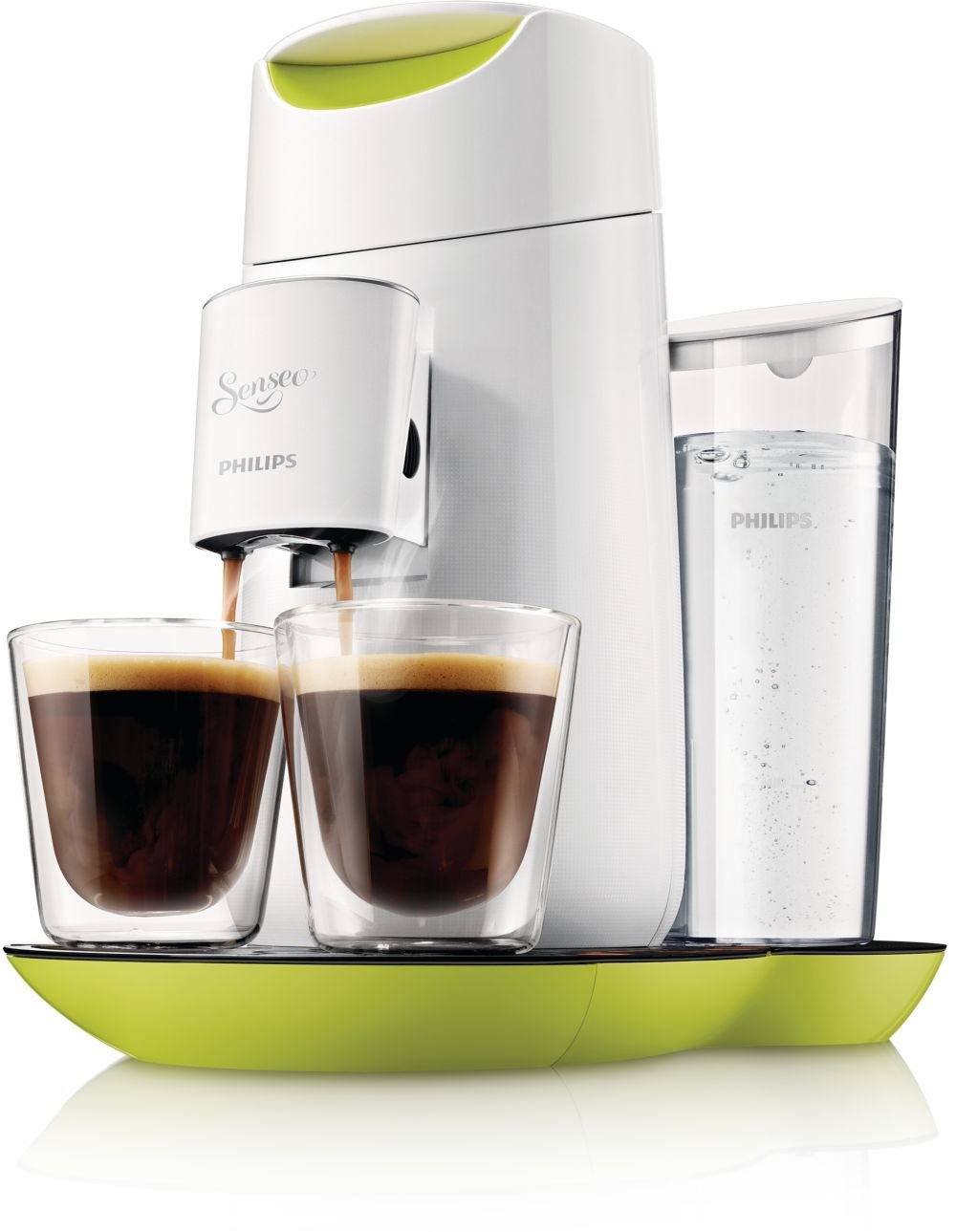
Figure 4: The machine brewing two cups of coffee simultaneously.
- Ensure the water reservoir is filled.
- Open the lid and place one or two Senseo coffee pads into the appropriate pad holder. Use the 1-cup pad holder for one pad and the 2-cup pad holder for two pads.
- Close the lid firmly.
- Place one or two cups under the coffee spout. Adjust the spout height if necessary.
- Press the power button. The 1-cup and 2-cup buttons will light up steadily when the machine is ready.
- Press the 1-cup button for a single cup of coffee or the 2-cup button for two cups. The machine will start brewing.
- The machine will automatically stop when the coffee is ready.

Figure 5: Top view of the machine, illustrating the pad placement area.
4.2 Adjusting Coffee Strength
The Senseo HD7870/10 allows you to adjust the coffee strength:
- After pressing the power button, the 1-cup and 2-cup buttons will light up.
- To select a stronger coffee, press the desired cup button (1 or 2) twice quickly. The button will flash faster to indicate stronger brew selection.
- For a regular coffee, press the desired cup button once.
4.3 Automatic Standby
The machine automatically switches to standby mode after 15 minutes of inactivity to save energy. To reactivate, press the power button.
5. Maintenance
5.1 Cleaning
- Always unplug the appliance before cleaning.
- Wipe the exterior of the machine with a damp cloth. Do not use abrasive cleaning agents.
- The water reservoir, pad holders, and drip tray can be cleaned with warm water and a mild detergent or in the dishwasher.
- Clean the coffee spout regularly to prevent blockages.
5.2 Descaling
The Senseo HD7870/10 features a descaling indicator (CALC light on the touchscreen). When this light illuminates, it is time to descale your machine. Regular descaling ensures optimal coffee quality and extends the lifespan of your appliance.
Follow the descaling instructions provided in the full manual or on the Philips support website. Typically, this involves using a Senseo descaling agent and running several rinsing cycles.
6. Troubleshooting
If you encounter issues with your Senseo machine, refer to the following common problems and solutions:
| Problem | Possible Cause | Solution |
|---|---|---|
| No coffee is dispensed. | Water reservoir is empty. Lid is not closed properly. Appliance is clogged. | Fill the water reservoir. Close the lid firmly until it clicks. Descale the appliance. |
| Coffee is too weak. | Incorrect coffee strength selected. | Ensure you press the cup button twice for stronger coffee. Use fresh coffee pads. |
| CALC light is on. | The machine needs descaling. | Perform a descaling cycle as per the instructions in Section 5.2. |
| Machine does not turn on. | Not plugged in. Power outage. | Check power connection. Verify power supply. |
If the problem persists, please contact Philips Consumer Care.
7. Specifications
| Feature | Detail |
|---|---|
| Brand | Philips |
| Model Number | HD7870/10 |
| Color | Lime Yellow |
| Product Dimensions | 30.99 x 24.99 x 32 cm |
| Weight | 1.5 kg |
| Water Tank Capacity | 1 Liter (approx. 6 cups) |
| Power/Wattage | 1450 watts |
| Voltage | 240 Volts |
| Material | Plastic |
| Special Features | Water filter, Touchscreen display, Descaling indicator, Adjustable coffee strength, Automatic standby after 15 minutes, Height-adjustable spout. |
8. Warranty and Support
For detailed warranty information, please refer to the warranty card included with your product or visit the official Philips website. If you require assistance, have questions, or need to report a problem, please contact Philips Consumer Care through their official support channels.
You can find contact information and frequently asked questions on the Philips Support Website.


