
Product Overview
The APC SMC1000 Smart-UPS 1000VA is a reliable uninterruptible power supply designed to protect your electronic devices from power outages, surges, and fluctuations. It provides battery backup power and surge protection for critical equipment, ensuring continuous operation and data integrity.
Key Features
- 1000VA / 600W Battery Backup Uninterruptible Power Supply (UPS)
- Pure Sine Wave UPS provides highest degree of compatibility with active PFC power supplies and electronics
- 8 battery backup and surge protector outlets
- Smart UPS battery backup with LCD Display
- Network-grade power supply conditioning protects from damaging surges and disruptive noise. Solid state automatic voltage regulation (AVR) boosts low input voltage and trims high voltage without battery operation. Network manageable via serial, USB or optional ethernet
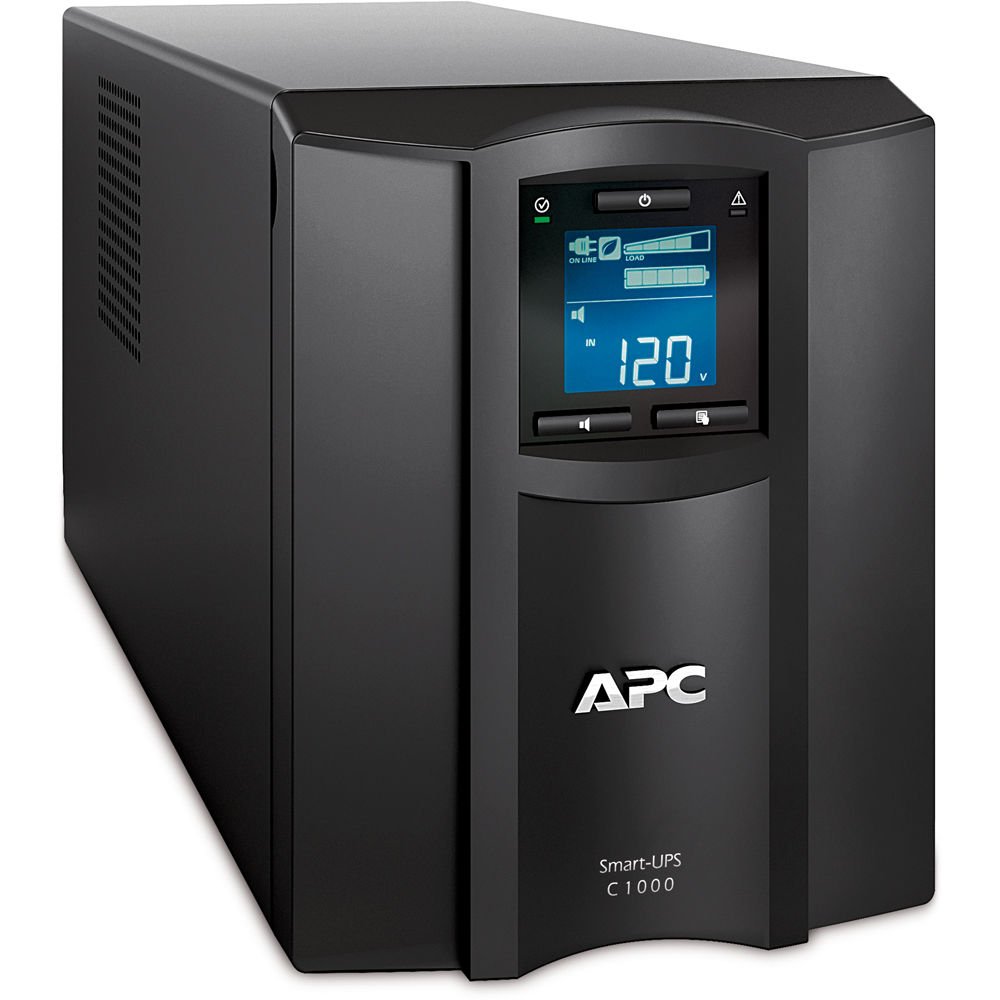
Front view of the APC SMC1000 Smart-UPS 1000VA LCD UPS, showcasing its compact design and front panel display.
Setup Instructions
Unpacking
Carefully remove the UPS unit and all accessories from its packaging. Inspect the unit for any signs of damage. Retain packaging for future transport or storage.
Connecting the UPS
- Connect the UPS power cord to a properly grounded 120-Volt AC outlet.
- Connect your critical equipment (e.g., computer, monitor, router) to the 'Battery Backup & Surge Protected' outlets. These outlets provide power during outages and protect against surges.
- Connect non-critical equipment (e.g., printer, scanner) to the 'Surge Only' outlets. These outlets provide surge protection but no battery backup.
- For network manageability, connect the RJ-45 Serial or USB cable from the UPS to your computer or network device.

Rear view of the APC SMC1000 Smart-UPS, illustrating the various outlets for battery backup and surge protection, along with communication ports.
Initial Power On
Press the power button on the front panel of the UPS. The LCD display will illuminate, and the unit will perform a self-test. Allow the unit to charge for at least 24 hours before relying on its full battery capacity.
Operating Instructions
LCD Display Overview
The front LCD display provides real-time information about the UPS status, including input/output voltage, load level, battery charge status, and estimated runtime. Use the navigation buttons to cycle through different display screens and access settings.

Close-up of the APC SMC1000 Smart-UPS LCD display, showing current voltage, load, and battery charge level.
Power On/Off
To power on the UPS, press and hold the power button until the LCD illuminates. To power off, press and hold the power button until the display turns off.
Battery Backup Functionality
In the event of a power outage, the UPS will automatically switch to battery power, providing uninterrupted power to connected critical devices. The LCD will display the estimated remaining runtime based on the current load. The unit also features front-panel USB-A and USB-C charging ports for mobile devices.
Official APC video demonstrating the features and functionality of the Smart-UPS C series, including its LCD display and battery backup capabilities.
Maintenance
Battery Replacement
The SMC1000 uses a user-replaceable battery module (APCRBC142). When the battery needs replacement, the UPS will indicate this on the LCD. Always power off the UPS and disconnect it from the wall outlet before attempting battery replacement. Follow the specific instructions provided in the full product manual for safe and proper battery module installation.
Cleaning
Regularly clean the exterior of the UPS with a dry cloth. Ensure ventilation openings are free from dust and debris to maintain proper airflow and prevent overheating. Do not use liquid cleaners or solvents.


