
Introduction
This manual provides essential information for the safe and efficient use of your Onkyo 18.5-inch TFT Color LCD Monitor, model LB18JW01. Please read this manual thoroughly before operating the device and retain it for future reference.
The Onkyo LB18JW01 is an 18.5-inch TFT Color LCD display designed for general computing tasks, offering a clear visual experience with a non-glare panel and a resolution of 1366x768.
Safety Information
Always observe the following safety precautions to prevent damage to the monitor and ensure personal safety:
- Do not expose the monitor to rain or moisture.
- Do not open the monitor casing; refer all servicing to qualified personnel.
- Ensure proper ventilation around the monitor.
- Use only the power cord supplied with the monitor or an approved replacement.
- Avoid placing heavy objects on the power cord.
- Disconnect the power plug from the outlet if the monitor will not be used for an extended period.
Package Contents
Verify that all items are present in the package:
- Onkyo 18.5-inch TFT Color LCD Monitor (LB18JW01)
- Power Cable
- VGA Cable (may vary by region)
- User Manual (this document)
Setup
Follow these steps to set up your Onkyo LB18JW01 monitor:
- Unpacking: Carefully remove the monitor and all accessories from the packaging.
- Stand Assembly: Attach the monitor stand to the base. Ensure it is securely fastened.
- Connect Video Cable: Connect one end of the video cable (VGA or DVI) to the corresponding port on the back of the monitor. Connect the other end to your computer's video output port.
- Connect Audio Cable (Optional): If your computer has an audio output and you wish to use the monitor's audio input, connect an audio cable from your computer's audio output to the 'AUDIO IN' port on the monitor.
- Connect Power: Plug the power cable into the monitor's power input, then plug the other end into a wall outlet.
- Power On: Press the power button on the monitor to turn it on. Power on your computer.

Figure 1: Rear view of the Onkyo LB18JW01 monitor, illustrating the power input, DVI, VGA, and Audio In ports for connection.

Figure 2: Close-up view of the DVI, VGA, and Audio In ports, indicating where to connect video and audio cables.
Operating
This section describes the basic operation of your Onkyo LB18JW01 monitor.
Power On/Off
Press the power button, usually located on the front or bottom bezel of the monitor, to turn the display on or off. The power indicator light will illuminate when the monitor is on.
On-Screen Display (OSD) Menu
The monitor features an On-Screen Display (OSD) menu for adjusting various settings. Use the control buttons (typically located on the front or bottom bezel) to navigate and select options within the OSD menu.
- Menu Button: Opens the OSD menu.
- Up/Down or Left/Right Buttons: Navigate through menu options and adjust values.
- Select/Enter Button: Confirms a selection or enters a sub-menu.
- Exit Button: Exits the current menu or the OSD.
Common Adjustments
- Brightness: Adjusts the overall luminance of the screen.
- Contrast: Adjusts the difference between the lightest and darkest areas of the screen.
- Input Select: Manually switch between VGA and DVI input sources if auto-detection does not work.
- Color Settings: Adjust color temperature or individual RGB levels.
- Auto Adjust: For analog (VGA) input, this function automatically optimizes the display settings.
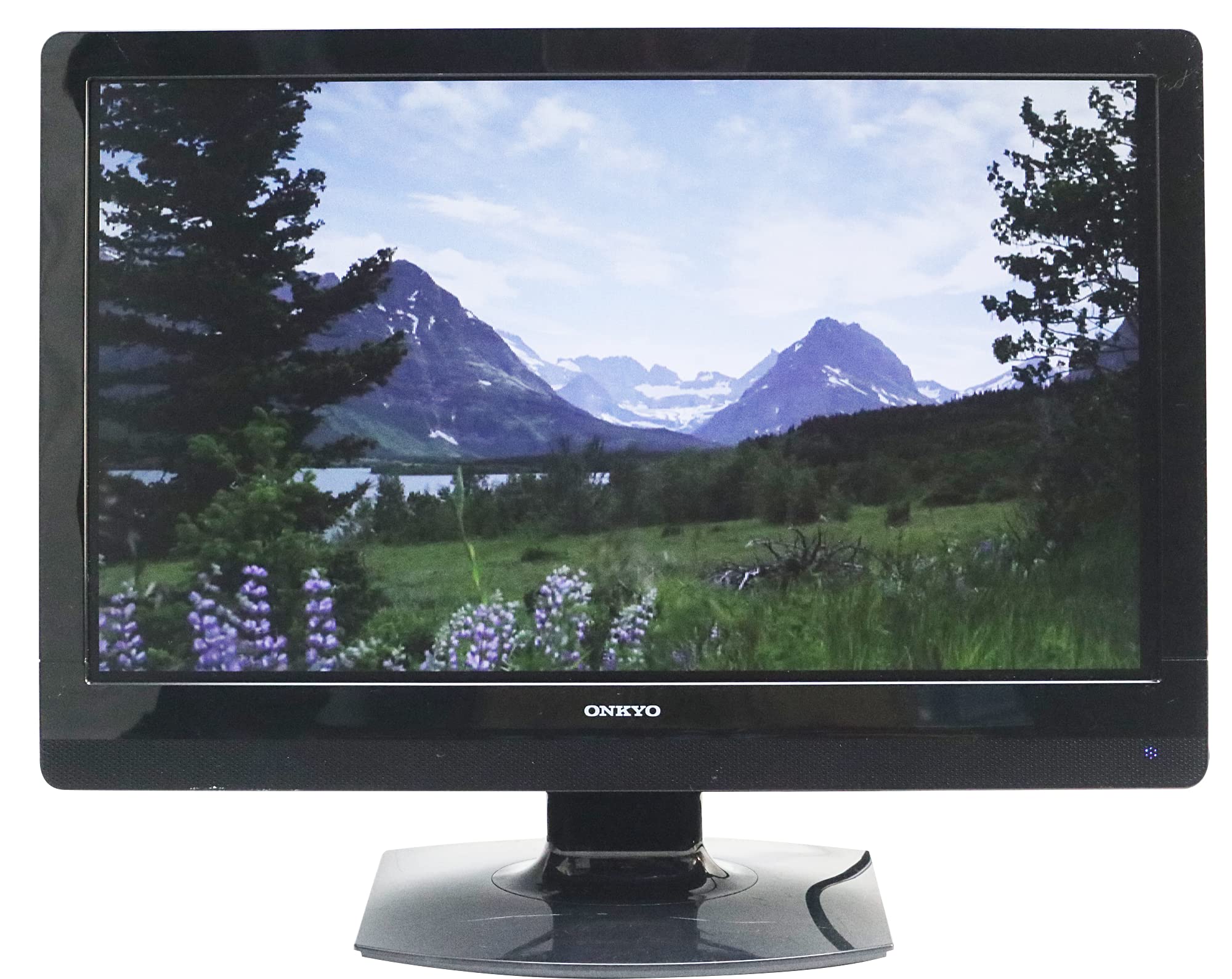
Figure 3: Front view of the Onkyo LB18JW01 monitor, showing the screen and typical location of control buttons (not explicitly visible but implied).
Maintenance
Proper maintenance ensures the longevity and optimal performance of your monitor.
Cleaning the Screen
- Turn off the monitor and unplug the power cord.
- Use a soft, lint-free cloth lightly dampened with water or a specialized screen cleaner.
- Wipe the screen gently. Do not apply excessive pressure.
- Avoid using abrasive cleaners, alcohol, or ammonia-based solutions, as these can damage the screen surface.
Cleaning the Casing
- Use a soft, dry cloth to wipe the monitor casing.
- For stubborn dirt, lightly dampen the cloth with water and a mild detergent, then wipe dry.
Storage
If storing the monitor for an extended period, unplug it, clean it, and store it in a cool, dry place away from direct sunlight and extreme temperatures. Use the original packaging if available.
Troubleshooting
If you encounter issues with your monitor, refer to the following common problems and solutions:
| Problem | Possible Cause | Solution |
|---|---|---|
| No image on screen | Power cable not connected; Video cable not connected; Incorrect input source selected; Monitor or computer is off. | Check power and video cable connections; Ensure monitor and computer are powered on; Select the correct input source using the OSD menu. |
| Image is blurry or distorted | Incorrect resolution; Loose video cable; Analog signal interference. | Set the computer's display resolution to 1366x768; Ensure video cable is securely connected; Use the 'Auto Adjust' function in the OSD for VGA input. |
| Colors are incorrect | Color settings in OSD are misconfigured; Faulty video cable. | Adjust color settings in the OSD menu; Try a different video cable. |
| No sound (if using monitor's audio input) | Audio cable not connected; Computer audio output muted or low volume; Monitor volume low. | Check audio cable connection; Adjust computer's audio settings; Increase monitor volume via OSD. |
Specifications
Technical specifications for the Onkyo LB18JW01 monitor:
| Feature | Specification |
|---|---|
| Brand | Onkyo |
| Model | LB18JW01 |
| Screen Size | 18.5 inches |
| Display Type | TFT Color LCD, LED Backlight |
| Native Resolution | 1366 x 768 (XGA Wide) |
| Response Time | 5 ms |
| Contrast Ratio | 1000:1 |
| Brightness | 250 cd/m² |
| Refresh Rate | 60 Hz |
| Screen Surface | Non-glare (Anti-glare) |
| Hardware Interface | VGA, DVI, Audio In |
| Item Weight | 3 kg |
Warranty and Support
Onkyo products are manufactured to high quality standards. For warranty information, please refer to the warranty card included with your purchase or visit the official Onkyo website for details specific to your region.
For technical support or service inquiries, please contact Onkyo customer service through their official website or the contact information provided in your product documentation. When contacting support, please have your monitor model number (LB18JW01) and serial number ready.
