
1. Introduction and Overview
The Moen Arbor Kitchen Faucet combines elegance and innovation with its transitional design, featuring a slightly flared handle and curved spout that complements any kitchen style. This manual provides essential information for the installation, operation, and maintenance of your new faucet.
Key features include:
- MotionSense Wave: Single-sensor touchless activation allows you to easily turn water on and off with a simple wave of a hand.
- Power Clean Spray: Delivers 50 percent more spray power compared to most standard pulldown and pull-out faucets, ensuring a stronger, faster clean.
- Reflex System: Ensures smooth operation, easy movement, and secure docking of the spray head.
- Spot Resist Stainless Finish: Resists fingerprints and water spots, keeping your faucet looking cleaner.
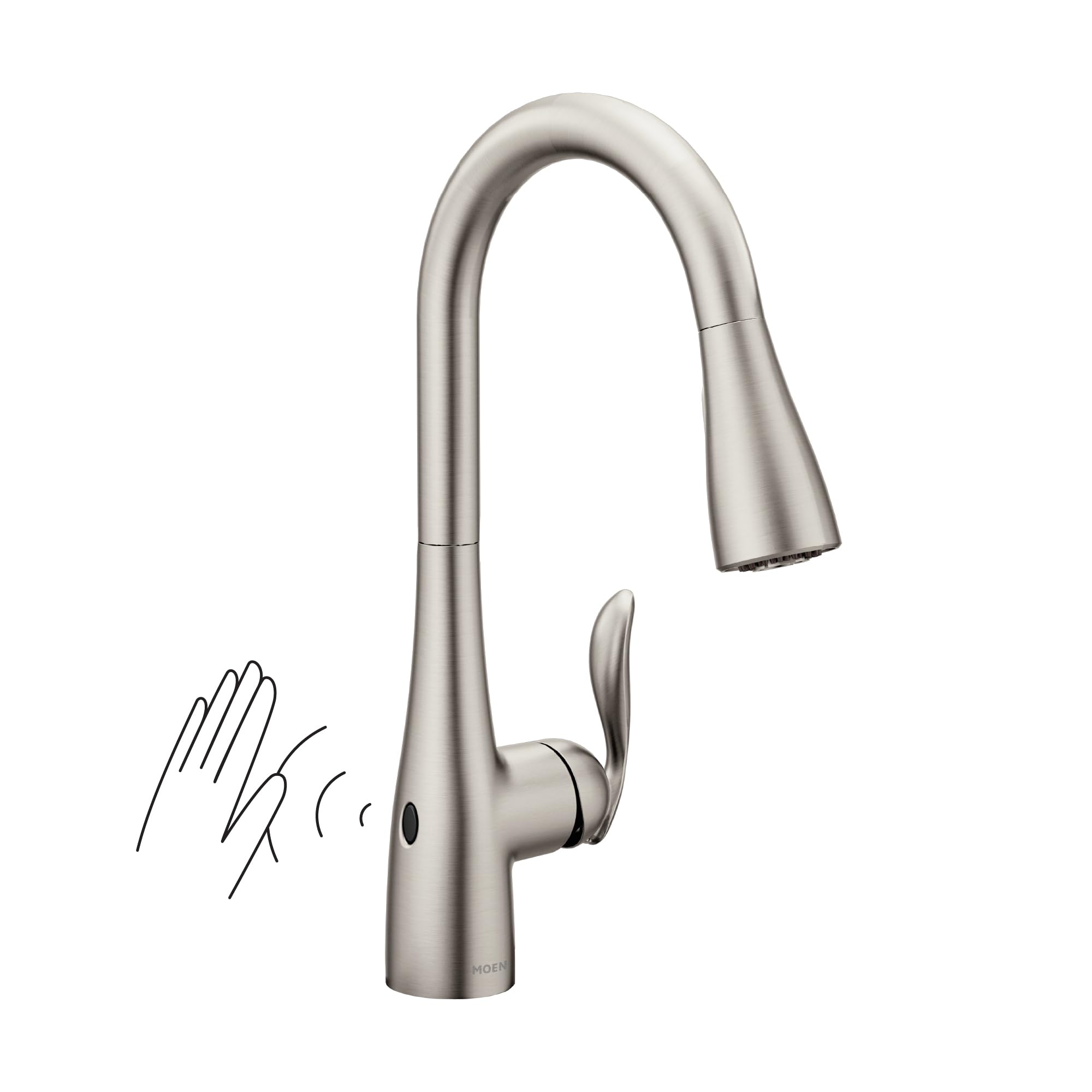
Image 1: Moen Arbor Motionsense Wave Kitchen Faucet in a modern kitchen.
2. Setup and Installation
The Moen Arbor faucet is designed for easy installation, featuring the Duralock quick connect system. It is suitable for single-hole installation and includes an optional deck plate for compatibility with 3-hole sinks.
Included Components:
- Kitchen faucet
- Control Box
- 6 AA batteries
- Deck Plate (optional)
- Flexible supply lines with 3/8" compression fittings
- Instruction Manual (this document)
Installation Steps:
- Ensure all necessary components are present.
- Follow the detailed instructions in the included manual for mounting the faucet to your deck.
- Utilize the Duralock quick connect system for secure and tool-free connection of the supply lines.
- Install the 6 AA batteries into the control box. An optional AC power adapter is available (sold separately) if a dedicated outlet is preferred.

Image 2: The Duralock Quick Connect system simplifies faucet installation.
3. Operating Instructions
Your Moen Arbor Motionsense Wave faucet offers both touchless and manual operation for convenience.
Touchless Activation (MotionSense Wave):
- To turn the water on, simply wave your hand in front of the sensor located on the faucet body.
- To turn the water off, wave your hand in front of the sensor again.
- The sensor allows for hands-free operation, promoting hygiene and convenience, especially when hands are messy.

Image 3: Activating the touchless sensor with a hand wave.
Manual Operation:
- The single handle allows for manual control of water flow and temperature. Lift the handle to turn on the water and adjust left or right for desired temperature.
Pull-Down Spray Nozzle:
- The pull-down spray nozzle extends for increased reach and flexibility.
- Switch between a steady stream and Power Clean spray mode using the buttons on the spray head.
- The Reflex system ensures the spray head retracts smoothly and docks securely when not in use.

Image 4: Utilizing the Power Clean spray for efficient dish cleaning.
4. Maintenance
To ensure the longevity and optimal performance of your Moen Arbor faucet, regular maintenance is recommended.
- Cleaning the Finish: The Spot Resist Stainless finish is designed to resist fingerprints and water spots. Clean with a soft, damp cloth and mild soap. Avoid abrasive cleaners or harsh chemicals that can damage the finish.
- Battery Replacement: The touchless feature is powered by 6 AA batteries (included). Replace batteries as needed, typically every 6-12 months depending on usage.
- Aerator Cleaning: Periodically unscrew and clean the aerator to remove any mineral buildup that may affect water flow.

Image 5: Spot Resist Technology helps maintain a clean faucet appearance.
5. Troubleshooting
If you encounter any issues with your Moen Arbor faucet, refer to the following common troubleshooting tips:
- No Water Flow (Touchless): Check if the batteries in the control box need replacement. Ensure the sensor is clean and unobstructed.
- Weak Water Pressure: Inspect the aerator for mineral buildup and clean if necessary. Verify that the water supply valves are fully open.
- Spray Head Not Retracting: Check for any obstructions under the sink that might be interfering with the hose and weight. Ensure the Reflex system is free to move.
- Leaking: If leaks occur, first ensure all connections are tight. If the issue persists, contact Moen customer support or a qualified plumber.
6. Specifications
| Feature | Detail |
|---|---|
| Brand | Moen |
| Model Name | Arbor Motionsense Wave One-Sensor Touchless One-Handle |
| Model Number | 7594EWSRS |
| Finish Type | Spot Resist Stainless |
| Material | Metal |
| Number of Handles | 1 |
| Hole Count | 1 (with optional deck plate for 3-hole) |
| Special Feature | Touchless |
| Installation Type | Deck Mounted |
| Maximum Flow Rate | 1.5 Gallons Per Minute |
| Spout Height | 15.5 Inches |
| Spout Reach | 7.88 Inches |
| Item Weight | 5.87 Pounds |
| Power Source | 6 AA batteries (included), optional AC power |
| Hose Length | 68 Inches |

Image 6: Moen Arbor Faucet Dimensions.
7. Warranty and Support
Moen stands behind the quality of its products.
- Warranty Type: Limited Lifetime Warranty
- Warranty Description: This faucet is covered by Moen's Limited Lifetime Warranty, ensuring peace of mind regarding defects in material and manufacturing. For full details and to register your product, please visit the official Moen website or refer to the warranty card included with your purchase.
- Customer Support: For technical assistance, replacement parts, or warranty claims, please contact Moen customer service. Contact information can be found on the Moen website or in your product packaging.


