
Introduction
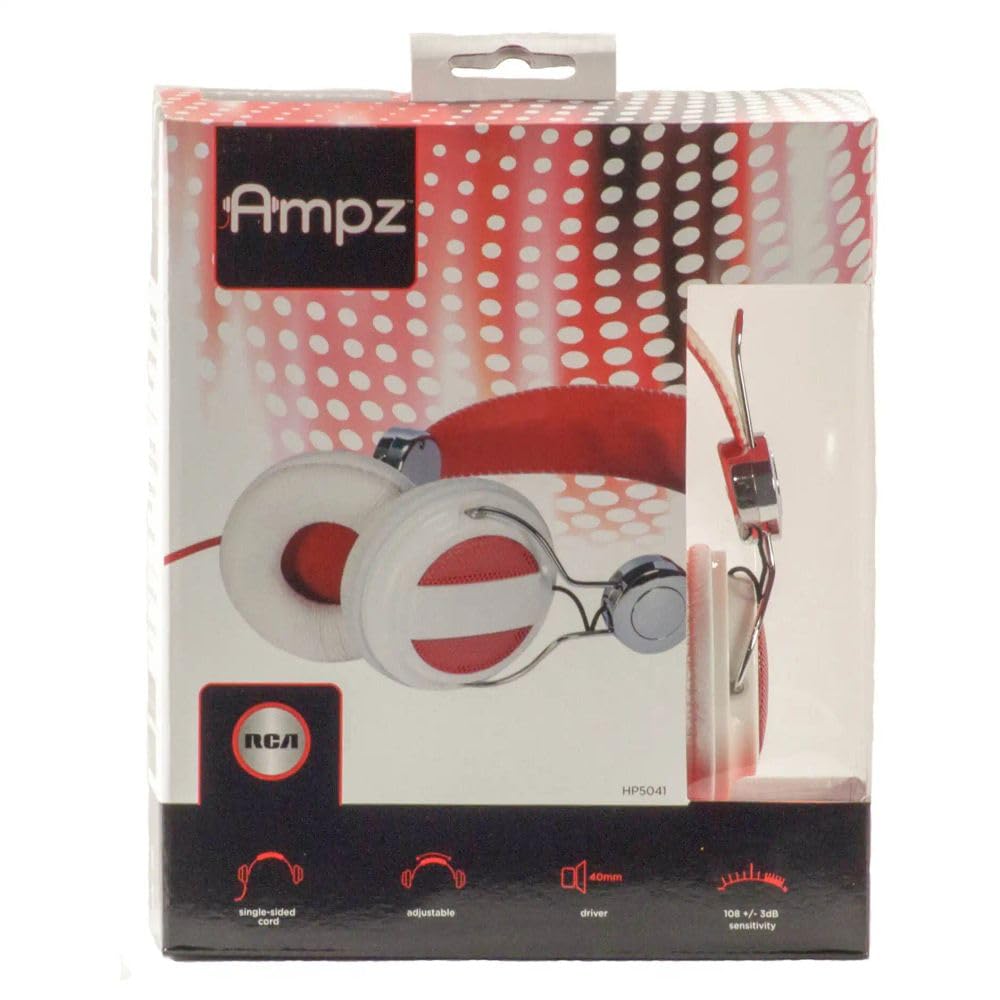
The RCA HP5041 Ampz On-Ear Headphones are designed to provide a comfortable and immersive audio experience. Featuring an adjustable headband and powerful 40mm drivers, these headphones deliver clear sound for your favorite music and audio content. They connect to a wide range of audio devices using a standard 3.5mm jack, offering versatility and ease of use.
What's in the Box
- 1 x RCA HP5041 Ampz On-Ear Headphones
Setup
- Unpack the Headphones: Carefully remove the headphones from their packaging.
- Adjust the Headband: Gently extend or retract the headband slides on both sides to achieve a comfortable fit on your head. The headband should rest comfortably without excessive pressure.
- Connect to Audio Device: Insert the 3.5mm audio jack firmly into the headphone port of your audio source (e.g., smartphone, tablet, computer, MP3 player). Ensure the connection is secure to prevent audio interruptions.
Operating Instructions
- Wearing the Headphones: Place the earcups over your ears, ensuring they sit comfortably. The soft ear cushions are designed for extended listening.
- Audio Playback: Once connected to your audio device, begin playing your desired audio. Adjust the volume directly on your audio device. These headphones do not feature inline volume controls.
- Cable Management: The headphones feature an extra-long cord, providing flexibility for movement. Ensure the cord is not tangled or under strain during use.
Maintenance
- Cleaning: Use a soft, dry cloth to wipe the earcups and headband. Avoid using harsh chemicals or abrasive cleaners.
- Storage: When not in use, store the headphones in a clean, dry place away from extreme temperatures and direct sunlight. Avoid wrapping the cable too tightly around the headphones to prevent damage.
- Cable Care: Handle the 3.5mm jack and cable gently. Avoid pulling on the cable to disconnect it from your device; always grasp the plug itself.
Troubleshooting
- No Sound:
- Ensure the 3.5mm audio jack is fully inserted into both the headphones and the audio device.
- Check the volume level on your audio device.
- Test the headphones with a different audio device to rule out an issue with the source.
- Inspect the audio cable for any visible damage or kinks.
- Distorted Sound:
- Lower the volume on your audio device.
- Ensure the audio source is playing high-quality audio.
- Check for loose connections at the 3.5mm jack.
- Headphones are Uncomfortable:
- Re-adjust the headband for a looser or tighter fit.
- Ensure the earcups are positioned correctly over your ears.
Specifications
| Brand | RCA |
| Model Number | HP5041 |
| Ear Placement | On Ear |
| Form Factor | On Ear |
| Headphones Jack | 3.5 mm Jack |
| Driver Size | 40mm |
| Connectivity Technology | Wired |
| Item Weight | 9.6 ounces |
| Color | Red/White |
Warranty and Support
These RCA HP5041 Ampz On-Ear Headphones come with a limited 90-day warranty from the date of purchase. This warranty covers manufacturing defects under normal use. For warranty claims or technical support, please contact RCA customer service. Keep your proof of purchase for warranty validation.
For further assistance, please visit the official RCA support website or contact their customer service department.


